The best PC speakers for gaming in 2026 are the Edifier G2000 for most desks, the Logitech G560 if you want loud sound with synced lighting, and the Razer Nommo V2 if bass and positional detail matter more than price. Pick by desk depth and how loud you play, not by wattage on the box: a 16W RMS pair listened to from 60 cm often fills a room better than a 200W system pushed against a wall. Below are seven current sets, a comparison table, and a worked listening-distance calculation so you can match a set to your own desk.
As an Amazon Associate we earn from qualifying purchases at no extra cost to you.



Our Top Picks
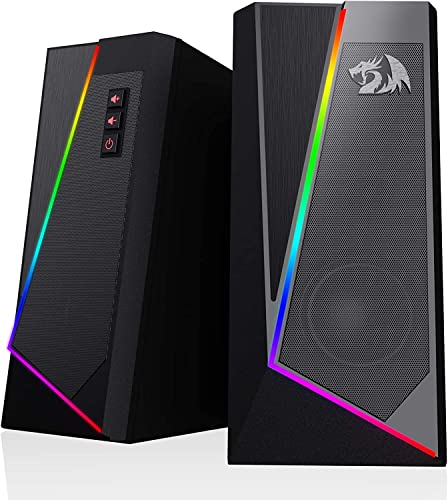 Redragon GS520 Wired 2.0 Channel Stereo Sound Desktop7.48 x 6.69 x 4.33 inches1.8 poundsCheck on Amazon


Top 3 picks at a glance
Quick comparison of the seven picks
| Pick | Layout | Power (RMS unless noted) | Inputs | Price tier | Best for |
|---|---|---|---|---|---|
| Edifier G2000 | 2.0, 2.75-inch full-range drivers | 16W (32W peak) | USB, Bluetooth, 3.5mm | Entry | Small and medium desks, all-round use |
| Logitech Z407 | 2.1 with wireless control dial | 40W (80W peak) | USB, 3.5mm, Bluetooth | Entry | Cheap bass on a budget |
| Creative Pebble Pro | 2.0, compact desktop | 10W (20W peak), 30W with a USB-C PD brick | USB-C, 3.5mm, Bluetooth 5.3 | Entry | Very small desks, lighting on a budget |
| Edifier R1280DB | 2.0 bookshelf, 4-inch woofers | 42W | Optical, coaxial, RCA, Bluetooth | Mid | Music, movies and games together |
| Logitech G560 | 2.1 with four-zone lighting | 120W (240W peak) | USB, 3.5mm, Bluetooth | Mid | Big sound, DTS:X on PC, RGB sync |
| Razer Nommo V2 | 2.1, 3.2-inch satellites, 5.5-inch sub | Not published as one figure; 40-20,000 Hz | USB, Bluetooth, 3.5mm | Premium | Bass depth and THX Spatial Audio |
| Logitech Z623 | 2.1 THX-certified | 200W (400W peak) | 3.5mm, RCA | Mid | Large desks and loud movie nights |
Specs above follow the manufacturers’ published sheets and major reviews. Street prices move around, which is why the table uses tiers instead of numbers.
What matters for gaming audio (and what does not)
Gaming asks different things of speakers than music does. You want clear midrange for footsteps and voice chat, enough low end that explosions feel physical, and a volume control you can reach mid-match. Peak wattage figures are the least useful number on a spec sheet because makers measure peak and RMS differently. RMS, driver size and the presence of a subwoofer tell you more.
- Driver size: 2.75-inch full-range drivers (Edifier G2000) bottom out around 100 Hz, so low rumble is mostly implied. 4-inch woofers (Edifier R1280DB) usually reach 55-60 Hz. A separate 5- to 8-inch subwoofer reaches 40-50 Hz.
- Connection: USB carries digital audio and often power. 3.5mm analog works everywhere but depends on your motherboard’s DAC. Optical and Bluetooth add convenience; Bluetooth adds roughly 100-200 ms of delay, which is noticeable in rhythm and shooter games, so wire your gaming source.
- Positional audio: Real stereo separation beats fake 7.1 from two speakers. Logitech’s G560 uses rear-facing drivers in its satellites to bounce sound off the wall, while Razer licenses THX Spatial Audio. Both are processing layers on top of a stereo base.
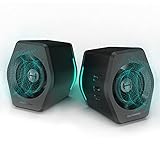
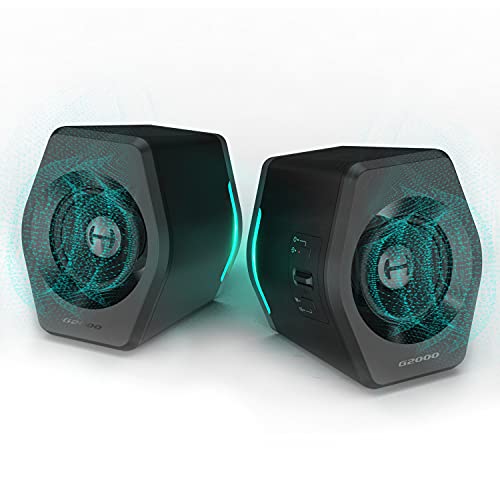
Best overall: Edifier G2000
Spec line: 2.0 stereo, two 2.75-inch full-range drivers, 98-22,000 Hz, 16W RMS (32W peak), Game / Music / Movie sound modes, RGB lighting effects, wired and wireless inputs per the published spec list.
Best for: Desks where you sit 50-80 cm from the screen and want a clean, compact pair that does not need a subwoofer on the floor. Skip if: you want physical bass or you play at high volume in a large room.
- Compact enough for a 60 cm desk.
- Dedicated sound modes shift the tuning toward dialogue and effects in games.
- Flexible connectivity means the same pair works for console, laptop or phone.
Cons: The 98 Hz low-end limit means no deep bass. At full volume small drivers compress.
This is the pick most roundups settle on for value, and the logic is simple: a small, accurate pair on a near-field desk gets 90% of the benefit that gaming speakers offer, for the least money and desk space.
Best for loud sound and lighting: Logitech G560
Spec line: 2.1, 120W RMS (240W peak), two satellites each with front- and rear-facing drivers plus a subwoofer, USB / 3.5mm / Bluetooth, four-zone LIGHTSYNC lighting, DTS:X Ultra surround over USB on Windows.
Best for: Players who already use Logitech G Hub and want lighting that follows on-screen colors and in-game audio events. Skip if: your desk sits against a bare wall of glass, or you dislike software dependence for surround.
- Plenty of headroom for large rooms.
- Rear-firing drivers widen the soundstage when the wall behind is within about 30 cm.
- Subwoofer adds real low end for effects.
Cons: The surround processing is tied to the USB connection and Windows. The subwoofer needs floor space, and the bass can overpower small rooms.
Best for bass and spatial audio: Razer Nommo V2
Spec line: 2.1, two 3.2-inch full-range satellites, 5.5-inch down-firing wired subwoofer, 40-20,000 Hz, 98 dB maximum SPL, THX Spatial Audio, Chroma RGB underlighting. The Nommo V2 Pro adds a wireless subwoofer and control pod and a much higher price; the V2 X is a smaller 2.0 variant.
Best for: Players who want the most dramatic bass in a PC-focused system and are comfortable with Razer Synapse. Skip if: you want the cheapest sound or dislike brand software.
- Wide frequency response starting at 40 Hz.
- Satellites tilt upward so sound reaches ear height.
- Easy on-speaker volume control on the V2.
Cons: Premium price tier. The wired subwoofer limits placement compared with the Pro.
Best budget 2.1: Logitech Z407
Spec line: 2.1, 40W RMS (80W peak), small subwoofer with the amplifier built in, USB audio, 3.5mm and Bluetooth inputs, wireless control dial.
Best for: First-time buyers and shared desks where a subwoofer should be cheap and tidy. Skip if: you want RGB lighting or a very flat frequency response.
- The wireless control dial puts volume and input switching on the desk.
- Reaches down to roughly 55 Hz, which is deeper than any 2.0 pair here.
- Three inputs in one box.
Cons: Satellites are small and a bit forward in the midrange. No optical input.
Best for small desks: Creative Pebble Pro
Spec line: 2.0, 80-20,000 Hz, 10W RMS (20W peak) from a standard USB-C port, up to 30W RMS (60W peak) when fed a USB-C PD power brick, Bluetooth 5.3, 3.5mm input, RGB lighting.
Best for: Tight setups where the speakers sit beside the monitor. Skip if: bass matters to you; reviewers consistently note limited low end.
- Tiny footprint.
- USB-C power and audio over one cable.
- Optional PD brick unlocks louder output.
Cons: Thin bass. The extra power mode needs a separate adapter.
Best for music and games together: Edifier R1280DB
Spec line: 2.0 bookshelf, 4-inch bass drivers, 42W RMS, optical and coaxial digital inputs, two RCA analog inputs, Bluetooth, remote control.
Best for: A desk where you also listen to albums and watch video, with a console or TV-style digital source. Skip if: you need USB audio; it has none.
- Warm, balanced tuning that works for games and music.
- Optical input is rare in this tier.
- Wooden cabinets resist vibration at higher volumes.
Cons: The cabinets are deep, so you need desk depth. No USB, so PCs use the 3.5mm output or an optical card.
Best for big rooms: Logitech Z623
Spec line: THX-certified 2.1, 200W RMS (400W peak), large ported subwoofer, 3.5mm and RCA inputs, no Bluetooth.
Best for: Large rooms and louder movie nights, where raw output matters. Skip if: you sit within a meter of the screen, because the sub will overwhelm near-field listening.
- Strong output with low distortion at moderate levels.
- Two analog inputs let a PC and a console share it.
- Large sub for real low-frequency impact.
Cons: Big. Analog-only connections and no wireless.
Worked example: how loud is “enough” on your desk?
Sound pressure falls roughly 6 dB each time the distance doubles in open air; in a room it falls somewhat less. Suppose a speaker produces 85 dB at 1 meter for the power you feed it. At 0.6 m the level rises by about 4.4 dB (20 x log10 of 1/0.6), giving roughly 89 dB at your ears. Reaching 85 dB at 2 meters needs about 6 dB more than reaching it at 1 meter, which is four times the amplifier power, and speakers with 2.75-inch drivers may distort before they reach it.
| Listening distance | Approx. level change vs 1 m | Power needed for same level | What it means |
|---|---|---|---|
| 0.5 m | +6 dB | One quarter | Compact 10-16W pairs are plenty |
| 0.8 m | +2 dB | About 0.6x | Typical desk, 16-42W is comfortable |
| 1 m | 0 dB | 1x | Reference |
| 2 m | -6 dB | 4x | A 2.1 system with 40W+ makes sense |
| 3 m | -9.5 dB | About 9x | Consider 120W+ or a bigger system |
This is why a desk pair with modest wattage often beats a large system on a typical desk: you hear it from so close that distortion and room effects matter more than raw output.
How to choose: a decision matrix
| Your situation | Choose | Reason |
|---|---|---|
| Desk depth under 60 cm, sit close | Edifier G2000 or Creative Pebble Pro | Small footprint, enough output at 0.5-0.8 m |
| Want bass without spending much | Logitech Z407 | Cheapest route to a real subwoofer |
| Already use Logitech G Hub lighting | Logitech G560 | Lighting and audio events sync |
| Play online shooters with a headset sometimes | Any set with a 3.5mm headphone-out switch | Mute speakers quickly when voice chat is on |
| Also play console or stream TV | Edifier R1280DB | Optical and RCA inputs |
| Room larger than 20 square meters | Logitech Z623 or Nommo V2 | More power and a bigger subwoofer |
Placement rules that cost nothing
- Put the speakers at ear height, angled slightly toward you; tweeters are directional.
- Form an equilateral triangle: speakers about as far apart as each is from your head, within 0.6-1 m.
- Keep 10-15 cm between the back of each speaker and the wall unless it is front-ported.
- Place the subwoofer on the floor near a wall, then move it slightly until bass is even; do not stuff it in a corner under a desk.
- Use a stand or isolation pad if the desk resonates when bass hits.
Gaming speakers versus headphones: when to use each
Speakers are better for long sessions where you do not want a headband, for local multiplayer, and for movies. Headphones win for competitive shooters because they isolate footsteps from room noise and let you localize sound precisely. A sensible setup uses both: speakers for casual play and media, a headset for ranked matches, with a hardware switch or a dock to move between them. Look for a 3.5mm headphone jack on the speaker or control pod, because it lets you cut the speakers when you plug in.
Reddit-style recommendations, explained
If you search for “best PC gaming speakers Reddit,” the recurring answers are Edifier models, Logitech Z407 or Z623 for budget bass, and Audioengine A2+ for people who care about sound quality more than size. The reasoning behind those recommendations matches the logic above: forum users favor sets that work well at close range with no software. Treat any forum list as a starting point and check current availability and connections before you buy.
Best gaming speakers under 100
If you only have around 100 to spend, the realistic shortlist is the Logitech Z407 for 2.1 bass, the Creative Pebble Pro for tiny desks, and in many markets the Edifier G2000 on sale. Prioritize the connection you will actually use: USB for a PC, 3.5mm or optical for a console. Skip anything that advertises huge peak power at this tier, because the number rarely reflects usable output.
Frequently Asked Questions
Are 2.1 speakers better than 2.0 for gaming?
A 2.1 system adds a subwoofer, which helps explosions and engine sounds feel physical and takes bass load off the small satellites. A well-tuned 2.0 pair with 4-inch woofers, like the Edifier R1280DB, can still sound more balanced. Choose 2.1 if bass impact matters and you have floor space.
Do gaming speakers need to be USB?
No. USB can carry digital audio and power, which avoids motherboard noise, but 3.5mm analog works on every PC and console controller. Optical suits consoles and TVs. Pick the input your source offers and avoid Bluetooth for competitive games because of its delay.
Is RGB worth paying for on speakers?
Lighting adds no sound quality. If you like the look and a set from your preferred brand syncs with your keyboard and case, it is a bonus; otherwise spend that money on larger drivers or a better amplifier.
How far apart should PC speakers be?
For near-field listening, 0.6 to 1 meter apart is typical, with each speaker about the same distance from your head. Wider spacing than your listening distance can leave a hole in the center image.
Can I use gaming speakers with a console?
Yes, if the console or its display provides an output the speakers accept. Consoles generally do not provide optical audio directly, so you usually use the controller’s 3.5mm jack, a monitor or TV audio output, or an HDMI audio extractor.
Which is better, the Logitech G560 or the Razer Nommo V2?
The G560 is cheaper and louder, with rear-facing drivers and strong lighting. The Nommo V2 reaches lower in bass and has a cleaner THX-tuned presentation. Choose the G560 for value and lighting, and the Nommo V2 for sound quality.
Bottom line
Match the speakers to your desk distance first, then connection, then features. For most desks the Edifier G2000 is the safest pick; the Logitech Z407 is the cheapest route to bass; the G560 and Nommo V2 are the premium gaming choices. Based on published specs and reviews, none of these requires special tuning to sound good once the placement rules above are followed.
Related guides
- Best Soundbars for PC and Gaming Desks in 2026: Seven Bars, Fit Checks and Connection Rules: 4 Compared
- Best Small Computer Speakers for 2026: Compact Pairs Ranked by Footprint and Bass Reach: 4 Compared
- Best RGB Speakers for PC in 2026: Seven Lit Sets, Software Sync and Lighting Power Draw: 4 Compared
- Best 5.1 and 7.1 Surround Sound PC Speakers in 2026: What Actually Works at a Desk: 4 Compared
More from Amazon
Programs that pair well with the guide above. Offers and eligibility are set by Amazon and may change.
Free shipping on eligible items, Prime Video and more. Eligible new members can start with a free trial.
Start a Prime free trialAd-free music streaming. Eligible new subscribers can start with a free trial.
Try Music Unlimited freeA Prime membership for ages 18-24 with a trial period. Eligibility is set by Amazon.
See Prime for Young AdultsAudiobooks and podcasts to listen to on the go. Eligible new members can start with a free trial.
Try Audible freeAs an Amazon Associate we earn from qualifying purchases.