A small desk forces a real trade-off that bigger setups never face: every inch given to speakers is an inch taken from the keyboard, the mouse pad or the second monitor. Searching for mini USB-powered speakers usually means one thing, which is that you want sound better than a laptop or monitor can manage, without a power brick, a subwoofer or a tangle of cables eating the surface.
This guide is written for people with a narrow shelf, a compact gaming nook or a dorm-sized workstation who want one cable for power and, ideally, one for audio. It compares eight compact options in 2026 using the features stated in their listings, so you can decide between a classic pair, a soundbar and a Bluetooth-capable set before spending anything.
Our Top Picks
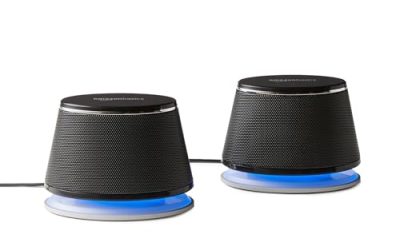
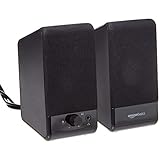
 Amazon Basics USB-Powered Computer Speakers with Volume Control1-Pack2.76 x 3.55 x 5.3 inches1.5 poundsCheck on Amazon




Top 3 picks at a glance
Quick Picks
As an Amazon Associate we earn from qualifying purchases at no extra cost to you.




| Product | Best for | Key feature from the listing |
|---|---|---|
| Basics USB-Powered Computer Speakers | Plain budget desk audio | Volume control and headphone jack |
| Touch-Control USB Sound Bar | Clearing desk space | Touch controls, USB plug-and-play |
| Basics Stereo 2.0 Speakers | Wired two-speaker setups | 3.5mm aux input, USB power |
| Creative Pebble V3 | Wireless phone and PC mixing | USB-C power, Bluetooth 5.0, 8W RMS |
| Creative Pebble 2.0 | Minimal, wired simplicity | USB powered, compact stereo |
| Clip-On Monitor Soundbar | Zero-footprint placement | Clips onto the monitor, USB C adapter |
| 1Mii 3.5mm USB-Powered Speakers | Laptop and tablet users | Volume control, 3.5mm audio plug |
| Logitech S150 | Familiar brand, basic use | USB speakers with digital sound |
How to Choose
Check How Audio Actually Reaches the Speakers
Several listings say “USB-powered” but carry sound over a 3.5mm cable, which means a USB port supplies electricity and the headphone jack supplies the signal. Others, like the soundbar styles, pass audio digitally over the same USB plug. Count the free ports on your PC or monitor and confirm which connection each model needs before you commit, because a desk that already has a crowded hub leaves little room for a second cable.
Measure the Footprint, Not Just the Width
Compact pairs need a few inches on each side of the monitor, while a soundbar needs one long, shallow strip. Measure the gap under your screen and the depth of your desk, including the space your keyboard occupies. A clip-on design removes the question entirely by hanging from the display, though it depends on the monitor having an edge that can hold it.
Look at Controls and Extras
A physical volume knob is faster than a keyboard shortcut during a match or a call. Touch controls look cleaner but need a precise tap. A headphone jack on the speaker is useful if you switch between speakers and a headset daily. Bluetooth matters only if you want to stream from a phone or tablet; for a PC-only desk it is an extra you may never use.
Ignore Big Sound Claims, Mind the Budget Trade-Offs
Placement also changes what you hear. Speakers angled toward your ears at desk height sound fuller than ones tucked behind a monitor, so a few minutes of repositioning often matters more than a small difference in specification.
Words like “deep bass” on a tiny enclosure describe tuning, not physics. Budget sets typically trim bass depth, power headroom and build quality, so expect clear dialogue and background music rather than room-filling volume. Treat any peak wattage figure with caution and prefer RMS values when they are listed, since RMS reflects what the speakers can sustain.
The 8 Best Options
Basics USB-Powered Computer Speakers
A no-frills pair for a student desk, a spare-room PC or any setup where audio is an afterthought and simplicity wins. It is the sort of purchase that solves the “my laptop speakers are tinny” problem without any fuss or software.
- Strength: volume control and a headphone jack sit on the unit itself
- Strength: compact, portable and plug-and-play
- Trade-off: the listing shows no Bluetooth or extra inputs
Skip it if you want wireless streaming or enhanced bass.
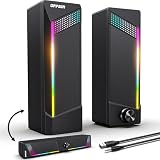
Touch-Control USB Sound Bar
A slim bar for people who want the screen area uncluttered and a single cable running to the PC. Because it replaces two separate speakers, it suits shallow desks and minimal setups well.
- Strength: touch controls and USB plug-and-play, with Windows, macOS, ChromeOS and Linux named as compatible
- Strength: one bar replaces a pair of speakers
- Trade-off: touch panels can register accidental taps
Skip it if you prefer a tactile volume dial.
Basics Stereo 2.0 Speakers
A traditional left-and-right pair suited to desks with room on both sides of the monitor. The separation gives games and music a wider stage than a single bar can usually manage.
- Strength: a 3.5mm aux input works with phones and older gear
- Strength: volume control on the unit
- Trade-off: wired audio plus USB power means two cables
Skip it if your desk is only a few inches deep.
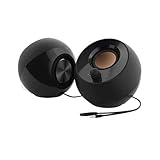
Creative Pebble V3
The most flexible set here for a desk that mixes a PC with a phone or tablet. It is aimed at buyers who want one pair for gaming, calls and casual music, with the option to go wireless.
- Strength: Bluetooth 5.0 plus USB-C power, with a USB-A adapter included
- Strength: 8W RMS rating and a stated focus on clear dialog
- Trade-off: more features mean a higher budget tier than the plain pairs
Skip it if you only need wired desktop audio.
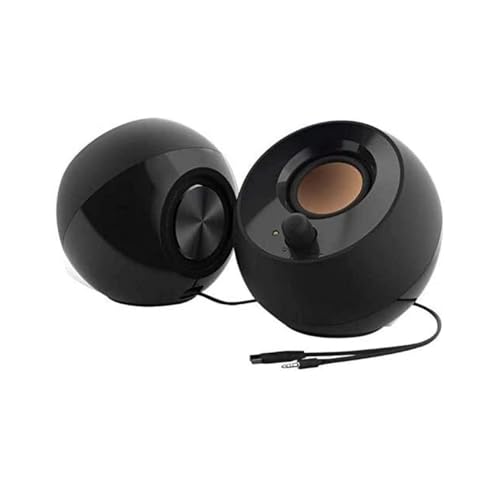
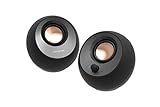
Creative Pebble 2.0
A minimalist pair for anyone who values a tidy, understated desk and a design that blends with a monitor stand. It keeps the feature list short on purpose.
- Strength: compact stereo design with USB power
- Strength: simple setup with no wireless pairing to manage
- Trade-off: no Bluetooth listed
Skip it if you want to stream from a phone without a cable.
Clip-On Monitor Soundbar
A fit for cramped desks, since it clips to the display and takes no desk surface at all. The listing also mentions adaptive channel switching, which is meant to keep stereo output sensible as you change how it is attached.
- Strength: easy clip-on mounting plus a USB C adapter
- Strength: wired USB plug-in with no battery to charge
- Trade-off: it relies on a monitor edge that can hold it
Skip it if your monitor has an unusual frame or sits on a wall mount.
1Mii 3.5mm USB-Powered Speakers
A small external pair for laptops and tablets that lack decent built-in speakers. The 3.5mm plug makes it easy to move between devices without drivers or pairing.
- Strength: volume control and a 3.5mm audio plug
- Strength: listed for Windows, Mac and Linux PCs and monitors
- Trade-off: a lesser-known brand with limited listed extras
Skip it if long-term brand support matters to you.
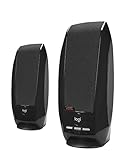
Logitech S150
A familiar name for buyers who want something simple from an established maker and have no interest in tuning settings. It is a classic choice for an office or study corner.
- Strength: USB speakers with digital sound
- Strength: straightforward, with no pairing or software
- Trade-off: the listing is short on detail
Skip it if you need Bluetooth or an aux input.
Which One Fits Your Situation
You Have a Very Shallow Desk
The Clip-On Monitor Soundbar or the Touch-Control USB Sound Bar keep the surface free. The clip-on suits monitors with a flat top edge, while the touch-control bar sits just below the screen and replaces two speakers with one.
You Switch Between a PC and a Phone
The Creative Pebble V3 is the natural pick, because Bluetooth 5.0 lets a phone share the same pair without unplugging anything. The included USB-A adapter helps if your PC lacks a USB-C port.
You Want the Cheapest Reasonable Upgrade
Budget buyers should resist the urge to chase every feature. A plain wired pair with a volume knob does the job most days, and the money saved can go toward a better headset or a monitor stand that frees more desk space.
The Basics USB-Powered Computer Speakers or the Logitech S150 cover everyday video, calls and casual gaming without extra features to pay for. Either is a straightforward step up from built-in laptop audio.
Common Mistakes
- Assuming USB power also carries audio, then finding a second cable is needed.
- Ignoring the distance to a free USB port on a compact desk.
- Buying for peak wattage claims instead of the stated RMS rating.
- Skipping a headphone jack and regretting it during late-night sessions.
- Placing speakers in a corner or against a wall, which muddies bass.
Related guides
- How To Set Up Computer Speakers For Better Sound At Your Desk
- How To Check Whether Your Ram Is Running At Its Rated Speed
- How To Choose The Right Monitor Riser Height For Your Desk
Frequently Asked Questions
Can USB-powered speakers sound loud enough for a small room?
They are sized for a desk, so they suit close-range listening. A USB port limits how much power the speakers can draw, so expect personal-space audio rather than party levels.
Do I need a USB-C adapter?
Only if your PC or monitor lacks a standard USB-A port, or if the speakers use USB-C and your computer does not. A few listings include an adapter, which is worth checking before you buy.
Is a soundbar better than two speakers?
A soundbar saves space and cables, but two separated speakers usually give a wider stereo image. Choose based on desk room first and sound preference second.
Will these work with a Mac or Linux PC?
Plug-and-play models generally work across systems, and some listings name Windows, macOS, ChromeOS and Linux. Confirm the specific model before purchase, especially for Bluetooth pairing.
Related guides
- Best Soundbars for PC and Gaming Desks in 2026: Seven Bars, Fit Checks and Connection Rules: 4 Compared
- Best Small Computer Speakers for 2026: Compact Pairs Ranked by Footprint and Bass Reach: 4 Compared
- Best RGB Speakers for PC in 2026: Seven Lit Sets, Software Sync and Lighting Power Draw: 4 Compared
- Best PC Speakers for Gaming in 2026: Seven Sets Matched to Desk Size and Game Type: 4 Compared
More from Amazon
Programs that pair well with the guide above. Offers and eligibility are set by Amazon and may change.
Free shipping on eligible items, Prime Video and more. Eligible new members can start with a free trial.
Start a Prime free trialAd-free music streaming. Eligible new subscribers can start with a free trial.
Try Music Unlimited freeA Prime membership for ages 18-24 with a trial period. Eligibility is set by Amazon.
See Prime for Young AdultsAudiobooks and podcasts to listen to on the go. Eligible new members can start with a free trial.
Try Audible freeAs an Amazon Associate we earn from qualifying purchases.