An unmanaged switch is the one piece of network gear you plug in and then forget about. There is no login page, no VLAN menu, no firmware nag. The real decision is narrower than most listings suggest: how many ports you need today, how fast each port should run, and whether the box will sit on a desk, hang on a wall, or slide into a rack.
This guide is for people expanding a wired network without wanting to learn network administration: a gamer adding a console and a PC to a single wall jack, a home office that has outgrown its router’s four ports, or a small shop wiring printers and cameras. The ten switches below range from five ports to forty-eight, and from standard gigabit to 2.5G, so the list is organized around port count and speed first.
Our Top Picks
 NETGEAR 5-Port Gigabit Ethernet Unmanaged Network Switch5 Port6.2 x 4 x 1.1 inches0.55 poundsCheck on Amazon



Top 3 picks at a glance
Quick Picks
As an Amazon Associate we earn from qualifying purchases at no extra cost to you.
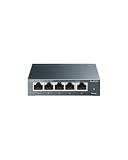


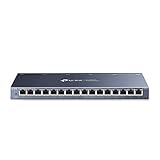

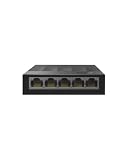


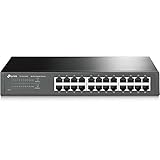

| Product | Best for | Key spec from the title |
|---|---|---|
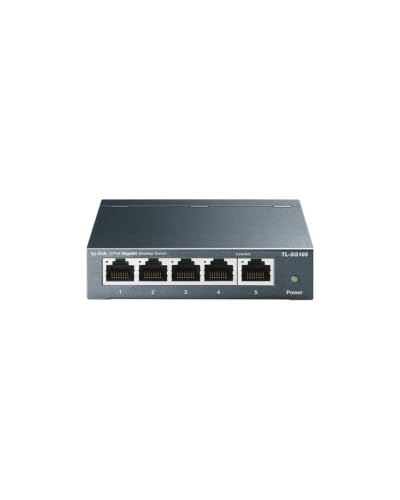
| TP-Link TL-SG105 | Desk or entertainment center | 5-port gigabit, fanless metal, shielded ports |
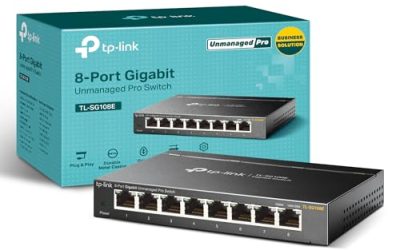
| TP-Link 8-Port Gigabit | Home office growth | 8 gigabit ports, fanless, metal casing |
| NETGEAR GS305 | Quiet living-room setups | 5-port gigabit, silent operation |
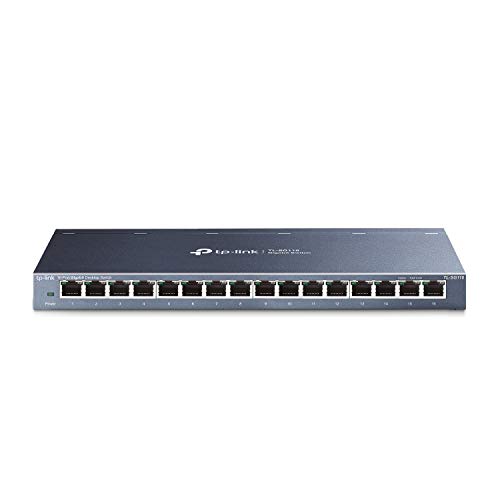
| TP-Link TL-SG116 | Wall-mounted wiring closets | 16-port gigabit, desktop or wall mount |
| TP-Link TL-SG105S-M2 | Fast NAS and workstation links | 5-port 2.5G multi-gigabit |
| TP-Link LS1005G LiteWave | Light-duty extra ports | 5-port gigabit, unshielded, fanless |
| NETGEAR GS348 | Large offices and labs | 48-port gigabit, desktop or rack mount |
| UGREEN 2.5Gb 8-Port | Mixed 2.5G home networks | 8 x 2.5Gb ports, metal case |
| TP-Link 24-Port Gigabit | Rack builds and small businesses | 24 gigabit ports, desktop or rackmount |
| BrosTrend 2.5Gb 8-Port | Console and NAS gaming rigs | 8-port 2.5G, fanless |
How to Choose
Match the port speed to your slowest bottleneck
Standard gigabit ports move up to 1 Gbps, which covers 4K streaming, cloud backups, and online gaming with room to spare. A 2.5G switch only pays off when both ends of a link can negotiate 2.5 Gbps, for example a NAS with a 2.5G port and a motherboard with 2.5G Ethernet. If your devices are gigabit-only, a 2.5G switch simply costs more for no gain, though it does leave headroom for later upgrades.
Count ports, then add a third
List every wired device: PC, console, printer, NAS, access point, streaming box, smart hub. Add the uplink to your router, which consumes one port. Then add roughly a third for growth. Five ports suit a single desk, eight cover most apartments, sixteen and twenty-four suit offices, and the forty-eight-port class is for labs, studios, and rack builds.
Check the mounting and cooling design
Several listings here call out fanless construction, which means no fan noise and no fan to clog with dust. Metal casings also shed heat better than thin plastic. Look for the words desktop, wall mount, or rackmount in the title, because a rack ear kit that is not included can turn into an extra purchase.
Know what you are giving up
Unmanaged means no VLANs, no port mirroring, no link aggregation controls, and no per-port bandwidth limits. Ignore marketing about traffic optimization unless you need it, since an unmanaged switch simply forwards frames. Budget models usually cut corners with unshielded ports, plastic housings, and smaller buffers, which matter more in electrically noisy rooms or heavily loaded networks.
The 10 Best Options
TP-Link TL-SG105
This five-port gigabit switch is the default pick for a single desk, and it suits someone who wants a tidy upgrade over the single Ethernet jack behind the monitor. The listing describes a fanless metal design, shielded ports, plug-and-play setup, and traffic optimization, which is plenty for a PC, console, printer, and streaming box. It is the kind of switch that gets installed once and then ignored for years, which is exactly the point of the unmanaged category.
- Fanless metal body keeps it silent and durable.
- Shielded ports are listed, a plus near power bricks.
- Trade-off: five ports fill up fast once you add a NAS or access point.
Skip it if you already own four or more wired devices and expect to add more.
TP-Link 8-Port Gigabit Switch
The eight-port version gives breathing room for a growing home office, where a laptop dock, desktop, printer, network camera, and media player can all end up wired. It keeps the same fanless metal approach and shielded ports described in the listing, with plug-and-play operation and no configuration. Three spare ports after the first month is a comfortable margin for most households.
- Eight gigabit ports cover most apartments with space to spare.
- Fanless design suits a bedroom or shared workspace.
- Trade-off: all ports are standard gigabit, so there is no 2.5G upgrade path.
Skip it if you plan to connect a multi-gigabit NAS or workstation.
NETGEAR GS305
NETGEAR positions the GS305 as a five-port gigabit hub for home networks and offices, with plug-and-play setup and silent operation. It is aimed at buyers who want a recognizable brand and a no-fuss desktop box, particularly in a living room where a humming fan or a blinking industrial look would be unwelcome. The title also frames it as a splitter for a home network hub, which describes its role well.
- Silent operation is called out in the title.
- Simple desktop form factor with nothing to configure.
- Trade-off: five ports and gigabit speeds limit future expansion.
Skip it if you need rack mounting or more than four client devices.
TP-Link TL-SG116
With sixteen gigabit ports, the TL-SG116 suits a structured-wiring setup where several wall jacks terminate in one place, such as a utility closet or a basement panel. The listing mentions desktop and wall mount options, a fanless metal body, and shielded ports. That combination makes it practical for homes with in-wall Ethernet runs to multiple rooms.
- Sixteen ports handle a whole house of wired rooms.
- Wall mount support keeps it off the desk.
- Trade-off: it is overkill for anyone with only a handful of devices.
Skip it if you only need to split one cable to a few gadgets.
TP-Link TL-SG105S-M2
This compact five-port model moves up to 2.5G multi-gigabit speeds. The listing highlights plug-and-play use, desktop or wall mounting, and silent operation, making it a sensible step for a creator pairing a PC with a faster NAS. Large video files and photo libraries are where the extra link speed is most noticeable, provided the devices at both ends support it.
- 2.5G ports let capable devices exceed gigabit speeds.
- Silent operation fits a desk next to a microphone.
- Trade-off: only five ports, and you need 2.5G devices to benefit.
Skip it if every device in your home is gigabit-only.
TP-Link LS1005G LiteWave
The LiteWave line is the lighter-duty option for people who just need a few more jacks and nothing else. The title is upfront that the ports are unshielded, and it lists five gigabit ports, a fanless build, and plug-and-play use for a desktop splitter role. It fits a tidy shelf in a quiet room where cables are short and the electrical environment is simple.
- Fanless and quiet for simple desk use.
- Straightforward gigabit splitter at the entry tier.
- Trade-off: unshielded ports offer less protection near interference sources.
Skip it if your cables run beside power supplies or heavy electrical equipment.
NETGEAR GS348
This forty-eight-port gigabit switch belongs to NETGEAR’s Essentials line and is listed for desktop or rack mounting. It is aimed at offices, studios, and labs that want a lot of wired drops without managing anything. A classroom, a co-working floor, or a production space with dozens of wall plates is where a switch of this size starts to make sense instead of daisy-chaining several small ones.
- Forty-eight ports consolidate an entire floor into one box.
- Desktop or rack mounting offers flexible placement.
- Trade-off: it is physically large and unnecessary for home use.
Skip it if you have fewer than twenty wired devices.
UGREEN 2.5Gb Switch, 8-Port
Every port on this UGREEN model is listed as 2.5Gb, which removes the guesswork about which jack is the fast one. It also lists a metal case, plug-and-play use, and desktop or wall mounting. For a household that has started buying 2.5G motherboards, mini PCs, and NAS boxes, an all-2.5G switch avoids the scramble of deciding which device deserves the single fast port.
- Eight 2.5Gb ports let several devices run faster at once.
- Metal case with flexible mounting.
- Trade-off: gigabit-only devices will not use the extra speed.
Skip it if your router’s uplink is gigabit and you have no fast local devices.
TP-Link 24-Port Gigabit Switch
The twenty-four-port TP-Link is sized for small businesses and serious home labs, such as a dental office, a design studio, or a server shelf with several machines. The title mentions desktop or rackmount use, shielded ports, a sturdy metal build, and fanless operation, so it can live in an open office without adding noise.
- Twenty-four ports with a fanless, quiet metal chassis.
- Rackmount support for tidy installations.
- Trade-off: it needs more space than a compact desktop model.
Skip it if you want something that hides behind a monitor.
BrosTrend 2.5Gb 8-Port
BrosTrend targets gamers directly, listing compatibility with Xbox and NAS gear along with a fanless 2.5G, eight-port design. It is a reasonable pick for a console, PC, and storage box on one desk, especially if the router supports faster-than-gigabit wired links. Eight ports leave space for a second PC or an access point later.
- Eight 2.5G ports with fanless cooling.
- Plug-and-play setup for gaming and NAS hookups.
- Trade-off: a less established name than the big networking brands.
Skip it if you prefer a long-standing vendor with a deep support catalog.
Which One Fits Your Situation
A studio apartment with a console, PC, and TV
The NETGEAR GS305 handles three or four devices quietly. If you want shielded ports and a metal case at the same size, the TP-Link TL-SG105 is the alternate.
A home office with a NAS
Choose the TP-Link TL-SG105S-M2 if the NAS and one workstation both have 2.5G ports. If you need more outlets, step up to the UGREEN 8-port 2.5Gb.
A small business with many wired desks
The TP-Link 24-Port Gigabit covers a dozen desks plus printers and access points. For a bigger floor, the NETGEAR GS348 is the one that scales.
A wall-mounted wiring cabinet
The TP-Link TL-SG116 fits sixteen jacks, and its wall mount option keeps cabling tidy.
Common Mistakes
- Buying a 2.5G switch while the router, NAS, and PC are all gigabit-only.
- Forgetting that the uplink to the router uses up one port.
- Ignoring the unshielded warning when cables run beside power adapters.
- Choosing a rackmount model without checking whether a rack or ears are part of the package.
- Expecting an unmanaged switch to prioritize gaming traffic or create separate networks.
Related guides
- Noctua Nh-D15 Vs Thermalright Peerless Assassin 120
- Sustainable Gaming Pc Power Supply Efficiency Guide
- Managed Ethernet Switches For Small Business
Frequently Asked Questions
Do unmanaged switches need any setup?
No. You connect power, plug the uplink into your router, and attach devices. Everything is automatic, which is why these are labeled plug-and-play.
Will a switch make my internet faster?
No. It only adds ports. Your internet speed is set by your service and router, though a switch can keep local transfers between your own devices quick.
Is fanless better?
Fanless designs are silent and have no fan to fail, which suits bedrooms and desks. Larger switches with many ports sometimes use fans, so check the listing if noise matters in 2026.
Can I chain one switch to another?
Yes, with a single cable between them. Keep chains short, because every extra hop shares the same uplink bandwidth.
Related guides
More from Amazon
Programs that pair well with the guide above. Offers and eligibility are set by Amazon and may change.
Free shipping on eligible items, Prime Video and more. Eligible new members can start with a free trial.
Start a Prime free trialAd-free music streaming. Eligible new subscribers can start with a free trial.
Try Music Unlimited freeA Prime membership for ages 18-24 with a trial period. Eligibility is set by Amazon.
See Prime for Young AdultsAudiobooks and podcasts to listen to on the go. Eligible new members can start with a free trial.
Try Audible freeAs an Amazon Associate we earn from qualifying purchases.