A small office usually outgrows an unmanaged switch the first time someone asks for a guest network, a separate camera segment, or a phone system that stops stuttering when a big file uploads. Managed switches solve those problems with VLANs, QoS, and link aggregation, but the word “managed” covers everything from a five-port smart model to a 48-port rack unit. The keyword implies a decision about how much control you actually need and how many ports you will fill.
This guide is for shops, clinics, studios, and home-based businesses that have a handful to a few dozen wired devices. The seven switches below range from compact smart-managed desktop units to a high-density PoE+ model and a 10G web-managed unit, so you can match the hardware to the job in 2026 instead of overbuying features you will never configure.
Our Top Picks
 NETGEAR 5 Port PoE Gigabit Ethernet Easy Smart5 Port, PoE+ @ 63W6.2 x 4 x 1.1 inches2.2 poundsCheck on Amazon


Top 3 picks at a glance
Quick Picks
As an Amazon Associate we earn from qualifying purchases at no extra cost to you.





| Product | Best for | Key spec from the title |
|---|---|---|
| TP-Link 8-Port Easy Smart | Small offices starting with VLANs | 8 Gigabit ports, QoS, VLAN, IGMP |
| D-Link 8-Port Smart Managed | Quiet desktop use | L2, VLANs, QoS, LAG, fanless |
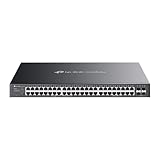
| TP-Link SG2452LP | Larger offices with many PoE devices | 48 ports, 32 PoE+, 4 SFP, 230W budget |
| NETGEAR GS305EP | A few cameras or access points | 5 ports, 4 PoE+ at 63W total |
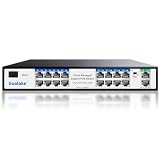
| Goalake 16-Port PoE+ | Camera and access point clusters | 16 ports, 240W PoE, 2 uplinks, SFP combo |
| 8-Port 10Gb Web Managed | Fast storage and editing workgroups | 8 x 10G Base-T, rack mount, 160G bandwidth |
| D-Link 24-Port Smart Managed | Mid-size wiring closets | 24 Gigabit ports, L2, desktop or rackmount |
How to Choose
Count ports, then add a third
Count every wired device today: desktops, printers, phones, cameras, access points, and the uplink to your router. Then add roughly 30 percent for growth. That math usually lands on 8, 16, 24, or 48 ports. Going too small forces you to chain a second switch, which adds a failure point and can create bottlenecks on the link between them.
Decide whether you need PoE and how much
Power over Ethernet removes separate adapters for IP cameras, VoIP phones, and wireless access points. Look at the total PoE budget, not just the port count: a switch with 32 PoE+ ports but a 230W budget cannot run every port at the maximum 30W. Add up the wattage your devices draw and keep at least 20 percent in reserve.
Know what “managed” level you are buying
Easy Smart and web-managed switches give you VLANs, QoS, IGMP snooping, and link aggregation through a browser interface, which covers most small businesses. A fully managed Layer 2 switch with a command line adds deeper control and monitoring. If nobody on staff will touch a CLI, a smart-managed model is cheaper and just as useful. Check that the feature list names the VLAN and QoS options you need.
Match uplink speed to your traffic
Gigabit access ports are fine for office work, but a busy network with cameras and file servers benefits from SFP uplinks or multi-gig ports. If a few workstations move large video or backup files, a 10G switch removes a real bottleneck. Budget models cut corners on fan noise, rack ears, and management polish, so confirm the mounting style and whether the unit is fanless.
The 7 Best Options
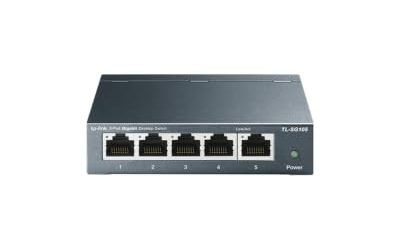
TP-Link 8-Port Easy Smart
A first managed switch for an office that wants to separate guest traffic or give voice calls priority. The title lists 8 Gigabit ports, QoS, VLAN, and IGMP support in a metal desktop or wall-mount case with shielded ports.
- Plug-and-play setup with a web interface keeps configuration approachable.
- A sturdy metal body with shielded ports suits a crowded desk or closet.
- Trade-off: no PoE is mentioned, so cameras and phones need their own power.
Skip it if you need more than eight devices or any PoE ports. It fits a back-office closet with a router, a printer, and a few desktops, but once a camera or a wireless access point joins the mix, you will want power over Ethernet and more headroom for growth.
D-Link 8-Port Smart Managed
This is a fanless Layer 2 smart switch with VLANs, QoS, IGMP snooping, and link aggregation, plus a metal case. The title also notes it follows NDAA, which matters for some contractor and government-adjacent offices.
- Fanless design means silent operation in a front office.
- Link aggregation support lets you pair ports toward a server or NAS.
- Trade-off: only eight ports, so growth can mean another switch within a year or two.
Skip it if you want PoE built in or a rack-oriented unit. The NDAA mention matters mostly to offices that sell to government clients or follow procurement rules, so a shop with no such requirement can treat it as a bonus and focus on the port count and the VLAN features.
TP-Link SG2452LP
The heavyweight of the group: 48 Gigabit ports, 32 of them PoE+, 16 non-PoE, and 4 SFP slots on a 230W budget, in a fanless Omada fully managed Layer 2 chassis. It fits a larger office or a building with many cameras and access points.
- High port density consolidates a whole floor into one device.
- Full management with VLANs and Omada integration suits IT-run environments.
- Trade-off: a 230W budget is shared across 32 PoE+ ports, so not every port can draw its maximum at once.
Skip it if you have fewer than 20 devices or no one comfortable with the management interface. A chassis this large asks for rack space, planned cabling, and a person who will keep firmware and VLAN settings tidy over time, so it suits an IT-run site better than a shop with a part-time helper.
NETGEAR GS305EP
A five-port Easy Smart switch with four PoE+ ports sharing 63W, built for a desk or wall. It suits a micro-office with a couple of IP cameras or an access point.
- PoE+ on four ports powers small devices without extra adapters.
- Compact size fits a shelf or the back of a rack cabinet.
- Trade-off: 63W total limits how many power-hungry devices you can run.
Skip it if you plan to add more than four PoE devices. Add up the draw of each camera or access point before buying, because a pair of power-hungry units can use most of the 63W budget and leave no room for a third.
Goalake 16-Port PoE+
This 16-port Gigabit unit is aimed at small businesses, with a 240W built-in PoE budget, two Gigabit uplinks, and a combo SFP slot. It is described as easy managed, which fits a camera and access point cluster.
- A 240W budget covers a healthy number of IP cameras and access points.
- Combo SFP slot offers a fiber uplink option for longer runs.
- Trade-off: Goalake is a less established brand, so firmware support is a question to weigh.
Skip it if you want a name-brand management ecosystem. Small shops that value a long update history, an active support forum, and easy replacement parts may feel safer paying more for one of the larger networking brands in this list.
8-Port 10Gb Web Managed
A rack-mount unit with eight 10G Base-T ports that negotiate down to 5G, 2.5G, or 1G, and 160G of switching bandwidth. The built-in fan and web-managed interface point to a studio, lab, or storage-heavy office.
- Eight 10G ports remove bottlenecks for NAS and editing workstations.
- Multi-speed support keeps older devices connected without a second switch.
- Trade-off: the built-in fan adds noise, so it belongs in a closet rather than a quiet reception area.
Skip it if every device runs at Gigabit and you want silence. A 10G switch only changes anything when workstations and storage have 10G adapters, and those cards, plus suitable cabling, add to the overall cost of the upgrade.
D-Link 24-Port Smart Managed
A fanless 24-port Gigabit Layer 2 switch with VLANs, QoS, IGMP snooping, LAG, and a web interface. It is made for desktop or rackmount use and also carries the NDAA/TAA note.
- 24 ports cover most small-office wiring closets with room to grow.
- Fanless operation suits shared spaces.
- Trade-off: the title lists no PoE, so powered devices need injectors or separate supplies.
Skip it if you want to power cameras and phones from the same switch. Pair it with a small PoE injector or a separate PoE unit for those devices, or choose one of the PoE-capable models instead if most of your gear needs power over the cable.
Which One Fits Your Situation
A dental office with a handful of workstations and a guest Wi-Fi network
The TP-Link 8-Port Easy Smart gives you VLANs to isolate guests at a modest price and a form factor that fits behind a reception desk. Put the patient-facing Wi-Fi on its own VLAN and keep the workstations on another, and a browser-based setup is all it takes.
A retail shop adding six security cameras and two access points
The Goalake 16-Port PoE+ with its 240W budget is the better fit, because you will need power as well as data on those ports. A shop with eight powered devices still has half the ports free for tills, printers, and a back-office computer.
A video studio moving large files between editing machines
Go with the 8-Port 10Gb Web Managed switch. Its 10G ports make the shared storage feel local, and a rack-mount shape suits a studio closet where the noise of a fan will not reach the editing room.
A growing office with one wiring closet and no PoE needs
The D-Link 24-Port Smart Managed handles the headcount quietly, and a second D-Link 8-port can serve a remote room.
Common Mistakes
- Choosing a PoE switch by port count and ignoring the total power budget.
- Buying an unmanaged model labeled as “smart” when the listing does not mention VLAN or QoS support.
- Skipping uplink planning, so a single Gigabit link throttles every device behind it.
- Placing a fan-cooled switch in an open office where the noise becomes a daily irritation.
- Leaving default admin credentials and default VLAN settings untouched after setup.
Related guides
- Noctua Nh-D15 Vs Thermalright Peerless Assassin 120
- Sustainable Gaming Pc Power Supply Efficiency Guide
- Thermal Paste Application Method For Lga1851
Frequently Asked Questions
Do small businesses really need a managed switch?
Not always. If you have a flat network with no guest segment, cameras, or voice traffic, an unmanaged switch works, and it costs less and needs no setup. Once you need VLANs, traffic prioritization, or visibility into ports, managed or smart-managed hardware pays for itself.
What is the difference between smart-managed and fully managed?
Smart-managed (easy smart) switches offer a web interface with core features like VLAN and QoS. Fully managed switches add deeper options such as a command line, advanced routing at Layer 3 in some models, and tighter monitoring.
How do I know if the PoE budget is enough?
Add up the maximum wattage of every powered device you plan to connect and compare it with the switch’s total budget. Keep at least a fifth of the budget free for growth.
Can I mix a 10G switch with Gigabit devices?
Yes, multi-gig ports negotiate down to the speed each device supports. You only get 10G speeds between devices that both support them.
Related guides
More from Amazon
Programs that pair well with the guide above. Offers and eligibility are set by Amazon and may change.
Free shipping on eligible items, Prime Video and more. Eligible new members can start with a free trial.
Start a Prime free trialAd-free music streaming. Eligible new subscribers can start with a free trial.
Try Music Unlimited freeA Prime membership for ages 18-24 with a trial period. Eligibility is set by Amazon.
See Prime for Young AdultsAudiobooks and podcasts to listen to on the go. Eligible new members can start with a free trial.
Try Audible freeAs an Amazon Associate we earn from qualifying purchases.