Shopping for a Hewlett Packard laptop sounds simple until you open the listings and find HP-branded machines that range from a bare-bones 14-inch notebook with 4GB of memory to a 15.6-inch Core i7 with a terabyte of storage. The HP name covers the OmniBook line, generic numbered 14, 15, and 17-inch models, and many reseller-configured bundles, so the label alone says very little. What actually separates a good HP laptop from a frustrating one is the processor tier, the amount of RAM, the type of storage, and the screen size you can live with.
This comparison is for buyers who already decided on HP and want a clear way to pick between seven current listings in 2026. It covers students, home users, remote workers, and small-business owners. Everything below is drawn from the specs written in each title, such as Ryzen 5, Core Ultra 5, or N150 processors and 8GB, 12GB, or 16GB of memory. Where a title leaves a spec out, the advice is to open the listing and confirm it.
Our Top Picks
Top 3 picks at a glance
Quick Picks
As an Amazon Associate we earn from qualifying purchases at no extra cost to you.




| Product | Best for | Key spec from the title |
|---|---|---|
| HP 17 Business Laptop (Ryzen 5) | Big-screen office work | Ryzen 5, 16GB RAM, 512GB SSD, 17.3-inch FHD, numeric keypad |
| HP OmniBook 3 17.3 (Core Ultra 5) | Modern Intel on a large screen | Core Ultra 5 225U, 8GB RAM, 512GB SSD |
| HP 14 inch (Intel N150) | Light tasks and Microsoft 365 | N150, 4GB RAM, 128GB UFS, 1-year Microsoft 365 Personal |
| HP 14 Ultra-Light (N150) | Students who want expandable storage | N150, 4GB RAM, 128GB plus 128GB SD card |
| HP 15.6 Core i7 | Performance on a standard-size screen | Core i7-1255U, 16GB RAM, 1TB PCIe SSD, FHD |
| HP 17.3 Business (Core 5-120U) | Multitasking with extra capacity | 10-core Core 5-120U, 12GB RAM, 768GB storage |
| HP OmniBook 3 17.3 (Ryzen 3) | Entry AMD with dedicated line branding | Ryzen 3, 8GB RAM, 512GB SSD, Radeon 610M graphics |
How to Choose
Begin with the processor tier
HP uses the same chassis across wildly different chips. An Intel N150 is an entry processor suited to browsing and documents. Ryzen 3 and Core 5 chips handle everyday multitasking, Ryzen 5 and Core Ultra 5 offer more headroom, and a Core i7 gives the most performance for photo edits, spreadsheets, and many open tabs. Match the tier to your busiest day, not your average one, because a laptop slows down most when you stack video calls, browser tabs, and office files together.
RAM and storage thresholds
Aim for at least 8GB of RAM; 16GB is better if you keep many apps open for years. A 4GB model is only suitable for one task at a time. For storage, an SSD of 256GB or more is a sensible floor. Be careful with listings that add up capacity: 768GB made from 256GB of SSD plus a 512GB SD card is not the same as a 768GB internal drive, because the card is slower and removable. UFS storage is also not the same as a standard NVMe SSD.
Screen size and keyboard
A 17.3-inch HP laptop gives a roomy screen and, in many cases, a numeric keypad, but it is heavy to carry. A 15.6-inch model is the middle ground, and 14 inches suits students on the move. Look for full HD resolution rather than the HD label, which may refer to a lower-resolution panel. If you type for hours, a full-size keyboard with a number pad matters more than a thin chassis.
Software, ports, and where budget models cut corners
Windows 11 Home is fine for most people, while business users may prefer Pro. A one-year Microsoft 365 trial is a bonus, not a long-term plan. Check for USB-C, HDMI, and a card reader if you connect displays or cameras. Budget HP models often trim memory, use slower storage, and ship with dim screens. Ignore claims such as long battery life without hour figures, and treat Copilot AI wording as software branding rather than a performance upgrade.
Because many HP listings are configured by third-party sellers, the same model name can appear with different memory and storage. Always compare the exact RAM and storage line, and pay attention to words such as renewed or refurbished when they appear.
A practical way to sort the seven listings below is by three tiers. The Core i7 and the Ryzen 5 models sit at the performance end, the Core Ultra 5, Core 5-120U, and Ryzen 3 machines fill the middle for everyday multitasking, and the two N150 notebooks serve as the budget end for light, single-task use. Knowing which tier you need before you read the reviews prevents the common habit of paying for a premium screen size while accepting a weak processor, or the reverse.
The 7 Best Options
HP 17 Business Laptop (Ryzen 5)
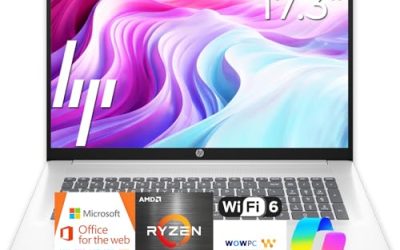
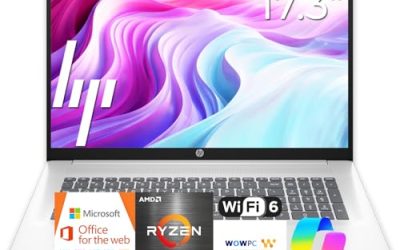
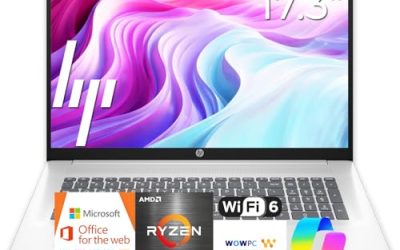
This is the strongest all-round value in the set for office-style work on a large display. The title lists a Ryzen 5 processor, 16GB of RAM, a 512GB SSD, a 17.3-inch full HD screen, and a numeric keypad. That combination suits spreadsheets, reports, and long browser sessions without feeling cramped.
- Strength: 16GB of memory gives room for multitasking.
- Strength: a 17.3-inch FHD screen with a numeric keypad suits data entry.
- Trade-off: a 17-inch body is bulkier to carry on a daily commute.
Skip it if you want a lightweight laptop for train rides or tight desks, since the 17-inch chassis is better suited to a permanent spot on a table.
HP OmniBook 3 17.3 (Core Ultra 5)
A newer-generation Intel option for those who like the OmniBook branding. The title lists an Intel Core Ultra 5 225U, 8GB of RAM, a 512GB SSD, FHD display, Intel graphics, and Windows 11 Home in a Glacier Silver finish. It is a clean, no-bundle configuration.
- Strength: Core Ultra 5 is a modern, efficiency-minded processor tier.
- Strength: 512GB SSD gives practical room for files.
- Trade-off: 8GB of RAM is adequate but not generous for heavy multitasking.
Skip it if you keep dozens of tabs and apps running.
HP 14 inch (Intel N150)
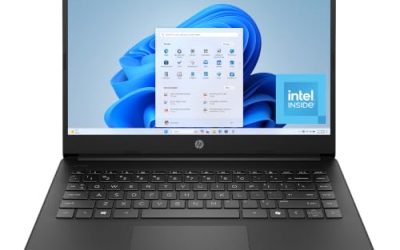
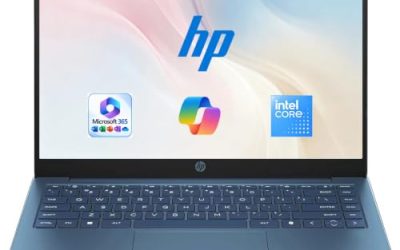
A basic 14-inch notebook with a one-year Microsoft 365 Personal subscription. The title shows an Intel N150, 4GB of RAM, 128GB of UFS storage, Intel graphics, and Windows 11 Home. The HD display and small size point to light duty.
- Strength: compact 14-inch frame and included Microsoft 365 year.
- Strength: simple setup for basic homework and web use.
- Trade-off: 4GB of RAM and UFS storage limit speed and longevity.
Skip it if you plan to run more than a couple of apps at once.
HP 14 Ultra-Light (N150)
This one adds an extra 128GB SD card to the 128GB internal storage, aimed at students and home users who want more space for files. The title lists an N150, 4GB of RAM, a one-year Office 365 license, and fast charging.
- Strength: extra SD card storage helps with documents and photos.
- Strength: ultra-light, student-oriented format.
- Trade-off: SD card storage is slower than an internal SSD, and RAM remains at 4GB.
Skip it if you want one fast internal drive.
HP 15.6 Core i7
The performance pick on a standard 15.6-inch screen. The title names an Intel Core i7-1255U running up to 4.7GHz, 16GB of RAM, a 1TB PCIe SSD, a webcam, and an FHD display. That is a strong spec sheet for heavy browsing, office suites, and light creative work.
- Strength: Core i7 with 16GB of RAM for demanding everyday multitasking.
- Strength: 1TB PCIe SSD offers plenty of fast storage.
- Trade-off: battery life claims are not detailed, so check the listing.
Skip it if you only browse and stream, where cheaper models do the job.
HP 17.3 Business (Core 5-120U)
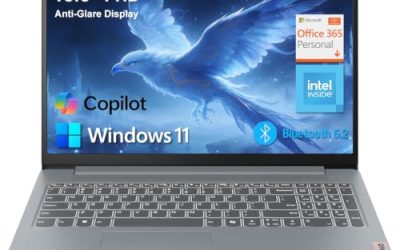
For buyers who want a 17.3-inch screen with extra headroom. The title lists a 10-core Intel Core 5-120U, 12GB of RAM, and 768GB of combined storage made from a 256GB SSD and a 512GB SD card, with Copilot branding.
- Strength: 10-core processor and 12GB of RAM suit multitasking.
- Strength: large screen with generous total capacity.
- Trade-off: only 256GB is internal SSD; the 512GB card is slower and removable.
Skip it if you want all-internal fast storage.
HP OmniBook 3 17.3 (Ryzen 3)
The entry AMD option in the OmniBook line. It lists a Ryzen 3 processor, 8GB of RAM, a 512GB SSD, Radeon 610M graphics, and Windows 11 Home in Mica Silver. It is a straightforward home computer with a big display.
- Strength: 8GB RAM and a 512GB SSD in a clean configuration.
- Strength: AMD Radeon graphics handle everyday video and web.
- Trade-off: Ryzen 3 is an entry tier, so heavy workloads will feel slower.
Skip it if you do photo editing or run demanding spreadsheets.
Which One Fits Your Situation
You work in spreadsheets all day
Choose the HP 17 Business Laptop (Ryzen 5). The numeric keypad and 16GB of RAM suit data entry and large files.
You want the most performance
Go for the HP 15.6 Core i7. It pairs the fastest processor in the list with 16GB of RAM and a 1TB SSD.
You need a cheap school laptop
The HP 14 Ultra-Light and the HP 14 inch with Microsoft 365 cover writing and research, though both ship with 4GB of RAM, so keep workloads simple.
You like OmniBook branding and a large display
Pick the OmniBook 3 with Core Ultra 5 for a newer Intel platform, or the Ryzen 3 version if you prefer AMD graphics.
If you split time between home and an office desk, the HP 17.3 Business (Core 5-120U) works as a desk-anchored machine with 12GB of RAM, while the OmniBook 3 with Core Ultra 5 offers a cleaner internal-SSD setup. If you prefer all storage inside the machine, lean toward the OmniBook.
Common Mistakes
- Counting SD card capacity as internal storage, then discovering slower speeds in daily use.
- Choosing 4GB of RAM to save money and replacing the laptop early.
- Assuming every HP 17-inch model has the same processor and memory.
- Ignoring the screen resolution line and getting a lower-resolution HD panel.
- Treating Copilot AI branding as proof of strong performance.
Related guides
- Noctua Nh-D15 Vs Thermalright Peerless Assassin 120
- Sustainable Gaming Pc Power Supply Efficiency Guide
- Thermal Paste Application Method For Lga1851
Frequently Asked Questions
Is HP a reliable laptop brand?
HP is one of the largest laptop makers and sells models across every tier. Reliability depends more on the specific line and configuration than on the logo, so compare RAM, storage, and build tier.
What is the difference between OmniBook and regular HP laptops?
OmniBook is HP’s current branded line, while numbered models such as the HP 14 or 17 are broader consumer lines. The processor and memory in the listing matter more than the name.
Is 8GB of RAM enough on an HP laptop?
For browsing, documents, and video calls, yes. If you keep many tabs and apps open or plan to keep the laptop for years, 16GB gives more room.
Should I buy a 17-inch or 15.6-inch HP laptop?
Choose 17.3 inches for desk-based work and a numeric keypad. Choose 15.6 inches if you move around and want a lighter bag.