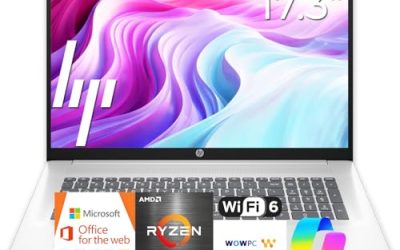
HP sells laptops at nearly every point on the spectrum, from entry-level 14 inch machines with 4GB of memory to OmniBook models with Intel Core Ultra and 2K touchscreens. That breadth is exactly why “best HP laptop” is a hard search: the right answer for a retiree who writes email is different from the right answer for a freelancer with spreadsheets open all day. The choice usually comes down to memory, storage type, screen size and processor tier, not the logo on the lid.
This guide is for shoppers who have already decided on HP and need to sort the lineup by use. The six picks below span compact budget notebooks, a large-screen business model and two OmniBook laptops with newer processors, and each is judged only on the facts in its listing title. Heading into 2026, the practical rule is to treat 4GB of RAM as a ceiling for light tasks and to look at 16GB or an OmniBook-class processor if you plan to keep the laptop for several years.
Our Top Picks
Top 3 picks at a glance
Quick Picks
As an Amazon Associate we earn from qualifying purchases at no extra cost to you.


| Product | Best for | Key spec from the title |
|---|---|---|
| HP 14 inch Laptop (Intel N150) | Basic browsing and documents | Intel N150, 4 GB RAM, 128 GB UFS, 14 inch HD |
| HP 17 inch Business Laptop | Spreadsheets and a large screen | Ryzen 5, 16GB RAM, 512GB SSD, 17.3 inch FHD, numeric keypad |
| HP Everyday Slim Laptop | Light home use with cloud storage | AMD processor, 4GB DDR5 RAM, 128GB SSD |
| HP OmniBook 3 17.3 inch | Roomy screen with a newer Intel chip | Core Ultra 5 225U, 8 GB RAM, 512 GB SSD, FHD |
| HP OmniBook 3 16 inch | Touch input on a sharper display | 2K touchscreen, Ryzen 3, 8 GB RAM, 512 GB SSD |
| HP 15.6 inch Laptop (Intel N200) | Entry-level portable business tasks | Intel 4 Core N200, 4GB RAM, 128GB SSD, Windows 11 S Mode |
How to Choose
Memory is the first filter
Four gigabytes of RAM is workable for a browser with a few tabs, a document and a video call, but it leaves no headroom once Windows and background apps take their share. Eight gigabytes is the practical minimum for anyone who keeps many tabs open or runs office apps alongside a messaging client, and 16GB suits spreadsheets, light photo editing and long-term ownership. Three of the six picks below list 4GB, so be honest about how much multitasking you do. If you edit documents while a video call runs, step up to 8GB or more.
Storage type and size
128GB fills quickly once Windows updates and a few apps are installed. UFS or eMMC storage, which one listing mentions, is generally slower than a standard SSD in desktop-style workloads, while 512GB SSD configurations leave room for files and updates. Cloud storage bundles help, but they do not replace local space for large project folders, and they depend on a steady internet connection to be useful.
Screen size and resolution
A 14 inch screen favors portability, 15.6 inch is the all-around size, and 16 or 17.3 inch panels suit people who work with side-by-side windows. HD (1366×768 class) panels look soft for documents, so favor FHD or 2K when the title states it. A numeric keypad, as on the 17 inch business model, matters for accounting and data entry.
Processor tier and where budget models cut corners
Intel N150 and N200 chips are low-power processors for light work. Ryzen 5 and Core Ultra 5 sit a tier above, and they are a better match if you edit spreadsheets or run several apps at once. Budget HP models tend to cut corners on RAM, storage type and display resolution rather than on the keyboard, so read those three specs before looking at any bundled software. A battery claim like long battery life in a title is a marketing phrase, not a measured figure, so treat it as a hint rather than a promise.
The 6 Best Options
HP 14 Inch Laptop with Intel N150
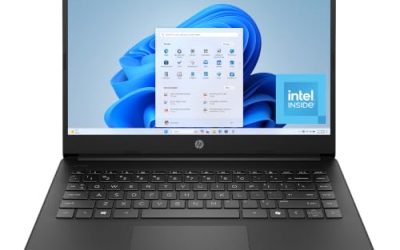
This compact notebook lists a 14 inch HD display, an Intel N150 processor, 4 GB of RAM, 128 GB of UFS storage, Windows 11 Home and a one-year Microsoft 365 Personal subscription. It suits someone who wants an inexpensive machine for email, streaming and word processing, with Office included from the first day. Students, retirees and anyone setting up a second laptop for the house will find the setup straightforward.
- Strength: bundled Microsoft 365 Personal subscription covers documents and spreadsheets for the first year
- Strength: compact 14 inch size is easy to carry between rooms or to class
- Trade-off: 4 GB of RAM and HD resolution limit multitasking and sharpness
Skip it if you plan to keep many browser tabs open or want a crisp screen for reading.
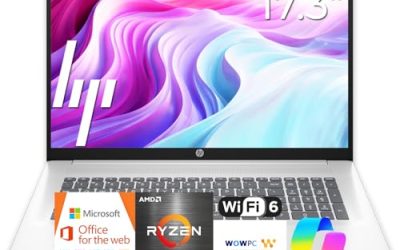
HP 17 Inch Business Laptop with Ryzen 5
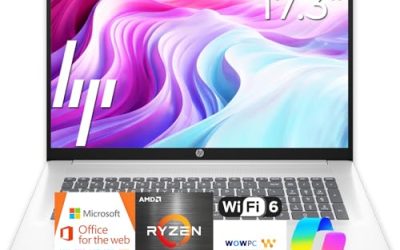
The most capable configuration of the group on paper, this model lists an AMD Ryzen 5 processor, 16GB of RAM, a 512GB SSD and a 17.3 inch FHD display with a numeric keypad. It is the logical pick for bookkeepers, analysts and home-office workers who live in spreadsheets and want a roomy screen. Among the six, it is the only one whose title combines a Ryzen 5 chip with 16GB of memory, which is why it tops the capability list.
- Strength: 16GB of RAM and a 512GB SSD give room for multitasking and files
- Strength: 17.3 inch FHD display and numeric keypad speed up data entry
- Trade-off: a 17 inch chassis is less comfortable to carry every day
Skip it if you want a thin travel laptop that fits in a small bag.
HP Everyday Slim Laptop with AMD Processor
The Everyday Slim listing pairs an AMD high-performance processor with 4GB of DDR5 RAM, a 128GB SSD, 1TB of cloud storage and Windows 11. DDR5 memory is a newer standard than DDR4, which is a modest plus in an entry-level machine. Pair it with an external drive if you keep photos or videos, since 128GB disappears fast.
- Strength: SSD storage is generally more responsive than eMMC-style storage
- Strength: slim positioning and long battery claims suit casual use at home or in a cafe
- Trade-off: only 4GB of memory and 128GB of local storage become limiting quickly
Skip it if you plan to install large apps or keep many files locally.
HP OmniBook 3 17.3 Inch Laptop PC
This OmniBook lists an FHD 17.3 inch display, an Intel Core Ultra 5 225U processor, 8 GB of RAM, a 512 GB SSD, Intel graphics and Windows 11 Home in Glacier Silver. It sits in the middle of the group, with a newer processor family and a large screen. Families that share one laptop for homework and bills will appreciate the wide display.
- Strength: Core Ultra 5 processor and 512 GB SSD offer a more current platform than the N-series picks
- Strength: large FHD display gives room for two windows side by side
- Trade-off: 8 GB of RAM limits long-term headroom for heavy multitasking
Skip it if portability matters more than screen size.
HP OmniBook 3 16 Inch Laptop PC
The 16 inch OmniBook lists a 2K touchscreen, an AMD Ryzen 3 processor, 8 GB of RAM, a 512 GB SSD and Radeon 610M graphics, with Windows 11 Home in Mica Silver. The sharper 2K panel and touch input make it feel different from the HD-class budget models above. Note-takers who like to sketch or tap through documents are the natural audience.
- Strength: 2K touchscreen is a clear display step up from HD panels
- Strength: 512 GB SSD leaves useful room for files
- Trade-off: Ryzen 3 sits below Ryzen 5 for demanding spreadsheets or editing
Skip it if you need the strongest processor in the group, or if you never use touch.
HP 15.6 Inch Laptop with Intel N200
This all-purpose 15.6 inch notebook lists an Intel 4-core N200 processor, 4GB of RAM, a 128GB SSD and Windows 11 Home in S Mode, positioned as a portable business laptop. S Mode limits software to the Microsoft Store unless you switch out of it, which is fine for web apps but frustrating for niche desktop tools.
- Strength: standard 15.6 inch size balances screen space and portability
- Strength: SSD storage and quad-core design suit basic work tasks
- Trade-off: S Mode restricts which apps you can install by default
Skip it if you rely on desktop apps that are not in the Microsoft Store.
Which One Fits Your Situation
You need a laptop for spreadsheets and bookkeeping
Go with the HP 17 inch business laptop. Its listed 16GB of RAM, Ryzen 5 processor, 512GB SSD and numeric keypad line up with data-heavy work better than any other pick here.
You want the lowest-commitment entry laptop
The HP 14 inch with the N150 processor and a bundled one-year Microsoft 365 Personal subscription is the simplest entry point for email, streaming and documents.
You like a sharp touchscreen
The OmniBook 3 16 inch pairs a 2K touchscreen with a 512 GB SSD, which suits reading, note-taking and general browsing.
You want a bigger screen with a newer processor
The OmniBook 3 17.3 inch with Core Ultra 5 brings a roomy FHD display and a recent processor family, a reasonable middle ground if the 16GB business model is more than you need. Buyers who want the cheapest large-screen option should note that this one still lists only 8 GB of memory.
Common Mistakes
- Buying 4GB of RAM for a laptop meant to last several years of web and office use.
- Ignoring storage type, then wondering why a UFS or eMMC drive feels slower than an SSD.
- Choosing an HD display for reading and spreadsheets when FHD or 2K is available.
- Overlooking Windows S Mode, which blocks apps outside the Microsoft Store until you switch.
- Paying attention to bundled cloud storage or software subscriptions while skipping the RAM and processor lines.
Related guides
- Noctua Nh-D15 Vs Thermalright Peerless Assassin 120
- Sustainable Gaming Pc Power Supply Efficiency Guide
- Thermal Paste Application Method For Lga1851
Frequently Asked Questions
Is 8GB of RAM enough on an HP laptop?
For browsing, office apps and video calls, yes. For heavy spreadsheets or many tabs plus other apps, 16GB gives more breathing room and extends the useful life of the laptop.
What does S Mode mean on an HP laptop?
S Mode is a locked-down version of Windows 11 that installs apps only from the Microsoft Store. You can leave S Mode to install other software, but the change is one-way.
Is a 17 inch HP laptop too big for travel?
It is manageable in a backpack but less comfortable for daily commuting. If you move around often, a 14 or 15.6 inch model is easier to carry.
Are Ryzen and Intel laptops equal for everyday use?
For everyday tasks both families work well, so compare RAM, storage and display before processor brand. Within the group above, tier matters more than brand: Ryzen 5 and Core Ultra 5 sit above N-series chips for sustained work. Beyond the chip, check that the cooling and battery claims in the listing match how long you work away from an outlet.