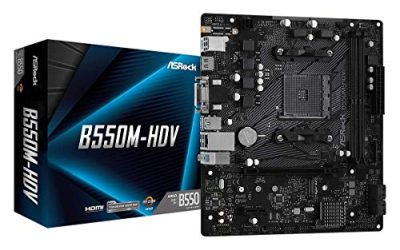
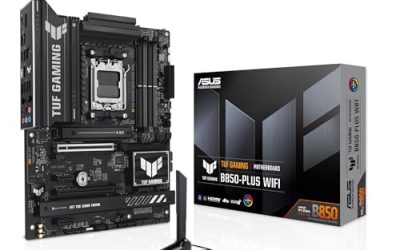
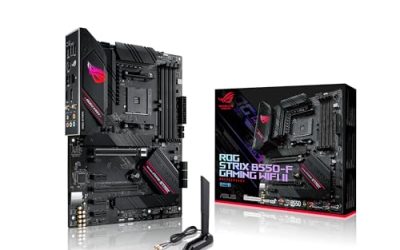
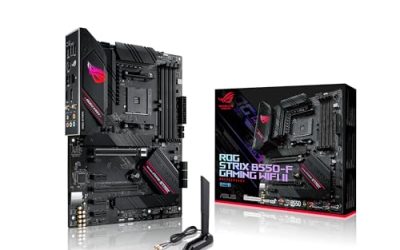
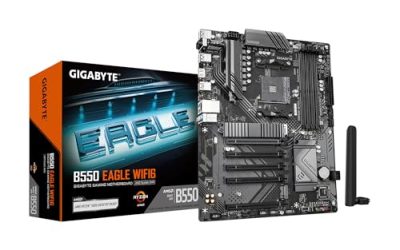
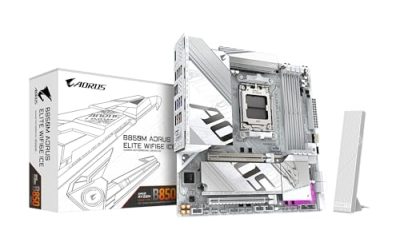
Micro ATX boards sit in a sweet spot: smaller and usually cheaper than full ATX, yet they keep two or more PCIe slots, four DIMM slots on most models, and a layout that fits in nearly any mid-tower or compact case. The real decision is the socket and memory generation, because the same mATX size comes in AM4 with DDR4, AM5 with DDR5, and Intel LGA1700 with DDR4 or DDR5. Pick the wrong one and your processor will not even seat into the socket.
This guide is for builders putting together a compact gaming or home-office PC, or upgrading an older mATX system, who want sensible features without paying for four extra expansion slots they will never fill. The eight boards below split into AM4 for older Ryzen chips, AM5 for current Ryzen, and one Intel option. Everything is judged from what the listings state, so use the checks in the next section to match the board to your processor and case in 2026.
Our Top Picks


Top 3 picks at a glance
Quick Picks
As an Amazon Associate we earn from qualifying purchases at no extra cost to you.


| Product | Best for | Key spec from the title |
|---|---|---|
| GIGABYTE B550M K | Budget Ryzen 5000 builds | AM4, DDR4, 2X M.2, PCIe 4.0 |
| GIGABYTE B850M AORUS Elite WIFI6E ICE | White-themed AM5 builds | 12+2+2 power phase, DDR5, PCIe 5.0 |
| GIGABYTE B850M Eagle WIFI6E | Mid-range AM5 value | 8+2+2 power phase, 2X M.2, USB-C |
| ASUS Prime B550M-A WiFi II | Wireless AM4 systems | WiFi 6, ECC memory, HDMI 2.1 |
| ASUS ROG Strix B850-G Gaming WiFi | Feature-rich AM5 gaming | 14+2+1 power stages, 4X M.2 slots |
| ASRock B850M-X WiFi R2.0 | Fast memory on a budget | DDR5 8200+ (OC), Wi-Fi 6E, 2.5G LAN |
| ASUS B760M-AYW WiFi D4 II | Intel LGA 1700 with DDR4 | Intel B760, two M.2 slots, 2.5Gb Ethernet |
| MSI PRO B550M-P | Plain AM4 office or light gaming | Ryzen 5000 and G-Series support, DDR4 |
How to Choose
Socket and memory generation
Start with your processor. AM5 boards take Ryzen 7000, 8000, and 9000 chips with DDR5 memory only, AM4 boards take Ryzen 3000, 4000, and 5000 with DDR4, and an LGA1700 board takes 12th to 14th generation Intel. Memory does not cross over: a DDR4 kit will not fit a DDR5 slot. If you already own DDR4 sticks, an AM4 or the DDR4 Intel board saves money. If you are building new, AM5 gives the longest upgrade runway. A good habit is to write down the processor, memory type, and case size on one line before you shop, then reject any board that fails any one of the three.
Storage and expansion slots
Count the M.2 slots, since two is the normal minimum and four is generous on an mATX board. Look for PCIe 4.0 or PCIe 5.0 on the main graphics slot and at least one fast M.2 slot. Remember that using some M.2 slots can disable SATA ports, so check the board manual if you plan to run several drives. A micro ATX board has fewer slots than full ATX, which is fine unless you want a capture card and a sound card on top of a graphics card.
Power phases and CPU headroom
Phase counts such as 12+2+2 or 8+2+2 describe how the board feeds power to the CPU. Higher counts help with demanding, high-core processors, but a mid-range six or eight-core chip will run fine on a simpler design. Boards with a plain 3+3 layout suit entry-level processors. Pair heavy chips with boards that list stronger power stages and some form of VRM heatsink, and avoid pairing the smallest board with a top-tier processor.
What to ignore and where budget models cut corners
Ignore claims about AI tools or gaming branding if the board lacks the ports you need. Budget mATX boards often trim USB-C, drop Wi-Fi, use fewer rear USB ports, and skip heatsinks on the second M.2 slot. Check for BIOS flashback or update support if you are pairing a new CPU with an older board, since a mismatched BIOS can stop a system from booting. Also confirm the board has video outputs if you plan to use a processor with integrated graphics.
The 8 Best Options
GIGABYTE B550M K
An AM4 micro ATX board that supports Ryzen 5000, 4000, and 3000 series processors, with DDR4, a 3+3 power phase, two M.2 slots, and PCIe 4.0. It suits builders who already own an AM4 chip and want to refresh a small case without changing platforms, for example a household upgrading an aging family PC where the processor still works but the old board has failed.
- Strength: PCIe 4.0 and two M.2 slots on a very basic platform.
- Strength: Supports three generations of Ryzen processors.
- Trade-off: A 3+3 power phase is best matched with entry-level chips, not high-end ones.
Skip it if you plan to run a power-hungry processor or want built-in Wi-Fi.
GIGABYTE B850M AORUS Elite WIFI6E ICE
This AM5 board supports Ryzen 9000, 8000, and 7000 chips, with DDR5, a 12+2+2 power phase, two M.2 slots, PCIe 5.0, and Wi-Fi 6E. The ICE name points to a white finish for light-colored builds. It targets buyers who want a stronger power design in a compact form factor, particularly anyone planning a small white-and-silver build where the board is visible through a glass panel.
- Strength: 12+2+2 power phase offers headroom for demanding CPUs.
- Strength: PCIe 5.0 and Wi-Fi 6E in a small board.
- Trade-off: Only two M.2 slots, fewer than some rivals.
Skip it if you want four M.2 slots or a plain black look.
GIGABYTE B850M Eagle WIFI6E
Another AM5 mATX board for Ryzen 9000, 8000, and 7000 with DDR5, but with an 8+2+2 power phase, two M.2 slots, PCIe 5.0, USB-C, and Wi-Fi. It fits mid-range builds where a simpler power design is enough, such as a streaming and gaming PC built around a mainstream processor rather than a top-end one.
- Strength: Current-generation platform with Wi-Fi and USB-C included.
- Strength: Likely a better fit for mainstream six to eight-core chips than a bare-bones board.
- Trade-off: Lower power phase count than the AORUS Elite model above.
Skip it if you plan to pair the board with a flagship processor.
ASUS Prime B550M-A WiFi II
An AM4 micro ATX DDR4 board with PCIe 4.0, WiFi 6, ECC memory support, HDMI 2.1, and an RGB header. It appeals to people who want a polished older-platform board with wireless built in and a video output, like a home office or media-room PC that needs a stable connection without a separate adapter card.
- Strength: Built-in WiFi 6 and HDMI 2.1 save add-on costs.
- Strength: ECC memory is listed, which matters for some workstation builders.
- Trade-off: AM4 is an older platform with less upgrade runway than AM5.
Skip it if you want DDR5 or a platform that will take future Ryzen generations.
ASUS ROG Strix B850-G Gaming WiFi
This AM5 B850 mATX board lists 14+2+1 power stages, DDR5 slots, four M.2 slots, and PCIe 5.0 readiness, with Wi-Fi. It is aimed at gamers who want a feature-rich small board with plenty of fast storage, especially people who keep separate drives for the operating system, current games, and video capture.
- Strength: Four M.2 slots are the most on this list.
- Strength: 14+2+1 power stages suggest strong CPU support.
- Trade-off: The ROG name usually brings a higher cost tier than basic boards.
Skip it if you only need one or two drives and a basic setup.
ASRock B850M-X WiFi R2.0
An AM5 micro ATX board for Ryzen 9000, 8000, and 7000 with DDR5 8200+ (OC), PCIe 5.0, Wi-Fi 6E, 2.5G LAN, and USB-C. It fits buyers who want fast memory support and wireless at a modest tier, and who are comfortable tuning memory in the BIOS to reach the advertised speeds.
- Strength: Lists 8200+ DDR5 overclocked memory support.
- Strength: Wi-Fi 6E and 2.5G LAN included.
- Trade-off: The title does not give a power phase count.
Skip it if VRM details are essential to your decision.
ASUS B760M-AYW WiFi D4 II
The only Intel board here: B760, LGA 1700, microATX, with PCIe 5.0 x16 support, two M.2 slots, DDR4, 2.5Gb Ethernet, and Wi-Fi 6. It is for builders reusing DDR4 memory with a 12th, 13th, or 14th generation Intel chip, including people moving parts out of an older tower into a compact case.
- Strength: DDR4 support keeps costs down if you already own memory.
- Strength: 2.5Gb Ethernet and Wi-Fi 6 are built in.
- Trade-off: LGA 1700 is an end-of-line socket for new upgrades.
Skip it if you want AMD, DDR5, or a long upgrade path.
MSI PRO B550M-P
An AM4 mATX board supporting Ryzen 5000, 5000 G-Series, 4000 G-Series, and 3000 G-Series processors, with DDR4 memory boost. It is a plain option for office machines and light gaming builds, and the G-Series mention matters because those chips have graphics built in, so no separate card is required to get a picture on screen.
- Strength: Clear support for G-Series chips with integrated graphics.
- Strength: DDR4 platform keeps overall build cost low.
- Trade-off: The title lists no Wi-Fi or USB-C.
Skip it if you want wireless built in or modern ports on the front.
Which One Fits Your Situation
You are building new and want a long upgrade path
The GIGABYTE B850M AORUS Elite WIFI6E ICE or the ASUS ROG Strix B850-G Gaming WiFi fit best, both on AM5 with DDR5 and PCIe 5.0.
You already own an AM4 chip and DDR4 memory
The ASUS Prime B550M-A WiFi II adds wireless to that setup, while the GIGABYTE B550M K or MSI PRO B550M-P keep costs lower.
You are staying with Intel and DDR4
The ASUS B760M-AYW WiFi D4 II is the only Intel option here, and it keeps your DDR4 memory in play.
You want fast memory without a premium price
The ASRock B850M-X WiFi R2.0 lists DDR5 8200+ (OC) support alongside Wi-Fi 6E and 2.5G LAN.
Common Mistakes
- Buying an AM5 board while holding a DDR4 memory kit.
- Pairing a flagship processor with the lowest-power board on the list.
- Forgetting that a mATX case may limit cooler height and graphics card length.
- Overlooking Wi-Fi or Ethernet speed when the board lacks wireless.
- Skipping a BIOS check when using a newer processor on an older chipset.
Related guides
- Sustainable Gaming Pc Power Supply Efficiency Guide
- Noctua Nh-D15 Vs Thermalright Peerless Assassin 120
- Thermal Paste Application Method For Lga1851
Frequently Asked Questions
Is micro ATX good enough for gaming?
Yes, because a micro ATX board still has a full-speed graphics slot. You mainly lose extra PCIe slots, which many gamers never use.
Can I put a micro ATX board in an ATX case?
Most ATX cases include standoffs for micro ATX boards, so it will fit. The case will just have some unused space.
How many M.2 slots do I need?
Two is plenty for an operating system drive and a game library drive. Four slots matter if you plan on a large fast storage array.
Should I choose AM4 or AM5?
AM5 is the better choice for new builds because it uses DDR5 and keeps supporting new processors. AM4 makes sense only if you already own compatible parts.
Related guides
More from Amazon
Programs that pair well with the guide above. Offers and eligibility are set by Amazon and may change.
Free shipping on eligible items, Prime Video and more. Eligible new members can start with a free trial.
Start a Prime free trialAd-free music streaming. Eligible new subscribers can start with a free trial.
Try Music Unlimited freeA Prime membership for ages 18-24 with a trial period. Eligibility is set by Amazon.
See Prime for Young AdultsAudiobooks and podcasts to listen to on the go. Eligible new members can start with a free trial.
Try Audible freeAs an Amazon Associate we earn from qualifying purchases.