AM4 is the rare platform that keeps winning arguments years after its replacement shipped. In 2026 a Ryzen 5 5600 or Ryzen 7 5800X3D on a B550 board still handles current games, DDR4 kits are plentiful, and the whole upgrade often costs far less than jumping to a newer socket. The decision this guide settles is narrower: which AM4 board, from a field that is almost entirely B550, deserves the slot beside your processor.
It is written for builders choosing between full ATX and Micro-ATX, between a stripped-down board and one with WiFi and 2.5Gb networking, and between plain budget VRM designs and heavier power phases. If you already own a Ryzen 3000 or 5000 chip, or plan to buy one, every board below speaks that language. What changes is expansion, power delivery, networking, and how much room you leave for storage and a long graphics card.
Our Top Picks
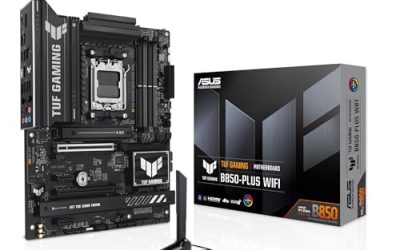
 ASUS TUF Gaming B550-PLUS WiFi II AMD AM4B550-Plus|M.2x2|D4|WiFi610.75 x 2.75 x 13.5 inches1.27 poundsCheck on Amazon


Top 3 picks at a glance
Quick Picks
As an Amazon Associate we earn from qualifying purchases at no extra cost to you.


| Product | Best for | Key spec from the title |
|---|---|---|
| GIGABYTE B550 Eagle WIFI6 | Balanced ATX build | 10+3 power phase, 2x M.2, WIFI6, USB-C |
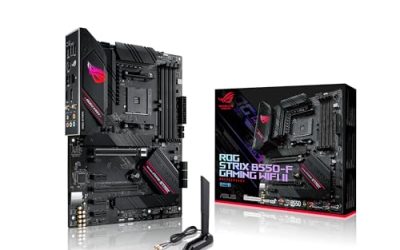
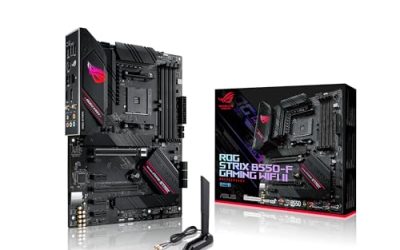
| ASUS ROG Strix B550-F Gaming WiFi II | Feature-rich gaming rig | WiFi 6E, 2.5Gb LAN, HDMI 2.1, BIOS Flashback |
| GIGABYTE B550M K | Small budget build | Micro-ATX, 3+3 power phase, 2x M.2 |
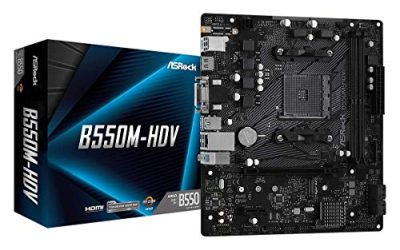
| ASRock B550M-HDV | Cheapest functional board | Micro-ATX, DDR4 4733+(OC), Gigabit LAN |
| ASUS TUF Gaming B550-PLUS WiFi II | Durable all-rounder | WiFi 6, 2.5Gb LAN, USB 3.2 Gen 2, BIOS Flashback |
| GIGABYTE B550 Gaming X V2 | Wired ATX value | 10+3 power phase, 2x M.2, front USB |
| ASRock B550M WiFi | Compact build with wireless | Micro-ATX, Ryzen 3000-5000, DDR4 4733+ |
| ASUS ROG Strix B550-A Gaming | Gaming-styled ATX | Socket AM4, ATX, B550 chipset |
How to Choose
Check processor support before the form factor
Every board in this group lists Ryzen 3000 support, and the Gigabyte and ASRock titles name Ryzen 5000 explicitly. A used or old-stock board can ship with a BIOS that predates a new chip, so a BIOS Flashback button, which updates firmware without a processor installed, is a real convenience. The two ASUS boards that name it sidestep a dead-on-arrival scare.
Size the power phase to the chip
A 10+3 phase layout suits a Ryzen 7 or Ryzen 9 running sustained loads, while a 3+3 design is built for six-core parts at stock speeds. Pair a Ryzen 5 5600 with a basic Micro-ATX board without worry; pairing a 5950X with the same board invites throttling. Ignore the phase count marketing beyond that.
Count storage, lanes, and ports
Two M.2 slots handle a game drive plus a backup. PCIe 4.0 in the title matters mainly for the first M.2 slot and the graphics slot, and it is only active when a Ryzen 3000 or newer CPU is installed. Check for USB-C on the rear or front panel, and for a 2.5Gb LAN port if your router supports faster wired speeds.
Skip what rarely matters
RAM listed as DDR4 4733+ is an overclock ceiling that depends on the kit and the CPU memory controller. Most builds sit at 3200 to 3600 MT/s. Where budget boards cut corners is heatsinks on the VRM, fan headers, and audio quality; look at header count if you plan multiple case fans.
The 8 Best Options
GIGABYTE B550 Eagle WIFI6
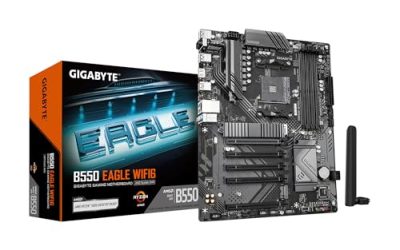
This ATX board pairs a 10+3 power phase design with WIFI6, USB-C, two M.2 slots, and PCIe 4.0, and the title confirms Ryzen 5000, 4000, and 3000 support. It suits a builder who wants wireless built in without paying for premium styling, and who plans a mid-range to upper mid-range Ryzen chip such as a six or eight-core part for a long-lived gaming desktop.
- Strength: 10+3 power phases give headroom for higher-core-count Ryzen parts.
- Strength: WIFI6 and USB-C remove the need for add-in cards.
- Trade-off: the title does not mention faster wired networking or a BIOS Flashback button.
Skip it if you want 2.5Gb LAN or processor-free BIOS updates, which the title does not list, or if you intend to move up to a 12-core Ryzen 9 and want the heaviest board available.
ASUS ROG Strix B550-F Gaming WiFi II
This board carries the most complete spec set in the group: WiFi 6E, 2.5Gb LAN, HDMI 2.1, PCIe 4.0, BIOS Flashback, and a 3rd Gen Ryzen label. It is aimed at a gamer building a showpiece ATX rig who wants fast networking and a dependable firmware recovery path on the same board, and who expects to keep the platform through several GPU upgrades.
- Strength: WiFi 6E and 2.5Gb LAN cover both wireless and wired speeds.
- Strength: BIOS Flashback helps when dropping in a newer processor.
- Trade-off: it sits in the premium tier of AM4 boards, so the extras add to the build cost.
Skip it if you are putting together a modest Ryzen 5 system where a cheaper board would perform the same.
GIGABYTE B550M K
A Micro-ATX board with a 3+3 power phase, two M.2 slots, PCIe 4.0, and Ryzen 5000/4000/3000 support. It targets small builds around a six-core processor, where case space and total cost matter more than overclocking headroom or wireless features, and where one graphics card and a pair of NVMe drives are all the machine needs.
- Strength: two M.2 slots on a compact, inexpensive board.
- Strength: Ryzen 5000 support is named directly in the title.
- Trade-off: a 3+3 power phase limits suitability for high-core-count chips.
Skip it if you plan to run a Ryzen 9 or want built-in WiFi without adding a separate card. Builders who may swap in a stronger processor in a couple of years should also weigh the ATX boards, since a thin power stage becomes the first thing to limit that upgrade.
ASRock B550M-HDV
The simplest board here: Micro-ATX, PCIe 4.0, Gigabit LAN, and DDR4 listed up to 4733+ with overclocking. It speaks to someone assembling an office, homework, or light gaming machine around the lowest-cost functional B550 platform, particularly if the processor is an entry-level Ryzen 3 or Ryzen 5 that never needs heavy power delivery.
- Strength: Ryzen 5000, 4000, and 3000 support at a budget tier.
- Strength: the Micro-ATX size fits small and slim cases.
- Trade-off: Gigabit LAN only, and the title lists no wireless.
Skip it if you want WiFi, a faster wired port, or plan to run multiple high-speed storage drives. It also makes little sense for a streaming or editing PC, where extra USB ports, more M.2 space, and stronger power delivery quickly become useful.
ASUS TUF Gaming B550-PLUS WiFi II
This ATX board lists PCIe 4.0, WiFi 6, 2.5Gb LAN, BIOS Flashback, and a USB 3.2 Gen 2 port. It suits builders who want sturdy-feeling hardware and a clean upgrade path, such as moving from a Ryzen 5 3600 to a 5000-series chip later, without stepping all the way up to a flagship board.
- Strength: 2.5Gb LAN and WiFi 6 appear together on the spec list.
- Strength: BIOS Flashback makes processor swaps safer.
- Trade-off: it sits above plain Gigabyte B550 boards in cost tier.
Skip it if you only need basic connectivity and want to keep the whole build lean. A household with no 2.5Gb switch or router gains little from the faster wired port, and the money could go toward a better graphics card or a larger SSD.
GIGABYTE B550 Gaming X V2
Another ATX model with 10+3 power phases, two M.2 slots, PCIe 4.0, and front USB connectivity, supporting Ryzen 5000, 4000, and 3000. It fits a wired-only build where the budget goes toward the processor and graphics card rather than wireless, and where a straightforward full-size layout is preferred for easier cable routing.
- Strength: 10+3 phases for stronger Ryzen chips.
- Strength: a familiar, well-rounded ATX layout with two M.2 slots.
- Trade-off: no WiFi is named in the title.
Skip it if your desk has no Ethernet access and you would need a wireless adapter anyway. Anyone building into a small case should also look at the Micro-ATX options, because this full-size layout will not fit a compact chassis.
ASRock B550M WiFi
This Micro-ATX board adds WiFi to a compact B550 package, with Ryzen 3000 to 5000 support, DDR4 listed to 4733+, and PCIe 4.0. It is for small-form builds in dorms, apartments, or media corners that rely on wireless and want a sensible Ryzen 5 setup without a bulky full-size case taking up the desk.
- Strength: WiFi on a Micro-ATX footprint saves a separate adapter.
- Strength: broad Ryzen 3000-5000 compatibility is stated.
- Trade-off: the title lists no 2.5Gb LAN or phase count.
Skip it if you want ATX-sized expansion slots for capture cards or extra add-in hardware. People who need several fast drives or a sound card alongside a large graphics card will run out of room on a board this size.
ASUS ROG Strix B550-A Gaming
The title is sparse: AM4 socket, B550 chipset, and ATX format, within the ROG Strix gaming line. Buyers drawn to that styling who want a full-size layout may like it, though the listing leaves networking, storage slots, and power phases for you to verify on the product page before you commit to it.
- Strength: ATX format leaves room for add-in cards and longer GPUs.
- Strength: the B550 chipset brings PCIe 4.0 platform support.
- Trade-off: the title gives no WiFi, LAN, or power phase details.
Skip it if you need to confirm specifics from the title alone before buying. The more fully described ATX boards above are easier to judge, and they spell out the networking and power phase details this one leaves blank.
Which One Fits Your Situation
Pairing a Ryzen 7 5800X3D with a big graphics card
The ASUS ROG Strix B550-F Gaming WiFi II gives you networking, BIOS recovery, and strong build quality for a long-term system.
Building a compact home-office machine
The ASRock B550M-HDV keeps the cost low and still supports the Ryzen 5000 family.
Living where wired internet is not an option
The ASRock B550M WiFi or the GIGABYTE B550 Eagle WIFI6 both include wireless, in Micro-ATX and ATX respectively.
Wanting a durable board without paying flagship money
The ASUS TUF Gaming B550-PLUS WiFi II combines fast networking with BIOS Flashback.
Common Mistakes
- Pairing a high-core Ryzen with a 3+3 power phase board.
- Assuming every old-stock board will boot a new processor without a BIOS update.
- Buying DDR5 memory, which AM4 boards cannot use.
- Ignoring case size and choosing ATX for a Micro-ATX case.
- Paying for WiFi 6E when the desk sits next to the router.
Related guides
- Sustainable Gaming Pc Power Supply Efficiency Guide
- Noctua Nh-D15 Vs Thermalright Peerless Assassin 120
- Thermal Paste Application Method For Lga1851
Frequently Asked Questions
Does B550 support Ryzen 5000 processors?
The Gigabyte and ASRock titles state Ryzen 5000 support directly. Older boards may need a BIOS update, so look for BIOS Flashback or confirm the board ships with recent firmware.
Is PCIe 4.0 worth caring about on AM4?
It helps with fast NVMe drives and recent graphics cards, but only when a Ryzen 3000 or newer CPU sits in the socket. Many everyday builds will not saturate it.
ATX or Micro-ATX for a gaming build?
ATX offers extra expansion slots and often stronger power delivery. Micro-ATX saves space and cost, and handles a single graphics card with two M.2 drives comfortably.
Can these boards use DDR5?
No. Every title lists DDR4, so you must buy DDR4 memory for any AM4 board in this guide.
Related guides
More from Amazon
Programs that pair well with the guide above. Offers and eligibility are set by Amazon and may change.
Free shipping on eligible items, Prime Video and more. Eligible new members can start with a free trial.
Start a Prime free trialAd-free music streaming. Eligible new subscribers can start with a free trial.
Try Music Unlimited freeA Prime membership for ages 18-24 with a trial period. Eligibility is set by Amazon.
See Prime for Young AdultsAudiobooks and podcasts to listen to on the go. Eligible new members can start with a free trial.
Try Audible freeAs an Amazon Associate we earn from qualifying purchases.