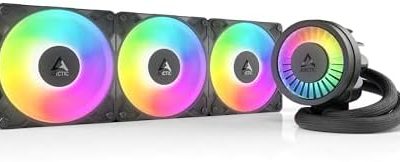
The best white CPU cooler for most white PC builds here is the Thermalright Peerless Assassin 120 SE ARGB White: a dual-tower air cooler with six heat pipes, two 120 mm PWM fans, a white finish and support for current Intel and AMD sockets. Anyone with a hot-running processor and a case that takes a 360 mm radiator should look at the Antec Ultra 360 ARGB White liquid cooler instead. A white cooler matters only for looks, so every pick below is judged first on cooling hardware and fit, and second on how well it matches a white theme.
Our Top Picks
Top 3 picks at a glance
Quick List
- Thermalright Peerless Assassin 120 SE ARGB White – best overall for white builds that want strong air cooling and modest noise
- Thermalright Peerless Assassin 120 Vision MAX White (dual-fan listing) – best for a built-in display on a six-heat-pipe tower
- Thermalright Peerless Assassin 120 Vision MAX White (magnetic display listing) – best for the same display tower with the screen detailed in the title
- Antec Ultra 360 ARGB White – best for high-wattage CPUs and radiator-ready cases
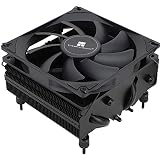
- Thermalright Assassin X 120 SE White – best for a slimmer, shorter single-tower white cooler
- Thermalright Assassin X 120R Digital ARGB White – best for a compact tower with a digital top cover
Which One Is Right for You?
| If you… | Choose |
|---|---|
| want a strong white air cooler without a display | Peerless Assassin 120 SE ARGB White |
| run a hot CPU and your case has a 360 mm radiator mount | Antec Ultra 360 ARGB White |
| like the idea of a screen on the cooler and have 160 mm or more of clearance | Peerless Assassin 120 Vision MAX White |
| want the screen version with the display size spelled out in the title | Peerless Assassin 120 Vision MAX White (magnetic display listing) |
| have a mid-size case with limited height | Assassin X 120 SE White |
| want a small digital readout on a compact tower | Assassin X 120R Digital ARGB White |
Choose between air and liquid first. Air coolers are simpler, have no pump to fail, and suit most mainstream processors. A 360 mm liquid cooler is for sustained high loads and cases with the room to mount it. Measure your case’s cooler height limit and radiator support before you fall for a color match.
All 6 Picks in Detail
1. Thermalright Peerless Assassin 120 SE ARGB White – Best overall for white builds
As an Amazon Associate we earn from qualifying purchases at no extra cost to you.

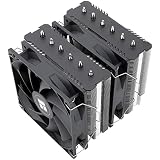
The Peerless Assassin 120 SE is a dual-tower air cooler built around six 6 mm heat pipes, and the white ARGB edition keeps that hardware under a white finish. It suits anyone who wants strong air cooling for a mainstream or upper-mainstream processor and wants the cooler to match a white case and white memory. The listing describes dual 120 mm PWM fans, which is the configuration that gives a dual tower its cooling potential.
- Height: 155 mm per Thermalright’s specification page
- Heat pipes: six, 6 mm
- Fan: 120 mm PWM, up to 1550 rpm, about 66 CFM, 25.6 dBA, S-FDB bearing per the spec page
- Sockets: Intel LGA115X, 1200, 1700, 1851 and AMD AM4, AM5
- Lighting: ARGB, 5V 3-pin connector
Fit note: dual-tower coolers like this one are wide, so measure the space between the CPU socket and the first memory slot. With tall memory modules, you may need to raise or reposition the front fan, which reduces the clearance between fan and DIMMs but adds to the overall height. Always check the case width as well, because a 155 mm height only helps if the side panel closes.
Who should skip it: builders with a very narrow case, a motherboard with a tight gap above the first memory slot, or a processor so power-hungry that only a large radiator will do. Anyone who wants a screen should look at the Vision MAX towers instead. In a normal mid-tower with a standard-height memory kit, this cooler is a safe fit and a safe default. Mount the fans so air flows from the front of the case toward the rear exhaust, connect the fan cable to the CPU header, and plug the ARGB lead into a 5V addressable header only. Because the finish is white, wipe fingerprints from the fins before closing the case.
Pros
- Six heat pipes and two fans give it the most air-cooling hardware here without a screen
- Low listed noise at the top fan speed
Cons
- At 155 mm and with a wide body, it can crowd tall memory or a tight case
- Needs a 5V ARGB header for the lighting
Compared with the Vision MAX towers, it offers almost the same cooling layout without the screen and with a shorter body.
2. Thermalright Peerless Assassin 120 Vision MAX White (Dual-Fan Listing) – Best for a built-in display

The Vision MAX adds a display screen to the Peerless Assassin design. It is for builders who want the cooler to double as a status panel and have the height to spare. The listing describes dual PWM fans and an ARGB white finish. Thermalright’s page for the black version lists a height of 164 mm, six heat pipes, a 5-inch screen at 480 x 854 resolution, and a faster TL-K12 fan rated up to 2150 rpm; confirm the white version’s numbers on the listing.
- Height: 164 mm for the black version per Thermalright; confirm for white
- Heat pipes: six per the platform
- Fans: dual PWM, per the listing
- Display: about 5 inches, 480 x 854, per Thermalright’s page for the black model
- Sockets: Intel LGA1851 and 1700, AMD AM5 named in the listing; confirm older sockets
Fit note: the display is the selling point, so decide before you buy whether you will use it. If you do not want a screen on the cooler, the plain 120 SE gives you the same six-heat-pipe approach at a lower height. If you do, check that your case has the vertical clearance and that the side panel is not too close to the screen.
Who should skip it: anyone with a case limit near 160 mm, anyone who wants the simplest installation, and anyone who does not care about a display. The extra height and the screen cable add complexity compared with a plain tower. Where the screen makes sense is in a build with a glass side panel and a display-first theme, where hardware readouts or a custom image become part of the look. Before buying, read the product page for how the screen is powered and whether it needs software, because the listing name does not state that. Also confirm the final height of the white model against your case’s cooler limit with a few millimeters to spare.
Pros
- Strong tower hardware with a display for hardware readouts or images
- White finish suits a themed build
Cons
- 164 mm tall, which rules out many mid-size cases
- Display may need extra cabling or software; confirm setup requirements on the listing
It trades the 120 SE’s lower height for a display; if you do not want the screen, the 120 SE is the more practical choice.
3. Thermalright Peerless Assassin 120 Vision MAX White (Magnetic Display Listing) – Best for the screen version with details in the title

This is a second listing for the same Vision MAX family, and its title spells out six heat pipes and a 5-inch magnetic display screen. The magnetic mount is described as letting the screen be attached to the cooler top. It suits buyers who want the display and want those details confirmed in the product name. Because two listings for the Vision MAX exist, read both pages for differences in fans, accessories and seller before choosing.
- Heat pipes: six, per the title
- Display: 5-inch magnetic screen, resolution truncated in the listing; the platform is 480 x 854 per Thermalright
- Height: confirm on the listing; the black model is 164 mm
- Fans: confirm count and speed on the listing
- Sockets: confirm on the listing; the platform supports Intel LGA115X, 1200, 1700, 1851 and AMD AM4, AM5
Fit note: with two listings that cover the same family, compare the title, the included accessories and the seller information before you choose. If both appear identical, pick the one whose details match your socket and your case. Either way, confirm the white version’s final height against your case’s cooler limit.
Who should skip it: anyone who has not compared this listing with the other Vision MAX one. The two can describe the same family with different details, and the only reliable way to tell them apart is to read each page for fan count, accessories and socket support. Choose this one if its title gives you the facts you care about, such as six heat pipes and a 5-inch magnetic display. Magnetic mounting suggests the screen attaches to the top of the cooler without screws, but confirm how it is held, where its cable runs and whether it can be left disconnected. If you plan to hide the cooler behind a solid panel, a display is wasted.
Pros
- Same six-heat-pipe tower with a display
- Title states the screen type
Cons
- Overlaps with the other Vision MAX listing, which makes comparing them harder
- Tall for many cases
It is nearly identical to the previous pick, so choose whichever listing states the details you need.
4. Antec Ultra 360 ARGB White – Best for high-wattage CPUs and radiator-ready cases

The Ultra 360 is a sealed liquid cooler with a 360 mm radiator and three 120 mm PWM ARGB fans, finished in white. It suits builders with a hot, high-power processor who want the heat moved to a radiator on the top or front of the case, and who want a white cooler that leaves the area around the CPU uncluttered. The title names Intel LGA 1200, 1851 and “20XX” along with AMD AM4 and AM5; confirm LGA 1700 support explicitly on the product page.
- Radiator: 360 mm
- Fans: three 120 mm PWM, ARGB
- Pump: high-performance pump per the listing; confirm speed and specification
- Sockets: Intel LGA 1200, 1851 and 20XX; AMD AM4, AM5
- Color: white
Fit note: a 360 mm radiator is easiest to install in a case with a top or front mount that has plenty of clearance above the motherboard. Check the radiator’s thickness against your memory height if you mount it at the top, and make sure the tubing reaches the CPU block without strain. Fit the fans and radiator first, then the pump block, and connect the pump and fan cables to the headers recommended in the manual.
Who should skip it: small-case owners, builders who want the fewest parts that can fail, and anyone who cannot confirm 360 mm radiator support in the case manual. Liquid cooling also asks more of the installer: fans and radiator go in first, the pump block second, and tubing must reach without kinking. Mount the radiator so the pump is not the highest point of the loop, which helps keep air away from the pump. Intel’s LGA1700 socket is not named in the title, so confirm it before you buy if you use a 12th, 13th or 14th generation chip. When it fits, it frees space around the socket and handles sustained loads well.
Pros
- Large radiator for sustained loads
- Less weight and height on the motherboard than a tower
Cons
- Needs a case with 360 mm radiator support and enough tubing reach
- A pump is another part that can fail, unlike an air cooler
Against the Peerless Assassin 120 SE, it handles more heat in return for more installation work and case requirements.
5. Thermalright Assassin X 120 SE White – Best for a slimmer, shorter tower

The Assassin X 120 SE is the smaller single-tower option in the group, with four heat pipes and a white PWM fan. It suits mid-size cases, builds with tall memory, and processors that do not draw huge power. Thermalright’s spec page for the Assassin X 120 Refined SE White lists a 148 mm height, four 6 mm heat pipes, and a TL-C12CW fan rated up to 1550 rpm, about 66 CFM, with an S-FDB bearing. Confirm that your listing matches that revision.
- Height: 148 mm per the Refined SE White spec page
- Heat pipes: four, 6 mm
- Fan: TL-C12CW 120 mm PWM, S-FDB bearing
- Weight: about 630 g for the cooler, plus about 120 g for the fan
- Sockets: Intel LGA115X, 1200, 1700, 1851 and AMD AM4, AM5
Fit note: a single tower of this height is easy to live with in mid-size cases and with tall memory. It will not match the dual-tower coolers for peak cooling, but for mainstream processors the difference may not matter. Match the fan’s top speed to your tolerance for noise and set a gentle fan curve in the BIOS.
Who should skip it: owners of high-power processors who plan to run long, heavy loads, and anyone who wants ARGB lighting, since the listing name does not mention it. What this cooler offers is a modest footprint, a lighter weight on the motherboard and fewer clearance headaches. It leaves more room for tall memory and suits compact cases that cannot take the dual towers. Tighten the mounting screws evenly, a little at a time, and use the fan’s PWM control in the BIOS to keep noise down at idle. If you later upgrade to a hotter chip, you may want to move to a dual tower or a radiator.
Pros
- Shorter and narrower than the dual towers
- Light enough to be less demanding on the motherboard
Cons
- Four heat pipes and a single fan suit mid-range CPUs better than hot ones
- The listing name does not mention ARGB lighting, so confirm if you want it
It is the practical choice when the Peerless Assassin will not fit.
6. Thermalright Assassin X 120R Digital ARGB White – Best for a compact tower with a digital top cover

The Assassin X 120R Digital adds a digital screen top cover and ARGB to the compact Assassin X design, with a TL-P12W-S PWM fan. It suits builders who want a small readout, such as a temperature display, on a cooler that stays short. The title lists AM4, AM5 and Intel LGA1851, 1700, 115X and 1200; the listing name does not state the heat pipe count or height, so confirm both on the product page.
- Fan: TL-P12W-S 120 mm PWM
- Top cover: digital screen, per the title
- Lighting: ARGB
- Sockets: AM4, AM5, Intel LGA1851, 1700, 115X, 1200 per the title
- Height and heat pipes: confirm on listing
Fit note: the digital cover adds a little height and an extra cable to manage. Check the listing for how the cover connects and whether it needs software to show temperatures. If you simply want a compact white cooler without a screen, the Assassin X 120 SE is the more straightforward choice.
Who should skip it: anyone who wants documented cooling specifications in the listing, because the title does not give height or heat pipe count, and anyone who does not want another cable. The screen top cover is a cosmetic and informational feature, not a cooling one, so decide whether a small readout is worth the extra wiring. Read the product page to see what the screen shows, whether it needs a software utility and how it connects to the motherboard. If you want a plain white single tower, the Assassin X 120 SE is easier to evaluate. For a small white build where a readout is part of the charm, this one is a neat option.
Pros
- Compact tower with a small digital readout
- Broad socket support listed in the title
Cons
- Cooling hardware is not detailed in the listing name
- The screen adds a cable to manage
Next to the plain Assassin X 120 SE, you get a screen rather than more cooling.
Specs Compared
| Product | Type | Heat pipes / radiator | Fans | Height | Extras |
|---|---|---|---|---|---|
| Peerless Assassin 120 SE ARGB White | Air, dual tower | 6 heat pipes | Dual 120 mm PWM per listing | 155 mm | ARGB |
| Peerless Assassin 120 Vision MAX White (dual-fan) | Air, dual tower | 6 heat pipes (platform) | Dual PWM per listing | 164 mm (black model), confirm for white | Display screen |
| Peerless Assassin 120 Vision MAX White (magnetic display) | Air, dual tower | 6 heat pipes | confirm on listing | confirm on listing | 5-inch magnetic display |
| Antec Ultra 360 ARGB White | Liquid, sealed | 360 mm radiator | 3 x 120 mm PWM ARGB | not applicable | High-performance pump |
| Assassin X 120 SE White | Air, single tower | 4 heat pipes | Single 120 mm PWM | 148 mm (Refined SE White), confirm | S-FDB fan bearing |
| Assassin X 120R Digital ARGB White | Air, single tower | confirm on listing | TL-P12W-S 120 mm PWM | confirm on listing | Digital screen cover, ARGB |
How We Chose These
This is a research-based comparison, not a test. We read each listing name and Thermalright’s published specification pages for the Peerless Assassin 120 SE White, the Assassin X 120 Refined SE White and the Peerless Assassin 120 Vision MAX. We compared cooler type, heat pipe count, fan configuration, height and socket support, then checked how well each cooler fits a white-themed build. Where a listing did not state a value, we say so rather than guess. We do not publish temperatures or noise measurements of our own. We also compared the stated heights against typical mid-tower cooler limits, and we kept the list to the products named, with no outside additions. Check the product page before you buy.
What to Look For
Cooler height and case clearance
Air cooler height is the first fit check. Case makers publish a maximum CPU cooler height, commonly around 150 to 170 mm for mid-tower cases. Worked example: a case that allows 160 mm fits a 155 mm Peerless Assassin 120 SE, but a 164 mm Vision MAX would press against the side panel. Allow a few millimeters of margin and check that the cooler does not block the first memory slot, since dual towers can overhang the DIMMs.
Air or liquid
Tower coolers with six heat pipes are enough for many mid-range and upper-mid processors, and they have no pump to wear out. A 360 mm liquid cooler spreads heat across a larger radiator and suits power-hungry chips and sustained loads. Liquid needs a case with the right radiator mount, room for tubing, and a pump placement that keeps the pump from being the highest point in the loop. Sealed units do not need refilling, but the pump and fans are wear items.
A quick fit-check example
Say your case lists a 165 mm CPU cooler limit and you use a 40 mm-tall memory module. A 155 mm tower leaves 10 mm of margin, which is comfortable. A 164 mm tower leaves just 1 mm, and any bend in the side panel could block it. Always compare the cooler’s height, not its marketing size, to the number in your case manual, and keep at least 5 mm of margin when you can. For radiators, add the radiator and fan thickness to the memory height at the mount point.
Sockets and mounting
Check that your socket is named in the listing or on the manufacturer page. Intel LGA1700 and LGA1851 and AMD AM4 and AM5 are the common modern sockets. Some listings use vague wording, such as “20XX”, so confirm LGA1700 support if you use a 12th, 13th or 14th generation Intel chip. Look for the mounting hardware for your motherboard, and check that a backplate fits behind it.
Fans, lighting and the white theme
White finish changes only looks. Look for PWM fans so the motherboard can control speed. ARGB lighting typically uses a 5V 3-pin header, which is different from a 12V RGB header, so plugging into the wrong one can damage the lights. If you do not want lighting, check that the fans can be left unplugged or controlled from software. For cooling, a larger fan area and more heat pipes matter more than color; white fins, white fans and a matching case are a bonus.
Noise, fan curves and airflow
A cooler’s noise depends on how fast its fans spin, and most PWM fans run quietly at low speed. Set a fan curve in your BIOS so the fans stay slow at idle and ramp up only under load. Good case airflow helps any cooler: front intake and rear or top exhaust keep fresh air moving across the tower or radiator. A white build with glass panels and little airflow can cause any cooler to run hotter than it should, so leave room for air.
Installation and thermal paste
Install the mounting hardware before you place the board in a small case if you can, since backplates are easier to fit on an open bench. Apply a pea-sized amount of paste to the center of the processor, lower the cooler straight down without twisting, and tighten the screws in a diagonal pattern a little at a time. Remove any protective plastic film from the base of the cooler before mounting, and connect the CPU fan header and the ARGB cable last.
Fit-check table for common case limits
Case manuals state a maximum CPU cooler height. Use the table to see how the heights in this list compare with a few typical limits, keeping at least 5 mm of margin where you can. Entries marked confirm need the white model’s height from the product page, and the liquid cooler depends on radiator support rather than height.
| Case cooler limit | Likely fits | Check first |
|---|---|---|
| Around 150 mm | Assassin X 120 SE (148 mm per the Refined SE White page, very little margin); a 360 mm radiator if the case supports one | Side panel clearance and exact limit |
| Around 160 mm | Peerless Assassin 120 SE (155 mm) | Memory overhang |
| Around 170 mm | Peerless Assassin 120 Vision MAX models (164 mm for the black version, confirm for white) | Screen cable and panel gap |
| Radiator mount at top or front | Antec Ultra 360 ARGB White | Radiator thickness plus memory height, tubing reach |
| Height not stated in the listing | Assassin X 120R Digital | Product page for height before purchase |
Memory clearance and motherboard layout
Dual-tower coolers overhang the memory slots closest to the socket. If your memory is taller than about 40 mm, the front fan may need to sit higher on its clips, and that raises the total height. Low-profile memory removes the problem, and a single tower usually avoids it. On boards with a large heatsink above the socket, check that the cooler does not touch it. If you plan a radiator at the top of the case, remember that the radiator and fans sit over the memory and the top edge of the board, so allow the combined thickness.
Questions
Do white coolers perform differently from black ones?
The finish does not change cooling performance. What matters is the heat pipe count, fin area and fan quality, so compare those instead of the color.
Which white cooler is best for AM5?
All six picks list AM5 support in their titles or spec pages, so the choice comes down to your CPU power and case. For a mainstream Ryzen chip, the Peerless Assassin 120 SE is a strong default.
Will the Peerless Assassin 120 Vision MAX fit my case?
Thermalright lists the black version at 164 mm tall, so confirm the white model’s height and compare it to your case’s maximum cooler height. Many mid-size cases are limited to 160 mm or less.
Do I need a 360 mm radiator?
Not for most processors. A good dual-tower air cooler handles mainstream chips; choose 360 mm liquid when you run a high-power CPU under sustained load.
What is the ARGB connector on these coolers?
ARGB lighting usually connects to a 5V 3-pin addressable header. Do not plug it into a 12V 4-pin RGB header, because the voltage mismatch can damage the LEDs.
Do I need new thermal paste?
Many coolers include paste, but check the box contents on the listing. If you reuse a cooler, clean the old paste and apply fresh paste before mounting.
Is the Vision MAX display required to use the cooler?
The listings describe the screen as a feature, and the listing names do not say whether the cooler works with the screen unplugged. Read the product page and the manual for setup details, and plan to run the fans from the CPU header either way.
Can a tower cooler fit a small case?
Only if the case manual lists a cooler height limit at or above the cooler’s height. Compact cases often limit coolers to well under 150 mm, so a shorter single tower or a low-profile cooler may be necessary.
Will an air cooler keep my case quiet?
Often, because large fans at moderate speed move a lot of air quietly. Noise depends on the fan curve and the case airflow as much as on the cooler, so set a gentle curve in the BIOS and keep intake and exhaust unobstructed.
Update History
- October 14, 2026 – Initial publication; product set drawn from current catalog listings.
- Check the product page for current specifications and availability before buying.
Sources
- Manufacturer product and specification pages for Thermalright (Peerless Assassin 120 SE White, Assassin X 120 Refined SE White, Peerless Assassin 120 Vision MAX)
- Retailer listing titles and specification fields, including the Antec Ultra 360 listing