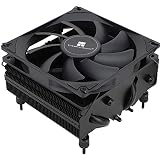
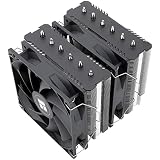
The be quiet! Pure Rock Pro 3 is the best quiet CPU cooler in this group for most silent builds: a double-tower air cooler with two 120mm PWM fans and a 250W TDP rating, with no pump to hum and nothing to leak. If you want a liquid design, the Silent Loop 3 360mm leads that side of the list. A silent PC aims for a low, steady sound rather than the lowest possible number, so coolers that move heat at modest fan speed win. Two of the six listings are fans rather than complete coolers, and they are flagged clearly below.
Our Top Picks


Top 3 picks at a glance
Quick List
- be quiet! Pure Rock Pro 3 – best for quiet air cooling for mainstream and high-end processors
- be quiet! Silent Loop 3 360mm – best for overclockers who want low noise from a 360mm liquid cooler
- be quiet! Pure Loop 3 360mm – best for a non-RGB 360mm liquid cooler for light overclocking
- Thermalright TL-C12C X3 fan 3-pack – best for replacing or adding quiet 120mm PWM fans
- Thermalright Assassin X120 Refined SE – best for a compact, low-cost tower with a 225W-class rating
- Kingwin 80mm Silent Fan – best for small cases that only take an 80mm fan
Which One Is Right for You?
Noise comes from fans first, pumps second, so decide between air and liquid before you look at brands. Then check case clearance, because the quietest cooler is the one that actually fits.
| If you… | Choose |
|---|---|
| want the simplest reliable silent setup with two big fans | be quiet! Pure Rock Pro 3 |
| have a case that accepts a 360mm radiator and want quiet at load | be quiet! Silent Loop 3 360mm |
| want liquid cooling without RGB for a stock or lightly tuned processor | be quiet! Pure Loop 3 360mm |
| are working to a budget and have a mid-size case | Thermalright Assassin X120 Refined SE |
| already own a heatsink and want better 120mm fans | Thermalright TL-C12C X3 fan 3-pack |
| have a tiny case that fits only an 80mm fan | Kingwin 80mm Silent Fan |
As a rule, air coolers suit builds that value reliability and a low floor of noise, while 360mm liquid coolers suit hot processors that would make an air cooler spin up. Whichever you choose, set a gentle fan curve in the motherboard settings; that matters as much as the hardware.
All 6 Picks in Detail
1. be quiet! Pure Rock Pro 3 Black – Best for quiet air cooling for demanding processors
As an Amazon Associate we earn from qualifying purchases at no extra cost to you.

The Pure Rock Pro 3 is a double-tower air cooler: two aluminum fin stacks, six heat pipes and a pair of 120mm PWM fans, with a 250W TDP rating on the box. The twin-tower layout spreads the heat over a large surface so the fans can stay slow. The black finish also suits dark builds, and the cooler supports current Intel and AMD sockets according to be quiet!’s published specifications.
It is the safest recommendation for a silent PC because there is no pump, only fans, and the fans are sized for low speed. Third-party spec summaries put the height near 155mm with fans, but the front fan can be raised for taller memory, so measure your case clearance and memory height before ordering. Expect the cooler to be hefty, around a kilogram, which matters for the motherboard and for shipping a built PC.
- Type: dual-tower air cooler
- Rating: 250W TDP per listing
- Fans: two 120mm PWM
- Heat pipes: six per listing
- Height: roughly 155mm with fans per spec summaries, confirm on listing
Pros
- No pump noise and very little to go wrong
- Strong cooling headroom at low fan speed
Cons
- Wide and heavy, so check RAM and case clearance
- Black fins and plain looks, no lighting
It cools harder than the Assassin X120 Refined SE and avoids the pump hum of the liquid coolers, but it needs more case space than either.
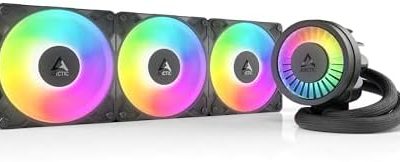
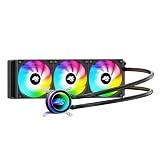
2. be quiet! Silent Loop 3 360mm ARGB – Best for overclockers who want a quiet 360mm loop

The Silent Loop 3 360mm is the premium liquid option here. The listing shows three Silent Wings 4 PWM fans, a 6-pole pump motor and ARGB lighting. Spec summaries list a 27mm-thick aluminum radiator of about 397 by 120mm, a nickel-plated copper block and fans that reach up to 2,500 rpm, with the usual advice to run them far below that for a silent PC.
Large radiators reward you with lower noise: because three fans move the air, each can run slower for the same heat load. The pump is the other sound source, and be quiet! designs it with a three-chamber body to damp turbulence. Check that your case has a front or top mount for a 360mm radiator and that there is room for the hoses, which spec summaries put at about 400mm long. Mount the radiator with the pump lower than the radiator’s highest point where the case allows, so trapped air collects away from the pump.
- Type: 360mm all-in-one liquid cooler
- Fans: three Silent Wings 4 120mm PWM
- Pump: 6-pole motor, PWM controlled
- Lighting: ARGB
- Radiator: about 397 x 120mm, 27mm thick per spec summaries
Pros
- Large radiator keeps fans slow under load
- Premium fans and pump design aimed at low noise
Cons
- Needs 360mm radiator support in the case
- Pump hum is still possible in a very quiet room
It is the lit, higher-spec sibling of the Pure Loop 3, and it is the one to buy if you plan to push the processor harder.
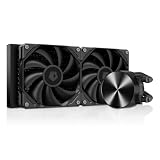
3. be quiet! Pure Loop 3 360mm – Best for a non-RGB 360mm loop for light overclocking

The Pure Loop 3 360mm is described as a non-RGB all-in-one for processors that are only lightly overclocked. The listing mentions three silent 120mm high-speed PWM fans and a 360mm radiator. Spec summaries list Pure Wings 3 fans with the same 27mm-thick aluminum radiator as the Silent Loop 3, and a pump that runs in a 3,000 to 5,500 rpm range, but confirm the fan model on the product page.
For a quiet build this is a practical middle path. You get the radiator area of a 360mm loop with a simpler specification than the Silent Loop 3, with no lighting to coordinate. The trade-off is the fan: a more basic fan is often a little rougher at high speed, so keep the curve gentle. Daisy-chained fan cables share one motherboard header, which keeps the build neat. Spec summaries also note a refill port on this design, though you should confirm that on the product page before relying on it.
- Type: 360mm all-in-one liquid cooler
- Fans: three 120mm PWM per listing
- Lighting: none (non-RGB)
- Pump speed: about 3,000-5,500 rpm per spec summaries
- Radiator thickness: about 27mm per spec summaries
Pros
- Big radiator with a clean, non-RGB look
- Suits light overclocking at modest fan speed
Cons
- Fan model needs checking on the product page
- Same case-space demands as any 360mm loop
Choose it over the Silent Loop 3 if you do not want lighting; choose the Silent Loop 3 if you prefer its Silent Wings fans.
4. Thermalright TL-C12C X3 120mm PWM Fan 3-Pack – Best for quiet replacement fans for a heatsink

This listing is a three-pack of 120mm PWM fans, not a complete CPU cooler, so it fits this guide as a way to quiet an existing tower or add a second fan. Thermalright’s published specifications for the TL-C12C line show a 120 by 25mm fan at up to 1550 rpm with a 25.6 dBA rating, about 66 CFM and 1.53 mmH2O of static pressure, built on an S-FDB bearing and a 4-pin PWM connector.
Because each fan draws roughly 0.2A, three of them are within what a typical motherboard header can supply, but check the header rating in your manual. They are a good match for a tower cooler with clips for a second fan or for a case where you want a quiet intake. Static pressure is modest, so for a thick radiator you should look at a higher-pressure fan instead.
- Type: 120mm PWM fan, three included
- Speed: up to 1550 rpm per specifications
- Noise: 25.6 dBA maximum per specifications
- Airflow: about 66 CFM per specifications
- Bearing: S-FDB, 4-pin PWM
Pros
- Low noise rating and PWM control
- Three fans cover a tower plus case airflow
Cons
- Not a cooler on its own
- Modest static pressure suits open heatsinks better than thick radiators
It is the same fan family used on the Assassin X120 Refined SE, so it is the upgrade path if you already own that cooler.
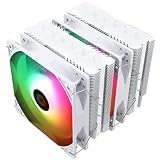
5. Thermalright Assassin X120 Refined SE – Best for a compact, low-cost quiet tower

The Assassin X120 Refined SE is a single-tower air cooler with four 6mm heat pipes, an aluminum cover and a TL-C12C PWM fan. Thermalright lists it at 148mm tall with a 225W TDP rating and support for Intel LGA 1700 and 1851 and AMD AM4 and AM5, among others. It is the budget-friendly pick of the group and has a modest footprint for mid-size cases.
With a 1550 rpm fan rated at 25.6 dBA, it can run quietly when the processor is not pushed. The single tower means less surface than the Pure Rock Pro 3, so very hot processors will drive the fan harder. Check the clearance for memory; a single tower with the fan mounted in front usually leaves more room for tall modules than a double tower, though the exact figure depends on your motherboard. The aluminum cover over the fins is mainly cosmetic, so judge the cooler by its heat pipes and fin area rather than its looks.
- Type: single-tower air cooler
- Height: 148mm per specifications
- Rating: 225W TDP per specifications
- Heat pipes: four 6mm
- Fan: TL-C12C 120mm PWM, up to 1550 rpm
Pros
- Good cooling for the size and cost
- Compact enough for many mid-size cases
Cons
- One tower and one fan, so less headroom than a double tower
- No lighting on the version in this listing
It is cheaper and shorter than the Pure Rock Pro 3, but the Pro 3 holds lower fan speeds under sustained load.
6. Kingwin 80mm Silent Fan – Best for tiny cases that only fit an 80mm fan
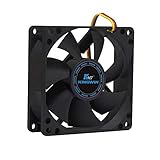
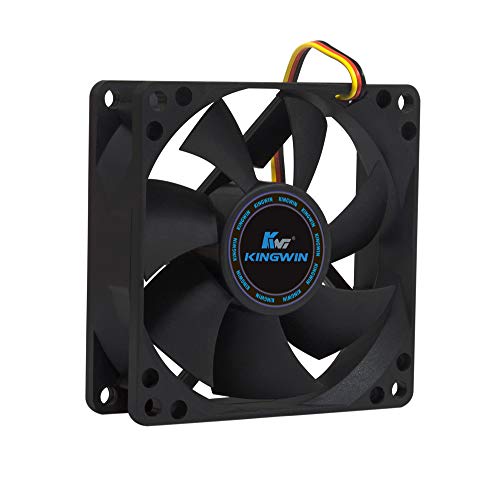
This is a simple 80mm case fan, not a CPU cooler, and it is included because some small cases and older heatsinks use 80mm fans. The listing calls out a long-life bearing, maximum airflow and low noise, and says it fits computer cases, CPU coolers and mining rigs. It does not state RPM, CFM or dBA in the part of the title we could read, so those need checking on the product page.
Small fans must spin faster to move the same air, so an 80mm fan is rarely the quietest choice. It makes sense only when the case, a small-form-factor heatsink or a vintage cooler leaves you no room for a 120mm fan. For anyone with a normal ATX case, a 120mm fan will be quieter for the same airflow, and the other options in this list are the better buy. Treat this as a spare-parts pick rather than a primary recommendation.
- Type: 80mm case or heatsink fan
- Bearing: long-life bearing per listing
- Use: cases, CPU coolers, mining rigs per listing
- Speed, airflow and noise: confirm on listing
- Connector: confirm on listing
Pros
- Fits small cases and heatsinks with 80mm mounts
- Simple replacement part
Cons
- Not a cooler and not the quietest design
- Key specifications are not stated in the listing title
A 120mm option such as the TL-C12C fan pack will be quieter in any case that has the room.
Specs Compared
| Product | Type | Size or rating | Fans | Lighting | Notable |
|---|---|---|---|---|---|
| be quiet! Pure Rock Pro 3 | Dual-tower air | 250W TDP | 2 x 120mm PWM | None | Six heat pipes |
| be quiet! Silent Loop 3 360mm | 360mm AIO | 360mm radiator | 3 x Silent Wings 4 PWM | ARGB | 6-pole pump motor |
| be quiet! Pure Loop 3 360mm | 360mm AIO | 360mm radiator | 3 x 120mm PWM | None | Light overclocking |
| Thermalright TL-C12C X3 | Fan 3-pack, not a cooler | 120 x 25mm | 3 x 120mm PWM | None | Up to 1550 rpm, S-FDB |
| Thermalright Assassin X120 Refined SE | Single-tower air | 225W TDP, 148mm tall | 1 x 120mm PWM | confirm on listing | Four 6mm heat pipes |
| Kingwin 80mm Silent Fan | Fan, not a cooler | 80mm | 1 x 80mm | None | Speed and noise: confirm on listing |
How We Chose These
We compared the six listings on what a silent build actually needs: cooling surface or radiator area, fan size, stated noise or speed figures, pump design for the liquid models and case-fit information such as height. We read manufacturer and retailer specifications and cross-checked them against published spec summaries. Where figures differ between sources, or the title is cut off, we mark the value as something to confirm on the product page. Two listings are fans rather than coolers and are labeled as such. We did not run any hardware, so there are no measured temperatures or noise readings in this article.
What to Look For
Air or liquid for a quiet build?
A good air cooler has one noise source, its fans. A liquid cooler adds a pump, which hums at a steady pitch that some listeners notice in a silent room. In exchange, a 360mm radiator spreads the heat across three fans that can run slower. For a processor under about 125W, a large tower is usually quieter and simpler. For a hot, high-core-count chip, a 360mm loop lets the fans stay lower.
Remember that pumps usually plug into a dedicated header and should run at a steady speed, while the radiator fans follow the temperature curve.
Reading dBA and rpm numbers
Decibels are logarithmic. A 10 dBA drop is perceived as roughly half as loud, and a 3 dBA change doubles or halves sound power. A fan rated 25 dBA at full speed is a very low maximum, and most of the time it will run well below that.
Compare rpm and CFM together. A fan that reaches 66 CFM at 1550 rpm and a fan that reaches the same airflow at 2000 rpm are different experiences; the slower one is typically quieter and less tonal. Bearing type matters too: fluid dynamic and similar sealed designs stay smooth for years, while a cheap sleeve bearing can develop a grind. Also look at the minimum speed, since a PWM fan that can drop to about 400 to 500 rpm will be nearly inaudible at idle.
TDP rating and real headroom
A cooler’s TDP rating is a guide, not a promise. Aim for a cooler rated at least 50 percent above your processor’s peak power. Example: a 125W processor under a 250W-rated double tower leaves 100 percent headroom, so the fans can idle near their minimum, while the same chip under a 225W-rated single tower leaves 80 percent.
Headroom is what lets the fans stay slow, and slow fans are what makes a PC silent. Remember that rated TDP is not the same as the power a processor can draw when boosting, so a chip with a 125W base rating can briefly pull far more. A cooler with a generous margin absorbs those bursts without a loud ramp.
Fan curves and header setup
Most of the noise you hear is decided in software. Plug the processor fan into the CPU_FAN header and the pump, if you have one, into the pump or AIO header so the board can hold it at a steady speed. Then open the fan curve in the BIOS and set a low, flat line below about 60 degrees Celsius, rising smoothly above that. A gentle ramp over 20 degrees sounds far better than a steep one over five.
A ‘zero RPM’ or stop mode on case fans is useful, but never let the processor fan stop under load. Add a few seconds of response delay if your board offers it, so brief spikes from opening an application do not make the fans surge.
Fit, clearance and mounting
Check the cooler height against your case’s stated clearance, and add a few millimeters of margin. Dual-tower coolers can overhang the first memory slot, so check memory height and the fan position. For radiators, confirm that your case supports a 360mm front or top mount, and check the radiator thickness plus fan depth; a 27mm radiator with 25mm fans is about 52mm in total.
Use the supplied mounting hardware for your socket, apply a thin layer of thermal paste, and tighten the screws in a cross pattern to even pressure. Unplug the PC before you work on it.
Questions
Is liquid cooling quieter than air cooling?
Not automatically. A large air cooler with slow fans can be quieter than an all-in-one because there is no pump. A 360mm loop wins when the processor is hot enough that an air cooler would have to spin up.
What fan speed is best for a silent PC?
Most builders aim for fans below roughly 1000 rpm at idle and light load, and let the curve rise only when temperatures climb. Set the curve in the BIOS and avoid steep jumps that cause audible ramps.
Should the stock fans on a quiet cooler be replaced?
Not usually, because quiet-focused coolers ship with low-noise fans. Upgrading is worthwhile only if the supplied fan is rough at your preferred speed or if you add a second fan.
Will a 250W-rated cooler fit in a small case?
Often not, because high ratings come from big double-tower bodies. Check the case’s CPU cooler height limit and the memory clearance before you buy.
Can I use an 80mm fan to cool a processor quietly?
Only if the heatsink or case forces that size. An 80mm fan must spin faster than a 120mm fan to move the same air, so it is rarely the quietest choice.
How often should I replace thermal paste?
Most people only reapply paste when they remove the cooler or see temperatures rise over several years. A thin, even layer is better than a thick one.
Update History
- October 14, 2026 – Initial publication; product set drawn from current catalog listings.
- Check the product page for current specifications and availability before buying.
Sources
- Retailer listing titles and specification fields for each product in this guide
- Manufacturer product and specification pages for be quiet! and Thermalright
- Published hardware review and spec summaries for the Pure Rock Pro 3 and the Silent Loop 3 and Pure Loop 3 series