
A motherboard and processor combo suits a build when the board and CPU share a socket, a chipset that supports that CPU family, and enough memory and expansion slots for the planned use. Buyers with a budget focus get the best value from a current AM5 platform with a Ryzen chip, while buyers who want the highest Intel performance on a current platform should look at LGA 1851 boards with Core Ultra 200S processors. Both paths are current in 2026, and the choice comes down to the CPU family you want and how much board features matter.
As an Amazon Associate we earn from qualifying purchases at no extra cost to you.


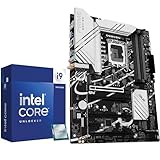
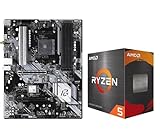
Our Top Picks


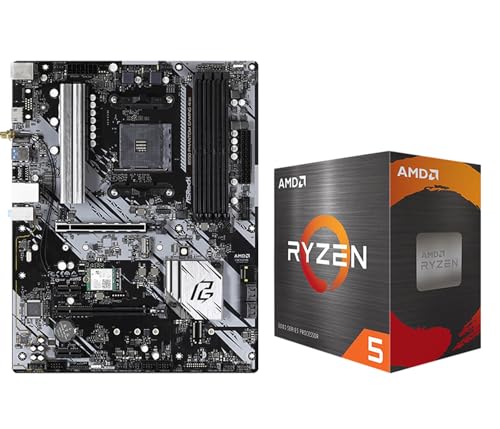
Top 3 picks at a glance
What a Motherboard and Processor Combo Means
A combo is a pairing of a motherboard and a CPU sold or chosen together. The main compatibility rule is the socket. A CPU only fits boards built for its socket, and a board only accepts CPUs from the families its chipset supports. Memory type matters as well, since current AM5 and LGA 1851 platforms use DDR5. Reviewers consistently treat socket and chipset as the first checks, before looking at core counts or features.
Before buying any combo, check the motherboard maker’s CPU support list and the BIOS version it needs. Boards often need a BIOS update before they recognize newer processors, so confirm the update is available for the board model you choose.
Current Platforms at a Glance
The table below lists the platforms that the current maker documentation and independent outlets describe as active in 2026. Stated figures come from the maker or from named outlets. Anything not listed by these sources is left out.
| Platform | Example CPUs | Stated key specs | Best for | Limits to note |
|---|---|---|---|---|
| AM5 (Ryzen 9000 series) | Ryzen 5 9600X, Ryzen 7 9700X, Ryzen 7 9800X3D | 9600X: 6 cores, 12 threads, 3.9 GHz base, up to 5.4 GHz boost, 65 W default TDP (AMD listing). 9800X3D: 8 cores, 16 threads, 4.7 GHz base, up to 5.2 GHz boost, 120 W (AMD listing). | Gaming builds with DDR5 and PCIe 5.0 storage | Board needs a BIOS that supports the 9000 series; chipset tiers differ in PCIe and USB features |
| LGA 1851 (Core Ultra 200S) | Core Ultra 5 245K, Core Ultra 7 265K, Core Ultra 9 285K | 285K: 8 performance and 16 efficiency cores, 24 threads, up to 5.7 GHz, 125 W base power, DDR5 up to 6400 MT/s (Intel listing). 265K: 8P and 12E cores. 245K: 6P and 8E cores (multiple outlets). | Multithreaded work and mixed workloads | Requires Z890, B860, or H810 boards; LGA 1700 boards do not fit |
| LGA 1700 (12th to 14th gen) | Previous-generation Intel parts | Not compared here | Reusing an existing board | Previous generation; not compatible with Core Ultra 200S |
AM5 Combos: Ryzen 5 9600X and Ryzen 7 9800X3D
The Ryzen 5 9600X is a six-core, twelve-thread Zen 5 chip with a 65 W default rating. AMD lists it as an unlocked AM5 part, and the maker lists support for Precision Boost Overdrive, Curve Optimizer, and AMD EXPO memory profiles. Notebookcheck reports that AMD made a 105 W mode officially available with AGESA 1.2.0.2, which some boards expose in BIOS.
For gaming, reviewers describe the 9600X as a strong pick at 1080p and a chip where the graphics card becomes the main limit at 1440p. One review reports a 10 to 15 percent gain over the Ryzen 5 7600 in gaming tests. That is one outlet’s figure, so treat it as a single data point.
The Ryzen 7 9800X3D is a step up in gaming performance and cost. Tom’s Hardware and TechSpot coverage describes large gaming leads for X3D chips over many rivals. Its listed cache is 96 MB of L3, and it uses the same AM5 socket, so a board that fits the 9600X can also host it after a BIOS update.
Intel Combos: LGA 1851 and Z890 or B860
Core Ultra 200S processors use the LGA 1851 socket. The supported chipsets are Z890, B860, and H810 according to multiple roundups. Intel’s Z890 and B860 compatibility pages list the matching boards. Intel’s own specification for the Core Ultra 9 285K lists 8 performance cores and 16 efficiency cores, 24 threads, and a maximum turbo of 5.7 GHz.
Chipset tier matters for Intel builds. Multiple guides report that Z890 supports CPU core, BCLK, and memory overclocking, while B860 limits overclocking to memory. Several outlets say B860 boards are usually cheaper, which makes them a common match for mainstream Core Ultra 5 and Core Ultra 7 parts when overclocking is not planned. Intel’s compatibility listings also include newer “Plus” refresh models, such as the Core Ultra 7 270K Plus. These are listed by Intel, but this article did not confirm their full specifications.
Compatibility Checks Before You Buy
- Socket: AM5 and LGA 1851 are different sockets. A CPU for one will not fit the other.
- Chipset: Confirm that the board’s chipset lists the exact CPU model. The maker’s CPU support list is the final word.
- BIOS: Boards released before a CPU family may need a BIOS update. Some boards need the update before the CPU will boot, so plan for that step.
- Memory: Use DDR5 on both current platforms. Check the board’s qualified memory list for the speed you want.
- Power: Check the motherboard manual and the power supply vendor’s guidance for the CPU and GPU together. Do not size a power supply from the CPU rating alone.
- Cooling and case: Confirm the cooler’s socket support and the case’s clearance for the board size, which may be ATX, Micro-ATX, or Mini-ITX.
Trade-offs by Budget Tier
Budget builds usually pair a six-core AM5 chip with a B650 or B840-class board. Mid-range builds commonly use a B850 board with a Ryzen 7 CPU or a B860 board with a Core Ultra 5 or Core Ultra 7 chip. Premium builds may use an X870 or X870E board with a Ryzen 7 X3D chip or a Z890 board with a Core Ultra 9 processor. The exact board names change often, so the tier labels matter more than any single model.
Premium boards add expansion slots, more USB4 ports, extra M.2 slots, and better power delivery. Reviewers generally say the extra features do not change gaming frame rates when the same CPU and memory are used. Those extras matter more for workstation use, large storage arrays, or Thunderbolt-class devices.
Alternatives to a Fixed Combo
- Buy the board first, then the CPU: This suits builders who already know their case and memory. Pick an AM5 or LGA 1851 board with the chipset tier you want, then choose a CPU from its supported list.
- Buy a bundle from a single seller: Some sellers offer board and CPU pairs. Confirm the CPU is on the board’s support list before paying.
- Keep an existing socket: A previous-generation LGA 1700 board can still host some parts, but the path forward is narrower than with a current platform.
Pick Your Combo If
| If your priority is | Lean toward | Why |
|---|---|---|
| Gaming with a limited budget | AM5 with a Ryzen 5 9600X and a B650 or B850 board | Six cores with a 65 W default rating; board choice has small effect on gaming |
| Top gaming frame rates | AM5 with a Ryzen 7 9800X3D | Reviewers report large X3D gaming leads |
| Multithreaded work with Intel | LGA 1851 with a Core Ultra 9 285K and Z890 | Stated 24 threads and 5.7 GHz turbo; full overclocking support on Z890 |
| Intel mainstream value | LGA 1851 with a Core Ultra 5 or 7 and B860 | B860 suits builds without CPU overclocking |
| Reusing an older board | Check the maker’s support list first | Previous-generation sockets have limited upgrade paths |
Frequently Asked Questions
Can I put a Ryzen 9000 chip on any AM5 board?
Most AM5 boards accept the Ryzen 9000 series, but some boards need a BIOS update before they boot the newer chips. Check the board maker’s CPU support list and the BIOS notes. Boards from the early AM5 period are the ones most likely to need an update.
Is B860 enough for a Core Ultra 9 285K?
B860 supports the chip, but it limits CPU overclocking to memory. Reviewers and guides often pair the 285K with Z890 when the buyer wants full tuning. If you do not plan to overclock, B860 can still run the chip as stated by Intel.
Do premium boards improve gaming performance?
Reviewers generally report that the chipset tier does not change gaming frame rates when the CPU, GPU, and memory are the same. Premium boards add USB4, more M.2 slots, and stronger power delivery. Those features help workstation builds more than gaming builds.
Do I need a new power supply for a new combo?
The combo alone rarely sets the power supply size, since the graphics card usually draws more power. Check the graphics card maker’s recommended power supply and the motherboard manual. Use a power supply that its vendor lists as compatible with your platform.
Can I use DDR4 memory on current platforms?
Current AM5 and LGA 1851 platforms use DDR5. Boards are built for one memory type, so DDR4 memory will not fit. Confirm the memory type on the board’s specification page before buying RAM.
Is an older Intel combo still a good value?
An older LGA 1700 combo can still work with previous-generation chips, but Core Ultra 200S chips need LGA 1851. Compare the total cost of a new platform with the expected performance gain. Reviewers often describe older platforms as best for limited upgrades rather than new builds.









