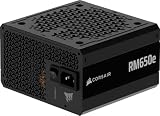
ATX 3.1 matters mostly for one reason: the graphics-card power connector. The update moves power supplies from the 12VHPWR plug to the revised 12V-2×6 plug, relaxes one timing requirement and adds PCIe slot power-excursion rules, but it does not change the basic job of the unit. For a new gaming build, buy ATX 3.1 because it costs nothing in capability and gives you the newer connector; for a working ATX 3.0 system, there is rarely a reason to replace it. This guide explains what changed, what did not, and how to size and choose a unit.
Our Top Picks



Top 3 picks at a glance
Quick Verdict
| Your situation | Our verdict |
|---|---|
| You are building a new PC with a current high-power graphics card | Choose ATX 3.1 with a native 12V-2×6 cable. It avoids adapters and uses the revised connector design. |
| Your ATX 3.0 power supply runs your current system without problems | Keep it. The ATX 3.1 changes are incremental, not a performance upgrade. |
| You are buying a new power supply for a card that uses 8-pin power connectors | ATX 3.1 is still a sound choice, but the new connector gives you no benefit until you upgrade the card. |
| You have an ATX 3.0 unit with a 12VHPWR cable and a new card | It is compatible, because the connectors are backward compatible. Seat the plug fully and check for a gap. |
| You are comparing two units where one is ATX 3.0 at a lower wattage | Wattage, build quality and warranty matter more than the version number. Do not undersize the unit to save money. |
What Changed Between ATX 3.0 and ATX 3.1
ATX 3.0 introduced the 12VHPWR connector and rules for handling short power spikes from graphics cards. ATX 3.1 refines those rules and adopts the PCI-SIG CEM 5.1 update. The details below come from the Intel design guide’s revision history as summarized by press and PSU makers, including Hardware Busters and the Seasonic knowledge base; the primary document is Intel’s ATX Power Supply Design Guide.
The connector: 12VHPWR becomes 12V-2×6
The headline change is the connector. The 12V-2×6 plug keeps the same overall shape and power rating as 12VHPWR, but its power pins are about 0.25 mm longer and its sense pins are about 1.5 mm shorter, according to Hardware Busters. The point is that the sense pins make contact only when the plug is fully seated, so a partly inserted plug is less likely to deliver full power. The 12V-2×6 plug is backward compatible with 12VHPWR cables and sockets, so you can mix generations. Secondary coverage also describes labels: units with 12V-2×6 cables are marked H++, while 12VHPWR units are marked H+.
Safety guidance applies to both. Power the system down and unplug the unit before connecting. Push the plug in until the latch clicks and check that no gap remains at the socket. Common cable guidance from PSU makers is to leave roughly 35 mm of straight cable before any bend, since a sharp bend right at the plug can loosen contact. Connector melting reports have not disappeared entirely with the revised design, so seating and bend radius still matter. The graphics-card maker’s manual takes precedence over generic advice.
Hold-up time: 17 ms becomes 12 ms
Hold-up time is how long a unit keeps its outputs in regulation after mains power drops. Intel’s revision history describes the earlier requirement as 17 ms at full load. ATX 3.1 sets a required 12 ms at full load and a recommended 17 ms at 80 percent load, according to Seasonic’s knowledge base. Seasonic says this does not signify a downgrade of the standard, and Hardware Busters notes Intel checked switch-over times from UPS makers. Hardware Busters also points out that capacitors lose capacity with age, so a bigger reserve is always welcome. In practice, a 5 ms difference on a short mains dropout is not something most home users will notice.
PCIe slot power and CEM 5.1
ATX 3.1 incorporates PCI-SIG CEM 5.1. Hardware Busters reports that the PCIe slot’s 12V rail, previously limited to 5.5 A, can now spike to 13.75 A (about 165 W) for 0.1 ms. This is a rule that affects motherboard and graphics-card design as much as the power supply, and a power supply built to the standard is expected to tolerate those short spikes. The Corsair listing quoted below describes ATX 3.1 units as withstanding twice-normal transient power excursions from the graphics card, which is the same type of short-spike handling ATX 3.0 introduced. Exact excursion levels are in Intel’s guide, and manufacturers’ spec pages tell you how a given unit complies.
Side-by-side summary
| Item | ATX 3.0 | ATX 3.1 |
|---|---|---|
| Graphics connector | 12VHPWR (H+) | 12V-2×6 (H++), backward compatible with 12VHPWR |
| Sense pins | Standard length | About 1.5 mm shorter (Hardware Busters) |
| Hold-up time | 17 ms at full load | 12 ms required at full load, 17 ms at 80 percent load recommended |
| PCIe slot power spike | 5.5 A on the slot 12V rail | Up to 13.75 A for 0.1 ms (CEM 5.1) |
| Graphics power excursions | Defined in ATX 3.0 | Retained in ATX 3.1 |
| Efficiency tiers | Separate from the ATX version | Separate from the ATX version |
The efficiency rating is not part of the ATX version number. Programs such as 80 PLUS and Cybenetics certify efficiency independently, so an ATX 3.1 unit can be Gold or Bronze, and an ATX 3.0 unit can be Platinum.
How to Decide
Use the checklist below, then the sizing example.
- Look at your graphics card’s power connector. If it uses one 12V-2×6 or 12VHPWR socket, a native 12V-2×6 cable is the cleanest option. If it uses 8-pin connectors, the connector change does not affect you.
- Add up the power budget. Take the graphics card’s rated board power, the processor’s maximum power and about 100 W for the rest of the system. This is a rule of thumb, not a standard.
- Add headroom. A common rule of thumb is to choose a rating 20 to 30 percent above that total, so short spikes and capacitor aging have room to work. Efficiency is also usually best in the mid-load range.
- Check the cable list. Count the 8-pin, 12V-2×6, SATA and motherboard connectors your build needs. Modular designs let you attach only what is required.
- Check case fit. Compare the unit’s listed dimensions with your case’s PSU bay, and plan cable routing so the 12V-2×6 plug has a straight run of about 35 mm before any bend.
- Read the warranty and efficiency certification. Warranty length and an independent certification such as 80 PLUS or Cybenetics are better quality signals than the ATX version number.
A worked example: your graphics card is rated at 300 W, your processor peaks at about 150 W and the rest of the system adds about 100 W. That is roughly 550 W. Applying the 20 to 30 percent rule of thumb gives a target of around 660 to 715 W, so an 850 W unit has comfortable room and leaves space for a future graphics-card upgrade. If your card is rated lower, you can drop a tier, but do not size to the bare minimum, because that removes the margin that short spikes use.
Products That Fit
The three units below are examples that fit the situations above, not a ranking. All three are listed at 850 W and as ATX 3.1, so they suit a build with a current high-power graphics card. Details come from the listing fields; where a detail is missing, confirm it on the listing.
Corsair RM850e (2025) – suits a quiet, straightforward ATX 3.1 build
As an Amazon Associate we earn from qualifying purchases at no extra cost to you.

This unit fits the buyer who wants ATX 3.1 compliance in a fully modular design without pursuing top-tier extras. The listing highlights a low-noise fan curve and support for modern low-power standby, which suits a PC that spends long stretches idle. It is a good example of the “buy a current standard for a new build” situation.
- 850 W, fully modular, ATX 3.1 and PCIe 5.1 ready
- 120 mm rifle bearing fan with a fan curve designed to keep noise down
- 105 degree Celsius-rated capacitors, per the listing
- Modern Standby compatible; listing dimensions 5.91 x 5.51 x 3.35 inches, weight 3.37 pounds
Caveat: the listing excerpt does not state the efficiency certification level or whether a native 12V-2×6 cable is included, so confirm both on the product page.
Corsair RM850x – suits a build that wants a native 12V-2×6 cable and certified efficiency

This model matches the buyer who plans a new high-power graphics card and wants the direct cable with no adapter. The listing names a native 12V-2×6 connector and a Cybenetics Gold efficiency certification. It is a sensible example for readers who care about both the connector and an independent efficiency rating.
- 850 W, fully modular, ATX 3.1 and PCIe 5.1 ready
- Native 12V-2×6 connector for a direct connection to the graphics card
- Cybenetics Gold-certified, rated for up to 91 percent efficiency per the listing
- Embossed, flexible cables with low-profile combs
Caveat: the listing excerpt does not state the warranty length, so check the product page. A native cable still requires a fully seated plug and a short straight run before any bend.
MSI MAG A850GL PCIE5 – suits a compact build that values a long warranty

This unit fits a buyer who wants an 80 PLUS Gold, fully modular design with ATX 3.1 and a native cable. The listing highlights a 10-year limited warranty, which is the longest coverage among the three examples. It is a reasonable alternative if warranty length is the deciding factor.
- 850 W, fully modular, 80 PLUS Gold certified
- ATX 3.1 and PCIe 5.1 ready
- Native dual-color 12V-2×6 cable, per the listing
- 10-year limited warranty; the listing describes it as compact, so confirm the exact dimensions on the product page
Caveat: the dimensions in the cached fields are unclear, so measure your case’s PSU bay and compare it with the unit’s official length before ordering.
Common Mistakes
- Paying extra for ATX 3.1 on a system that already works. The changes are incremental, and a healthy ATX 3.0 unit does not need replacing.
- Assuming the version number sets efficiency. Efficiency is certified separately, so read the certification line.
- Using a tight bend right at the 12V-2×6 plug. Leave roughly 35 mm of straight cable, and check for a gap at the socket.
- Mixing cables from different units. Modular cables are not interchangeable across brands or models, so use only the cables that came with your unit or are specified for it.
- Sizing to the bare minimum. A unit running close to its limit has less room for short spikes and aging capacitors.
- Connecting or disconnecting cables with the unit powered. Switch off and unplug first.
Buy Now or Wait?
- Buy now if you are building a new system or replacing an aging unit: ATX 3.1 units are widely listed at common wattages.
- Keep your current ATX 3.0 unit if it has adequate wattage, a good warranty and no symptoms of failure.
- Do not wait for a hypothetical next standard. No newer ATX revision is covered here, and a unit you can buy today is the one you can verify.
- Match the wattage to your parts before you compare brands.
Questions
Is ATX 3.1 backward compatible with ATX 3.0 systems?
Yes in practice. The 12V-2×6 plug is backward compatible with 12VHPWR sockets and cables, and the other connectors on the unit are the same types as before. Check the cable list for your parts.
Do I need an ATX 3.1 power supply for an RTX 50-series card?
You do not strictly need it, since certified adapter cables and ATX 3.0 units exist. Press coverage and PSU makers recommend ATX 3.1 with a native cable for high-power cards because it removes the adapter and uses the revised connector. Check the graphics-card maker’s guidance for your model.
Does a shorter hold-up time make ATX 3.1 worse?
Not necessarily. The required time drops from 17 ms to 12 ms at full load, with 17 ms at 80 percent load recommended. Seasonic describes this as not a downgrade, while Hardware Busters argues extra reserve is always better.
What does H++ mean?
It is a label used in secondary coverage for units that carry the 12V-2×6 connector, with H+ for 12VHPWR. Treat it as a marking convention and check the cable on the listing.
Can the new connector still overheat?
Reports of connector melting have not fully disappeared with the revised design, according to tracker coverage. Fully seating the plug, avoiding a tight bend at the connector and using the cable that matches your unit all reduce risk.
Is a bigger wattage always better?
Not always. Extra headroom is useful, but a unit far above your needs may run at lower load efficiency and costs more. Aim for a margin above your calculated total rather than the largest unit available.
Update History
- October 14, 2026 – Initial publication.
- Check the product page for current specifications and availability before buying.
Sources and Methodology
Standard details come from summaries of Intel’s ATX design guide revision history and PSU-maker and press explanations, with differing claims noted. Product details are taken from retailer listing fields and flagged where missing. No power supply was physically evaluated for this guide.
- Intel ATX Power Supply Design Guide revision history
- Seasonic knowledge base comparison of ATX 3.0 and ATX 3.1
- Hardware Busters coverage of ATX 3.1 and PCIe CEM 5.1
- PCI-SIG 12V-2×6 connector revision, as described in press coverage
- Retailer listing fields for the three example power supplies