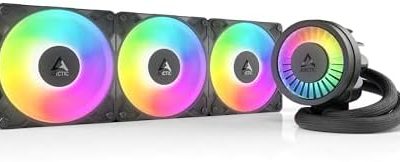
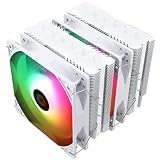
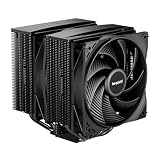
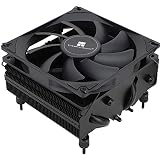
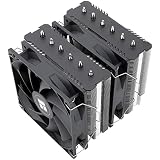
The best air cooler for most Ryzen 7 builds is the Thermalright Phantom Spirit 120 SE. It pairs a dual-tower heatsink, seven heat pipes and two 120mm PWM fans in a package that stays at roughly 154mm tall, so it fits most mid-tower cases while giving the kind of thermal headroom that Ryzen 7 chips with high boost behavior demand. If you want similar dual-tower performance from a different brand at a tighter budget, the ID-COOLING FROZN A620 PRO SE is the value pick, and the Thermalright Phantom Spirit 120 Digital EVO is the choice for builders who want a live temperature display on top of the cooler. Single-tower options such as the Cooler Master V4 Alpha 3DHP and Hyper 612 APEX suit narrower or lighter builds, while the Hyper 212 Spectrum V3 ARGB makes sense for lower-wattage chips and budget systems. Everything below explains who each cooler suits, how much thermal margin you actually need, and which mistakes to avoid when you install one on an AM4 or AM5 board.
Our Top Picks
 ID-COOLING FROZN A620 PRO SE Dual-Tower CPU Cooler5.59 x 4.72 x 6.18 inches2.6 poundsCheck on Amazon

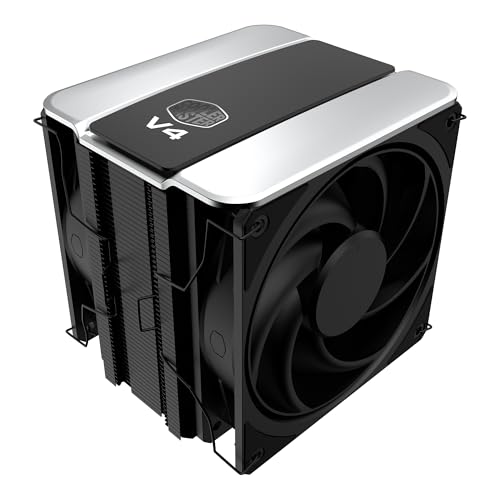
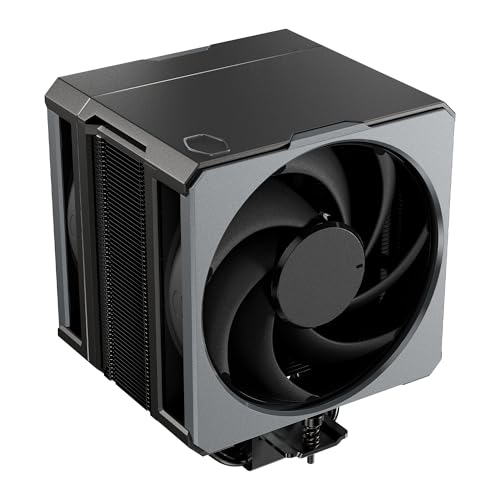
Top 3 picks at a glance
Top 3 Picks
Best overall: Thermalright Phantom Spirit 120 SE Black. Seven heat pipes, two fans, a height of about 154mm and a rating that retailers commonly place near 280 watts give this dual-tower cooler plenty of margin for any Ryzen 7 chip, including the 3D V-Cache models that run warm in a small area. It is the cooler we would put in a mainstream gaming or workstation build first.
Best budget/value: ID-COOLING FROZN A620 PRO SE. A dual-tower design with dual 120mm PWM fans and a listing rating of 260 watts at a 157mm height. It covers the same thermal territory as the more famous alternatives and is the sensible choice when every part of the build needs to stay lean.
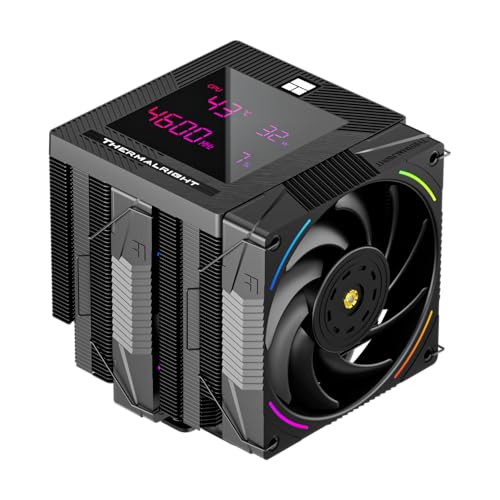
Best premium feature set: Thermalright Phantom Spirit 120 Digital EVO. The same seven-heat-pipe dual-tower idea, with higher-speed fans and a magnetic top cover that houses a small display for CPU and graphics card temperature or load. It stands about 160mm tall, so it asks for slightly more case clearance.
Quick Comparison
| Product | Best for | Key specs |
|---|---|---|
| ID-COOLING FROZN A620 PRO SE | Value dual-tower | Dual tower, dual 120mm PWM fans, 157mm tall, 260W listing rating |
| Thermalright Phantom Spirit 120 SE Black | Best overall | 7 heat pipes, dual tower, dual 120mm PWM fans, about 154mm tall |
| Cooler Master Hyper 212 Spectrum V3 ARGB | Budget and mid-wattage chips | Single tower, 4 heat pipes, one 120mm ARGB PWM fan |
| Thermalright Phantom Spirit 120 Digital EVO | Display and premium build | 7 heat pipes, dual tower, dual fans, digital top cover, about 160mm tall |
| Cooler Master V4 Alpha 3DHP | Compact single tower | Two 3DHP heat pipes, dual PWM fans, about 161mm tall |
| Cooler Master Hyper 612 APEX SCHP | Quiet single tower with strong fans | Six SCHP heat pipes, dual PWM fans, about 159mm tall |
| PCCOOLER RT720TC | High rating dual tower, memory-friendly fins | 7 heat pipes, dual tower, 270W listing rating, 120mm PWM fan |
| Thermalright PS120SE | Alternative Phantom Spirit SE listing | 7 heat pipes, dual TL-C12B V2 PWM fans, AGHP 4.0, S-FDB bearing |
How We Chose
We built this list from published manufacturer specifications, listing details and the general direction of published third-party coverage for each cooler. This is a research-based roundup, so nothing here is presented as our own lab measurement. We compared heat pipe count and layout, fin stack design, included fans, listed height, socket support for AM4 and AM5, memory clearance and the weight a motherboard has to carry. We also weighed how Ryzen 7 processors behave, since they pull a defined amount of package power and then boost until a temperature limit is reached. Where listings disagree on a number, we describe the spec class and recommend confirming the exact figure on the product page before you buy. Rated wattages are treated as marketing guidance rather than a guarantee of results.
What a Ryzen 7 Actually Needs From a Cooler
Ryzen 7 covers a wide range of processors. A Ryzen 7 5800X on AM4 and a Ryzen 7 7700X on AM5 are both listed at 105 watts of TDP, and AMD’s boost logic allows package power to reach about 142 watts under heavy all-core load. A Ryzen 7 9700X is listed at 65 watts with package power capped near 88 watts, while 3D V-Cache models such as the 7800X3D and 9800X3D are listed at 120 watts with a package power limit near 162 watts. Those power numbers are what a cooler has to move away from a small silicon area.
Ryzen chips are designed to boost until they approach a temperature limit, so a hot reading under a heavy load is not automatically a fault. A better cooler lets the processor sustain higher clocks for longer and lets fans run slower at the same clocks. That second benefit is why noise matters when choosing: a cooler that holds a safe temperature at 900 RPM sounds very different from one that needs 2000 RPM to reach the same result.
The practical takeaway is that a competent single tower can handle a 65-watt part without trouble, while a dual tower gives the quiet margin that a 105 to 120-watt part prefers. The coolers below span that range.
1. ID-COOLING FROZN A620 PRO SE – Best for Value Dual-Tower Cooling
As an Amazon Associate we earn from qualifying purchases at no extra cost to you.

The FROZN A620 PRO SE is the dual-tower cooler for builders who want serious heat dissipation without paying a premium for a famous name. The listing describes it as a dual-tower cooler with low noise, a 157mm height and a 260-watt rating. That rating sits comfortably above the package power of any Ryzen 7 on AM4 or AM5, which is the point: you are buying margin, not just enough.
It suits builders pairing a 105 to 120-watt Ryzen 7 with a mid-tower case, anyone upgrading from a stock cooler who wants a major step up, and small-form factor builders who still have room for a 157mm tall tower. It is less suited to micro-ATX cases with narrow side clearance.
- Design: dual aluminum fin towers with six 6mm copper heat pipes reported by retail and technical sources.
- Fans: dual 120mm PWM fans, with a speed range commonly quoted as roughly 300 to 2000 RPM.
- Height: 157mm, which fits most mid-tower cases that list 160mm or more of cooler clearance.
- Memory clearance: reported at about 40mm for standard modules, with the fin cut-out offering more room for taller kits. Confirm on the product page if you use tall RGB modules.
- Sockets: AM4 and AM5 are supported, along with recent Intel sockets.
Strengths. The dual-tower layout spreads heat across a large fin area, and the two included fans mean push-pull airflow is ready out of the box. The 157mm height keeps it within reach of more cases than a taller cooler would be. The brand has an established track record in air cooling, and the installation hardware for AM5 reuses the standard mounting points, so setup is straightforward.
Where it fits in a build. The A620 PRO SE makes the most sense in a mid-tower with a mesh front panel and at least one rear exhaust fan. In that setting the two included fans can pull cool case air through both fin stacks and push it out the back, and the fan curve rarely needs to leave the low range during gaming. Because the cooler is a symmetrical two-tower design, it also looks tidy behind a tempered glass panel. When you plan the build, mount the memory before the cooler, because the front tower sits close to the first DIMM slot. If you use tall RGB memory, slide the front fan upward on its clips until it clears the modules. That change costs a few millimeters of total height, so recheck the clearance figure for your case. Builders upgrading an older AM4 system should also keep the original backplate in mind, since the mounting kit reuses the stock AM4 hardware in most cases.
Pros
- Dual-tower performance class at an entry level of ambition
- Two PWM fans included
- Rated well above Ryzen 7 package power
- Reasonable 157mm height
Cons
- Hydraulic bearing fans are not the quietest long-term option
- A heavier cooler needs care when transporting the finished PC
- Tall memory kits may collide with the front fan unless you raise it
Compared with the nearest alternative. The closest rival in this list is the Thermalright Phantom Spirit 120 SE, which carries seven heat pipes and is about 3mm shorter. The Phantom Spirit holds an edge in sustained load and fan quality, while the A620 PRO SE keeps a value-first reputation. For a Ryzen 7 9700X or a 65-watt build, the difference will rarely matter, so the A620 PRO SE makes sense. For a 3D V-Cache chip under long gaming sessions, the Phantom Spirit is the safer pick.
2. Thermalright Phantom Spirit 120 SE Black – Best Overall for Ryzen 7

The Phantom Spirit 120 SE is the cooler that most often shows up in enthusiast recommendations for a reason: it combines a dual-tower heatsink, seven heat pipes and a pair of 120mm PWM fans at a height of about 154mm. That last number matters. Many dual-tower coolers push 160mm or more, which excludes smaller cases; this one stays low enough for a wide range of chassis while still presenting a large fin surface.
It suits almost every Ryzen 7 buyer. Anyone running a 7700X, 9700X, 7800X3D or 9800X3D, plus anyone building a quiet gaming PC, will find it a safe choice. It is also attractive for AM4 owners upgrading a Ryzen 7 5800X3D or 5700X3D because the AM4 mounting hardware is included.
- Design: seven 6mm heat pipes using Thermalright’s AGHP technology, nickel-plated copper base, aluminum fins.
- Fans: two 120mm TL-C12B V2 PWM fans, with speeds commonly quoted up to about 1500 RPM.
- Height: roughly 154mm in listings, so confirm clearance for your case.
- Rating: retailers cite figures near 265 to 280 watts; treat this as a guide, not a promise.
- Sockets: AM4 and AM5, plus recent Intel sockets.
Strengths. The seven-pipe design gives the cooler a large thermal buffer that smooths out the short temperature spikes Ryzen chips produce when they ramp up. Because Ryzen 7 processors react quickly to load changes, a cooler with more thermal mass tends to keep fan speeds from jumping around. The fans use fluid dynamic bearings, which have a reputation for staying quiet over a long service life. The black finish also suits a clean, blacked-out build, and the plain top cap avoids unnecessary lighting.
Where it fits in a build. This is the cooler to choose when you want to install it once and stop thinking about thermals. A Ryzen 7 with a 3D V-Cache layer concentrates heat under a thick stack of silicon, so the processor reaches its temperature ceiling quickly if airflow is weak. A seven-pipe dual tower spreads that load across a large fin area and gives the fans room to stay slow. Pair it with a case that offers a front intake and a rear exhaust and the whole system can remain quiet during long sessions. If you are building in a compact mid-tower, check the stated cooler clearance first: the 154mm height is friendly, but the width of a dual tower also affects how close the side panel sits to the fan. Also plan your cable routing so that the CPU power connector near the top of the board stays accessible, because some dual towers crowd that area.
Pros
- Seven heat pipes and dual-tower design
- About 154mm height fits many mid-tower cases
- Two PWM fans included
- Low-noise fan bearing design
- Straightforward AM5 and AM4 mounting
Cons
- Large and heavy for transporting a built PC
- Some memory modules with tall heat spreaders may need the front fan raised
- Stock fans can have a slight tonal hum at maximum speed
Compared with the nearest alternative. The PS120SE listing later in this list is a closely related Thermalright product family and shares the seven heat pipes and the TL-C12B V2 fans, so the real decision between those two is availability and the exact variant you want. Against the ID-COOLING A620 PRO SE, the Phantom Spirit has one more heat pipe, a slightly lower profile and a stronger reputation for sustained-load behavior.
3. Cooler Master Hyper 212 Spectrum V3 ARGB – Best for Budget and Mid-Wattage Chips

The Hyper 212 line has been a staple of budget builds for years, and the Spectrum V3 ARGB continues that role with four heat pipes, a single 120mm ARGB PWM fan and a compact 152mm height. It is not meant to compete with the dual towers in this roundup. It is meant to cool mid-range chips quietly and economically.
It suits a Ryzen 7 9700X or a 65-watt build, small cases where tall coolers will not fit, and anyone who wants ARGB lighting on a modest budget. It also makes a practical replacement cooler for a PC that has a basic stock cooler and moderate use.
- Design: single-tower aluminum fin stack with four heat pipes and a copper base.
- Fan: one 120mm PWM ARGB fan, with a commonly quoted range of roughly 650 to 1750 RPM.
- Height: about 152mm, with memory clearance reported near 35mm.
- Sockets: AM4 and AM5 are supported along with Intel sockets.
- Extras: thermal paste is included, and the mounting hardware is simple.
Strengths. Installation is quick, clearance is easy, and the cooler adds a splash of lighting without a complicated setup. The single-tower layout leaves plenty of room above memory, so tall RAM kits fit without trouble. For a Ryzen 7 running within its 65-watt envelope, this class of cooler is generally enough when paired with a case that has decent airflow.
Where it fits in a build. The Spectrum V3 is a cooler for builders who value simplicity. It works well in compact cases, office workstations and entry-level gaming systems where the processor does not run flat out for hours. It is also a useful stop-gap cooler for someone who plans to upgrade the rest of the system first and revisit cooling later. Keep your expectations realistic: a single fan and four heat pipes can keep a 65-watt Ryzen 7 comfortable, but a 105 or 120-watt chip under sustained load will push the fan harder and raise the noise level. If you decide to use it with a hotter chip, set a sensible fan curve in the BIOS, make sure the case has good intake, and consider lowering the processor’s power limit slightly with the board’s eco mode, which many AM5 boards offer.
Pros
- Compact height suits smaller cases
- Easy installation and tall RAM compatibility
- ARGB lighting with PWM fan control
- Suitable for lower-wattage Ryzen 7 chips
Cons
- Not intended for sustained 105 to 120-watt loads with a quiet profile
- Single fan limits airflow compared with push-pull designs
- Four heat pipes give less thermal buffer than the dual towers
Compared with the nearest alternative. The nearest alternative is the Hyper 612 APEX SCHP, which adds six heat pipes and two stronger fans at the cost of a taller profile and a higher outlay. If your Ryzen 7 is a 65-watt model and your usage is light to moderate, the Spectrum V3 is a sensible value. If you run a 120-watt X3D chip through long gaming sessions, step up to a dual tower.
4. Thermalright Phantom Spirit 120 Digital EVO – Best for a Premium Build With a Display
The Digital EVO takes the Phantom Spirit formula and adds two things: fans that spin faster, and a magnetic top cover with a display that shows CPU and graphics card temperature or load. The listing describes seven heat pipes, a double-tower layout and support for AM4, AM5 and recent Intel sockets.
It suits builders who want a showpiece system with live monitoring in a glass-sided case, and anyone who wants the headroom of a high-rated dual tower with extra fan speed in reserve. If your case has a side panel that is close to the cooler, confirm that the 160mm overall height still clears.
- Design: seven 6mm AGHP heat pipes, copper base, aluminum fins, dual-tower layout.
- Fans: dual TL-K12 style 120mm fans with speeds quoted up to about 2150 RPM and airflow near 69 CFM.
- Display: magnetic top cover with an ARGB display. It connects through a motherboard header or USB and uses companion software.
- Height: about 160mm with the digital cover installed, a little taller than the non-digital version.
- Sockets: AM4, AM5 and recent Intel sockets.
Strengths. The raw cooling capability matches the other seven-pipe Phantom Spirit coolers, and the higher fan ceiling gives you more headroom in a warm room or tightly packed case. The display is a genuine monitoring tool: you can see temperatures climb during a game without opening software. The magnetic mount makes it easy to remove the cover when cleaning.
Where it fits in a build. The Digital EVO belongs in a system where the cooler is visible and the owner enjoys monitoring. Mount it in a case with a tempered glass side panel and a wide enough interior that the 160mm height is not a squeeze. The display connects through a header or USB, which means you need a free connection and a moment to install the companion software. Once it is configured, the top cover can show processor temperature, load and other readings, which makes it easy to confirm that a fan curve is behaving. Because the fans can reach high speeds, set the BIOS curve so they stay relaxed at light and moderate load, and only ramp up when temperatures approach the point where a Ryzen 7 begins to throttle its boost clocks. That way you keep the quiet running without giving up the extra headroom.
Pros
- Seven heat pipes with a dual-tower layout
- Higher maximum fan speed for extra headroom
- Live temperature and load display on top
- Magnetic cover is easy to remove
Cons
- Taller than the plain Phantom Spirit 120 SE
- The display needs a header or USB connection plus software
- Top-fan speeds can be audible if you let them run at maximum
Compared with the nearest alternative. Against the Phantom Spirit 120 SE Black, the Digital EVO is for people who want the monitoring feature and higher fan ceiling. If you do not care about a display, the SE gives nearly the same heat movement in a slightly shorter package. Choose the SE for a clean, quiet build, and the Digital EVO for a visible showpiece.
5. Cooler Master V4 Alpha 3DHP – Best for a Compact Single-Tower Build

The V4 Alpha 3DHP uses a newer heat pipe design: two 3DHP pipes that Cooler Master says rival a conventional four-pipe layout while keeping the cooler slimmer. It ships with dual PWM fans in a push-pull configuration and is listed as a single-tower cooler for AM4, AM5 and recent Intel sockets.
It suits builders who want a slim profile that leaves room around the memory slots, plus anyone who prefers a restrained look without lighting. It lines up well with a Ryzen 7 in the 65 to 105-watt range when the case has reasonable airflow.
- Design: two 3DHP heat pipes, aluminum fins, copper base.
- Fans: two 120mm Mobius PWM fans, with a front fan range listed to about 2050 RPM and a rear fan to about 1850 RPM.
- Height: about 161mm overall in published specifications.
- Lighting: no LEDs, which suits a clean build.
- Sockets: AM4, AM5 and recent Intel sockets.
Strengths. The slim single-tower profile keeps the cooler narrower than a dual tower, so it is less likely to collide with memory modules and easier to reach for cleaning. The dual-fan push-pull design means it does not need an extra fan to make full use of the fin stack. The lack of RGB makes it a good match for an understated build.
Where it fits in a build. The V4 Alpha is a good match for builders who want a restrained, compact appearance and a straightforward installation. With two fans already attached and no lighting to configure, the cooler is ready to run once it is mounted and connected. It works best in a case with decent front airflow, because a single tower with two heat pipes depends on a steady supply of cool air to keep temperatures in check. If you plan to use a 105-watt Ryzen 7 for gaming and general use, this cooler is a reasonable fit, though it will run its fans harder than a dual tower for the same result. For a 65-watt processor the fans should stay calm. Before you buy, confirm that the roughly 161mm height fits your case, and remember that taller coolers can limit space for a top-mounted radiator or fan.
Pros
- Slim single-tower footprint
- Two PWM fans included
- No lighting for a subdued look
- Established brand with straightforward mounting
Cons
- Two heat pipes mean less thermal buffer than the seven-pipe dual towers
- About 161mm tall, so case clearance still needs checking
- Less headroom for 120-watt chips on long loads
Compared with the nearest alternative. The Hyper 612 APEX SCHP is the closest sibling in this list. It uses six heat pipes instead of two and stronger fans, so it is the one to choose if you want more thermal margin from a single tower. The V4 Alpha is the pick if you want a slimmer, lower-profile shape and are cooling a moderate Ryzen 7 load.
6. Cooler Master Hyper 612 APEX SCHP – Best for Quiet Single-Tower Performance
The Hyper 612 APEX is a refined single-tower cooler with six SCHP copper heat pipes and two 120mm Mobius PWM fans. Cooler Master positions it as a smaller, more refined successor to the older Hyper 212 line, and it is listed at about 159mm tall for AM4, AM5 and recent Intel sockets.
It suits builders who want a strong single tower that avoids the size of a dual tower, plus anyone who prefers a cooler without lighting and a long warranty. It works well for 105-watt Ryzen 7 parts and can hold steady in many 120-watt scenarios when the case is well ventilated.
- Design: six 6mm SCHP copper heat pipes with a copper base and aluminum fins.
- Fans: two 120mm Mobius 120P PWM fans, with a top speed quoted near 2400 RPM.
- Height: about 159mm.
- Lighting: none.
- Warranty: a five-year term is listed on some sources; confirm for your listing.
Strengths. The six-pipe construction makes this single-tower design noticeably more capable than four-pipe coolers. A single-tower shape also leaves the area around the memory slots less crowded than a dual tower, which helps with tall RAM. Cooler Master’s published ratings vary between retailers, with figures from about 200 to 260 watts, so treat them as guidance only.
Where it fits in a build. The Hyper 612 APEX is a good choice for builders who want to stay with a single tower but still need meaningful capacity. Its six heat pipes move heat more effectively than the four-pipe coolers, and the two fans make it ready for push-pull airflow immediately. It suits micro-ATX and compact ATX cases where a dual tower would crowd the motherboard, and it is a sensible partner for a Ryzen 7 that spends most of its time in games rather than in long rendering sessions. Because the fans can spin quickly, use the BIOS to hold them at a low speed until temperatures reach the 60-degree range. If your case has limited airflow, adding a second exhaust fan will help more than a faster cooler fan. Confirm the exact warranty term on the listing you buy.
Pros
- Six heat pipes in a single-tower package
- Two PWM fans included
- No RGB for a quiet look
- Good clearance around memory
Cons
- Not as strong as the best dual towers on sustained 120-watt loads
- Fans can become audible near their top speed
- About 159mm tall, so verify your case clearance
Compared with the nearest alternative. Against the V4 Alpha 3DHP, the Hyper 612 APEX offers more heat pipes and higher fan speed, trading a bit of elegance for thermal capacity. Against the Hyper 212 Spectrum V3, it gives a clear upgrade in cooling capability at a modest increase in size. For a Ryzen 7 7700X or 9700X, it is a strong middle option.
7. PCCOOLER RT720TC – Best for a High-Rated Dual Tower With Memory-Friendly Fins

The RT720TC is a dual-tower cooler with seven 6mm heat pipes and a 270-watt rating in its listing. PCCOOLER describes a reinforced structure with an anti-deformation bracket, and published dimensions place the cooler at about 157.5mm tall. Some of the fins are trimmed to leave more room for memory.
It suits builders who want dual-tower thermal capacity from a lesser-known brand, and anyone who prioritizes memory compatibility because the fin cut-outs let tall modules fit more easily. It is a good match for Ryzen 7 builds that use RGB RAM with tall heat spreaders.
- Design: dual-tower heatsink with seven 6mm heat pipes and a copper reflow-soldered base.
- Fan: one 120mm PWM fan with a commonly quoted range of about 500 to 2200 RPM; confirm the fan count and any extra fan clips on your listing.
- Height: about 157.5mm in published dimensions.
- Rating: 270W TDP in the listing; some retailers cite slightly different numbers.
- Sockets: AM4, AM5 and recent Intel sockets.
Strengths. Seven heat pipes and a dual-tower shape give this cooler the same thermal class as the Thermalright coolers. The memory-friendly fin design is a real advantage for crowded boards. The reinforced bracket also reduces concerns about flex on a heavy dual tower. Where this model is less certain is brand maturity: the company has a shorter history than Cooler Master or Thermalright.
Where it fits in a build. The RT720TC is a good match for a build that mixes a Ryzen 7 with a stylish RGB memory kit. Tall modules are common in gaming systems, and a cooler that trims its fins to leave extra room can save you from a frustrating installation. The anti-deformation bracket is also a practical addition for builders who move their PCs, because a dual tower puts weight on the mounting points. Remember to check how many fans come in the box, since the description calls out a 120mm PWM fan and the rated airflow figure relates to that unit. If you want a push-pull setup for the most quiet operation, plan on adding a second 120mm PWM fan and using the provided clips. Verify the final height with the fan in its chosen position, because raising a fan changes the clearance number.
Pros
- Dual tower with seven heat pipes
- Fin cut-outs help memory clearance
- Anti-deformation bracket for stability
- Rated at a high wattage in its listing
Cons
- Listing indicates a single fan, so a second fan adds to the cost for push-pull use
- Less established brand than the Thermalright or Cooler Master options
- Some listings contain inconsistent numbers, so check the exact specifications
Compared with the nearest alternative. The Phantom Spirit 120 SE is its direct competitor. The Thermalright model ships with two fans and is the proven choice, while the RT720TC aims at the same thermal class with a different fin layout. If memory clearance is your main worry, the RT720TC is attractive. If you want a clear default, take the Phantom Spirit.
8. Thermalright PS120SE – Best as an Alternative Phantom Spirit SE Listing

The PS120SE listing describes seven heat pipes, dual 120mm TL-C12B V2 PWM fans, AGHP 4.0 technology and an S-FDB bearing, with support for AM4, AM5 and recent Intel sockets. These details closely match the Phantom Spirit 120 SE family, so think of this listing as another way to buy the same class of cooler.
It suits builders who like the Phantom Spirit approach but prefer a different listing, finish or availability. It is also a sensible choice if the Black version is unavailable and you want to stay with Thermalright.
- Design: seven heat pipes, dual-tower layout, aluminum fins.
- Fans: dual 120mm TL-C12B V2 PWM fans with an S-FDB bearing.
- Technology: AGHP 4.0 heat pipe processing as described in the listing.
- Sockets: AM4, AM5 and recent Intel sockets.
- Height: roughly 154mm for the SE family; confirm on the product page.
Strengths. You get the dual-tower thermal capacity and low-noise fans that made the Phantom Spirit a favorite. The S-FDB bearing is intended to keep noise low over a long service life. For a Ryzen 7 build, this class of cooler provides generous margin even for 3D V-Cache chips, meaning fan speeds can stay modest during gaming.
Where it fits in a build. Treat the PS120SE as a flexible way to get the Phantom Spirit SE experience when your preferred listing is out of stock. In a typical mid-tower with a mesh front, it behaves like the best overall pick: the dual fans pull air through the fin stacks and the seven heat pipes carry the heat load away from the processor. It is also a sensible option for owners of older AM4 systems, such as a Ryzen 7 5800X, who want a cooler that will still be useful after a platform upgrade, because the same cooler can move to an AM5 board with the correct bracket. Before ordering, read the listing carefully for the finish, whether ARGB lighting is included, and the stated height, since similar Thermalright names can refer to slightly different versions.
Pros
- Seven heat pipes and dual 120mm fans
- Low-noise bearing design
- Compatible with AM4 and AM5
- Same thermal class as the best overall pick
Cons
- Overlaps with the Phantom Spirit 120 SE listing, which can be confusing
- Large and heavy, so handle carefully when moving a built PC
- Listing details should be double-checked for the exact variant and finish
Compared with the nearest alternative. The closest comparison is the Phantom Spirit 120 SE Black. They share the same family traits, so the decision comes down to the variant, availability and finish. Against the Digital EVO, this cooler skips the display and the higher fan ceiling but sits lower, which matters in smaller cases.
Fan Curves, Airflow and Noise
A cooler is only half of the thermal system. The other half is how air moves through the case, and how the fans respond to temperature. Getting these two things right often lowers noise more than switching to a more expensive cooler.
Start with airflow direction. A typical air-cooled build works best with intake fans at the front and bottom and exhaust fans at the rear and top. The cooler’s own fans should pull air from the front of the tower toward the rear, so they work in the same direction as the case flow. If the cooler fans fight the case flow, turbulence rises and temperatures climb.
Next, set a fan curve. Many motherboards offer a default profile that jumps quickly to high speed when the processor hits a short boost spike. Ryzen 7 chips spike often, because they boost briefly when a program starts. A better approach is to smooth the curve with a delay or step time of a few seconds, so that a brief spike does not trigger a loud burst. Aim for a fan speed of around 30 to 40 percent while the processor is below roughly 60 degrees Celsius, then ramp up gradually. This keeps desktop use and light gaming nearly silent.
Finally, consider the limits of your chip. If a 105 or 120-watt Ryzen 7 runs hotter than you like, most AM5 boards provide an eco mode that reduces the power limit to 65 or 88 watts. This usually lowers temperatures noticeably while giving up only a modest share of multi-core performance, and it makes a single-tower cooler far more comfortable. Treat it as a tuning option, not a requirement.
How to Choose an Air Cooler for a Ryzen 7
Start with the processor and the case. Those two facts eliminate most options before cost or looks come into it.
Step 1: Match the cooler to the chip’s power
Here is a worked example. A Ryzen 7 7700X lists 105 watts of TDP and can draw about 142 watts of package power under a heavy all-core load. If you want the cooler’s rated capacity to be at least 1.5 times the real load, so it can run at moderate fan speeds, divide a rating by 1.5. A cooler rated at 260 watts divides to about 173 watts of comfortable continuous load, which clears the 142-watt figure with room to spare. A cooler rated at 200 watts divides to about 133 watts, which sits right at the limit and would run its fans hard. A 65-watt Ryzen 7 9700X, with package power near 88 watts, is comfortable with a 150 to 200-watt-rated cooler. For a 120-watt X3D chip with 162 watts of package power, aim for a cooler rated 250 watts or higher.
Remember that the rated wattage figures are not standardized across brands. Treat them as a relative guide, and favor designs with more heat pipes and larger fin area if you are unsure.
Step 2: Check clearances
Measure your case’s stated CPU cooler clearance and compare it with the cooler’s overall height, including fans. For a dual-tower cooler at about 157mm, a case that lists 160mm gives you very little margin. Also check memory height. Dual towers with a front fan above the first RAM slot can touch tall heat spreaders, so you may need to raise the fan or use low-profile memory. Check the top of the cooler too if your case has a top radiator mount or a cable cover that sits close to the motherboard.
Step 3: Decide on noise priorities
Larger fin areas and more heat pipes let you run fans slower. A cooler with a 2000 RPM maximum that rarely goes above 1200 RPM sounds quieter than a smaller one that needs full speed. If silence is your goal, prefer a dual tower, set a gentle fan curve in the BIOS and pair it with a case that has airflow.
Step 4: Think about the weight and the motherboard
A dual-tower cooler with two fans can weigh around a kilogram or more. That is well within what a modern board and backplate can carry in a stationary desktop, but it matters if you ship or carry the PC. A heavy cooler also sags slightly on a vertical board over many years, which can reduce contact pressure if the mounting is loose. Choose a cooler with a solid backplate, tighten the screws evenly and re-check the mount after the first few weeks. If you travel with the PC, remove the cooler or support it with foam.
Step 5: Choose between one fan and two
Two fans in push-pull give higher static pressure through dense fin stacks and let each fan run slower. A single fan is simpler, and it works well with a lower-wattage Ryzen 7. If a cooler ships with one fan and has clips for a second, adding a matching PWM fan later is an easy upgrade for a hotter chip.
Decision matrix
| Your situation | Best pick | Why |
|---|---|---|
| Ryzen 7 7800X3D or 9800X3D, long gaming sessions | Thermalright Phantom Spirit 120 SE | Seven heat pipes, large buffer, fits many cases |
| Ryzen 7 9700X, mainstream build | ID-COOLING FROZN A620 PRO SE | Dual tower margin with a value-first profile |
| Small case with limited clearance | Cooler Master Hyper 212 Spectrum V3 ARGB | Compact 152mm height |
| Showpiece build with monitoring | Thermalright Phantom Spirit 120 Digital EVO | Display top cover and higher fan ceiling |
| Tall RGB memory kit | PCCOOLER RT720TC | Fin cut-outs for memory room |
| Prefer single tower, no lighting | Cooler Master Hyper 612 APEX SCHP | Six heat pipes and a clean look |
| Slim profile around the memory slots | Cooler Master V4 Alpha 3DHP | Slim single-tower shape |
| Want the Phantom Spirit class in another listing | Thermalright PS120SE | Same family of seven-pipe dual-tower design |
Air cooling versus a liquid cooler
A good dual-tower air cooler matches many 240mm liquid coolers on Ryzen 7 workloads, avoids pump failure and needs no maintenance beyond dusting. A liquid cooler can look neater, may suit very small cases and can offer slightly more headroom at the extreme end, but it adds a pump, tubing and a radiator that must be mounted. For a Ryzen 7 that tops out near 162 watts, air is usually the simpler and quieter option.
Installation Tips and Common Mistakes
Most poor results with a good cooler come from installation errors rather than the hardware. These are the ones to avoid.
- Peeling the film. Many coolers ship with a protective plastic film on the base. Remove it before applying paste.
- Too much or too little paste. A pea-sized dot, or a thin line along the die direction of the heat spreader, is a common approach. A thick layer reduces transfer, and too little leaves gaps.
- Uneven mounting pressure. Tighten screws gradually in a cross pattern, a few turns at a time, rather than fully tightening one side first.
- Plugging fans into the wrong header. Connect the fan lead to the CPU_FAN header, or use a Y-splitter for dual fans so the motherboard reads and controls them together.
- Ignoring fan direction. Fans should move air from the front of the case toward the rear exhaust, passing through the fin stacks.
- Forgetting memory clearance. Install the memory first when it is easy, then confirm the front fan clears it. Raise the fan on its clips if needed.
- Skipping case airflow. The best cooler cannot overcome a case with no intake fans. Pair it with at least one front intake and one rear or top exhaust.
- Moving a built PC with a heavy cooler. Large dual-tower coolers can stress the motherboard during shipping. Consider supporting the cooler with foam or removing it for transport.
Finally, update the BIOS if you are using a newer Ryzen 7 on an older AM5 board, and set a fan curve rather than leaving everything on full speed. A curve with a gentle slope up to about 60 degrees Celsius and a steeper slope above it usually sounds best.
Frequently Asked Questions
Is air cooling enough for a Ryzen 7?
Yes. Ryzen 7 processors draw roughly 88 to 162 watts of package power depending on the model, and a good dual-tower air cooler is designed for loads in that range. A single tower can handle 65-watt parts, and a dual tower gives more margin for 105 to 120-watt models.
Why does my Ryzen 7 reach such high temperatures even with a good cooler?
Ryzen processors are designed to boost until they approach their temperature limit, so brief spikes into the 80s are common under load. A better cooler lets the chip hold higher clocks for longer. If temperatures remain extremely high at idle, check that the cooler is mounted correctly and that the protective film was removed.
Do I need to replace the thermal paste that comes with a cooler?
Most pre-applied or included pastes work fine. Replacing them is optional and rarely makes a large difference. Make sure to apply a fresh, thin layer if you ever remove and reinstall the cooler.
Will these coolers fit AM4 and AM5 boards?
The listings for the coolers in this roundup state support for both AM4 and AM5. The AM5 socket uses the same cooler mounting hole spacing as AM4, which is why most modern coolers support both. Confirm the included brackets on the product page for your exact model.
Is a dual-tower cooler louder than a single tower?
Not necessarily. A dual tower has more fin area, so it can hold the same temperature at a lower fan speed, which is often quieter. Noise depends on fan quality and your fan curve more than on tower count.
How tall a cooler can my case fit?
Check your case’s stated CPU cooler clearance and subtract a few millimeters for safety. Most mid-tower cases list 160mm to 180mm, while compact cases may list 150mm or less. Include fans and any raised fan clips in the measurement.
Should I add a second fan to a cooler that ships with one?
If the cooler supports push-pull and the case allows it, a second fan can reduce temperatures slightly or allow lower fan speeds. It is optional for 65-watt chips and more worthwhile for 105 to 120-watt models.
Our Recommendation by Situation
For a mainstream Ryzen 7 gaming PC, pick the Thermalright Phantom Spirit 120 SE Black. For a lean build with a dual-tower mindset, pick the ID-COOLING FROZN A620 PRO SE. For a showpiece, take the Phantom Spirit 120 Digital EVO. For tight cases or lower-wattage processors, the Hyper 212 Spectrum V3 ARGB or the V4 Alpha 3DHP will do the job. For tall RAM, look at the PCCOOLER RT720TC. Whatever you choose, measure your case first, check the exact listing details and install carefully.