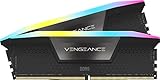
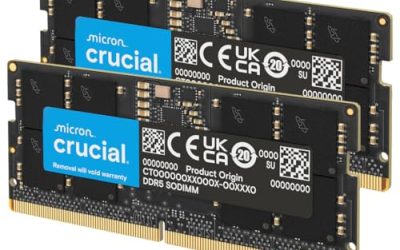
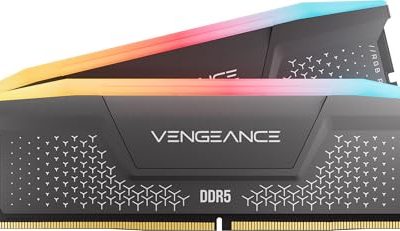
The best RAM kits for gaming in 2026 are 32GB DDR5-6000 kits with low latency for new AM5 or Intel LGA1851 builds, while 32GB DDR4-3600 remains the best-value choice for compatible older PCs; 64GB is worthwhile for modded games, content creation, and long-term upgrade value.
As an Amazon Associate we earn from qualifying purchases at no extra cost to you.




Our Top Picks




Top 3 picks at a glance
Quick picks by gaming PC type
| Build or upgrade situation | Recommended memory | Why it makes sense |
|---|---|---|
| New AMD Ryzen AM5 gaming PC | 32GB DDR5-6000 CL30 or CL32, AMD EXPO | Excellent latency, bandwidth, and Ryzen compatibility |
| New Intel gaming PC | 32GB DDR5-6400 CL32 or DDR5-6000 CL30, XMP | Strong gaming performance without excessive voltage or cost |
| High-end gaming and streaming | 64GB DDR5-6000 CL30–36 | More headroom for browsers, streaming software, mods, and multitasking |
| Existing DDR4 motherboard | 32GB DDR4-3600 CL16 or CL18 | Good value; replacing the motherboard solely for DDR5 may not pay back |
| Budget gaming upgrade | 32GB DDR4-3200 CL16 or DDR5-5600 CL36 | Enough capacity for current games at a lower total system cost |
What makes the best RAM kits different?
Capacity determines how much software can remain open before Windows begins using the storage drive as overflow memory. Speed and timings influence how quickly the CPU receives data. Compatibility determines whether the kit will actually run at its advertised settings.
For most gaming PCs, 32GB in two matching modules is the practical baseline. A 2x16GB kit uses dual-channel operation and is generally easier for a CPU memory controller to run than four modules. Choose 64GB as 2x32GB if you play heavily modded games, run virtual machines, edit video, stream while gaming, or want to keep the system for several years.
Do not compare frequency alone. DDR5-6000 CL30 has an approximate first-word latency of 10 nanoseconds:
Latency = 30 ÷ 6000 × 2000 = 10 ns
DDR5-6400 CL32 produces the same approximate 10ns latency, while DDR5-6000 CL36 is about 12ns. The faster DDR5-6400 kit may offer more bandwidth, but the real gaming difference is usually small and depends on the CPU, motherboard, game engine, and graphics-card limit.
Best DDR5 RAM kits for gaming in 2026
32GB DDR5-6000 CL30 or CL32: the default recommendation
For an AMD AM5 system, a 2x16GB DDR5-6000 kit with AMD EXPO is the safest performance target. Kits such as the G.Skill Trident Z5 Neo, G.Skill Flare X5, Kingston Fury Beast DDR5, and Corsair Vengeance DDR5 are available in configurations aimed at this range. Exact sub-timings and voltages vary, so check the kit label rather than assuming every product family uses the same memory settings.
DDR5-6000 is popular because it balances bandwidth, latency, price, and memory-controller load. Faster kits can work, especially on newer Intel platforms, but the benefit in a GPU-limited game is often difficult to notice without measuring frame times.
32GB DDR5-6400 CL32: a strong Intel-oriented option
Intel platforms often accommodate higher memory frequencies well, making DDR5-6400 CL32 an attractive option for compatible Core desktop systems. XMP support is essential, and the motherboard’s memory support list should be checked when using a high-frequency kit.
This class is particularly suitable for a high-refresh-rate gaming PC using a powerful graphics card, where the CPU is more likely to limit average and minimum frame rates. It is less compelling if the system normally plays at 4K with the graphics card fully occupied.
64GB DDR5-6000: the long-term choice
A 2x32GB DDR5-6000 kit is preferable to filling four slots with 16GB modules. Four-module configurations can require reduced speeds or looser timings, especially on consumer platforms. Kits including Kingston Fury Beast, Corsair Vengeance, G.Skill Trident Z5 Neo, and TeamGroup T-Create Expert are commonly offered in capacities suitable for this use.
For gaming alone, 64GB rarely doubles performance. Its value is avoiding background-task slowdowns. A heavily modded open-world game, a browser with many tabs, Discord, OBS, and a video editor can collectively exceed 32GB even when the game itself does not.
Best DDR4 RAM kits for existing PCs
DDR4 is still the correct choice when upgrading a compatible AM4 or older Intel motherboard. A 2x16GB DDR4-3600 CL16 kit is an excellent target for Ryzen 3000, Ryzen 5000, and many Intel systems. DDR4-3600 CL18 is usually cheaper and only modestly slower. DDR4-3200 CL16 is the sensible fallback when a motherboard or CPU has weaker memory support.
Useful product families include Kingston Fury Beast DDR4, Corsair Vengeance LPX, G.Skill Ripjaws V, and TeamGroup T-Force Vulcan Z. Select the DDR4 version specifically: DDR4 and DDR5 are not physically or electrically interchangeable, even when they share a similar name.
On Ryzen AM4, DDR4-3600 is often desirable because it can maintain a favorable relationship between memory speed and the processor’s fabric clock. However, silicon variation means some CPUs are more stable at DDR4-3200 or DDR4-3466. Stability is more valuable than a small theoretical frequency gain.
DDR4 versus DDR5: the upgrade decision
| Factor | DDR4-3600 CL16 | DDR5-6000 CL30 | Practical result |
|---|---|---|---|
| Approximate first-word latency | 8.9 ns | 10 ns | DDR4 can have slightly lower raw latency |
| Peak dual-channel bandwidth | 57.6 GB/s | 96 GB/s | DDR5 supplies substantially more transfer capacity |
| Typical gaming capacity target | 32GB | 32GB or 64GB | Capacity matters more than the standard after 32GB |
| Platform compatibility | DDR4 motherboard only | DDR5 motherboard only | Memory cannot be swapped between standards |
| Best use | Existing system upgrade | New platform build | A motherboard and CPU change determines the decision |
The bandwidth figures use the formula data rate × 8 bytes × two channels. DDR4-3600 provides 3600 MT/s × 8 × 2 = 57.6GB/s, while DDR5-6000 provides 6000 MT/s × 8 × 2 = 96GB/s. Games do not automatically convert that extra bandwidth into the same percentage of extra frames, because many are limited by the GPU, cache, or game engine.
If you already own a capable AM4 or DDR4 Intel system, buying 32GB of quality DDR4 is usually better value than replacing the entire platform for a small gaming uplift. For a new build, DDR5 offers a newer upgrade path and makes higher capacities more practical.
Check XMP, EXPO, and motherboard compatibility
- AMD EXPO profiles are designed for Ryzen platforms and usually provide the simplest one-click setup on AM5.
- Intel XMP profiles are designed for Intel platforms, although many AMD boards can also read XMP settings.
- Look for a 2x16GB or 2x32GB kit, not two separate retail kits. Matching packaging does not guarantee that four modules will use the same memory chips.
- Check the motherboard’s qualified vendor list, especially for DDR5-6400 or 64GB and 96GB configurations.
- Confirm cooler clearance. Tall RGB modules can interfere with large air coolers, while low-profile kits are safer in compact builds.
- Make sure the motherboard has a BIOS version supporting the selected processor and newer memory capacities.
After installation, enter the firmware setup and enable the advertised XMP or EXPO profile. If the computer fails to boot, allow memory training to finish, then try a cold restart. If instability continues, update the BIOS, use the motherboard’s recommended two slots—usually A2 and B2—and reduce the memory speed one step, such as from DDR5-6400 to DDR5-6000.
When faster RAM is worth buying
Memory speed matters most when the processor is the performance limit. This is common at 1080p with a high-refresh monitor, in simulation and strategy games with large workloads, and when using a very fast graphics card. At 1440p and 4K, the GPU often limits frame rates, so moving from DDR5-6000 CL30 to DDR5-7200 may produce little visible improvement.
For example, if a game needs 12GB of system memory and Windows plus background applications use 10GB, a 16GB PC has only about 6GB of comfortable headroom before paging pressure appears. A 32GB kit leaves roughly 22GB after the same baseline usage, which is why capacity upgrades can improve smoothness more than a small frequency increase.
Frequently asked questions
Can I use DDR4 memory in a DDR5 motherboard?
No. DDR4 and DDR5 are not physically or electrically interchangeable, even when product names look similar. The motherboard determines which memory standard you need, so select the DDR4 or DDR5 version specifically. If you already have a compatible DDR4 motherboard, upgrading its memory can be better value than replacing the motherboard and CPU solely to move to DDR5.
Is a two-module RAM kit better than buying modules separately?
Yes, a matched two-module kit is generally the safer choice. A two-by-sixteen-gigabyte or two-by-thirty-two-gigabyte kit enables dual-channel operation and is generally easier for the CPU memory controller to run than four modules. The article also advises buying one matching kit rather than two separate retail kits, because matching packaging does not guarantee identical memory chips.
What should I do if enabling XMP or EXPO makes the PC unstable?
First, allow memory training to finish and try a cold restart. If instability continues, update the BIOS, use the motherboard’s recommended slots—usually A2 and B2—and reduce the memory speed one step. For example, a system using DDR5-6400 can be reduced to DDR5-6000. Stability is more valuable than a small theoretical frequency gain.
How much RAM do I need for gaming with streaming and background apps?
Thirty-two gigabytes is the practical baseline for most gaming PCs, but sixty-four gigabytes is worthwhile for streaming, heavily modded games, virtual machines, video editing, or extensive multitasking. A game, Windows, browser tabs, Discord, OBS, and a video editor can collectively exceed thirty-two gigabytes. The additional capacity helps avoid background-task slowdowns rather than doubling gaming performance.
Do I need faster RAM for a four-kilohertz gaming monitor?
Not necessarily. Faster memory matters most when the processor is the performance limit, such as at 1080p with a high-refresh monitor or when using a very fast graphics card. At 1440p and 4K, the graphics card often limits frame rates, so moving from DDR5-6000 CL30 to DDR5-7200 may produce little visible improvement. Compatibility and stability still matter.
Bottom line
Choose 32GB DDR5-6000 CL30 or CL32 with EXPO for most new AMD gaming builds, and consider DDR5-6400 CL32 with XMP for a well-supported Intel system. Choose 64GB DDR5-6000 when multitasking, modding, or keeping the PC for the long term. For an existing DDR4 platform, 32GB DDR4-3600 CL16 or CL18 remains a strong, economical upgrade. The best RAM kit is the one that combines the right capacity with a verified motherboard profile—not simply the highest advertised data rate.