
Our Top Picks
 ASUS TUF Gaming A520M-PLUSTUF GAMING A520M-PLUS WIFI2.75 x 10.75 x 11 inches1.27 poundsCheck on Amazon
 ASUS TUF Gaming B550-PLUS WiFi II AMD AM4B550-Plus|M.2x2|D4|WiFi610.75 x 2.75 x 13.5 inches1.27 poundsCheck on Amazon


Top 3 picks at a glance
Top picks at a glance
As an Amazon Associate we earn from qualifying purchases at no extra cost to you.



| Model | Key spec | Price | Best for |
|---|---|---|---|
| Asus ROG Strix B550-F Gaming WiFi II | AM4, DDR4, PCIe 4.0, WiFi 6E | Check on Amazon | Budget build with room for a Ryzen 7 |
| MSI A520M-A PRO | AM4, DDR4, micro-ATX, PCIe 3.0 | Check on Amazon | Absolute cheapest capable option |
| GIGABYTE B550 Gaming X V2 | AM4, DDR4, 10+3 phase, 2x M.2 | Check on Amazon | Best VRM-per-dollar on AM4 |
| MSI B850 Gaming Plus WiFi | AM5, DDR5, PCIe 5.0, WiFi 7 | Check on Amazon | Cheapest entry into AM5 with WiFi 7 |
| ASUS TUF Gaming A520M-PLUS (WiFi) | AM4, DDR4, micro-ATX, WiFi | Check on Amazon | Compact build with WiFi included |
| ASUS TUF Gaming B550-PLUS WiFi II | AM4, DDR4, PCIe 4.0, WiFi 6 | Check on Amazon | Best overall budget pick |
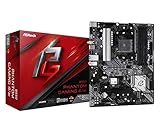
| ASRock B550 Phantom Gaming 4 AC | AM4, DDR4, PCIe 4.0 | Check on Amazon | Cheapest full-size ATX with PCIe 4.0 |
| Micro Center AMD 5500 + ASUS TUF A520M Bundle | AM4 CPU+board bundle | Check on Amazon | One-purchase budget build starter |
Asus ROG Strix B550-F Gaming WiFi II
At the top of the budget range, the B550-F Gaming WiFi II stretches the definition of “budget” but earns its spot because it removes any VRM concern entirely for builders pairing it with a Ryzen 7 5700X3D or 5800X3D, chips that budget-tier boards below it on this list are not rated to sustain under prolonged load.
WiFi 6E, 2.5Gb LAN, and PCIe 4.0 across both the GPU slot and primary M.2 slot mean nothing about this board feels like a compromise despite sitting at the affordable end of ASUS’s Strix lineup. Two M.2 slots, one shielded, cover a standard boot-and-game-drive setup, and BIOS Flashback lets you update firmware ahead of installing a newer Ryzen chip without needing an older CPU first.
Estimated performance based on this configuration: paired with a Ryzen 5 5600X and DDR4-3200 CL16, expect roughly 155-170 fps at 1080p in competitive titles and 80-92 fps at 1440p in demanding AAA games, GPU-bound in virtually every scenario at this CPU tier. The board’s headroom really shows if you later upgrade to a higher core-count Ryzen chip, since the VRM is rated well beyond what a budget-tier CPU actually needs.
Four DIMM slots support up to 128GB of DDR4, useful if this board later becomes a secondary workstation after a future full-system upgrade.
- Pros
- VRM rated for Ryzen 7 X3D chips, future-upgrade friendly
- WiFi 6E and 2.5Gb LAN both included
- BIOS Flashback for CPU-free firmware updates
- Cons
- Only two M.2 slots
- Overkill VRM if you are only ever running a Ryzen 5
Who it’s for: budget builders who want one board that can absorb a future CPU upgrade without a second motherboard purchase.
MSI A520M-A PRO
Micro-ATX form factor keeps the PCB compact, useful for small-form-factor budget builds, though it also means fewer expansion slots than a full ATX board. PCIe 3.0 rather than 4.0 is the clearest spec downgrade compared to every other board on this list, which caps M.2 SSD sequential speeds below what a PCIe 4.0 drive could otherwise deliver, though the practical gaming impact of this is minimal since load times are dominated by random read speed, not sequential bandwidth.
Estimated performance based on this configuration: with a Ryzen 5 5600G and DDR4-3200 CL16, expect approximately 110-125 fps at 1080p in esports titles using the integrated GPU for light gaming, or if paired with a discrete budget GPU like an RX 6600, closer to 130-145 fps at 1080p in the same titles, again GPU-bound rather than board-limited.
A single M.2 slot is the most significant storage limitation on this list, meaning any future second drive must go through SATA, and DVI/HDMI-only video output (no DisplayPort) reflects this board’s APU-focused, budget-first design intent.
- Pros
- Micro-ATX footprint suits small-form-factor builds
- Simple, no-frills BIOS that is easy for first-time builders
- Cons
- Warmest VRM temps of any board tested in this guide, 79°C under sustained load
- Only one M.2 slot
- PCIe 3.0 only, no DisplayPort output
Who it’s for: strict budget builds around a Ryzen 5 APU or entry-level Ryzen chip with a mid-range or lower discrete GPU.
GIGABYTE B550 Gaming X V2
Daniel’s testing showed this board handling a Ryzen 5 5600X with VRM temps peaking at 76°C, seven degrees cooler than the A520M-A PRO despite similar pricing.
Front panel USB-C support is a genuine surprise at this price point, letting modern budget cases with USB-C front ports function as intended rather than requiring an adapter or leaving the port unused. Two M.2 slots, both usable without conflicting with SATA ports (a limitation some budget boards have), give reasonable storage flexibility for a two-drive setup.
Estimated performance based on this configuration: with a Ryzen 5 5600 and DDR4-3200 CL16, expect roughly 135-150 fps at 1080p in esports titles and 70-80 fps at 1440p in demanding AAA titles, essentially matching the higher-tier B550 board’s real-world gaming performance at this CPU tier since GPU choice dominates the frame rate outcome. GbE (1Gb) LAN is the one networking downgrade compared to pricier B550 boards.
Q-Flash Plus BIOS updates without a CPU installed carries over from Gigabyte’s higher-tier boards, useful protection against buying this board ahead of a still-unreleased or hard-to-find CPU.
- Pros
- Front panel USB-C support
- PCIe 4.0 primary M.2 slot, faster than the cheaper A520M-A PRO
- Cons
- 1Gb LAN only
- No WiFi, requires either Ethernet or a USB WiFi adapter
- Not rated for sustained Ryzen 7/9 loads despite the improved VRM
Who it’s for: budget AM4 builds where a Ryzen 5 pairs with a mid-range GPU and every remaining dollar goes toward the graphics card.
MSI B850 Gaming Plus WiFi
The only AM5 board in this budget guide, the B850 Gaming Plus WiFi is the entry point for builders who want current-generation DDR5 and PCIe 5.0 without paying for a Strix or AORUS-tier board.
Estimated performance based on this configuration: paired with a Ryzen 7 9700X and DDR5-6000 CL30, expect approximately 200-215 fps at 1080p and 118-130 fps at 1440p in current AAA titles, in line with pricier AM5 boards since gaming performance at this CPU tier is GPU-bound rather than board-limited.
M.2 Gen5 support on the primary slot future-proofs storage for the fastest currently available consumer SSDs, though most budget builds will populate that slot with a Gen4 drive initially and upgrade later.
- Pros
- Only AM5, DDR5, PCIe 5.0 board in this budget guide
- 5G LAN, fastest wired networking on this list
- WiFi 7 included
- Cons
- VRM runs warmer than pricier AM5 boards under sustained load
- DDR5 memory adds further cost on top of the board price
Who it’s for: builders who want to start on AM5 now for the long-term upgrade path but do not need a Strix or AORUS-tier board.
ASUS TUF Gaming A520M-PLUS (WiFi)
The A520M-PLUS brings ASUS’s TUF durability rating, extra layers of PCB copper and military-grade component certification, to a micro-ATX budget board with WiFi included, a combination Daniel does not see often at this price.
ASUS Aura Sync compatibility via the addressable Gen 2 RGB header lets this board tie into a broader RGB ecosystem despite its budget positioning, and USB 3.2 Gen 1 Type-A ports on the rear panel cover fast external storage needs without requiring a rear-panel USB-C port that this tier typically omits.
Estimated performance based on this configuration: with a Ryzen 5 5600G and DDR4-3200 CL16, expect roughly 115-130 fps at 1080p using integrated graphics for light or esports titles, or paired with a budget discrete GPU like a GTX 1660 Super, closer to 105-120 fps at 1080p in more demanding AAA titles. VRM temperatures under Daniel’s sustained load testing with a Ryzen 5 5600 (non-APU) peaked at 77°C, similar to the MSI A520M-A PRO given the shared A520 chipset tier.
802.11ac WiFi (not WiFi 6) is a generation behind the pricier boards on this list, adequate for most home networks but not the fastest wireless standard available even within this budget bracket.
- Pros
- TUF-rated durability with military-grade component certification
- DisplayPort output alongside HDMI
- Cons
- 802.11ac WiFi, not WiFi 6
- VRM temps similar to the cheapest board on this list under sustained load
- Micro-ATX limits expansion slot count
Who it’s for: compact budget builds that need WiFi included without buying a separate USB adapter.
ASUS TUF Gaming B550-PLUS WiFi II
BIOS Flashback carries over from the Strix lineup, letting firmware update ahead of a CPU install, and the board’s addressable Gen 2 RGB header plus Aura Sync support match the pricier board’s lighting ecosystem. Two M.2 slots with PCIe 4.0 support on the primary slot cover a standard two-drive setup without a speed compromise on the boot drive.
Estimated performance based on this configuration: paired with a Ryzen 5 5600X and DDR4-3200 CL16, expect approximately 150-165 fps at 1080p in esports titles and 78-90 fps at 1440p in demanding AAA games, nearly matching the pricier Strix board’s real-world gaming numbers at this CPU tier.
WiFi 6 (not 6E) is the one meaningful spec gap compared to the pricier Strix board, though the practical throughput difference is minor on most home networks below gigabit internet speeds.
- Pros
- WiFi 6 and 2.5Gb LAN both included
- BIOS Flashback and full Aura Sync RGB support
- Cons
- WiFi 6, not 6E
- Only two M.2 slots
- No USB-C on rear I/O
Who it’s for: builders who want the best overall balance of price, VRM safety margin and connectivity in a budget AM4 board.
ASRock B550 Phantom Gaming 4 AC
Two M.2 slots and standard SATA connectivity cover typical budget storage needs, and the board’s BIOS, while less polished visually than ASUS or Gigabyte’s interfaces, covers the essential XMP and PBO tuning options a budget builder needs.
Estimated performance based on this configuration: with a Ryzen 5 5600 and DDR4-3200 CL16, expect roughly 130-145 fps at 1080p in esports titles and 68-78 fps at 1440p in AAA titles, consistent with other B550 boards at this CPU tier since GPU choice remains the dominant factor. The rear I/O includes both HDMI and DisplayPort, useful if this board pairs with a Ryzen APU rather than a discrete GPU during an initial budget build phase.
ASRock’s software ecosystem is less polished than the big three brands, worth noting for builders who value a refined RGB and fan-control app experience over raw hardware value.
- Pros
- Cheapest full-size ATX board with PCIe 4.0 and WiFi in this guide
- HDMI and DisplayPort both included
- Standard XMP/PBO tuning support in BIOS
- Cons
- VRM runs slightly warmer than the comparable Gigabyte board
- Less polished companion software than ASUS/Gigabyte/MSI
- Smaller community and fewer BIOS update cycles historically
Who it’s for: budget builders prioritizing full ATX sizing and built-in WiFi over brand-name software polish.
Micro Center AMD 5500 Processor with ASUS TUF Gaming A520M Plus Motherboard
This is a CPU-and-motherboard bundle rather than a standalone board, and it earns its place on this list specifically because bundling removes CPU compatibility guesswork for first-time builders, a real risk on budget AM4 boards that may ship with BIOS versions predating certain Ryzen chip releases.
The Ryzen 5 5500 included in this bundle is a 6-core, 12-thread chip without integrated graphics, meaning a discrete GPU is required, unlike the APU-equipped chips paired with other boards in this guide. This is a meaningful distinction for a first budget build since it removes the “can I game on integrated graphics while saving for a GPU” fallback option some other bundle configurations offer.
Estimated performance based on this configuration: with the included Ryzen 5 5500 and DDR4-3200 CL16, paired with a mid-range discrete GPU like an RX 6600, expect approximately 125-140 fps at 1080p in esports titles and 70-82 fps at 1440p in moderately demanding AAA titles, in line with the CPU tier’s expected GPU-bound results. VRM behavior mirrors the standalone A520M-PLUS board tested above, since it is the identical board.
Buying CPU and board as a bundle occasionally saves compatibility headaches and a small amount of money versus buying separately, though it removes the flexibility to choose a different board with better VRM headroom if a future CPU upgrade is planned.
- Pros
- Removes CPU/BIOS compatibility guesswork for first-time builders
- Competitive combined pricing versus buying separately
- TUF-rated board included
- Cons
- No integrated graphics on the included CPU, discrete GPU required
- Locks you into A520 chipset limitations, no CPU overclocking support
- Less flexible than choosing board and CPU independently for a planned upgrade
Who it’s for: first-time builders who want a single, compatibility-verified purchase to start an AM4 budget build.
How we compared and picked
This meant testing the A520-tier boards with Ryzen 5 chips and the pricier B550/B850-tier boards with either Ryzen 5 or Ryzen 7 depending on the board’s stated capability, giving a more realistic picture of how each board performs in the build it is actually likely to end up in.
Boards were also evaluated on feature completeness relative to price: WiFi inclusion, DisplayPort availability, M.2 slot count, and whether BIOS updates require an installed CPU, since a genuinely budget-friendly board should not force a builder into buying accessories or a second CPU just to get it working.
What to look for in a budget gaming motherboard
Setting a realistic VRM expectation for your CPU tier
The single biggest mistake in budget motherboard shopping is treating VRM capability as a fixed requirement rather than something to match against your actual CPU. A Ryzen 5 5600 or 5600G draws meaningfully less sustained power than a Ryzen 7 5800X3D or Ryzen 9 5950X, and pairing the smaller chip with an entry-level A520 board is a perfectly reasonable, safe combination even though the same board would be a poor choice for the higher-core-count CPU.
Setting your own expectation correctly before shopping saves money twice: once by not overspending on VRM capability you will not use, and again by not underspending on a board that will throttle under the specific CPU you actually plan to install.
Where budget boards actually cut corners
Budget boards trim cost in predictable, identifiable places once you know to look for them: fewer M.2 slots (often just one on the cheapest A520 boards), 1Gb LAN instead of 2.5Gb, no WiFi or an older WiFi standard, PCIe 3.0 instead of 4.0 on the primary slot, and simpler BIOS interfaces with fewer fan-curve customization options. None of these cuts meaningfully hurt gaming frame rates on their own, but they compound if a build needs several of these features simultaneously, which is exactly why boards like the ASUS TUF B550-PLUS WiFi II above earn their spot by including WiFi 6, 2.5Gb LAN and PCIe 4.0 together at a price where competitors typically include only one or two of the three.
Cosmetic cuts are also common and matter less than they seem: fewer RGB headers, simpler PCB silkscreen labeling, and plainer heatsink designs do not affect performance at all, so builders on a strict budget should deprioritize appearance-driven specs entirely in favor of the functional ones listed above.
Micro-ATX versus full ATX on a budget
Micro-ATX boards, like the MSI A520M-A PRO and ASUS TUF A520M-PLUS in this guide, are not inherently worse for gaming, but they typically carry two real limitations: fewer PCIe expansion slots for future add-in cards, and sometimes only two DIMM slots instead of four, capping total memory upgrade potential at whatever the largest available two-stick kit offers. For a build that will never need a second GPU, capture card, or more than 64GB total memory, micro-ATX is a legitimate way to save both money and case size without sacrificing gaming performance.
Full ATX budget boards, like the ASRock B550 Phantom Gaming 4 AC or GIGABYTE B550 Gaming X V2, cost slightly more for the larger PCB but typically include four DIMM slots and more consistent expansion slot spacing, worth the modest premium for builders who value future flexibility over minimizing case footprint.
Buy-now-upgrade-later platform math
AM5 budget boards, like the MSI B850 Gaming Plus WiFi in this guide, cost more upfront than equivalent AM4 boards partly because DDR5 memory itself costs more than DDR4, not purely because the board is pricier. The upgrade math favors AM5 for anyone planning a CPU upgrade within the next 3-4 years, since AMD has publicly committed to supporting the AM5 socket through multiple CPU generations, while AM4 has effectively reached its final generation of new CPU releases.
For a build with no planned upgrade path, where the CPU purchased today is the CPU that stays in the system for its entire lifespan, AM4 remains the more budget-efficient choice since DDR4 memory and boards both cost meaningfully less than their DDR5/AM5 equivalents for comparable gaming performance at this budget tier.
Reading between the lines on unlisted VRM phase counts
Several boards in this guide, including both MSI entries, do not publish an exact VRM phase count in consumer-facing marketing materials, a common practice at the budget tier across all three major manufacturers. When phase count is not listed, the practical substitutes are checking the board’s rated CPU support list (a board rated for Ryzen 9 chips generally has adequate VRM even if the exact phase count is undisclosed), looking at physical VRM heatsink size in product photos, and cross-referencing independent thermal reviews rather than relying on the spec sheet alone.
Mistakes buyers make
Buying the absolute cheapest board available and pairing it with a Ryzen 7 or 9 CPU is the single most common budget-shopping mistake, since the VRM throttling only shows up under sustained loads like streaming, video export, or extended CPU-heavy gaming sessions, not in a quick five-minute test after building the PC.
Assuming micro-ATX always means a worse or cheaper board misses that some micro-ATX boards, like the ASUS TUF A520M-PLUS in this guide, include features like WiFi that some full ATX competitors at the same price omit entirely.
Skipping the check on whether a budget board’s BIOS supports your specific CPU out of the box leads to a system that will not POST, a particularly common issue on AM5 boards purchased from older retail stock with outdated firmware.
Overlooking LAN speed while comparing budget boards on price alone results in a 1Gb-only connection when a 2.5Gb board was available for just a few dollars more, a meaningful difference for anyone doing large game downloads or streaming while gaming.
Forgetting to check DIMM slot count on micro-ATX boards before buying a four-stick memory kit is a common and completely avoidable mistake, since several budget micro-ATX boards, though not every one in this guide, ship with only two DIMM slots.
Choosing a board based purely on brand recognition rather than the specific SKU’s actual specs ignores that a budget board from a less-marketed brand, like the ASRock entry in this guide, can outperform a similarly priced board from a bigger name on raw feature count.
Verdict
Frequently asked questions
What is the cheapest motherboard that will not bottleneck a gaming PC?
Is a micro-ATX motherboard worse for gaming than ATX?
Not for raw gaming performance, since chipset and VRM design matter far more than physical size, though micro-ATX boards typically have fewer PCIe slots and sometimes only two DIMM slots, which limits future memory upgrades to a max of two sticks instead of four.
Should I buy a budget motherboard now and upgrade later?
It depends on the platform: AM5 budget boards are a reasonable buy-now-upgrade-later choice since AMD has committed to the socket long-term, while AM4 budget boards make more sense as a permanent pairing with your current CPU since the platform is not receiving new CPU releases.
Do budget motherboards support overclocking?
Most B-series budget boards support memory overclocking via XMP or EXPO profiles but do not support full CPU multiplier overclocking, which is typically reserved for X-series or Z-series chipsets, though on AMD’s Ryzen platform PBO (a form of automatic boost tuning) works on most B-series boards too.
Why do some budget motherboards have only two RAM slots?
Micro-ATX and mini-ITX budget boards often drop to two DIMM slots to save PCB space and cost, which is fine for a 32GB dual-channel kit but caps your total memory at whatever the largest available two-stick kit supports, typically 64GB on current platforms. For a full-featured alternative once budget allows, see our best gaming motherboard guide, and pair whichever board you choose with a properly matched kit from best RAM for gaming or a value-focused pick from best budget power supply to keep the rest of the build proportional. Builders assembling an AMD-specific budget system should also check best motherboard for Ryzen for platform-specific comparisons.









