You keep an HTPC cool and quiet by lowering the heat the parts produce, moving air slowly through large fans instead of quickly through small ones, and letting a fan curve do the work so the system only speeds up when it truly has to. A living-room PC lives within arm’s reach of your ears, so noise matters as much as temperature.
The trick is that cool and quiet pull in different directions in a small case. Tight enclosures trap heat, and the easy fix, spinning fans faster, is what makes the box audible during a quiet movie scene. This guide walks through the order that works: choose efficient parts, give the case a clean airflow path, tune the fans in firmware, and place the unit so it can breathe.
Before You Start Checklist
- Note your current idle and load temperatures with a free monitoring tool, so you can see whether changes help.
- Check the manual for fan header locations and whether your board supports PWM (4-pin) fan control.
- Measure the room spot where the PC sits: clearance behind, above, and on both sides.
- Dust the case before you tune anything; a clogged filter makes every fan louder.
- Decide on a noise target, for example “inaudible from the sofa”, and tune toward it.
Start With Heat Production, Not Fan Speed
The quietest fan is the one that never has to speed up. An HTPC rarely needs a high-wattage graphics card. Video playback, streaming apps, and light gaming run well on efficient processors and integrated graphics, and a lower-power chip creates less heat to remove in the first place.
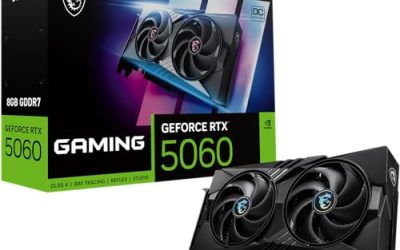
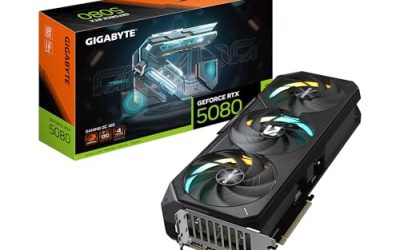
If your system uses a discrete graphics card, check whether it supports a zero-fan mode at idle, which keeps the fans still during movies. Set Windows to the balanced power plan, and look for a processor power limit option in firmware; a modest cap often saves a lot of heat for a small performance trade that a media box never notices.
Build a Clean Airflow Path
Fan size and direction
Larger fans move more air at lower speeds, so a 120 mm or 140 mm fan beats a 80 mm one for noise. If your case accepts them, use fewer, bigger fans. Set intake at the front or side and exhaust at the rear or top, giving air a straight path across the warm components.
Filters and cable management
Dust filters protect fans but restrict flow when they clog. Clean them every few months. Tidy cables out of the airflow path, since bundled wires behind the motherboard tray leave open space for air to move.
CPU cooler choice
A large, slow tower cooler or a generously sized low-profile model usually runs quieter than a small cooler that must spin fast. Check your case’s height limit before buying; many compact HTPC cases specify a maximum cooler height in the manual.
Tune Fan Curves in Firmware
Open the firmware and find the fan control page. Choose a custom curve and set it so fans stay near their minimum speed up to a moderate temperature, then ramp gradually. Sudden jumps in speed are the sound people notice most, so smooth, gentle slopes beat aggressive ones.
| Setting | Quiet-leaning choice | Why it helps |
|---|---|---|
| Idle fan speed | Lowest stable level | Silent movie playback |
| Ramp start temperature | Moderate, not low | Avoids constant revving |
| Curve slope | Gradual | No sudden fan surges |
| Response delay | Slower | Short spikes do not trigger fans |
| Fan mode | PWM where supported | Finer speed control |
Some firmware offers a step-up or step-down time setting. Raising it makes fans ignore brief temperature spikes, such as when an app launches, and only react to sustained heat.
Placement, Dampening, and Everyday Habits
Where the case sits can be worth as much as any fan change. Keep at least a few inches of open space around the vents and avoid enclosed media cabinets that recirculate hot air. If a cabinet is unavoidable, choose one with an open back or vent holes, and leave the doors open or use a vented panel.
- Use rubber grommets or silicone mounts on fan screws to cut vibration noise.
- Place the case on rubber feet or a soft mat to stop resonance with the shelf.
- Swap hard drives for SSDs where possible; spinning disks add both heat and mechanical sound.
- Choose a power supply with a semi-passive mode so its fan stays off at low load.
- Vacuum dust from filters and fan blades regularly.
In 2026, even compact cases ship with better mesh panels and larger fan mounts than they once did, which makes a quiet build easier. Still, check the case’s vent area before you buy; a solid front panel with only a thin gap can choke the airflow your fan curve depends on.
Diagnose Noise Problems Quickly
If the box is loud, identify which fan is responsible before changing settings. Watch the fan speed readouts in a monitoring tool while the noise happens, and note which fan’s reading rises when the sound does. A buzzing tone often points to vibration, a rising whoosh to speed, and clicking to a cable touching a blade.
If temperatures stay high even with good airflow, consider repasting the processor, checking that the cooler’s mounting pressure is even, and confirming the graphics card is not exhausting hot air into the case.
Choosing Quieter Components for the Build
If you are still planning the system, the biggest noise savings come from part selection. Look at fan ratings expressed in decibels at typical speeds and favor models with fluid or magnetic-style bearings, which generally stay smoother than basic sleeve designs. Fans with rubber corners or soft pads cut vibration without extra parts.
Power supply
A power supply that runs at low load for most of its life should rarely need its fan. Units with a semi-passive mode keep the fan off until the load or temperature rises, which suits a movie-watching machine. Choose a capacity with sensible headroom, because a supply running near its limit has to cool itself harder.
Storage
Solid-state drives are silent and produce little heat. If you need bulk storage for a media library, a single large hard drive on rubber mounts is quieter than several small ones, and many users keep the library on a networked storage device somewhere else in the house so the HTPC stays silent.
Case layout
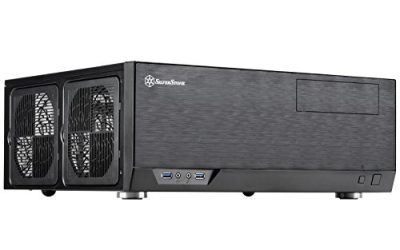
Cases with large vented panels, room for a tall cooler, and space for 120 mm fans give more cooling for less noise. Very small cases look neat but force fast, small fans, so weigh the shelf space you save against the extra sound you accept.
Finally, consider how often the machine runs under real load. A box used only for streaming video spends most of its time near idle, so a modest cooler and a slow fan curve are plenty. A box that also plays games will need a higher ceiling, and it is worth tuning one profile for movies and another for gaming if your firmware allows it.
Frequently Asked Questions
What temperature is safe for an HTPC?
Processors generally handle temperatures into the 70s Celsius under load, but the makers’ specifications for your exact chip are the reference. For quiet operation, aim to keep idle temperatures comfortably low so fans stay slow.
Is passive cooling realistic for a home theater PC?
For low-power chips, yes. Fanless cases and large heatsink coolers exist for efficient processors. For anything with a hot discrete card, partial passive or semi-passive designs are more practical.
Do larger fans really run quieter?
Generally, yes. A larger fan moves the same air at a lower rotation speed, which reduces both blade noise and motor tone, as long as the fan has good bearings and clean mounting.
Should I put my HTPC inside a cabinet?
Only with ventilation. A closed cabinet traps hot air and forces fans to work harder. Use open backs, vented panels, or leave a gap above the case for exhaust.
Related guides
More from Amazon
Programs that pair well with the guide above. Offers and eligibility are set by Amazon and may change.
Free shipping on eligible items, Prime Video and more. Eligible new members can start with a free trial.
Start a Prime free trialAd-free music streaming. Eligible new subscribers can start with a free trial.
Try Music Unlimited freeA Prime membership for ages 18-24 with a trial period. Eligibility is set by Amazon.
See Prime for Young AdultsAudiobooks and podcasts to listen to on the go. Eligible new members can start with a free trial.
Try Audible freeAs an Amazon Associate we earn from qualifying purchases.