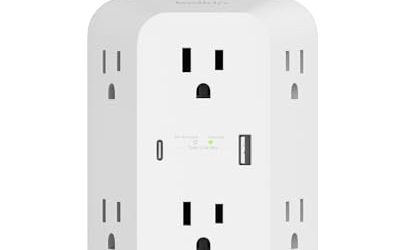
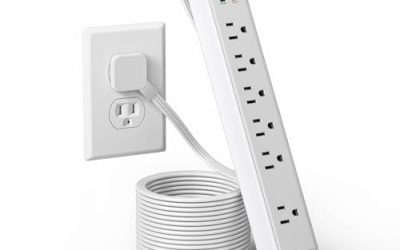
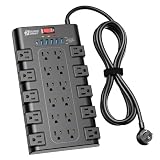
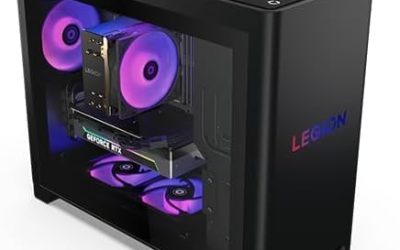
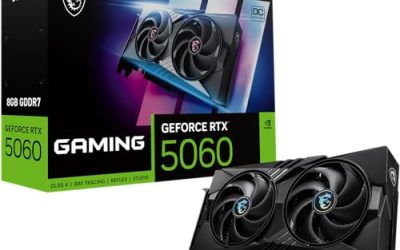
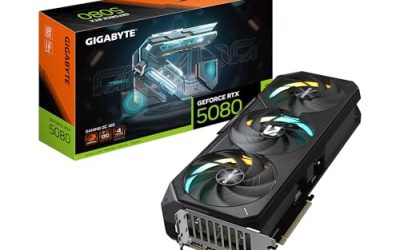
For a gaming PC and its monitor, many buyers aim for a surge protector with at least 1,000 to 2,000 joules, and go higher when the desk holds expensive gear or the home has a history of power problems. A larger joule figure means the protector can absorb more energy over its life, but it is only one of several numbers that decide how well it works.
The joule number is the one printed biggest on the packaging, so it gets all the attention. Clamping voltage, response time, safety certification and the condition of your home wiring matter just as much. This guide explains what joules actually measure, how to pick a sensible target for a desktop setup in 2026 and which other details to read before you plug in an expensive graphics card. It is general information, not electrical advice, so ask a qualified electrician about wiring concerns.
What a Joule Figure Really Tells You
A joule is a unit of energy. In a surge protector, the figure shows how much surge energy the internal components can absorb before they wear out. Think of it as a budget that shrinks with every event. A small spike takes a small slice, and a big one takes a large slice. When the budget runs low, the protector may stop protecting even though the power still flows and the indicator light may stay on.
That is why a higher figure is generally better for the long term. Two protectors with the same clamping voltage can differ in how many surges they can handle, and the one with more joules usually lasts longer in a home with frequent power noise. The number is not a guarantee of safety, and no protector can promise to stop every event, especially a direct lightning strike.
Choosing a Joule Target by Setup
A basic desktop with one monitor
A typical PC, a monitor and a few small peripherals sit comfortably at the lower end of the common range. A protector around 1,000 to 2,000 joules is a reasonable target for a modest build in a home with stable power. Treat that as a starting point, and move up if your area has frequent storms or flickering lights.
A high-end gaming rig and extras
A powerful graphics card, multiple monitors, a console and a sound system raise the stakes, because there is more equipment to lose and more total load on the strip. A higher figure, often in the 2,000 to 4,000 joule range or more, gives extra margin and a longer service life. Do not exceed the outlet’s current limit, however, no matter how high the joule number goes.
A home office with network gear
If the same strip powers a router, a network switch or a modem, include them in the plan. Network equipment is exposed to lines outside the house, and some protectors offer coaxial, phone or Ethernet protection. Consider a model with those ports and keep the data cables routed through the protector as well, so the whole chain is covered.
A rental or older building
Older buildings may have outlets without a proper ground, loose connections or shared circuits. A surge protector depends on a good ground to divert energy, so a high joule number will not help if the ground is missing. Have an electrician check any outlet you are unsure about before you rely on it for valuable equipment.
Joules Compared With Other Specs
| Spec | What it means | What to look for |
|---|---|---|
| Joule figure | Total surge energy the unit can absorb | Higher for longer service life |
| Clamping voltage | Voltage at which the protector starts to divert a surge | Lower is generally better |
| Response time | How quickly it reacts to a surge | Faster is better, measured in nanoseconds |
| Safety listing | Independent certification such as UL 1449 | A listed mark on the product or box |
| Current limit | Maximum total load the strip can handle | Match to the combined power draw |
| Status indicator | Shows if protection is still active | A clear light or alarm |
Signs a Protector Is Used Up
Surge protectors do not announce their own failure loudly, so watch for the clues. A protection light that is off or blinking, a warning beep on units that have one, a burnt smell, discolored plastic or an outlet that feels loose are all reasons to unplug the strip and replace it. A protector that has taken a major hit should be retired even if it still looks fine, since its internal components may be spent.
- The protected or grounded indicator no longer lights up.
- The strip feels unusually warm during normal use.
- Plugs wobble or fall out of the sockets.
- The unit has been through a major storm or a known power event.
- It is several years old and sits under heavy daily load.
Strip, Surge Protector or UPS
A plain power strip adds outlets and nothing else. A surge protector adds the energy-absorbing parts that trim voltage spikes. An uninterruptible power supply adds a battery that keeps the PC running through short outages and usually includes some surge protection of its own. For a gaming desktop that holds unsaved progress or long downloads, a UPS can be worth considering, while a good surge protector covers the monitor, speakers and chargers around it.
Keep protectors in open, ventilated spots away from carpet, curtains and heat sources, and do not coil the cord tightly while it carries a load. Route the PC, monitor and peripherals through the same protector when possible, since equipment on different strips can see small voltage differences along shared data cables.
Before You Buy Checklist
- List every device that will plug into the strip, including chargers and speakers.
- Add up the power draw and keep well within the strip’s current limit.
- Pick a joule figure that suits the value of your equipment and local power conditions.
- Look for a lower clamping voltage and an independent safety listing.
- Check for a protection indicator that shows when the strip needs replacing.
- Choose enough outlets with spacing for bulky power bricks.
- Confirm the outlet you plan to use is grounded, and ask an electrician if unsure.
Common Mistakes
The first mistake is buying a power strip with no surge protection at all. Many cheap strips are simply extension cords with a switch, and they do nothing against a spike. Check that the product states surge protection and lists its figures.
The second is treating the joule number as permanent. Protection wears out, so replace the unit after a major event, after several years or when the indicator shows trouble. Another mistake is chaining strips together, which can overload the first one and defeat its protection. Plug each protector directly into a wall outlet, and do not run heaters or other high-draw appliances through a strip meant for electronics.
Related guides
- How To Set Up Computer Speakers For Better Sound At Your Desk
- How To Check Whether Your Ram Is Running At Its Rated Speed
- How To Choose The Right Monitor Riser Height For Your Desk
Frequently Asked Questions
Is more joules always better?
A higher figure generally means longer service life, but it does not replace a good clamping voltage, a safety listing or a grounded outlet. Balance all of them. A unit with a modest joule figure, a low clamping voltage and a clear listing can be a smarter pick than a high-joule strip with no certification at all.
Do I need a surge protector if I have a UPS?
Many uninterruptible power supplies include surge protection, but the level varies by model. Check the specifications, and avoid plugging a UPS into another strip unless the manual allows it.
How often should I replace a surge protector?
Every few years is a common guideline, and sooner after a major storm or power event. If the protection light goes out, replace it right away. Write the purchase date on the underside with a marker, so you can judge its age at a glance later.
Can a surge protector stop lightning damage?
It cannot promise to. A direct strike can overwhelm any protector, so unplug valuable equipment during severe storms and consider whole-home protection after discussing it with an electrician.
Related guides
More from Amazon
Programs that pair well with the guide above. Offers and eligibility are set by Amazon and may change.
Free shipping on eligible items, Prime Video and more. Eligible new members can start with a free trial.
Start a Prime free trialAd-free music streaming. Eligible new subscribers can start with a free trial.
Try Music Unlimited freeA Prime membership for ages 18-24 with a trial period. Eligibility is set by Amazon.
See Prime for Young AdultsAudiobooks and podcasts to listen to on the go. Eligible new members can start with a free trial.
Try Audible freeAs an Amazon Associate we earn from qualifying purchases.