
When planning a custom water-cooling loop, one of the biggest aesthetic and practical decisions is how to hold and route the coolant: a sleek distribution plate (distro plate) that doubles as art, or a traditional tube reservoir with flexible plumbing. Each has real strengths, and the right pick depends on your case, your patience, and whether you value looks or serviceability more.
As an Amazon Associate we earn from qualifying purchases at no extra cost to you.


Updated October 2026 — Distro plate vs reservoir in short: a distro plate gives the cleanest look in a case it was built for, while a tube reservoir or a pump-reservoir combo costs less, is easier to bleed and moves with you to your next case. Neither one changes loop temperatures in any meaningful way; the radiators and fans do the cooling.
Our Top Picks
 Thermaltake Pacific DP100-D5 Plus 360mm 200ml 16.8 Million200ml16.38 x 6.81 x 4.29 inches2.2 PoundsCheck on Amazon


Top 3 picks at a glance
Bykski Distro Plate for Corsair 5000D - PMMA w/ 5v Addressable RGB(RBW)...Check priceThermaltake Pacific DP100-D5 Plus 360mm 200ml 16.8 Million Color RGB Alexa/Razer Chroma/5V...Check price Alphacool Core Distro Plate 240 Left D5/DDC V.2 with VPP Apex PumpCheck price
What each option is
A traditional reservoir is a cylindrical tube, usually paired with a separate pump, that stores coolant and provides a place to fill and bleed air. A distro plate is a flat acrylic panel with internal machined channels that combine the reservoir, coolant routing, and often a pump mount into one component that bolts to the case, giving a clean, panel-like appearance.
The core trade-off
Distro plates win on looks and cable-like tidiness; tube reservoirs win on flexibility and easy maintenance. Most distro plates are designed for one specific case and layout (a few are sized to a 240mm or 360mm radiator mount instead, covered below), while a tube res works in almost anything and can be repositioned.
| Factor | Distro plate | Tube reservoir |
|---|---|---|
| Aesthetics | Clean, integrated, showpiece | Classic, visible tubing |
| Case compatibility | Usually case-specific | Nearly universal |
| Air bleeding | Can trap bubbles in channels | Easy to bleed |
| Maintenance/changes | Harder to rework | Flexible, easy to modify |
| Cost | Basic passive plates start around $50; plates with a pump included commonly run $250-400 | Plain tubes often $10-40, plus a pump; pump-reservoir combos start near $100 |
Living with a distro plate
Beautiful but fixed
Distro plates produce the cleanest possible look because the routing is hidden inside the panel and tubing runs are minimal. The downside is rigidity: the channels are machined for one case and layout, so if you change components or want to reroute, you are largely stuck. They also cost significantly more and can be fussier to bleed, since air can hide in internal channels.
Bleeding and refilling
Getting every bubble out of a distro plate’s internal maze can take patience, tilting the case and running the pump in bursts. Refilling is usually through a dedicated port. Once bled, they run beautifully, but the initial fill is often more finicky than a tube reservoir.
Universal vs Case-Specific Distro Plates
Not every distro plate is tied to one case model. Case-specific plates, such as the Bykski plate for the Corsair 5000D in the picks above or the many plates made for Lian Li O11 variants, are machined so each port lands where the blocks and radiators sit in that case. They give the neatest tube runs, but they will not fit a different model, and even close relatives in one case family (the O11 Dynamic, Mini, EVO and XL, for example) can need different plates.
Radiator-mount plates take a different approach. The Alphacool Core Distro Plate 240 and the Thermaltake Pacific DP100-D5 Plus 360mm in the picks above are sized to a 240mm or 360mm radiator position instead of to one case, so they can follow you to another case that has a matching mount. The trade-off is that they only work where that mount exists and where the ports line up with your CPU and GPU blocks, so check the maker compatibility notes before ordering.
| Question | Case-specific plate | Radiator-mount plate |
|---|---|---|
| What it fits | One case model or family | Any case with a matching 240mm or 360mm mount |
| Reuse after a case swap | Unlikely | Possible if the new case has the same mount |
| Port alignment | Designed around the case layout | Depends on where your blocks sit |
| Best for | Showcase builds in a supported case | Builders who may change cases later |
Living with a tube reservoir
A tube res is the practical choice for builders who tinker. It fits nearly any case, is easy to fill and bleed because you can see the coolant level and air pocket directly, and it lets you reroute tubing whenever you swap parts. It shows more plumbing, which some love and some find messy, but its flexibility and lower cost make it the forgiving option for first loops and evolving builds.
The Middle Ground: Pump-Reservoir Combos
The choice is not strictly binary. A pump-reservoir combo mounts a tube reservoir directly on top of the pump, creating one compact unit that is easier to place than a separate reservoir and pump yet far more flexible than a case-specific distro plate. Most combos can be fixed to a fan mount, the case floor or a bracket, so they move with you if you change cases.
Combos also solve a basic plumbing rule: the pump should be fed directly by the reservoir so it never runs dry and air bubbles have a short path out of the pump. With a combo, that relationship is built in. For many first loops, a pump-reservoir combo delivers most of the tidiness builders want from a distro plate at a lower cost and with much simpler bleeding.
Pump Choice: D5 vs DDC
Whichever holder you choose, the pump inside it matters. Distro plates and pump-reservoir combos are typically built around one of two pump families.
| Factor | D5 pump | DDC pump |
|---|---|---|
| Size | Larger and taller | Compact and flat |
| Strength | High flow, well suited to larger loops | Higher pressure for its size, good in restrictive loops |
| Noise | Generally quiet at moderate speeds | Can be louder at high speed |
| Heat | Runs relatively cool | Runs warmer and benefits from a heatsinked housing |
| Best fit | Most mid-tower and full-tower loops | Small cases and slim distro plates |
For a typical loop with one CPU block, one GPU block and two radiators, either pump type has more than enough capability. Choose by space and noise preference first, and make sure the distro plate or reservoir you buy explicitly supports the pump you plan to use.
Do Distro Plates Change Flow, Leak Risk or Temperatures?
Temperatures: no meaningful change either way. Coolant temperature is set by radiator area, fan speed and the heat your parts produce, so swapping a reservoir for a plate does not move CPU or GPU temperatures noticeably. Retail guides that credit a plate with a degree or so of improvement rarely publish test data, so treat those figures with caution.
Coolant volume: plates usually hold less coolant than a tall tube, often in the low hundreds of milliliters. Volume beyond a modest amount does not lower temperatures; a bigger reservoir mainly makes filling and bleeding easier, which is also why the lower volume of a plate can make it fussier to bleed.
Leak risk: every G1/4 port is a place a fitting could leak, and a plate adds several ports. On the other hand, a plate usually replaces a stack of T-fittings, elbows and extra bends, so the total fitting count is not always higher. Seat every O-ring, tighten fittings by hand and complete a leak test before powering the rest of the system.
Flow: a well-designed plate can offer less restriction than a long chain of fittings, but independent flow data is thin. For a typical loop with one CPU block, one GPU block and two radiators, either pump family covered above has plenty of headroom.
Case Compatibility and Planning Checklist
Distro plates live or die by fit, while tube reservoirs mostly need a sensible mounting spot. Run through these checks before buying either:
- Exact case model and revision: distro plates are made for specific cases, and a revised version of the same case can move mounting holes or panels.
- Mounting position: confirm whether the plate sits at the front, beside the motherboard or behind the tray, and whether that blocks radiators, fans or drive cages.
- Port alignment: check that the plate’s ports line up with your CPU and GPU block positions, especially with a vertical GPU mount or unusual motherboard layout.
- Fill and drain access: the fill port should be reachable with the case assembled, and the loop needs a drain point at its lowest position.
- Radiator clearance: radiator thickness plus fans must fit alongside the plate or reservoir without crowding tubing runs.
- Pump support: verify whether the plate or reservoir includes a pump or only a pump mount, and which pump families it accepts.
Hard Tubing vs Soft Tubing
Distro plates are especially attractive for hard-tube builds. Because the plate’s internal channels handle most of the routing, the remaining tube runs are short and often straight, which reduces the number of precise bends needed. A tube reservoir with hard tubing usually demands more bends and more careful measuring, though it rewards the effort with a classic showpiece look.
With soft tubing, the gap narrows. Flexible tubing makes routing to a tube reservoir easy, and maintenance becomes simpler still because lines can be disconnected and moved without re-bending anything. If you plan to use soft tubing and value easy changes, a tube reservoir or pump-reservoir combo is usually the more practical pairing.
First Fill and Leak-Test Checklist
The first fill is where the two options feel most different. A tube reservoir shows you every bubble, while a plate hides air in its channels. Use the same steps for either:
- Fill through the designated port only, and never start the pump until coolant covers its inlet. Running a pump dry can damage it.
- Power only the pump with the rest of the system off, and top up in small steps as air leaves the loop. With a distro plate, run the pump in short bursts.
- Tilt the case gently toward the front, back and each side while the pump runs, holding each angle for several seconds to release air trapped in radiators and GPU blocks.
- Leak test before booting. Run only the pump for several hours, ideally up to a full day, and follow your parts maker’s manual; watch every fitting and the plate seams, and keep paper towels under the lowest joints.
- Re-check the coolant level after the first full day and top up once the last bubbles are gone.
Maintenance and Draining Compared
Both options need the same core maintenance: periodic coolant changes, a check of fittings for weeping, and cleaning of blocks if deposits appear. Coolant makers commonly suggest a change interval measured in months rather than years, with opaque and pastel coolants generally needing closer attention than clear fluid. Follow your coolant maker’s guidance.
The difference is in how much work each change takes. A tube reservoir lets you see the coolant level, spot discoloration and watch air leave the loop. A distro plate hides some coolant inside its channels, so draining it completely and refilling it without trapped air takes longer. Planning a drain port at the lowest point of the loop makes either option far easier to service.
Which Should You Choose?
| Your situation | Better fit | Why |
|---|---|---|
| First custom loop | Tube reservoir or pump-reservoir combo | Easier bleeding, cheaper mistakes, works in any case |
| Showcase build in a supported case | Distro plate | Cleanest look with the fewest visible tube runs |
| Hard-tube build with limited bending skills | Distro plate | Short, mostly straight runs replace complex bends |
| Frequent hardware changes | Tube reservoir | Rerouting is simple and nothing is tied to one layout |
| Planning to switch cases soon | Tube reservoir or combo | Moves to the next case instead of being left behind |
| Tight budget | Tube reservoir | Lowest cost for the reservoir and pump together |
Tube Reservoir and Pump-Reservoir Options
The picks above are all distro plates. If the comparison points you toward a traditional reservoir, these options cover a budget standalone tube, a compact combo and a premium D5 combo.
Bykski 50mm Cylindrical Reservoir (200mm) — Best for Budget Standalone Builds
As an Amazon Associate we earn from qualifying purchases at no extra cost to you.

This Bykski reservoir is the classic, no-frills approach: a 50mm-diameter cylinder with white POM end caps and a total length of 200mm, according to the listing. As a standalone reservoir, it pairs with a separate pump of your choice, which keeps the parts list flexible and lets you upgrade the pump later without replacing the reservoir.
It suits first-time builders and anyone who wants the lowest-cost way to add a visible, easy-to-bleed reservoir to a loop. Plan the mounting position so the reservoir outlet sits above the pump inlet and can feed it directly.
Pros
- Low-cost entry into custom loops
- Clear tube makes coolant level and air easy to see
- Works in nearly any case with a suitable mount
Cons
- Pump sold separately
- Check which mounting brackets and fittings are included
Barrow DDC PWM Pump/Reservoir Combo — Best for Compact Builds

The Barrow combo pairs a 17W DDC PWM pump with a 140mm reservoir in a single unit, per the listing, which also rates the pump at up to 960 liters per hour and 4,000RPM with standard G1/4 threads. PWM control lets the motherboard adjust pump speed, which helps keep noise down when the system is idle.
It suits mid-size and smaller cases where a separate pump and tall reservoir would be awkward, and builders who want the built-in reservoir-to-pump feed of a combo without the cost of a distro plate.
Pros
- Pump and reservoir in one compact unit
- PWM speed control for quieter idle operation
- Standard G1/4 threads work with common fittings
Cons
- Smaller reservoir volume than tall tubes
- DDC pumps can be louder at full speed than D5 designs
EK-Quantum Kinetic TBE 200 D5 PWM — Best Premium Pump-Reservoir Combo
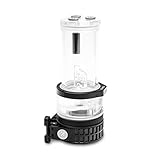
The EK-Quantum Kinetic TBE 200 combines a 200mm tube reservoir with a D5 PWM pump, plexi construction and addressable RGB lighting, according to the listing. It is the closest a tube reservoir gets to distro-plate polish: one clean, illuminated unit that still mounts in almost any case and can be moved when you upgrade.
It suits builders who want a premium look and the quiet, high-flow character of a D5 pump while keeping the serviceability of a traditional reservoir.
Pros
- D5 PWM pump for strong flow and controllable speed
- Addressable RGB lighting for showcase builds
- Portable between cases, unlike a distro plate
Cons
- Premium price tier approaches some distro plates
- Taller unit needs planned mounting space
Frequently asked questions
Does a distro plate cool better than a reservoir?
No. Neither meaningfully changes cooling performance; radiators and fans do the cooling. The choice is about aesthetics, routing, and maintenance, not temperatures.
Is a distro plate harder for a first-time builder?
Somewhat. Its case-specific nature and trickier bleeding make it less forgiving of mistakes. Beginners often start with a tube reservoir to learn the ropes, then move to a distro plate for a showcase build.
Do distro plates come with a pump?
Some do and some do not. Many distro plates are sold as combos with a D5 or DDC pump included, while others provide only a pump mount. Check the listing carefully, because a plate without a pump needs a compatible pump bought separately.
Can I switch from a tube reservoir to a distro plate later?
Yes, as long as a plate exists for your case. Your blocks, radiators and pump can often be reused, but tubing runs will need to be redone to match the plate’s ports. Many builders start with a tube reservoir and move to a distro plate once the rest of the loop is settled.
Does a bigger reservoir lower temperatures?
Not in any meaningful way. Extra coolant volume can slightly slow how quickly the loop warms up, but steady-state temperatures depend on radiator area and fan speed. A larger reservoir mainly makes filling and bleeding easier.
Do I need a separate reservoir with a distro plate?
Usually not, because most distro plates include a reservoir section and a fill port. Many also mount a D5 or DDC pump directly, but a plate sold without a pump still needs a compatible pump, so check which pump families it accepts.
Are distro plates worth it?
They are worth it if you want the cleanest look, own a case with a matching plate and will rarely rework the loop. Skip one if you tinker, budget tightly or may switch cases. A plate is a style and tidiness purchase, not a cooling upgrade.
Do distro plates have more leak points than a tube reservoir?
They have more ports, and every G1/4 port is a possible leak point, but a plate often replaces several T-fittings and bends elsewhere in the loop. Seat every O-ring, tighten fittings by hand and run a long leak test before powering the system.
Which cases have distro plates made for them?
The Lian Li O11 family has several case-specific plates, and the Corsair 5000D has the Bykski plate featured above. Always match the exact case model and revision, because a plate for one version of a case may not fit another.
Where should the reservoir go in the loop order?
Directly before the pump, ideally above it, so the pump is always fed with coolant and air can escape upward. Beyond that rule, the order of blocks and radiators has very little effect on temperatures, so route for the cleanest, shortest tubing runs.
Bottom line
Choose a distro plate for a clean, showpiece build in a supported case if you rarely plan to rework the loop and accept the higher cost and fussier bleeding. Choose a tube reservoir for flexibility, easy maintenance, and lower cost, especially for a first loop or a system you expect to change. Both cool identically; the decision is about looks versus livability.









