
LGA 1150 is a socket from Intel’s fourth and fifth Core generations, which means anyone shopping for a board today is almost certainly repairing, reviving, or stretching an older desktop. That changes the buying logic completely. You are not chasing the newest features. You are trying to match a specific socket, a specific memory type, and a specific chipset to a processor you already own, while avoiding boards that look inexpensive but leave you without the ports or the update path you need.
This guide is for people replacing a dead board in a Haswell-era machine, building a cheap secondary PC for office or light gaming use, or reusing DDR3 memory and a Xeon E3 or Core i5 from the parts bin. The eight boards below mix genuine ASUS models with boards from lesser-known makers, and a few add an M.2 slot for NVMe drives. Everything is judged from the listing text, so treat 2026 pricing and stock as unpredictable and confirm your exact processor model against the seller’s compatibility notes before ordering.
Our Top Picks


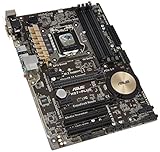
Top 3 picks at a glance
Quick Picks
As an Amazon Associate we earn from qualifying purchases at no extra cost to you.


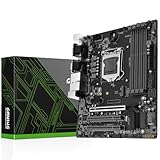


| Product | Best for | Key spec from the title |
|---|---|---|
| SHANGZHAOYUAN B85M PRO | Micro-ATX builds with an M.2 drive | DDR3, PCIe 3.0, NVMe M.2 |
| MACHINIST H81 Gaming | Budget Xeon E3 V3 builds | Dual-channel DDR3, max 16GB |
| Generic H81 M.2 NVMe board | Cheapest M.2-equipped build | H81, M.2 NVMe NGFF, Micro ATX |
| ASUS H81M-K | Simple, known-brand replacement | Micro ATX, DDR3 1066 |
| ASUS H97-PLUS | Full-size ATX with faster memory | ATX, DDR3 2600 |
| SHANGZHAOYUAN H97M PRO | 4th and 5th gen support | 4x DDR3 slots, SATA 3.0, USB 3.0 |
| SHANGZHAOYUAN H97 Strong | Small Mini ITX systems | Mini ITX, PCIe 3.0, NVMe M.2 |
| ASUS H81M-E | Basic office PC repair | MicroATX, DDR3 1333 |
How to Choose
Check the chipset against your processor generation
LGA 1150 boards come in several chipsets, and the listings here feature H81, B85, and H97. All support fourth-generation Core processors, but only some list fifth-generation support. The SHANGZHAOYUAN H97M PRO title explicitly mentions 4th and 5th generation Core chips, while the others reference only the 4th generation. If you own a fifth-generation processor, look for that mention and confirm it on the seller page, since a BIOS version can decide whether the chip boots. A practical habit is to write down the exact processor model, the chipset on the board, and the BIOS version the seller claims, then compare all three against the maker’s support list. Ten minutes of checking beats a return shipment, especially with boards from smaller sellers where a technical question may take days to answer.
Size, memory, and slot count
Form factors here range from Mini ITX to ATX. Micro ATX boards are the most common and fit most cases, while Mini ITX suits small systems that accept only one expansion slot. All boards use DDR3. Dual-channel configurations are standard, and the MACHINIST listing states a 16GB maximum, which is a practical ceiling to check before you buy a memory kit. The ASUS H97-PLUS lists DDR3 2600 as a rated speed, while the H81M-E lists 1333; both numbers describe the board’s supported memory ratings, not guaranteed results. In practice, buyers reusing an old DDR3 kit should match the kit’s rated speed to what the board lists, and leave any overclocking out of the plan. On a platform this old, stable memory is worth more than a few extra megahertz. Also confirm the number of DIMM slots, since two-slot boards cap you at two modules while four-slot boards such as the H97M PRO give more flexibility.
Storage: SATA, M.2, and the boot-drive question
Several listings advertise an NVMe M.2 slot. That sounds modern, but boards of this age often lack native NVMe boot support in their original firmware. Buyers should confirm with the seller whether the board can boot from an NVMe drive, or plan to use the M.2 slot for a secondary drive and keep a SATA SSD as the boot disk. SATA 6Gb/s is the reliable fallback on every board here. If a listing mentions only SATA 3.0, assume you will need a SATA SSD for the best speed.
Where cheap boards cut corners, and what to ignore
Lesser-known brands often trim BIOS polish, rear-panel ports, audio chips, and warranty support. A brand-name ASUS board usually brings clearer documentation and more consistent firmware. Ignore the word “gaming” on any LGA 1150 listing: with this socket, the graphics card and processor decide gaming results, and the board mostly provides slots and ports. Also check display outputs. Some boards list VGA, DVI, and HDMI together, which helps older monitors, while others offer fewer options. If you plan to use the processor’s integrated graphics, the display outputs on the board become the whole story, so read them carefully. If you plan to add a discrete graphics card, a single PCIe x16 slot is all you need, and the output list matters much less. One more cheap-board warning: very low-cost listings sometimes omit the rear I/O shield or SATA cables, so look at what is included in the box before you assume you are ready to build.
The 8 Best Options
SHANGZHAOYUAN B85M PRO
A Micro-ATX board built around the B85 chipset for 4th-generation Core i7, i5, i3, Pentium, and Celeron processors. The title lists DDR3, PCIe 3.0, an NVMe M.2 slot, and SATA support.
- Strength: The M.2 slot plus PCIe 3.0 offers a faster storage option than boards without it.
- Strength: Broad support from Pentium to Core i7 makes it flexible for old parts.
- Trade-off: It comes from a lesser-known maker, so documentation and support may be thin.
Skip it if you want a recognized brand with established BIOS updates.
MACHINIST LGA 1150 Gaming Motherboard H81
A Micro ATX H81 board for Intel 4th-generation processors. The title mentions support for i3, i5, i7, and Xeon E3 V3 processors, plus dual-channel DDR3 with a 16GB maximum.
- Strength: Xeon E3 V3 support makes it attractive for budget workstation-style builds.
- Strength: Dual-channel DDR3 gives a solid memory configuration for the platform.
- Trade-off: The 16GB memory ceiling limits heavy multitasking.
Skip it if you need more than 16GB of memory.
Generic H81 M.2 NVMe LGA 1150 Micro ATX board
An unbranded listing that advertises H81, an M.2 NVMe NGFF slot, 6Gbs speeds, and a Micro ATX layout for desktop PCs. The title is short on details about memory limits and processor lists.
- Strength: It is aimed at buyers who want an M.2 slot on a minimal budget.
- Strength: The H81 Micro ATX format fits common cases.
- Trade-off: There is no brand name, and the listing offers little verifiable detail.
Skip it if you want clear specifications or support from an established manufacturer.
ASUS H81M-K
A Micro ATX board from a well-known maker. The title lists DDR3 1066 memory support on the LGA 1150 socket.
- Strength: The ASUS name tends to bring dependable firmware and documentation.
- Strength: It is a simple, no-frills option for replacing a failed board.
- Trade-off: The title lists no M.2 slot or other modern extras.
Skip it if you want an NVMe slot or extra connectivity.
ASUS H97-PLUS
The only full-size ATX board in the group. The title shows DDR3 2600 memory support on LGA 1150, which points to a more flexible board than the H81 models.
- Strength: ATX size brings more expansion slots than Micro ATX options.
- Strength: The listed DDR3 2600 rating suggests room for faster memory kits.
- Trade-off: A larger board needs a bigger case, which rules out small systems.
Skip it if your case only fits Micro ATX or Mini ITX.
SHANGZHAOYUAN H97M PRO
A Micro ATX board that specifically names 4th and 5th generation Core i3, i5, i7, Pentium, and Xeon processors. The title lists four DDR3 slots, SATA 3.0, USB 3.0, and an NVMe slot.
- Strength: Four DDR3 slots give room to fill memory in smaller modules.
- Strength: Explicit 5th generation support helps owners of newer LGA 1150 chips.
- Trade-off: It comes from a lesser-known maker with limited support.
Skip it if you want a recognized brand name on the box.
SHANGZHAOYUAN H97 Strong
A Mini ITX board for compact builds. The title lists support for 4th-generation Core i7, i5, and i3 processors, DDR3, PCIe 3.0, an NVMe M.2 slot, SATA 6Gb/s, and VGA, DVI, and HDMI outputs.
- Strength: Mini ITX size fits small cases and living-room PCs.
- Strength: Three video outputs cover many monitors and TVs.
- Trade-off: Mini ITX provides only one expansion slot and fewer memory slots.
Skip it if you need multiple expansion cards or a standard-size case.
ASUS H81M-E
A MicroATX board from ASUS aimed at basic systems. The title lists DDR3 1333 memory on LGA 1150.
- Strength: It carries the ASUS name, which helps with firmware and support documentation.
- Strength: The MicroATX size fits typical office cases.
- Trade-off: The title mentions no M.2 slot or other modern features.
Skip it if you need NVMe storage or high-speed memory.
Which One Fits Your Situation
You are repairing an office PC
The ASUS H81M-E or ASUS H81M-K gives a recognized brand and a no-frills layout. Either suits a replacement job where you want a board that behaves the same as the original.
You want an M.2 slot on a budget
The SHANGZHAOYUAN B85M PRO lists NVMe M.2 and PCIe 3.0 in a Micro-ATX size. Confirm boot support first, or plan to use the M.2 drive for storage only.
You own a fifth-generation Core processor
The SHANGZHAOYUAN H97M PRO is the board that names 4th and 5th generation support in its title, so it is the logical starting point. Even then, verify the BIOS version before you install the chip.
You are building a small-form-factor system
The SHANGZHAOYUAN H97 Strong fits Mini ITX cases and offers VGA, DVI, and HDMI outputs for older displays.
Common Mistakes
- Buying a board for an LGA 1151 or LGA 1155 processor, since the sockets look similar but are not compatible.
- Assuming an M.2 NVMe slot means you can boot from it without checking firmware support.
- Ordering DDR4 memory, when every board here requires DDR3.
- Overlooking the maximum memory limit, which some listings cap at 16GB.
- Choosing a Mini ITX board for its size and then discovering a card you need will not fit.
Related guides
- Noctua Nh-D15 Vs Thermalright Peerless Assassin 120
- Sustainable Gaming Pc Power Supply Efficiency Guide
- Thermal Paste Application Method For Lga1851
Frequently Asked Questions
Which processors fit an LGA 1150 board?
Fourth-generation Core processors fit all of them, and some listings also name fifth-generation chips. Xeon E3 V3 support appears on a few boards, so check the specific processor model.
Can I use DDR4 memory?
No. Every board in this list uses DDR3, so you must buy DDR3 modules or reuse existing ones from the old system.
Is an LGA 1150 build still worth it?
It makes sense for repairs, office machines, and ultra-cheap secondary PCs. For new gaming builds, a current platform offers far more headroom and longer support.
Do these boards support NVMe drives?
Several listings mention an NVMe M.2 slot, but boot support depends on firmware. Ask the seller before you plan to use an NVMe drive as the system disk.









