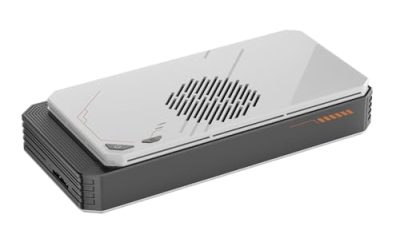
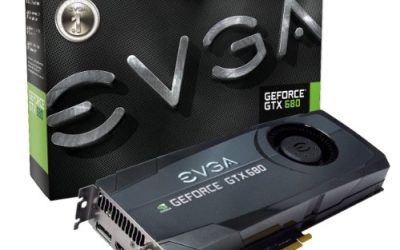
A graphics card under 100 dollars is a very particular purchase. Nobody expects to play the newest releases at high settings at that level; the realistic jobs are rescuing a PC that has no video output, driving two or three monitors for office work, adding an HDMI port to a business desktop that only had VGA, or squeezing basic 3D acceleration into a slim machine that cannot take a full-size card. The smart way to shop is to start from the problem you are solving, then let the listed connectors, memory type and card height pick the winner, rather than comparing raw model numbers.
This guide is for people upgrading an older tower or small-form-factor office PC, building a home theater PC, or buying a stop-gap while waiting for a better card. Cards in this class generally sit near or below the cap, but retail listings shift constantly, so confirm the current figure against your own limit before ordering. Where the listings below describe low-profile or half-height designs, they matter more than speed: a card that physically fits a slim case beats a faster one that does not. For 2026 budgets, it also pays to be honest about what these cards cannot do.
Our Top Picks

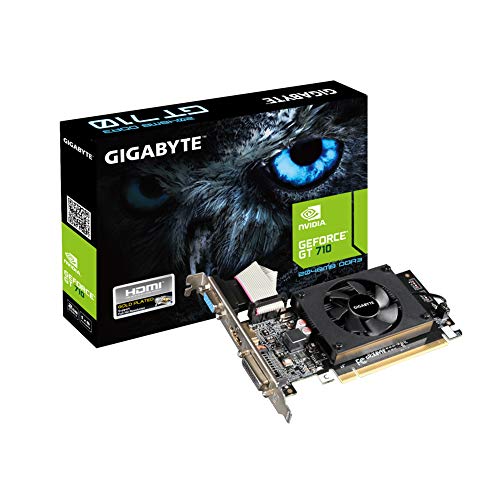


Top 3 picks at a glance
Quick Picks
As an Amazon Associate we earn from qualifying purchases at no extra cost to you.





| Product | Best for | Key spec taken from the product title |
|---|---|---|
| MSI GeForce GT 1030 4GD4 LP OC | Light gaming in a small case | 4GB DDR4, 64-bit, DP/HDMI |
| GIGABYTE GV-N710D3-2GL | Basic display output upgrade | 2GB DDR3 SDRAM |
| SOYO GeForce GT 740 4GB | Triple-output slim desktops | 4GB DDR3, 128-bit, HDMI/VGA/DVI-D |
| Dell Radeon R5 240 1GB | Replacing a failed OEM card | 1GB DDR3, DVI and DisplayPort (renewed) |
| GeForce GT 610 2G | Legacy VGA monitors and HTPCs | 2G DDR3, PCIe 1.1 x16, HDMI/VGA |
| Maxsun GeForce GT 710 2GB | Low-power office builds | 2GB, low profile, VGA/DVI-D/HDMI |
| MOUGOL Radeon RX 580 8GB | Most capable gaming option here | 8GB GDDR5, 256-bit, dual fan |
How to Choose
Decide what the card must physically do
Before comparing models, list your needs: the number of monitors, the connector type on each (VGA, DVI, HDMI or DisplayPort), and whether the case needs a low-profile or half-height bracket. Several listings here explicitly mention low-profile or small-form-factor designs, which usually includes a shorter bracket in the box. If your monitor is VGA-only, choose a card whose title lists a VGA port rather than relying on adapters, since adapters can add cost and compatibility problems. This single step eliminates most poor purchases.
Memory type and bus width explain most of the speed gap
At this tier, memory is the usual bottleneck. A 4GB DDR4 card on a 64-bit bus and a 4GB DDR3 card on a 128-bit bus can behave very differently from the capacity number alone. GDDR5 on a 256-bit bus, as in the RX 580 listing, offers far higher bandwidth than any DDR3 model here. Do not be swayed by large capacity figures on slow cards: 4GB of slow DDR3 on a weak chip does not turn it into a gaming card. Capacity helps only when the chip is fast enough to use it.
Know the realistic performance tier
The GT 610, GT 710 and R5 240 class are display adapters for desktop work, video playback and very old games. The GT 740 and GT 1030 step up to casual and esports-style titles at low resolutions and settings. The RX 580 8GB sits clearly above the rest with 2048 stream processors and 256-bit memory, but it uses a larger dual-fan design and needs power-supply headroom and case room. Match your expectations to the tier, and pick a card whose chip is newer if you want driver support and hardware video decoding for modern formats.
Video playback deserves a mention as well. If the machine is mostly a media or office box, what matters is whether the card can decode the formats you stream. Older chips such as the GT 610 predate several modern codecs, so a very old card can force the processor to do the work and push usage up. A newer entry-level chip is the safer pick for smooth playback on a large display.
Check power, size and platform compatibility
Low-profile cards generally draw modest power from the slot alone, while larger cards such as the RX 580 listing need a proper power supply connector and airflow. Also check the interface: a PCIe 1.1 x16 card like the GT 610 will still work in newer slots, but the listing’s age tells you the chip is old. Renewed or older OEM cards, such as the Dell R5 240, are fine for repairs but may lack current driver support. Ignore marketing words like “OC” and “gaming” on low-end chips; they change little. Budget cards cut corners on cooling, port variety and driver longevity.
The 7 Best Options
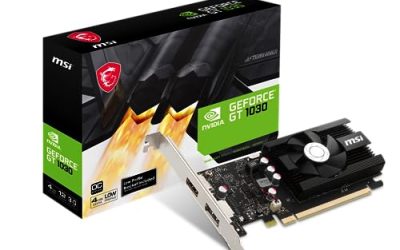
MSI GeForce GT 1030 4GD4 LP OC
The title lists 4GB DDR4, a 64-bit bus, DirectX 12 support, HDCP support, DP and HDMI outputs and a single-fan low-profile design. It suits a small-case build where a slim card is mandatory and the owner wants light gaming or smooth video playback along with a modern connector set.
- Strength: DisplayPort and HDMI cover modern monitors and TVs.
- Strength: low-profile single-fan design fits compact cases.
- Trade-off: DDR4 memory on a 64-bit bus limits performance compared with GDDR5 cards of the same family.
Skip it if you need VGA or DVI output without adapters, or want serious gaming performance.
GIGABYTE GV-N710D3-2GL
This GIGABYTE card is listed as a 2GB DDR3 SDRAM video graphics card for desktops, model GV-N710D3-2GL REV2.0. The title gives limited detail, which suits buyers who just need a working, branded display output for an office or family PC and are comfortable checking the ports on the product page.
- Strength: a recognizable manufacturer and a straightforward 2GB configuration.
- Strength: a simple, low-demand design suited to basic desktop use.
- Trade-off: the title does not list connectors or bus width, so you must verify them before buying.
Skip it if you need to confirm port types from the title alone or want any real gaming capability.
SOYO GeForce GT 740 4GB
The SOYO model lists 4GB DDR3, a 128-bit bus, 384 stream processors, a triple-output layout of HDMI, VGA and DVI-D, and a low-profile half-height design for slim desktops. It is a flexible pick for a small PC feeding multiple older displays.
- Strength: three video outputs of different types handle mixed monitor setups.
- Strength: a 128-bit bus is wider than other DDR3 cards in this group.
- Trade-off: DDR3 memory and a modest shader count keep gaming expectations low.
Skip it if you need DisplayPort or higher-end gaming performance.
Dell Radeon R5 240 1GB (Renewed)
This is a renewed Dell OEM card with 1GB DDR3 and DVI and DisplayPort outputs. It is a repair-oriented purchase: a replacement for an OEM desktop where the original card died and the owner wants the same footprint and parts compatibility.
- Strength: a DisplayPort output on a very low-cost class of card.
- Strength: OEM design should suit matching Dell desktops.
- Trade-off: only 1GB of DDR3 and renewed condition limit both performance and longevity.
Skip it if you want a new retail card with a warranty or any modern gaming ability.
GeForce GT 610 2G
The GT 610 listing mentions 2G DDR3, a low-profile design, PCI Express 1.1 x16, HDMI and VGA outputs, and compatibility with Windows 11. It is meant for entry-level and home-theater use in small cases, and the VGA port helps with older monitors and projectors.
- Strength: HDMI plus VGA covers both old and newer displays.
- Strength: low-profile build fits slim desktops and HTPC cases.
- Trade-off: an old chip and PCIe 1.1 interface make it suitable for display output only.
Skip it if you want to play any recent games or use more than basic video playback.
Maxsun GeForce GT 710 2GB
The Maxsun card is described as low-profile ready for small form factor machines, with DirectX 12 and OpenGL 4.5 support, low consumption, and VGA, DVI-D and HDMI outputs. It suits an office build where power draw and compatibility matter more than speed.
- Strength: three output types cover legacy and current monitors.
- Strength: low power consumption suits modest power supplies.
- Trade-off: 2GB on an entry-level chip handles desktop work, not demanding games.
Skip it if you need DisplayPort or want to run modern titles.
MOUGOL Radeon RX 580 8GB
The RX 580 listing stands out with 8GB GDDR5, a 256-bit bus, 2048 stream processors, PCIe 3.0 x16 and HDMI, DP and DVI outputs with dual-fan cooling. It is the one card here that can attempt real 1080p gaming, which makes it the stretch option for buyers who prioritize performance.
- Strength: GDDR5 on a 256-bit bus gives far more bandwidth than the DDR3 cards.
- Strength: triple output and dual-fan cooling suit a full-size tower.
- Trade-off: it needs more space and power than the low-profile cards, and its price may exceed a strict cap.
Skip it if you have a slim case, a small power supply or a hard spending limit.
Which One Fits Your Situation
Your office PC lost its video output
This is the most common reason people shop in this tier, and the goal is simply a working picture.
The Dell Radeon R5 240 1GB suits an OEM desktop repair, while the Maxsun GT 710 2GB is a sensible new alternative with three output types and low power use.
You have a slim desktop and want light gaming
The MSI GT 1030 4GD4 LP OC offers a low-profile design with DP and HDMI, which is the best fit for casual games at modest settings in a small case.
You run several older monitors
The SOYO GT 740 4GB gives you HDMI, VGA and DVI-D together, which saves buying adapters for mixed displays.
You have a full-size tower and want actual gaming
The MOUGOL RX 580 8GB is the clear choice for performance, as long as your power supply and case have room and the final cost fits your plan.
Common Mistakes
- Choosing a card by memory capacity alone and ignoring bus width and memory type.
- Forgetting to check whether the case needs a low-profile bracket before ordering.
- Buying a card with no VGA port for a monitor that only accepts VGA.
- Expecting a display-adapter class card such as the GT 610 to play current games.
- Overlooking power supply and slot requirements when considering a larger card like the RX 580.
Related guides
- Sustainable Gaming Pc Power Supply Efficiency Guide
- Noctua Nh-D15 Vs Thermalright Peerless Assassin 120
- Thermal Paste Application Method For Lga1851
Frequently Asked Questions
Can a card in this price range run modern games?
Only some. The RX 580 and GT 1030 can handle casual and older titles at lower settings, while the GT 610, GT 710 and R5 240 are mainly for desktop work and video playback.
Is a renewed graphics card a safe choice?
It can be fine for repairs or office use, but check the seller’s return terms and expect a shorter lifespan. Newer chips receive driver updates longer than older renewed OEM cards.
Does more VRAM make a cheap card faster?
Not by itself. A weak chip with slow DDR3 memory cannot use a large VRAM pool effectively. Bus width, memory type and the chip itself matter more.
Do I need a new power supply for these cards?
The low-profile cards generally draw little power and may run from slot power, while the RX 580 needs a proper power connector and a supply with enough headroom. Check the manufacturer’s recommended power supply before buying.