Choosing an MLC PCIe SSD means choosing endurance over marketing. MLC NAND stores two bits per cell, so it handles sustained writes with less wear than the TLC NAND found in most current drives, and that difference shows up in video editing, large file transfers, and scratch-disk work. The catch is supply: almost no manufacturer still makes a consumer MLC PCIe drive, so the realistic shortlist is a handful of older flagship models that remain listed on Amazon.
This guide is for PC builders who want a drive that keeps its speed under long writes, editors and creators who move large projects every day, and owners of older workstations looking for a dependable upgrade. Each drive below was picked from the names and specifications shown on its Amazon product page, with the MLC NAND type and PCIe interface checked against the listing before it made the list.
Top 3 picks at a glance


Quick Picks
As an Amazon Associate we earn from qualifying purchases
| Product | Best for | Key spec from title |
|---|---|---|
| Samsung 970 PRO 512GB | Everyday builds that need steady write speed | 2-bit MLC V-NAND, up to 3,500 MB/s read |
| Samsung 970 PRO 1TB | Large libraries and heavy write workloads | 1TB capacity, 1,200 TBW endurance |
| Samsung 960 PRO 1TB | Older flagship speed at a proven design | Polaris controller, up to 3,500 MB/s read |
| Intel SSD 750 Series 400GB | Workstation builds with a U.2 connection | 2.5-inch U.2 form factor, PCIe 3.0 x4 |
How to Choose
Confirm the NAND Is Really MLC
The word MLC gets stretched in listings, so read the NAND type in the specifications table rather than trusting a headline. A genuine MLC drive names 2-bit MLC or V-NAND MLC in its spec sheet, while many drives that look similar use TLC NAND with a large cache. The Samsung 970 PRO and 960 PRO both state MLC NAND in their specifications, which is why they lead this list. If a listing never names the NAND type at all, treat that as a warning sign and move on to a drive that does.
Match the Form Factor to Your Slot
Most MLC PCIe drives in this list use the M.2 2280 size, which slides into a standard M.2 slot on a desktop board or laptop, but the Intel 750 in this guide is a 2.5-inch drive that needs a U.2 connector instead. Check your board manual before ordering and confirm the slot length, the key type, and whether the slot shares lanes with another device. A drive that cannot physically fit the slot is useless no matter how fast its headline numbers look, so measure first and order second.
Read Endurance Before Headline Speed
Sequential read and write numbers are easy to compare, but endurance decides how long a drive survives heavy use. Look for the TBW rating, which states how many terabytes the drive is rated to write over its warranty period, and compare it across drives of the same capacity. The 1TB models in this list carry far higher TBW ratings than the 512GB models, which is normal: more NAND dies spread the wear. For a scratch disk or a video workstation, a high TBW rating matters more than a small speed gap.
Check the PCIe Generation and Lanes
Every drive in this list runs on PCIe 3.0 with four lanes, which is the generation these MLC flagships were built for, and that is fast enough for most builds even today. A PCIe 3.0 x4 drive works in a newer PCIe 4.0 slot, but it still runs at PCIe 3.0 speeds, so do not expect a slot upgrade to make it faster. The other direction matters more: a slot wired for only two lanes will cut the drive’s bandwidth in half. Confirm the slot runs at x4 before you buy.
The 5 Best Options
1. Samsung 970 PRO 512GB
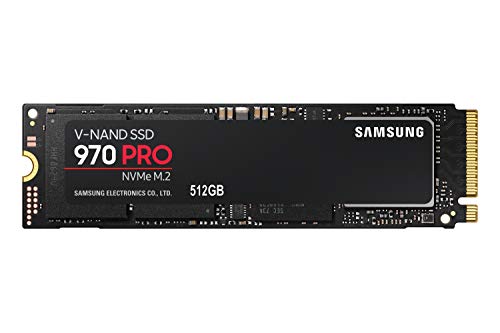
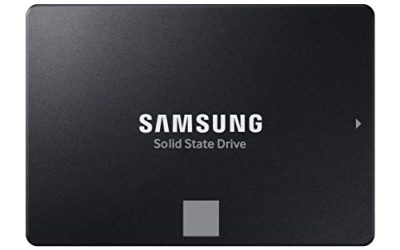
The 970 PRO 512GB is the most balanced MLC drive still listed for PC builders. Its 2-bit MLC V-NAND and Phoenix controller hold sequential writes steady during long transfers instead of slowing down once a cache fills, which is the behaviour that made this drive a favourite for editing and workstation builds. At 512GB it fits an operating system, applications, and a working project library without wasting capacity on storage you will rarely touch. Samsung’s Magician software handles firmware updates and drive health checks, and the nickel-coated controller and heat spreader help with thermal control.
Specs
- Capacity: 512GB
- Interface: PCIe Gen 3.0 x4, NVMe 1.3
- Form factor: M.2 2280
- NAND: Samsung V-NAND 2-bit MLC
- Controller: Samsung Phoenix
- Sequential read/write: up to 3,500 MB/s / 2,700 MB/s
- Endurance: 600 TBW
- Warranty: 5 years
Best for: Builders who want steady MLC write speed in a mid-size boot and work drive.
Watch out for: Write speed is lower than the 1TB model, and the drive runs warm during long transfers, so leave airflow over the M.2 slot.
2. Samsung 970 PRO 1TB
The 1TB 970 PRO is the strongest MLC option in this list for anyone who writes large files every day. Doubling the capacity doubles the NAND dies available for writes, so it reaches the full 2,700 MB/s sequential write speed and carries a 1,200 TBW endurance rating, twice the rating of the 512GB model. That combination suits video editors, photographers working with large raw files, and builders who want one drive to hold the system, applications, and active projects. It uses the same Phoenix controller and M.2 2280 size as its smaller sibling, so it drops into the same boards.
Specs
- Capacity: 1TB
- Interface: PCIe Gen 3.0 x4, NVMe 1.3
- Form factor: M.2 2280
- NAND: Samsung V-NAND 2-bit MLC
- Controller: Samsung Phoenix
- Sequential read/write: up to 3,500 MB/s / 2,700 MB/s
- DRAM cache: 1GB LPDDR4
- Endurance: 1,200 TBW
- Warranty: 5 years
Best for: Editors and creators who need maximum MLC endurance and a full terabyte of fast storage.
Watch out for: The 1TB model is often listed by third-party sellers, so check the seller and the model code MZ-V7P1T0BW on the listing.
3. Samsung 960 PRO 1TB
The 960 PRO 1TB is the previous Samsung flagship, and it still earns a place here because its MLC V-NAND and Polaris controller deliver the same 3,500 MB/s sequential read speed as the newer 970 PRO. Its write speed tops out at 2,100 MB/s, a step below the 970 PRO 1TB, but its 800 TBW endurance rating remains far above most current TLC drives. For an older workstation or a second build, it offers proven MLC durability in the standard M.2 2280 size. It also supports AES 256-bit encryption and TCG Opal for secured workstations.
Specs
- Capacity: 1TB
- Interface: PCIe Gen 3.0 x4, NVMe 1.2
- Form factor: M.2 2280
- NAND: Samsung V-NAND MLC
- Controller: Samsung Polaris
- Sequential read/write: up to 3,500 MB/s / 2,100 MB/s
- DRAM cache: 1GB LPDDR3
- Endurance: 800 TBW
- Warranty: 5 years
Best for: Owners of older high-end builds who want proven MLC endurance without moving to a newer platform.
Watch out for: This is a previous-generation drive, so confirm the listing shows model MZ-V6P1T0BW and check the seller before ordering.
4. Intel SSD 750 Series 400GB

The Intel SSD 750 Series 400GB is the odd one out in this list, and that is exactly why it is here. It is a 2.5-inch drive with a U.2 connector rather than an M.2 stick, which makes it the right pick for workstations and servers that have a U.2 bay but no free M.2 slot. Its 20nm MLC NAND and PCIe 3.0 x4 NVMe interface deliver up to 2,500 MB/s sequential reads and strong random performance for its age. The 400GB capacity is modest, so it works best as a fast system or scratch drive rather than bulk storage.
Specs
- Capacity: 400GB
- Interface: PCIe 3.0 x4, NVMe
- Form factor: 2.5-inch, U.2 (SFF-8639)
- NAND: Intel 20nm MLC
- Sequential read/write: up to 2,500 MB/s / 1,200 MB/s
- Random read/write: up to 460,000 / 290,000 IOPS
- MTBF: 1.2 million hours
- Warranty: 5 years
Best for: Workstation owners with a U.2 bay who need a fast MLC system or scratch drive.
Watch out for: It will not fit a standard M.2 slot or a SATA bay, so confirm your system has a U.2 connector or a compatible adapter first.
Which One Fits Your Situation
Building a New Mid-Range Gaming PC
Pick the Samsung 970 PRO 512GB. It gives you true MLC endurance and steady write speed in a size that covers the operating system, your games, and your applications without overbuying capacity. The M.2 2280 size fits almost every current board, and the 600 TBW rating is generous for a gaming drive that mostly reads.
Editing Video or Moving Large Files Daily
Pick the Samsung 970 PRO 1TB. Its 1,200 TBW endurance rating and full 2,700 MB/s write speed are built for sustained transfers, and the extra capacity holds active projects alongside the system. It is the drive in this list that handles a heavy daily write load with the most headroom.
Upgrading an Older High-End Build
Pick the Samsung 960 PRO 1TB. It brings proven MLC durability and a 3,500 MB/s read speed to a machine that already has a PCIe 3.0 M.2 slot, and its 800 TBW rating still beats most current TLC drives. Check the listing model code first, since this previous-generation drive is sold by several different sellers.
Filling a U.2 Bay in a Workstation
Pick the Intel SSD 750 Series 400GB. It is the only drive here with a 2.5-inch U.2 connection, so it suits workstations and servers with a U.2 bay and no free M.2 slot. Use it as a fast system or scratch drive and keep bulk files on a larger SATA drive.
Common Mistakes
- Buying a drive with TLC NAND because the listing headline only says V-NAND or 3D NAND without naming MLC.
- Ordering an M.2 drive before checking whether the slot runs at x4 or shares lanes with another device.
- Judging a drive by sequential read speed alone and ignoring the TBW endurance rating.
- Trying to install the 2.5-inch Intel 750 in a SATA bay or an M.2 slot instead of a U.2 connection.
- Skipping a firmware and health check after installation, so a drive with outdated firmware runs slower than it should.
Frequently Asked Questions
Are MLC SSDs still worth buying in 2026?
Yes, if endurance and sustained write speed matter more than having the newest interface. MLC NAND wears more slowly than TLC NAND, so these drives hold their speed during long writes and last longer under heavy use. The trade-off is choice: only a few older flagship models remain listed, and they run on PCIe 3.0 rather than PCIe 4.0 or 5.0.
What is the difference between MLC and TLC NAND?
MLC NAND stores two bits in each memory cell, while TLC NAND stores three. Fewer bits per cell means each write stresses the cell less, which gives MLC drives higher endurance ratings and more consistent write speeds. TLC drives are cheaper per gigabyte and dominate current shelves, but they lean on a fast cache to hide slower sustained writes once that cache fills.
Will a PCIe 3.0 MLC SSD work in a PCIe 4.0 slot?
Yes. PCIe slots are backward compatible, so a PCIe 3.0 x4 drive fits and runs in a PCIe 4.0 x4 slot. It will still run at PCIe 3.0 speeds, because the drive sets the ceiling, not the slot. For most gaming and editing work that ceiling is still fast enough, and the MLC endurance is the reason to choose one of these drives anyway.
How long does an MLC PCIe SSD last?
It depends on how much you write, which is why the TBW rating matters. A 1TB drive rated at 1,200 TBW can absorb far more written data than a 512GB drive rated at 600 TBW before reaching its rated limit. For typical desktop and gaming use, a drive like the 970 PRO 1TB should last many years, and its five-year warranty covers the rated endurance period.
Related guides
More from Amazon
Programs that pair well with the guide above. Offers and eligibility are set by Amazon and may change.
Free shipping on eligible items, Prime Video and more. Eligible new members can start with a free trial.
Start a Prime free trialAd-free music streaming. Eligible new subscribers can start with a free trial.
Try Music Unlimited freeA Prime membership for ages 18-24 with a trial period. Eligibility is set by Amazon.
See Prime for Young AdultsAudiobooks and podcasts to listen to on the go. Eligible new members can start with a free trial.
Try Audible freeAs an Amazon Associate we earn from qualifying purchases.