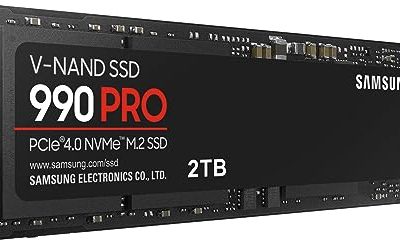
The PlayStation 5 ships with limited internal storage, and a few modern installs fill it before the console has finished its first year of use. The expansion slot inside is a standard M.2 bay, so the decision is less about whether a drive will work and more about which one clears Sony’s published requirements without causing heat or fit problems. That is the question this guide answers: which NVMe drives are worth fitting into the slot, and which details on the listing actually matter.
It is written for console owners who are comfortable removing a cover plate and fitting a drive, and for people who plan to reuse the same SSD in a PC or laptop later. Every pick is judged only on what the listing states: interface generation, rated read speed, heatsink, capacity and form factor. If you are shopping in 2026 for a first expansion, you will find the speed numbers bunched close together, so the other differences carry more weight than they first appear to.
Our Top Picks


Top 3 picks at a glance
Quick Picks
As an Amazon Associate we earn from qualifying purchases at no extra cost to you.


| Product | Best for | Key spec from the title |
|---|---|---|
| WD_BLACK SN850P 1TB | Buyers who want an officially licensed drive | Up to 7,300MB/s, heatsink included |
| fanxiang 1TB NVMe | Budget-minded upgrades | PCIe Gen 4, up to 7000MB/s, heatsink |
| SIX NVMe M.2 1TB | Peak rated read speed at a modest tier | PCIe 4.0, M.2 2280, up to 7350MB/s, heatsink |
| Crucial P310 1TB | Console plus PC flexibility | PCIe Gen4, up to 7,100MB/s, heatsink |
| Lexar NM790 4TB | Huge game libraries | 4TB, 7400/6500 MB/s, heatsink |
| Acer Predator GM7 1TB | Cross-platform use | PCIe Gen 4 x4 NVMe 2.0, up to 7400 MB/s |
How to Choose
Meet the console’s interface and speed floor
Sony requires a PCIe Gen4 x4 M.2 NVMe drive and advises a sequential read speed of 5,500MB/s or more. Every drive listed here advertises Gen 4 operation and a rated read above that mark. A Gen3 drive may physically fit, but it will not meet the requirement, so ignore any listing that does not name Gen4 clearly. The headline numbers are theoretical peaks, so judge by the interface and the mid-range value instead of chasing the very top figure.
Check the form factor and the heatsink
The console takes 2280-length drives, among other lengths, and the cover leaves limited vertical space. Sony’s published total height with heatsink is 11.25mm, so a tall aftermarket cooler can stop the cover from closing. Drives with built-in heatsinks designed for this slot remove the guesswork. If you buy a bare drive, plan to fit a slim heatsink, because the console enclosure holds heat and sustained writes during large installs make it noticeable.
Capacity and how the library grows
One terabyte is the practical minimum because many current titles take tens of gigabytes each, and system software uses some of the capacity already. Two terabytes gives comfortable headroom. A 4TB drive suits households with many installed games and removes the need to archive older ones. Ignore marketing about cache size, since the console reads games sequentially and rarely stresses write cache the way a PC would.
Where budget drives cut corners
Lower-priced drives often use older flash, smaller write buffers or lighter controllers, and the cuts show when sustained writes slow once the cache fills. Brand-name controllers and licensed designs generally come with longer warranty terms. Compare warranty length and the included heatsink, not just the first number on the box, because those two details say more about how the maker stands behind the product, and keep a backup of your save data since the console can also re-download games.
The 6 Best Options
WD_BLACK SN850P 1TB
This drive is for owners who want the reassurance of an officially licensed storage expansion for the console. The title states up to 7,300MB/s and a built-in heatsink, which together address the speed and thermal requirements in one package. For a first-time installer, that bundled approach means one fewer part to research, measure or mount separately.
- Licensed for PS5 consoles, which reduces compatibility doubts
- Includes a heatsink, so fit is intended for the console bay
- Trade-off: 1TB is the only capacity shown, and it fills quickly with modern installs
Skip it if you need multi-terabyte capacity or want to spend as little as possible. Shoppers who plan to move the drive into a PC later should note the licensed design is aimed squarely at the console slot.
fanxiang 1TB NVMe
The fanxiang model targets anyone upgrading on a tight budget who still wants a heatsink-equipped Gen 4 drive. The title lists PCIe Gen 4, up to 7000MB/s and compatibility with the PS5, so it clears the console’s stated read floor on paper. The listing also describes the drive as internal solid state storage for expansion, which is exactly the use case here, and the 1TB tier is a sensible starting size.
- Heatsink is included, simplifying the fit
- Rated read speed is well above the recommended minimum
- Trade-off: less established as a storage brand than the larger makers, so warranty details are worth reading
Skip it if brand reputation or a long warranty history is your priority, or if you need more than 1TB at this listing.
SIX NVMe M.2 SSD 1TB
This one appeals to buyers who read the spec sheet first and want the highest rated read among the 1TB options. The title lists PCIe 4.0, M.2 2280, up to 7350MB/s and a heatsink, which covers the main checks for a console drive. Because the slot rewards a drive that is already cooled and correctly sized, having both facts stated up front saves time compared with decoding a vague listing.
- Highest advertised read in the 1TB group
- 2280 form factor and heatsink are both named in the title
- Trade-off: the brand is less familiar, so independent support options are unclear
Skip it if you prefer a recognizable name or want a drive with a longer track record in the field, since the brand name alone gives little guidance on support or warranty handling.
Crucial P310 1TB
The P310 is a flexible pick for someone who will also use the drive in a laptop or desktop one day. The listing describes a 2280 PCIe Gen4 NVMe drive with a heatsink, up to 7,100MB/s, and names PlayStation 5, laptop and desktop compatibility. The mention of PC support matters if the console is only one of several machines in the house that could use fast storage over time.
- Cross-platform compatibility is spelled out in the title
- Heatsink included for the console slot
- Trade-off: rated speed sits mid-pack, not at the top of the group
Skip it if the fastest advertised read figure is your deciding factor or you need more than 1TB.
Lexar NM790 4TB
Choose this model if your library has outgrown smaller drives and you want one large expansion rather than juggling installs. The title lists 4TB, a heatsink, read and write figures of 7400 and 6500 MB/s, M.2 2280 and PCIe Gen 4×4, plus PS5 compatibility. Giving both read and write figures is helpful, since large game installs are write-heavy work and the second number is the one that tells you how the drive behaves during them.
- 4TB gives the largest capacity in this group
- Both read and write speeds are listed, which helps compare sustained behavior
- Trade-off: the capacity tier sits in the premium range, so the total cost is higher
Skip it if you only keep a handful of games installed, because a 1TB drive will serve you well at a lower cost.
Acer Predator GM7 1TB
This drive suits a household that wants one brand for console, laptop and desktop drives. The title states M.2 2280, PCIe Gen 4 x4, NVMe 2.0 and read speeds up to 7400 MB/s, and mentions PS5 use alongside laptops and desktops. The Predator branding and the NVMe 2.0 label signal a current-generation controller design, even though the title itself does not go into detail about flash type or endurance.
- NVMe 2.0 and Gen 4 x4 are named explicitly
- Strong rated read speed for the 1TB tier
- Trade-off: the visible title does not mention a heatsink, so you may need a separate one for the console slot
Skip it if you want a drop-in console upgrade with the cooling already attached, because adding a separate heatsink means checking height clearance yourself.
Which One Fits Your Situation
You want the least compatibility risk
The WD_BLACK SN850P 1TB is the natural choice because it is described as officially licensed for the console and ships with a heatsink. It removes most of the guessing, and the single listed capacity makes the decision simple for anyone who just wants to open the cover, fit the drive and move on.
Your library is huge
The Lexar NM790 4TB gives the most room, which means fewer deletions and re-downloads. It also suits creators who move the drive to a PC later, where a spacious drive holds project files alongside games.
You are upgrading on a tight budget
The fanxiang 1TB keeps the heatsink and Gen 4 spec while staying in the budget tier. Compare warranty length before buying, and keep the original packaging in case a return is needed.
You plan to move the drive to a PC
The Crucial P310 1TB and the Acer Predator GM7 1TB both state laptop and desktop compatibility. Choose the Crucial if you want a heatsink already attached.
Common Mistakes
- Buying a drive without checking that it lists PCIe Gen4 rather than Gen3, or one that never names the console or its form factor at all.
- Fitting a tall heatsink that pushes past the console’s published height limit and stops the cover closing.
- Chasing the highest advertised read number when the difference over the minimum is barely noticeable in loading screens.
- Forgetting to format the drive through the console’s own menu before moving games over.
- Skipping the heatsink entirely, which can let sustained installs push the drive hot inside the enclosure and trigger slowdowns.
Related guides
- Noctua Nh-D15 Vs Thermalright Peerless Assassin 120
- Sustainable Gaming Pc Power Supply Efficiency Guide
- Thermal Paste Application Method For Lga1851
Frequently Asked Questions
Do I need a heatsink on an SSD for the console?
Yes, a heatsink is strongly advised because the console bay has limited airflow. A drive with a built-in one removes the need to buy and measure a separate part. Make sure the total height stays within the published limit.
Will a faster rated drive load games faster?
Not by a large margin. Once a drive clears the advised read speed, game load times are driven by the console and the game, so the extra headroom is mostly theoretical.
Can I use the same drive in a PC later?
Often yes, since these are standard M.2 2280 NVMe drives. Check that your PC has a free M.2 slot with Gen 3 or Gen 4 support, and remove the console-specific heatsink if it does not fit your motherboard.
How much capacity should I buy?
Start at 1TB and move up to 2TB or more if you install many large titles. Remember the console can re-download games, so capacity is about convenience rather than a hard limit. A bigger drive simply saves repeated downloads, which matters if your connection is slow or capped.