One terabyte has become the point where a solid-state drive stops feeling like a compromise. It holds an operating system, a handful of modern games, and a working library of projects without forcing you to uninstall something every time a patch lands. The decision this keyword implies is narrower than it looks, though: the capacity is fixed, so the real question is which interface and speed class belongs in your machine. A 2.5-inch SATA drive and an M.2 NVMe stick share the same 1TB label and behave very differently once you look at the connector.
This guide is for buyers upgrading an aging laptop or desktop that still boots from a mechanical disk, for builders filling an M.2 slot on a new board, and for anyone who wants a second drive for a game library. We compare six 1TB models using only what their listings state, sort them by interface and speed class, and explain which kind of buyer should pick each. Pricing shifts constantly, so we describe tiers (budget, mid-range, premium) rather than quoting numbers.
Our Top Picks
 Crucial BX500 1TB 3D NAND SATA 2.5-Inch Internal1TB3.95 x 0.27 x 2.75 inches0.1 poundsCheck on Amazon





Top 3 picks at a glance
Quick Picks
As an Amazon Associate we earn from qualifying purchases at no extra cost to you.


| Product | Best for | Key spec from the title |
|---|---|---|
| PNY CS900 1TB | Swapping out a hard drive in an older PC or laptop | 2.5″ SATA III, up to 535/515MB/s read/write |
| Kingston NV3 1TB | Everyday gaming builds with an open M.2 slot | M.2 2280 NVMe, PCIe 4.0 Gen 4×4, up to 6000 MB/s |
| Samsung 870 EVO 1TB | Buyers who want a well-known SATA brand | 2.5″ SATA III, read speeds up to 560MB/s |
| Crucial BX500 1TB | The lowest-cost route off a spinning disk | 3D NAND, 2.5-inch SATA, up to 540MB/s |
| TEAMGROUP T-Force Vulcan Z 1TB | Budget SATA upgrade with a gaming-oriented name | SLC cache, 3D NAND TLC, up to 550/500 MB/s |
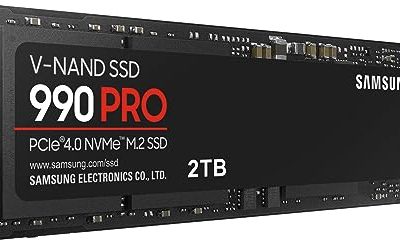
| Samsung 990 PRO 1TB | High-end gaming and heavy workloads | PCIe 4.0 M.2 2280, up to 7,450 MB/s |
How to Choose
Start with the physical slot, not the speed
Before comparing numbers, open your system manual or look inside the case. A 2.5-inch SATA drive needs a SATA data port and a power connector (or a laptop bay). An M.2 2280 drive needs a motherboard slot that is 22 millimeters wide and 80 millimeters long, and you must confirm the slot supports NVMe rather than SATA only. Many older boards have an M.2 slot that accepts only SATA-based sticks. Buying the wrong interface is the most common reason a 1TB upgrade gets returned.
Know the realistic speed ceilings
SATA III tops out around 550 MB/s in practice, which is why every 2.5-inch drive in this list clusters between roughly 535 and 560 MB/s. PCIe 4.0 x4 NVMe drives advertise several times that: the Kingston NV3 lists up to 6000 MB/s and the Samsung 990 PRO up to 7,450 MB/s. Those figures only appear when the slot itself is PCIe 4.0. In a PCIe 3.0 slot the drive still works, but sequential speed is capped lower. For booting, app launches, and most games, the gap between SATA and NVMe is smaller in daily use than the spec sheet suggests. It matters most for large file copies and video editing scratch space.
Check cache behavior and endurance
Budget drives write quickly only until their fast cache fills, then slow down. Listings that mention an SLC cache are telling you this design is in play. If you routinely move 50GB or more at a time, favor drives with a stronger controller and a higher endurance figure. Look for the TBW (terabytes written) figure on the manufacturer page; a 1TB drive commonly lists a few hundred terabytes, which is far beyond what a typical gamer writes in five years. Ignore peak speed claims when comparing within the SATA class, because they are nearly identical.
Where budget models cut corners
Entry-level SATA drives often skip DRAM and use simpler controllers, and entry-level NVMe drives may use fewer cache resources than premium ones. Warranty length, firmware tools, and included migration software also tend to separate budget from premium. Brand-name support software helps with cloning your old drive. If you do not need that, a budget model is a perfectly sensible choice for a secondary drive or an older laptop, where the interface limits speed anyway.
The 6 Best Options
PNY CS900 1TB
This is a 2.5-inch SATA III drive aimed at people replacing a mechanical disk in a desktop or laptop. The title lists up to 535MB/s reads and 515MB/s writes and positions it for everyday users, creators, and gamers.
- Strength: Standard 2.5-inch SATA fit works in nearly any older desktop or notebook bay.
- Strength: Read and write figures sit close together, which suggests steady behavior for general use.
- Trade-off: SATA speeds are a ceiling, so it will not feel like a modern NVMe drive on large transfers.
Skip it if your motherboard has a free M.2 NVMe slot and you want maximum speed. It suits budget upgrades where the goal is simply ending slow boot times.
Kingston NV3 1TB
The NV3 is an M.2 2280 NVMe drive using a PCIe 4.0 Gen 4×4 interface, with speeds listed up to 6000 MB/s. It occupies the middle of the NVMe range: far faster than any SATA drive here without chasing flagship numbers.
- Strength: PCIe 4.0 x4 delivers a large jump over SATA for file copies and level loading.
- Strength: The M.2 stick form frees up cable routing and drive bays in a compact build.
- Trade-off: It needs a compatible M.2 NVMe slot, and the full 6000 MB/s needs a PCIe 4.0 connection.
Skip it if your system has only 2.5-inch SATA bays. Gamers building a mid-range PC with an available M.2 slot are the natural fit.
Samsung 870 EVO 1TB
The 870 EVO is a 2.5-inch SATA III drive with read speeds listed up to 560MB/s, marketed toward PC and laptop upgrades and IT professionals. Samsung’s name tends to attract buyers who prefer a familiar brand for storage.
- Strength: The 560MB/s read figure is at the top of what the SATA III interface allows.
- Strength: Works as a drop-in upgrade for older desktops, laptops, and small servers with SATA bays.
- Trade-off: Its speed ceiling is the SATA limit, so NVMe drives will feel faster for large files.
Skip it if you only need the cheapest 1TB possible. It suits buyers who want a mainstream SATA drive and are willing to pay a little more for brand familiarity.
Crucial BX500 1TB
The BX500 is a 3D NAND SATA 2.5-inch drive with speeds listed up to 540MB/s. It sits in the budget tier and appeals to anyone who wants to leave a hard drive behind without spending much.
- Strength: 3D NAND SATA design delivers a clear step up from a mechanical disk in boot and load times.
- Strength: The 2.5-inch format fits nearly any laptop or desktop with a SATA port.
- Trade-off: As a budget model, sustained heavy writes are not its strength, so avoid using it for constant video scratch work.
Skip it if you plan to edit large video files daily. It fits a family computer or a secondary game-library drive.
TEAMGROUP T-Force Vulcan Z 1TB
This 2.5-inch SATA III drive uses 3D NAND TLC with an SLC cache and lists speeds up to 550/500 MB/s read/write. It is another budget-leaning option aimed at PC upgrades.
- Strength: The listed 550 MB/s read speed matches the top of the SATA class.
- Strength: SLC caching helps short bursts of writes feel quick in everyday use.
- Trade-off: Write speed drops once the cache fills, a common trait of budget TLC drives.
Skip it if you want an M.2 stick or a premium warranty experience. It suits cost-conscious builders replacing an old hard drive.
Samsung 990 PRO 1TB
The 990 PRO is a PCIe 4.0 M.2 2280 NVMe drive with read speeds listed up to 7,450 MB/s, positioned for high-end computing, gaming, and heavy-duty workloads. It anchors the premium end of this list.
- Strength: The highest listed speed here, ideal for large project files and fast game loading.
- Strength: PCIe 4.0 M.2 2280 fits current gaming boards and many laptops.
- Trade-off: Premium tier cost, and its best speeds need a PCIe 4.0 slot.
Skip it if you only browse and stream, since the extra speed would go unused. It suits creators and enthusiasts who move big files every day.
Which One Fits Your Situation
You are rescuing a slow laptop with a 2.5-inch bay
Pick the Samsung 870 EVO. The SATA III interface matches what an older laptop offers, and a familiar brand makes cloning and support straightforward. If the budget is tight, the PNY CS900 does the same job at a lower tier.
You are building a mid-range gaming desktop
Choose the Kingston NV3. PCIe 4.0 x4 gives you quick level loads and a clean cable layout, and it avoids paying flagship money for speed that a mid-range GPU and CPU will not fully exploit.
You edit video or move huge folders weekly
Go with the Samsung 990 PRO. The listed 7,450 MB/s read speed and its heavy-duty positioning make sense when transfers are part of your workflow rather than a rare event.
You need the cheapest way to leave a spinning disk
The Crucial BX500 is the clear pick for this. If you prefer a gaming-branded drive with the same SATA ceiling, the TEAMGROUP T-Force Vulcan Z is a close alternative.
If you are unsure, remember that a modest SATA drive in the right slot beats a flagship NVMe drive that cannot be installed at all. Match the connector first, then spend whatever budget remains on capacity headroom or a longer warranty.
Common Mistakes
- Buying an M.2 drive without confirming the slot supports NVMe; some slots accept only SATA-based sticks.
- Assuming a PCIe 4.0 drive will hit its top speed in a PCIe 3.0 slot; sequential speed will be capped lower.
- Paying extra for faster SATA numbers: every 2.5-inch drive here sits within a few MB/s of the interface limit.
- Ignoring the cache behavior of budget drives when planning to copy very large files in one go.
- Forgetting the cloning step: plan to migrate your old drive or reinstall the operating system before removing it.
Related guides
- Noctua Nh-D15 Vs Thermalright Peerless Assassin 120
- Sustainable Gaming Pc Power Supply Efficiency Guide
- Thermal Paste Application Method For Lga1851
Frequently Asked Questions
Is 1TB enough for a gaming PC in 2026?
For most players, yes, if you keep a rotation of current titles installed. Heavy collectors who keep many large games on hand may want a second drive. A 1TB boot drive plus a budget SATA secondary is a common pairing.
Will an NVMe drive make my games run faster?
It mainly shortens loading screens and installs, not frame rates. The difference between SATA and NVMe is noticeable in large open-world loads, but frame rates depend on your GPU and CPU.
Can I use a 2.5-inch SATA SSD in a desktop with no 2.5-inch bay?
Yes. Many cases include mounting brackets or hidden trays, and inexpensive adapters let you fit a 2.5-inch drive in a 3.5-inch bay. You will still need a SATA data cable and power connector.
Do I need a heatsink for a PCIe 4.0 SSD?
Many motherboards include M.2 heatsinks, which help sustain speed during long transfers. If your board lacks one, check the drive’s manufacturer guidance, especially for high-end models. Also keep an eye on airflow around the slot, since a drive tucked under a large graphics card can run warmer than one with open space around it.