Hard drives fail, cloud plans change, and in 2026 a shelf of written discs still has a place in a sensible backup plan. The catch is that the same shiny Blu-ray drive can mean two very different things: a player that only reads discs, or a burner that writes them. For backups you need the writer, and you need to know which disc capacities it accepts, because that decides how many discs a photo library or a project archive will eat.
This guide is for people archiving family photos, client work, or a video library to optical media, usually from a laptop with no built-in disc tray. Every drive below is an external model with USB 3.0 or USB-C, and the notes focus on write support, disc capacity, ports, and operating-system coverage as stated in the listings. Treat any title that says “reader” or “player” with caution until the spec sheet confirms burning.
Our Top Picks


Top 3 picks at a glance
Quick Picks
As an Amazon Associate we earn from qualifying purchases at no extra cost to you.



| Product | Best for | Key spec from the title |
|---|---|---|
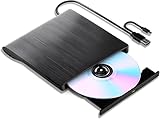
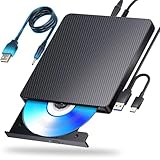
| GODBPNYMU 8-in-1 | Burn plus memory card offload | Two USB-A and two USB-C ports, TF/SD reader |
| GOOBOX External Blu-ray | Clear write speed figure | 6X BD-RE burner, USB-C and USB 3.0 |
| aelrsoch Blu-ray Burner | Older Windows machines | USB 3.0 / Type-C, Windows 7 to 11 |
| GODBPNYMU 5-in-1 | Mac and Windows reading | Blu-ray reader, USB 3.0 and USB-C |
| Slim Type-C Blu-ray Burner | Thin laptop bags | BD read/write, slim optical drive |
| Desktop Blu-ray Burner with HDD Interface | Fixed desk setup | 16x BD read, two USB 3.0 hub ports |
| LLMHHKYK External Blu-ray | Plug-and-play use | Player and burner, USB 3.0 and Type-C |
| 8-in-1 CD/DVD/Blu-ray Drive | Reading old movie discs | Disc reader, Windows, Mac, and Linux |
| 7-in-1 Blu-ray Burner | Large archives | 100GB BD disc support, SD/TF reader |
How to Choose
Confirm it writes, not just reads
Listings mix words like player, reader, burner, and writer. A backup drive must say burner or read/write, and ideally name the formats it records: BD-R, BD-RE, DVD, and CD. If the title only says reader or player, assume you are buying a playback device and keep shopping.
Disc capacity and write speed
Standard single-layer discs hold 25GB and dual-layer hold 50GB, while 100GB triple-layer media needs a drive that names it. One listing states 100GB BD disc support; the others do not mention it. Speed figures such as 6X write matter less than reliability, since a slow, steady burn is safer for archives than a rushed one.
Ports, power, and host computer
USB 3.0 and USB-C connections keep burn speeds stable, and many slim drives draw power from a single cable. A dual-cable or desktop drive is steadier on weak laptop ports. Check that your computer runs a supported operating system; several titles list Windows 7 through 11, and some add Mac or Linux.
What to ignore and where budget drives cut corners
Ignore “8-in-1” or “7-in-1” counts that simply add card slots and ports. Budget drives often skip bundled burning software, so plan on a separate app. Look for a sturdy tray or slot, and be wary of listings with vague brand names and no model number, since driver and firmware support is harder to find.
The 9 Best Options
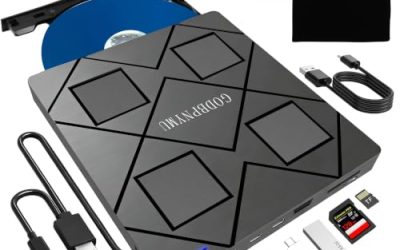
GODBPNYMU 8-in-1 External Blu-ray Drive
Best for a user who wants one gadget to burn discs and offload camera cards. The title lists two USB-A and two USB-C connections plus a TF/SD card reader, and it is described as a Blu-ray burner.
- Built-in card slots let you copy photos and then archive them to disc in one sitting.
- The multi-port layout suits desks with limited sockets.
- Trade-off: the title does not give a write speed or disc capacity limit.
Skip it if you want a bare-bones drive with a documented speed rating and nothing extra to manage. Anyone who only ever archives files from the computer itself, never from cards, is paying for slots that will sit unused.
GOOBOX External Blu-ray Drive
A fit for buyers who prefer a stated speed. It lists a 6X BD-RE burner with USB-C and USB 3.0 connections and support for Blu-ray, CD, and DVD reading and writing.
- A named 6X figure lets you estimate how long a full disc will take.
- USB-C and USB 3.0 cover modern laptops and older desktops.
- Trade-off: rewritable BD-RE is mentioned, but check recordable BD-R support for permanent archives.
Skip it if you need 100GB disc support and cannot confirm it from the spec sheet. A small studio or a hobbyist with a few hundred gigabytes of footage should read the format list carefully before settling on it.
aelrsoch External Blu-ray Burner
Aimed at people still running older Windows PCs. The title mentions Windows 7 to 11, a USB 3.0 or Type-C link, and BD, DVD, and CD burning.
- Wide Windows coverage helps with aging office machines.
- The dual connector options avoid a separate adapter.
- Trade-off: the brand is little known, so check support options before buying.
Skip it if your backup machine runs macOS or Linux and the listing does not say so. It is a practical choice for a small office with a few legacy Windows desktops that need a way to write archive discs.
GODBPNYMU 5-in-1 External Blu-ray Drive
A simpler sibling for readers rather than heavy archivers. The title describes it as a Blu-ray reader with USB 3.0 and USB-C, plus Windows and Mac support.
- Mac and Windows compatibility suits mixed households.
- A portable body travels easily.
- Trade-off: the word reader suggests it may not burn, which undercuts a backup purpose.
Skip it unless the seller confirms it writes to disc; it is better for viewing old archives than for creating new ones. Think of it as a retrieval tool for discs you already made, handy when a relative hands you a box of old family video discs.
Slim Type-C Blu-ray Burner
For travelers who want a thin drive that rides in a laptop sleeve. The title calls it a USB 3.0 Type-C Blu-ray burner with BD read/write and a slim optical design.
- Read/write language is explicit, which matters for backups.
- The slim body takes little room.
- Trade-off: no brand or model name appears, which complicates driver and support searches.
Skip it if you prefer a named maker with a clear support page. It works best for a casual user with a thin laptop who burns an occasional archive disc and values space in the bag over brand reassurance.
Desktop Blu-ray Burner with HDD Interface
This is the stationary option for a desk where the drive never moves. It lists up to 16x BD read speed, an HDD interface, and two USB 3.0 hub ports.
- The two hub ports add connections without another dongle.
- A fixed design avoids the flimsy feel of tiny portable trays.
- Trade-off: it is bulkier and needs a power supply, so it does not suit travel.
Skip it if you back up from a laptop on the go. It makes the most sense for a home office or edit bay where a nightly or weekly archive routine runs from the same chair, with the drive plugged in permanently.
LLMHHKYK External Blu-ray Drive
Built for plug-and-play simplicity. The listing describes a portable Blu-ray player and CD/DVD burner with USB 3.0 and Type-C and a lightweight body.
- Plug and play means little setup on supported systems.
- Light weight helps with carry-around use.
- Trade-off: it describes burning only for CD and DVD, so Blu-ray writing is not clearly promised.
Skip it if Blu-ray burning is the whole point of your purchase. Ask the seller to confirm the exact disc types it records, because the wording in the title leaves that open and a wrong guess means a returned box.
8-in-1 CD/DVD/Blu-ray Drive
Best for movie collectors and anyone reading old discs on a thin computer. The title calls it a disc reader and player for PC, laptop, MacBook, and Linux.
- Windows, Mac, and Linux coverage is the widest in the group.
- USB 3.0 and Type-C give it flexible connection options.
- Trade-off: it is framed as a reader and player, with the burn mention left vague.
Skip it if you need a confirmed burner for writing archives. It is better matched to someone digitizing a shelf of movie discs onto a MacBook or Linux box than to anyone building a long-term backup set.
7-in-1 Blu-ray Burner
The one to look at for large archives. The title cites 100GB BD disc support, a built-in SD/TF card reader, and USB 3.0.
- 100GB support reduces how many discs a big library needs.
- The card reader moves camera files straight to disc.
- Trade-off: high-capacity discs are costlier and less common than standard ones.
Skip it if your backups are small and standard 25GB discs are plenty. Wedding videographers and anyone with raw footage that outgrows a single standard disc are the people it speaks to most clearly.
Which One Fits Your Situation
You are archiving family photos from memory cards
The GODBPNYMU 8-in-1 combines a card reader with burning, so you can copy and then archive in one session.
You manage a large video library
The 7-in-1 Blu-ray Burner names 100GB disc support, which keeps the stack of discs shorter for big projects.
You want a drive that stays on a desk
The Desktop Blu-ray Burner with HDD Interface offers extra USB ports and a steadier, fixed setup.
Your laptop is older and runs Windows 7 or 8
The aelrsoch burner lists Windows 7 to 11, making it the safer fit for an aging machine.
Common Mistakes
- Buying a reader or player when you need a burner.
- Assuming every drive handles 100GB discs.
- Choosing by the “in-1” count rather than the formats it writes.
- Skipping a verification pass after burning a disc.
- Storing discs in a sunny spot, a warm car, or stacked without sleeves, all of which shorten their life.
Related guides
- Noctua Nh-D15 Vs Thermalright Peerless Assassin 120
- Sustainable Gaming Pc Power Supply Efficiency Guide
- Thermal Paste Application Method For Lga1851
Frequently Asked Questions
Are optical discs still worth using for backups?
They suit offline copies you want kept apart from your computer. A disc is not affected by a drive crash or an accidental delete, but it can scratch or degrade, so it should be one copy among several. A common pattern is one local drive, one cloud copy, and one disc set stored in another room.
Do I need special software to burn Blu-ray discs?
Many drives do not bundle burning software, so plan on a separate tool. Check the operating system notes in the listing, and confirm the program you choose can write to the specific disc type you buy, whether that is a rewritable or a write-once format.
How many discs will a typical backup take?
Divide your data size by disc capacity: 25GB, 50GB, or 100GB if supported. Add a margin for a few spare discs, since a failed burn or a scratched blank wastes one outright and you will want a second copy of anything important.
Will a USB-C drive work on a USB-A port?
Several listings include both connection types. If yours has only one, confirm which cable ships with it.
Related guides
More from Amazon
Programs that pair well with the guide above. Offers and eligibility are set by Amazon and may change.
Free shipping on eligible items, Prime Video and more. Eligible new members can start with a free trial.
Start a Prime free trialAd-free music streaming. Eligible new subscribers can start with a free trial.
Try Music Unlimited freeA Prime membership for ages 18-24 with a trial period. Eligibility is set by Amazon.
See Prime for Young AdultsAudiobooks and podcasts to listen to on the go. Eligible new members can start with a free trial.
Try Audible freeAs an Amazon Associate we earn from qualifying purchases.