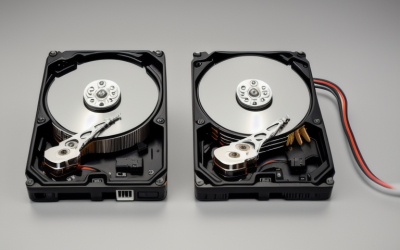
Editing video from an external drive forces a trade-off that a spec sheet alone does not resolve. A fast portable SSD keeps scrubbing and playback smooth while a project is active, yet it holds far less footage for the same outlay than a spinning drive. A high-capacity external HDD swallows whole shoot days and finished archives with ease, yet it can stutter when an editor asks it to play back several high-bitrate streams at once. Choosing badly means either paying for speed you never use or waiting on a drive that cannot keep up with the timeline.
This guide is for editors who cut on a laptop, creators who move between a desk and a shoot location, and anyone building a small footage library without opening a computer case. Each drive below is an external model only, chosen from the product name and specifications shown on its Amazon page, with its capacity, interface, and listed speed taken from that listing.
Our Top Picks
Top 3 picks at a glance

Quick Picks
As an Amazon Associate we earn from qualifying purchases.
| Product | Best for | Key spec from title |
|---|---|---|
| SanDisk Extreme Portable SSD 1TB | Active projects carried between desk and location | Up to 1050MB/s, USB-C, USB 3.2 Gen 2 |
| Samsung T7 Shield 1TB | Rough location work in dust, rain, and knocks | Up to 1050MB/s, USB 3.2 Gen2, rugged, IP65 rated |
| WD My Passport 5TB | Large footage archives and completed projects | 5TB portable external hard drive, USB 3.1/USB 3.0 |
| Seagate One Touch 2TB | A compact everyday drive for finished edits and backups | 2TB portable external hard drive, USB 3.0 |
How to Choose
Match the drive type to the editing stage
An SSD suits the project you are cutting right now, because its listed sequential speeds cope better with scrubbing, multicam playback, and rendering previews. An HDD suits footage that is finished, waiting, or rarely opened, because capacity matters more than responsiveness once a project leaves the timeline. Many editors end up with one of each: a smaller SSD for the active edit and a larger HDD for the library behind it. Before buying, sort your footage into active, recent, and archive piles, then buy the drive type that matches the pile it will actually hold.
Check the interface against your computer ports
A drive rated for USB 3.2 Gen 2 only reaches its listed speed through a matching port and cable, so a USB-C connector on the drive does not guarantee full speed on every laptop. Older USB 3.0 and USB 2.0 ports slow even a fast SSD to the speed of the slowest link in the chain. Look at the ports on the machine you edit on, check whether it has USB-C, USB 3.2 Gen 2, or Thunderbolt, and confirm the cable in the box matches. If the port and the drive do not line up, the headline speed on the listing stays theoretical.
Size capacity for raw footage, not finished exports
Finished videos look small next to the raw files behind them, and a single shoot day can fill a drive that seemed generous in the shop. A 4K camera recording at a high bitrate produces far more data per hour than a phone clip, and proxies, cache files, and project backups add to the total. Estimate how much footage one project generates, multiply it by the number of projects you keep at once, and leave headroom for the next shoot. Buying a drive that fills up mid-project forces a hurried second purchase and a messy split across two volumes.
Weigh ruggedness and encryption against everyday handling
A drive that travels in a camera bag faces drops, dust, and rain that a desk-bound drive never meets, so a rugged shell and a water-resistance rating carry real weight for location editors. Hardware encryption and password protection matter when a drive holds client footage or unreleased work, because a lost drive should not hand that material to whoever finds it. Weigh these features against size and weight, since the toughest drive is no help if it stays at home. Pick the protection that matches where the drive actually goes.
The 4 Best Options
SanDisk Extreme Portable SSD 1TB

This compact SSD fits the editor who carries one active project between home, studio, and location and wants the timeline to respond without delay. Its listed read speed of up to 1050MB/s and write speed of up to 1000MB/s give it room for 4K playback and proxy work, while the small body and carabiner loop suit a bag already full of camera gear. The 1TB capacity holds a current project plus its media, though editors with several large shoots in progress will need to move finished work off it regularly.
Specs
- Digital storage capacity: 1 TB
- Read speed: up to 1050MB/s
- Write speed: up to 1000MB/s
- Interface: USB-C, USB 3.2 Gen 2
- NVMe solid state performance
- Water and dust resistance: IP65
- Drop protection: up to 2 meters
- Carabiner loop for securing the drive
- Model number: SDSSDE61-1T00-G25
- Warranty: 5-year limited manufacturer warranty
Best for: Editors who cut active 4K projects on the move and want fast playback from a pocket-sized drive.
Watch out for: Confirm the capacity and colour variant on the listing before ordering, since several capacities share the same product family name.
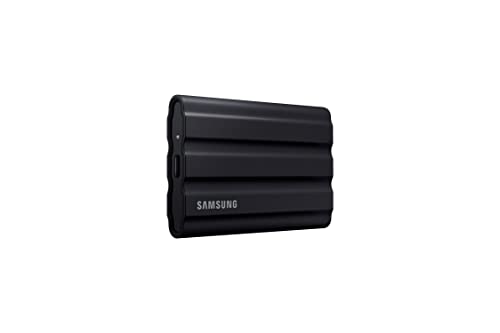
Samsung T7 Shield 1TB
This rugged SSD suits editors who shoot outdoors and need a drive that survives the conditions around the shoot, not just the desk. Its listed speeds of up to 1050MB/s read and 1000MB/s write match the SanDisk for timeline work, while the IP65 rating, elastomer outer shell, and listed drop resistance of up to 9.8 feet address dust, water, and knocks. Dynamic Thermal Guard is listed as managing heat during sustained transfers, which matters when copying a full card or exporting a long sequence.
Specs
- Digital storage capacity: 1 TB
- Read speed: up to 1050MB/s
- Write speed: up to 1000MB/s
- Interface: USB 3.2 Gen 2, 10Gbps
- PCIe NVMe solid state drive
- Water and dust resistance: IP65 rated
- Drop resistance: up to 9.8 feet
- Dynamic Thermal Guard for heat control
- Compatible with PC, Mac, Android devices, and gaming consoles
- Model number: MU-PE1T0S/AM
Best for: Location editors who need a fast SSD that can handle dust, rain, and drops between shoots.
Watch out for: Check the colour variant on the listing, since black, blue, and beige versions carry different model numbers and ASINs.
WD My Passport 5TB
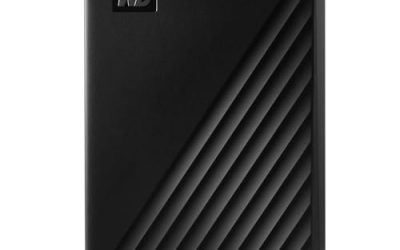
This portable HDD suits the editor whose real problem is volume rather than speed, because 5TB holds many shoot days, finished projects, and backups in one place. It is a 2.5-inch portable drive with a SuperSpeed USB-A cable rated at 5Gbps, plus backup software with defence against ransomware and password protection with 256-bit AES hardware encryption. That combination makes it a sensible home for footage that is finished or waiting, rather than a drive for cutting several 4K streams at once.
Specs
- Digital storage capacity: 5 TB
- Hard disk form factor: 2.5 inches
- Interface: USB 3.1/USB 3.0 compatible
- Included cable: SuperSpeed USB-A cable, 5Gbps
- Password protection with 256-bit AES hardware encryption
- Backup software with defence against ransomware
- Item weight: 7.4 ounces
- Product dimensions: 4.22 x 2.95 x 0.75 inches
- Model number: WDBPKJ0050BBK-WESN
- Warranty: 3-year limited warranty
Best for: Editors who need a large, portable archive for raw footage, finished projects, and backups.
Watch out for: Confirm whether your computer has a USB-A port or needs an adapter, since this listing ships with a USB-A cable.
Seagate One Touch 2TB

This slim HDD suits the editor who wants a straightforward portable drive for finished edits, client deliveries, and routine backups without carrying a large archive. Its 2TB capacity holds several completed projects, and the listed password-activated hardware encryption adds a layer of protection for work that leaves the desk. At 5.2 ounces and 0.46 inches thick, it slips into a laptop sleeve or camera bag pocket, which makes it easy to keep with the editing laptop rather than on a shelf.
Specs
- Digital storage capacity: 2 TB
- Hard disk type: 2 TB mechanical hard disk
- Interface: USB 3.0
- Password-activated hardware encryption
- Compatible with PC, Notebook, and Mac
- Item weight: 5.2 ounces
- Product dimensions: 4.52 x 3.07 x 0.46 inches
- Model number: STKY2000400
- Colour: Black
Best for: Editors who want a slim, portable drive for finished projects, deliveries, and everyday backups.
Watch out for: Check the listed capacity on the page before ordering, since the One Touch family is sold in several sizes under similar names.
Which One Fits Your Situation
You cut 4K projects on a laptop every day
Pick the SanDisk Extreme Portable SSD 1TB, because its listed 1050MB/s read speed and USB-C connection suit active timeline work, and its small size keeps it with the laptop wherever you edit. Keep finished projects on a larger HDD so the 1TB capacity stays free for the edit in progress.
You shoot outdoors and carry drives in a camera bag
Pick the Samsung T7 Shield 1TB, because its IP65 rating, rugged elastomer shell, and listed drop resistance suit dust, rain, and knocks that a plain drive would not survive on a shoot. Its listed speeds still support editing directly from the drive once you are back at the laptop, without copying everything first.
You archive whole shoot days and finished projects
Pick the WD My Passport 5TB, because its capacity holds far more raw footage and completed work than either 1TB SSD in this guide, including whole shoot days and their backups. Use it as the library behind the active edit, and move a project to an SSD only while you are cutting it.
You need one portable drive for finished work and backups
Pick the Seagate One Touch 2TB, because it balances capacity, slim size, and hardware encryption for finished edits, client deliveries, and routine backups in one portable drive. It is the simplest choice when the drive mostly stores completed work rather than feeding a live timeline, and it travels easily with a laptop.
Common Mistakes
- Buying an HDD for active multicam editing, then blaming the editing software when playback stutters on the timeline.
- Choosing a fast SSD and plugging it into an older USB port, so the drive never reaches its listed speed.
- Sizing a drive for the finished export instead of the raw footage, proxies, and cache behind it.
- Keeping the only copy of a project on a single portable drive, with no second copy anywhere else.
- Picking a drive by capacity alone and ignoring whether its cable matches the ports on the editing computer.
Frequently Asked Questions
Is an external SSD or an external HDD better for video editing?
An external SSD is better for the project you are actively editing, because its higher listed speeds support scrubbing and playback. An external HDD is better for storing finished projects and raw footage, because it offers more capacity for archiving. Many editors use an SSD for the current edit and an HDD for the library behind it.
How much external storage do I need for 4K video editing?
It depends on how much raw footage each project generates and how many projects you keep at once. A 1TB SSD suits one active 4K project with its media, while a 2TB or 5TB drive suits editors who keep several projects or full shoot days. Leave headroom for proxies, cache files, and the next shoot before the drive fills up.
Can I edit video directly from an external hard drive?
Yes, you can edit directly from an external drive, and an SSD with a fast USB connection suits this best. A portable HDD can work for simpler timelines and proxy workflows, but it may struggle with several high-bitrate streams at once. For smooth results, keep the active project on the fastest drive and archive finished work elsewhere.
Do I need a rugged external drive for video editing?
A rugged drive is worth it if you shoot on location, travel with camera gear, or carry the drive in a bag every day. Its shell and water-resistance rating protect against drops, dust, and rain that a desk drive never faces. If the drive stays on a desk at home, a standard portable drive is usually enough.
Related guides
More from Amazon
Programs that pair well with the guide above. Offers and eligibility are set by Amazon and may change.
Free shipping on eligible items, Prime Video and more. Eligible new members can start with a free trial.
Start a Prime free trialAd-free music streaming. Eligible new subscribers can start with a free trial.
Try Music Unlimited freeA Prime membership for ages 18-24 with a trial period. Eligibility is set by Amazon.
See Prime for Young AdultsAudiobooks and podcasts to listen to on the go. Eligible new members can start with a free trial.
Try Audible freeAs an Amazon Associate we earn from qualifying purchases.