Valorant asks for small, repeatable crosshair movements far more often than huge swipes, so the real buying decision is not which mouse advertises the biggest DPI number. It is which sensor, shape and weight let you run a comfortable DPI setting and hold it steady round after round, on attack and defence alike. Get that pairing right and your settings stop changing every week; get it wrong and no sensitivity value ever feels settled for long.
This guide is for Valorant players choosing between a wireless shell with its own charging dock, a wired claw-grip mouse, a tri-mode model with a higher listed DPI ceiling, and an unusually light fingertip option. Every product below was picked from the sensor model, maximum DPI, weight and shape stated on its own Amazon listing, so the comparison stays grounded in what each maker actually publishes rather than in headline numbers alone.
Top 3 picks at a glance


Quick Picks
As an Amazon Associate we earn from qualifying purchases.
| Product | Best for | Key spec from title |
|---|---|---|
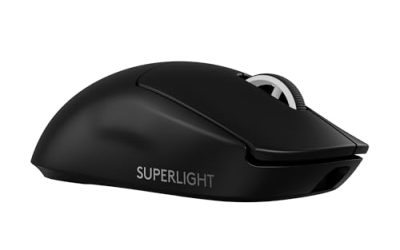
| MCHOSE K7 Ultra | Wireless play with a charging dock waiting on the desk | PAW3950 sensor, 42,000 DPI |
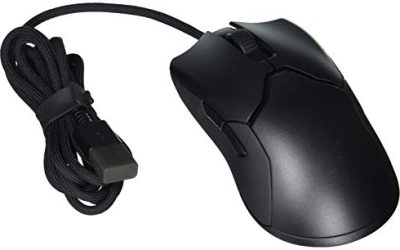
| ENDGAME GEAR XM2 8k | Wired claw-grip play with no battery to manage | 8000Hz polling, 52 g |
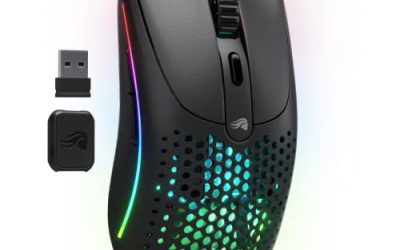
| MCHOSE A7 Ultra | A higher listed DPI ceiling with tri-mode connection | PAW3950 sensor, 42,000 DPI |
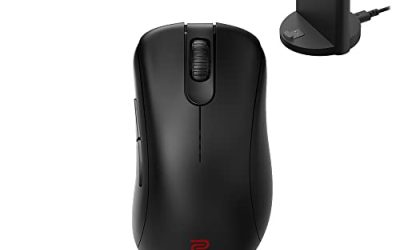
| Pulsar Xlite Crazylight | The lightest shell here, for fingertip aim | 41 g, XS-1 sensor |
How to Choose
DPI Is a Setting, While eDPI Is the Number You Feel
DPI is the sensitivity you set on the mouse itself, but it never acts alone. Your effective sensitivity, usually called eDPI, is simply DPI multiplied by your in-game sensitivity. As a plain arithmetic example, 800 DPI paired with an in-game sensitivity of 0.4 gives 320 eDPI, and 400 DPI at 0.8 gives exactly the same result. That is why copying a DPI value without the matching in-game setting tells you nothing. Choose a DPI your mouse tracks cleanly, then tune the in-game number until a full turn feels controllable on your pad.
Read the Sensor Model Before the Maximum DPI
Listings headline maximum DPI because it is the largest number on the page, yet every mouse here lists a ceiling far above any setting a Valorant player would actually run. The sensor model matters more: the PAW3395, PAW3950 and XS-1 named in these listings are the parts doing the tracking work at ordinary settings. Where a listing states tracking speed in IPS and acceleration, treat those as supporting evidence of headroom during fast flicks. A well-known sensor at a sensible DPI beats an unknown sensor boasting a bigger ceiling.
Match the Shell to Your Grip Before Touching Settings
No sensitivity value can rescue a shape your hand fights against. Valorant players who rest their whole palm down usually settle better on an ergonomic shell with a supportive right side. Claw players tend to prefer a flatter, symmetrical body they can pull back into their fingers, which is the XM2 8k approach. Fingertip players move the mouse with small finger adjustments and often favour the lightest shell available. Decide the shape first, because your grip decides how much of your movement comes from the arm, wrist or fingers, and that decides your DPI range.
Weigh the Mouse, Then Check Connection and Polling
Weight changes how a given DPI feels. A heavier mouse carries momentum and can smooth out tiny corrections, while a lighter one starts and stops with less effort during repeated angle checks. The four mice here span 41 g to 59 g as listed, a spread you will notice within one deathmatch. Connection matters too: the wired XM2 8k removes charging from the routine entirely, while the wireless models trade a cable for battery management. Polling rate, where a listing states it, describes how often the mouse reports its position, separate from DPI.
The 4 Best Options
MCHOSE K7 Ultra Wireless Gaming Mouse
The K7 Ultra suits Valorant players who want wireless aim without a charging cable routine between sessions, because its listing includes a magnetic wireless charging dock alongside the mouse itself. Its title names the PAW3950 sensor with 42,000 DPI and an 8000Hz polling rate, so the DPI discussion here rests on a current flagship sensor rather than a headline figure alone. At 59 g as listed, it shares the heaviest weight in this group, and its five programmable buttons leave room for utility binds away from movement keys.
Specs
- Sensor: PAW3950 sensor
- Maximum DPI: 42,000 DPI as listed
- Polling rate: 8000Hz as listed
- Weight: 59 g
- Buttons: 5 programmable buttons
- Playtime: 120 hours as listed
- Charging: Magnetic wireless charging dock
- Colour of this listing: White Gold
Best for: Wireless players who want a charging dock to handle battery routine.
Watch out for: The dock needs its own desk space and power connection, so check your setup has room beside the pad before choosing it for that feature.
ASIN: B0FQTZM4KH
ENDGAME GEAR XM2 8k Gaming Mouse
The XM2 8k is the wired entry here, built around a symmetrical shell that claw-grip players can pull into their fingertips for fast, short corrections. Its Amazon listing states an 8000Hz polling rate, a PixArt PAW3395 sensor reaching up to 26,000 CPI, and Kailh GX mechanical switches, at a listed weight of 52 g. Because it is wired, your DPI setting never competes with a low battery mid-match, and there is no receiver to keep track of. It fits players who keep one desk setup and want the simplest possible routine.
Specs
- Sensor: PixArt PAW3395 sensor
- Maximum sensitivity: Up to 26,000 CPI as listed
- Polling rate: 8000Hz
- Switches: Kailh GX mechanical switches
- Weight: 52 g
- Connection: Wired
- Colour of this listing: White Frost
Best for: Claw-grip players who prefer a wired mouse and a symmetrical shell.
Watch out for: The cable is permanent, so check your desk routing and consider a bungee if the drag would bother you.
ASIN: B0DG613RT1
MCHOSE A7 Ultra Wireless Gaming Mouse
The A7 Ultra lists the highest maximum DPI in this group, with a PAW3950 sensor and 42,000 DPI stated in its title, alongside wired and wireless dual 8K polling. For Valorant, that ceiling is headroom rather than a target, but the same listing also states tri-mode connection and a 130 hour battery life, which suits players who move between a desktop and a laptop. At 59 g as listed, it is the heaviest mouse here, which some players prefer for steadier micro-corrections on low sensitivity settings.
Specs
- Sensor: PAW3950 sensor
- Maximum DPI: 42,000 DPI as listed
- Weight: 59 g
- Connection: Tri-mode connection
- Polling: Wired and wireless dual 8K polling
- Battery life: 130 hours as listed
- Colour of this listing: White
Best for: Players who want tri-mode flexibility and longer listed battery life.
Watch out for: Confirm which connection mode you are using before a match, since switching modes can also change the active polling behaviour.
ASIN: B0DSPR5SFW
Pulsar Xlite Crazylight Wireless Gaming Mouse
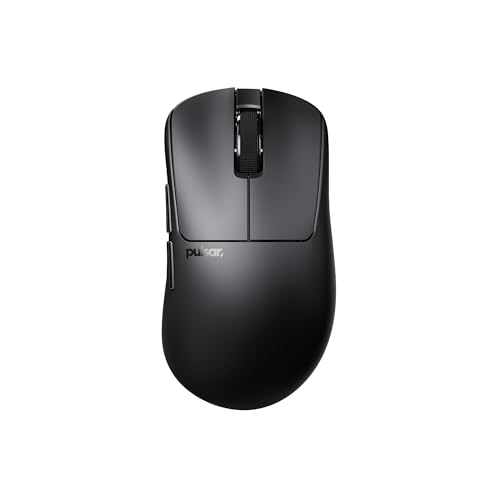
The Xlite Crazylight is the extreme lightweight option, listed at just 41 g with Pulsar’s XS-1 sensor, 32,000 DPI and 750 IPS tracking. That combination suits fingertip and aggressive claw players who steer the mouse with small, quick finger movements and reposition constantly between angles. Its ergonomic outline keeps a familiar Xlite shape while cutting the weight well below the 59 g models in this group. If your current mouse feels like it resists the first few millimetres of every flick, this is the listing in the group aimed squarely at that complaint.
Specs
- Sensor: XS-1 sensor
- Maximum DPI: 32,000 DPI as listed
- Tracking speed: 750 IPS as listed
- Weight: 41 g (1.45 oz)
- Switch: Optical switch
- Polling: 8K compatible as listed
- Connection: Wireless
- Colour of this listing: Jet Black
Best for: Fingertip players who want the lightest mouse in this guide.
Watch out for: Very light mice expose shaky aim habits, so give yourself a few sessions before judging the change.
ASIN: B0FFGN4381
Which One Fits Your Situation
You Aim With Your Whole Arm at Low Sensitivity
Pick the MCHOSE A7 Ultra. Its listed 59 g weight is the highest here, and that extra mass helps the mouse settle when your sensitivity comes mostly from long arm movements. The tri-mode connection also means the same mouse can stay paired to a second machine without swapping receivers, and the listed battery life reduces how often charging interrupts practice.
You Play Claw Grip at One Fixed Desk
Pick the ENDGAME GEAR XM2 8k. The symmetrical shell and listed 52 g weight suit a claw grip that pulls the mouse back into the fingers, and the wired connection removes charging and receiver placement from your pre-match routine. Its listed 8000Hz polling covers the reporting side, leaving you free to tune DPI and in-game sensitivity as one pair.
You Want Charging Handled by a Dock
Pick the MCHOSE K7 Ultra. Its listing includes a magnetic wireless charging dock, so returning the mouse to the same spot after each session becomes the charging routine itself, and the listed 120 hours of playtime stretches the gaps further. The PAW3950 sensor and 8000Hz polling rate cover the tracking side while you tune DPI and in-game sensitivity as a pair.
You Steer With Your Fingertips and Reposition Constantly
Pick the Pulsar Xlite Crazylight. At a listed 41 g, it asks the least effort to start, stop and lift, which matches a fingertip grip built on constant small corrections. The XS-1 sensor’s listed 32,000 DPI ceiling and 750 IPS tracking give you room to run a moderate DPI and still cover fast turns without the mouse feeling hurried.
Common Mistakes
- Copying a DPI value on its own, without the in-game sensitivity that turns it into an eDPI, then wondering why the aim feels completely different.
- Choosing a mouse by its maximum DPI figure, even though every listing here states a ceiling far beyond any setting used for careful crosshair placement.
- Changing DPI and in-game sensitivity on the same day, which makes it impossible to tell which change helped or hurt.
- Ignoring grip and shell shape, then trying to fix a hand-position problem by raising or lowering sensitivity.
- Forgetting that wireless models need charging, and discovering an empty battery during a ranked session instead of topping up between games.
Frequently Asked Questions
What DPI should I actually set for Valorant?
Think in eDPI rather than DPI alone: multiply your mouse DPI by your in-game sensitivity to get the number that describes your real aim speed. Set the mouse to a round DPI value you like, then adjust the in-game figure until a comfortable swipe turns you about half a circle. Give any new combination several matches before changing it again.
Does a higher maximum DPI make a mouse more accurate?
No. Maximum DPI on a listing is the top of the sensor’s range, not a quality score. The mice here list ceilings from 26,000 to 42,000 DPI, yet all of them are used far below those numbers in play. Sensor model, shape, weight and your own consistency decide accuracy; the ceiling only tells you the range available.
Is a wired or wireless mouse better for Valorant?
Either can work, and the listings here include both. The wired XM2 8k removes batteries and receivers from the equation, which some players value during long sessions. The wireless models remove cable drag and move easily between setups. Choose based on your desk and routine rather than assuming one connection type tracks better than the other.
How do I find my current eDPI?
Read the DPI your mouse is set to, using its onboard control or the maker’s software where the listing provides one, then multiply that number by the sensitivity shown in Valorant’s settings. That product is your eDPI. Write it down before changing anything, so you can always return to the combination that felt right.
Related guides
More from Amazon
Programs that pair well with the guide above. Offers and eligibility are set by Amazon and may change.
Free shipping on eligible items, Prime Video and more. Eligible new members can start with a free trial.
Start a Prime free trialAd-free music streaming. Eligible new subscribers can start with a free trial.
Try Music Unlimited freeA Prime membership for ages 18-24 with a trial period. Eligibility is set by Amazon.
See Prime for Young AdultsAudiobooks and podcasts to listen to on the go. Eligible new members can start with a free trial.
Try Audible freeAs an Amazon Associate we earn from qualifying purchases.