
A prebuilt gaming PC under $1,500 in 2026 should land in the RTX 5060 Ti to RTX 5070 or Radeon RX 9060 XT to RX 9070 class of graphics, paired with a six- to eight-core processor, 32GB of DDR5 memory and a 1TB NVMe SSD. That combination plays current games at 1080p on high settings and most titles at 1440p. The best way to choose is to shortlist product lines from the sellers below, then compare the exact configuration on four numbers: graphics memory, power supply wattage, RAM channels and SSD capacity.
Prices for graphics cards and memory have been unusually unstable in 2025 and 2026, so a given line may be offered at one tier this month and a different tier next month. This guide therefore describes spec classes and what each line is known for, based on published specs and reviews, rather than quoting live prices. FPS ranges mentioned below are approximate and vary with settings, resolution, CPU and game patches.
As an Amazon Associate we earn from qualifying purchases at no extra cost to you.

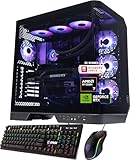

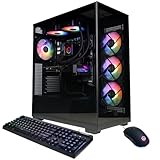
Our Top Picks

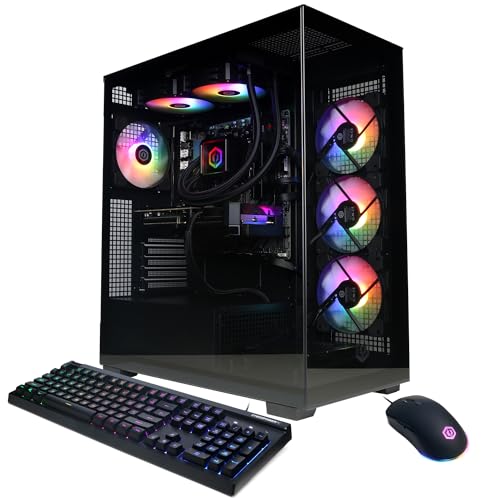
Top 3 picks at a glance
What a $1,500 budget buys in 2026
| Component | Typical target at this budget | Why it matters |
|---|---|---|
| Graphics card | RTX 5060 Ti (8GB or 16GB), RTX 5070 (12GB), RX 9060 XT (16GB) or RX 9070 (16GB) | Drives frame rate more than any other part |
| Processor | Ryzen 5 7600/9600X class, Ryzen 7 7700/9700X class, or Core i5/Core Ultra 5 class | Six to eight modern cores are enough for gaming |
| Memory | 32GB DDR5 in two sticks (16GB is the floor) | Dual-channel matters; 32GB avoids stutter in newer games |
| Storage | 1TB NVMe, ideally 2TB | Modern installs often exceed 100GB each |
| Power supply | 650W to 750W, 80 Plus Bronze or better | Headroom for a later graphics upgrade |
| Cooling | Tower air cooler or 240mm liquid cooler | Stock coolers on higher-power chips run loud |
Where the money should go: a budget split
When you compare prebuilt listings, check where the money is allocated. A balanced $1,500 machine usually spends roughly 38% to 45% of its value on the graphics card, 15% to 20% on the processor and motherboard together, about 10% on memory and storage, and the remainder on case, power supply, cooler and assembly. If a listing puts a high-end processor in a machine with an entry-level graphics card, or the reverse, the balance is off for gaming. For games, a mid-range processor with a stronger graphics card is almost always the better trade.
A quick check: is the processor holding the graphics card back?
At 1080p with a card in the RTX 5070 class, a slow processor can limit frame rate. A simple test is the ratio between expected GPU frame rate and CPU frame rate in published reviews of the same games. If a six-core processor delivers a figure within 10% to 15% of an eight-core one in the games you play, spend the difference on graphics memory instead. At 1440p the graphics card does more of the work, so the processor matters less.
Quick comparison of eight lines to shortlist
| Line | Best for | Typical spec class at this budget | Price tier |
|---|---|---|---|
| HP Victus 15L | Retail availability and returns | RTX 5060 Ti or RTX 5070 class, six-core processor | Entry to mid |
| Lenovo Legion Tower 5 | Dependable mainstream build | RTX 5060 Ti to RTX 5070 class, Ryzen or Core processor | Entry to mid |
| MSI MAG Infinite / Codex | Balanced MSI-designed internals | RTX 5060 Ti to RTX 5070 class | Entry to mid |
| CyberPowerPC Gamer Xtreme | Most graphics per dollar | RTX 5070 or RX 9070 class in some configurations | Entry to mid |
| iBuyPower Y-series and Slate | Configuration variety | RTX 5060 Ti to RTX 5070 class | Entry to mid |
| Skytech Shadow and Chronos | Value-focused towers | RTX 5060 Ti to RTX 5070 class | Entry to mid |
| Corsair Vengeance (lower tier) | Clean parts and support | RTX 5060 Ti to RTX 5070 class at the low end of the line | Mid |
| NZXT Player (lower tier) | Clean look and curated parts | RTX 5060 Ti to RTX 5070 class at the low end of the line | Mid |
Model availability and configurations shift constantly, so use these as lines to look up, not as fixed SKUs. Where a line does not currently offer a configuration at this budget, move to the next on the list.
1. CyberPowerPC Gamer Xtreme: best for graphics per dollar
Spec line: Mid-tower with mainstream AMD Ryzen or Intel Core processors, DDR5 memory and a range of NVIDIA and AMD graphics options. Best for: shoppers who want the strongest graphics card the budget allows. Skip if: you want a minimalist case or a single uniform brand experience.
CyberPowerPC lists a very large number of configurations, which makes it easy to find a model that places more of the budget on the graphics card. The trade-off is variance in the supporting parts, so open the spec sheet and check the power supply rating, motherboard chipset and cooler type.
- Pro: Often a stronger graphics tier than similarly priced competitors.
- Pro: Many configurations and frequent promotions.
- Pro: Standard parts in most listings, which helps future upgrades.
- Con: Power supply and motherboard quality can vary by listing.
- Con: Support experiences reported in public feedback are mixed.
2. Lenovo Legion Tower 5: best for a plain, dependable build
Spec line: Tower desktop with Ryzen or Intel processors and RTX graphics, typically 16GB or 32GB of DDR5 and NVMe storage. Best for: buyers who prefer a major-OEM warranty structure and a restrained look. Skip if: you want heavy customization.
The Legion Tower 5 line is generally described in roundups as a dependable mainstream gaming desktop. Lenovo’s frequent sales mean the final price can differ noticeably depending on when you buy, so track a configuration over several weeks if you are not in a hurry.
- Pro: Sensible, well-balanced configurations.
- Pro: Large company with established support infrastructure.
- Pro: Sales cycles make price timing a real lever.
- Con: Limited customization compared with configurator-first sellers.
- Con: Power supply headroom on some models is only adequate for a modest graphics upgrade.
3. HP Victus 15L: best for in-store availability
Spec line: Compact tower with entry to mid-range AMD or Intel processors and RTX graphics. Best for: buyers who want to see the machine in a store and return it locally. Skip if: upgradeability is a priority and you have not confirmed the power supply and motherboard details.
HP’s Victus line shows up in many large retailers and often appears in sales. It is a practical choice when a promotion lines up with a strong graphics configuration. Check whether the specific model uses a standard power supply and a standard motherboard layout before assuming future upgrades will be easy.
- Pro: Wide retail availability and easy returns.
- Pro: Competitive pricing during promotions.
- Pro: Compact footprint for smaller desks.
- Con: Some configurations use OEM-shaped parts.
- Con: Model lineup and naming change often.
4. MSI MAG Infinite and Codex: best for MSI-designed internals
Spec line: Mid-tower desktops with MSI motherboards, often MSI graphics cards and a range of Ryzen and Intel processors. Best for: buyers who like a coherent set of parts from one designer. Skip if: you intend to swap the motherboard or case later.
MSI designs its own motherboards and graphics cards, and its mid-range desktops often benefit from that coordination. The lineup is broad, so read the full part list rather than relying on the series name.
- Pro: Well-matched internals from one maker.
- Pro: Frequently stocked at large retailers.
- Pro: Several sizes available, from compact to mid-tower.
- Con: Many similar model names.
- Con: Compact versions limit graphics card length and cooler height.
5. iBuyPower Y-series and Slate: best for configuration variety
Spec line: Range of mid-towers with mainstream processors and RTX or Radeon graphics, plus a tidier case option in the Slate line. Best for: buyers who like comparing many options. Skip if: you want a single polished flagship experience.
iBuyPower competes on selection, from entry-level machines to higher-end builds, and often runs promotions around major sales events. As with other integrators, verify the power supply tier and the memory layout.
- Pro: Many choices across the price range.
- Pro: Usually standard parts for future upgrades.
- Pro: Competitive pricing during promotions.
- Con: Parts quality varies across configurations.
- Con: Some listings pair a strong card with a basic cooler.
6. Skytech Shadow and Chronos: best for value towers
Spec line: Mid-tower builds with mainstream Ryzen or Intel processors and RTX or Radeon graphics. Best for: value-focused buyers who will read the specification carefully. Skip if: you want extensive white-glove support.
Skytech sells many configurations through major retail channels and often competes aggressively on price. The same advice applies as for other integrators: the headline graphics card is only part of the picture.
- Pro: Competitive graphics tiers for the money.
- Pro: Wide retail distribution.
- Pro: Straightforward mid-tower designs.
- Con: Case and fan quality vary by model.
- Con: Limited premium touches compared with higher-priced brands.
7. Corsair Vengeance at the low end of the line: best for clean parts
Spec line: Corsair-built tower with Corsair memory, cooling and power supply, offered in lower-tier graphics configurations. Best for: buyers who prefer a polished build over maximum graphics power. Skip if: your only goal is the highest possible frame rate for the money.
At this budget Corsair’s entry configurations typically trade a notch of graphics performance for tidier assembly and a more coherent parts list. If a promotion brings a higher-tier configuration into range, it becomes more competitive.
- Pro: Clean assembly and well-matched internals.
- Pro: Standard parts for future upgrades.
- Pro: Support from a company that makes many of the parts.
- Con: Often a lower graphics tier than similarly priced integrator builds.
- Con: Limited availability at the lowest price points.
8. NZXT Player at the low end of the line: best for a clean look
Spec line: NZXT-case tower with curated parts and a build-to-order configurator, in lower-tier configurations. Best for: buyers who want a minimal look. Skip if: you prioritize maximum frame rate per dollar.
NZXT’s builds are usually well-organized and straightforward to configure. At this budget you may need to accept a modest graphics tier for the premium of the case and curation.
- Pro: Clean interior and airflow-oriented cases.
- Pro: Simple configurator.
- Pro: Focused lineup is easier to choose from.
- Con: Fewer low-cost options than large integrators.
- Con: Brand-matched parts can limit part swaps.
Approximate performance by graphics class
Frame rates below are approximate ranges based on typical published reviews of recent AAA games at high settings; they vary widely with the game, settings, CPU and patch version, and do not represent measured results from this site.
| Graphics class | 1080p high | 1440p high | Memory note |
|---|---|---|---|
| RTX 5060 Ti 8GB | Roughly 80 to 140 fps | Roughly 55 to 95 fps, with texture limits in newer games | 8GB can limit high-texture settings |
| RTX 5060 Ti 16GB / RX 9060 XT 16GB | Roughly 85 to 150 fps | Roughly 60 to 105 fps | 16GB is more comfortable at 1440p |
| RTX 5070 12GB | Roughly 100 to 170 fps | Roughly 70 to 120 fps | 12GB is adequate for 1440p in most games |
| RX 9070 16GB | Roughly 100 to 175 fps | Roughly 75 to 125 fps | 16GB gives more headroom |
How to choose: the numbers to verify on any listing
1. Graphics memory
Two listings can both say “RTX 5060 Ti” but differ in memory size. For 1440p and for recent games with large textures, 16GB (or at least 12GB) is the safer choice. If you only play at 1080p and mostly esports titles, 8GB is workable but less future-proof.
2. Power supply headroom
Add the graphics card’s rated board power to the processor’s maximum power and about 150W for the rest. A 180W card plus a 90W processor plus 150W is about 420W, so a 650W unit has comfortable room. A 250W card plus a 120W processor plus 150W is 520W, so a 750W unit is better. Avoid listings that hide the power supply rating.
3. Memory configuration
Two 16GB sticks beat one 32GB stick because dual-channel memory delivers more bandwidth. Confirm the speed (DDR5-5600 or 6000 is typical) and the number of sticks.
4. Storage
1TB fills quickly. If the machine ships with 1TB, check that there is a free M.2 slot for a second drive, which is cheaper than paying for a larger drive at checkout.
Prebuilt versus building the same parts yourself
At this budget, a self-built machine usually offers either a stronger graphics card or a better case and power supply for the same total. The difference is not always large, especially when promotions are active. A prebuilt brings assembly, burn-in checks and a single point of support, which matters to many buyers. The practical approach is to price the same parts individually on the day you shop; if the prebuilt is within roughly 10% of the parts cost, the convenience is usually worth it. If the gap is 20% or more, building yourself or choosing a different seller is worth a look.
Upgrades that stretch the budget
- Add a second NVMe SSD later instead of paying for a larger drive at checkout.
- Upgrade the graphics card in a later year, which needs headroom in the power supply and a case with enough clearance.
- Choose 32GB of RAM now if the price gap is small; adding a second kit later can break matching speeds.
- Check that the cooler is a tower or liquid unit, not a small stock one, to keep fan noise down.
Frequently Asked Questions
What is the best prebuilt gaming PC under $1,500?
There is no single winner, because configurations change weekly. The best choice is usually a model with an RTX 5060 Ti 16GB, RTX 5070 or RX 9070 class graphics card, 32GB of dual-channel DDR5 and a 650W to 750W power supply from a seller with clear warranty terms.
Can a $1,500 gaming PC run 1440p?
Yes. Cards in the RTX 5070 and RX 9070 class handle many modern games at 1440p on high settings, though the most demanding titles may need lower settings or upscaling to reach high frame rates.
Is 8GB of graphics memory enough?
It works for 1080p and many esports games, but it can limit texture settings in newer titles. If you plan to keep the PC for several years or play at 1440p, choose a 12GB or 16GB card.
Should I buy now or wait for a sale?
If you can wait, sales events such as Black Friday and Cyber Monday often lower prices on specific configurations. Track the exact model over a few weeks so you can recognize a real discount. Reports in 2026 also describe no confirmed date for refreshed NVIDIA cards, so waiting for a rumored launch is a weaker reason than waiting for a known sale period.
Is a prebuilt cheaper than building a PC at this budget?
Not always, but the gap is often small. Compare the full parts list against the same parts bought separately, and weigh the value of assembly and a single warranty.
Which processor should I pick?
A modern six- or eight-core processor is enough for gaming at this budget. Put extra money into the graphics card first, because the graphics card changes frame rate more than a faster processor does for most games at 1440p.
Bottom line
Under $1,500, aim for an RTX 5070 or RX 9070 class card if you can find one, accept RTX 5060 Ti or RX 9060 XT 16GB class as a strong value tier, and insist on 32GB of dual-channel RAM and a 650W to 750W power supply. Shortlist two or three lines from the list above, compare exact configurations rather than brand names, and read the seller’s current warranty terms before you order.
Related guides
- Best High-End Prebuilt Gaming PCs in 2026: Flagship RTX 5090, 5080 and 9800X3D Builds: 4 Compared
- Best RTX 3080 Prebuilt Gaming PCs: Used and Refurbished Buying Guide for 2026: 4 Compared
- Best Prebuilt Gaming PCs for 2026: 7 Lines Worth Buying and How to Spot a Weak Config: 4 Compared
- 4 Best Prebuilt Gaming PCs for 1080p: Entry-Level and Esports Picks for 2026
More from Amazon
Programs that pair well with the guide above. Offers and eligibility are set by Amazon and may change.
Free shipping on eligible items, Prime Video and more. Eligible new members can start with a free trial.
Start a Prime free trialAd-free music streaming. Eligible new subscribers can start with a free trial.
Try Music Unlimited freeA Prime membership for ages 18-24 with a trial period. Eligibility is set by Amazon.
See Prime for Young AdultsAudiobooks and podcasts to listen to on the go. Eligible new members can start with a free trial.
Try Audible freeAs an Amazon Associate we earn from qualifying purchases.


