
The best mid range gaming PC in 2026 is one built around a graphics card in the RTX 5060 Ti 16GB to RTX 5070 class (or Radeon RX 9060 XT 16GB to RX 9070 class), a six- to eight-core current-generation processor, 32GB of dual-channel DDR5 and at least 1TB of NVMe storage. That tier delivers smooth 1440p gaming at high settings and sits between the compromises of entry machines and the large premium of flagship systems. Sorting mid-range prebuilts is mostly about verifying memory, power supply and warranty, because the GPU class is similar across most of them.
This guide defines what “mid-range” means in numbers, then walks through seven real prebuilt lines worth shortlisting, based on published specifications and review coverage. Models and exact configurations rotate often, so each pick is described by line and spec class, and you should confirm the current configuration on the seller’s page before buying.
As an Amazon Associate we earn from qualifying purchases at no extra cost to you.


Our Top Picks

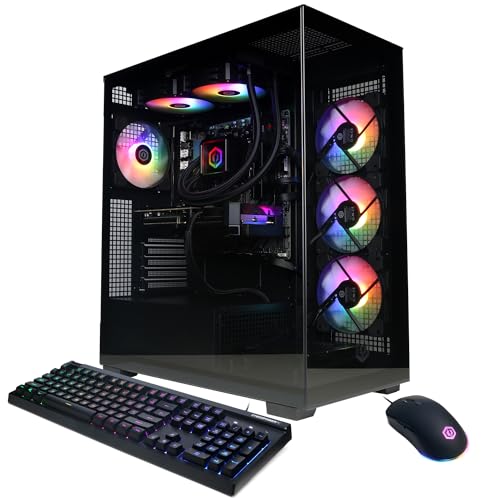
Top 3 picks at a glance
What mid-range means in 2026
Price labels are unreliable because memory and graphics card costs have risen through 2026, so define the tier by performance and parts instead.
| Tier | GPU class | Target | Memory | Price tier |
|---|---|---|---|---|
| Entry | RTX 5050 / RTX 5060 / RX 9060 XT 8GB | 1080p high | 16GB | Entry |
| Mid-range | RTX 5060 Ti 16GB / RTX 5070 / RX 9060 XT 16GB / RX 9070 | 1440p high to ultra | 32GB | Mid |
| Upper-mid | RTX 5070 Ti / RX 9070 XT | 1440p ultra, entry 4K with upscaling | 32GB | Upper-mid |
| High-end | RTX 5080 / RTX 5090 | 4K high refresh | 32GB to 64GB | Premium |
The RTX 50 series and Radeon RX 9000 series are the current generations as of late 2026, and no refreshed Super versions of the RTX 50 cards have been announced by NVIDIA. Buying now instead of waiting is reasonable if you need a machine, because a rumored product that has not been announced cannot be planned around.
Why resolution decides the tier
The jump from 1080p to 1440p is bigger than the numbers suggest. A 1440p screen has about 3.7 million pixels against roughly 2.1 million at 1080p, so the graphics card draws about 1.8 times as many pixels per frame. At 4K there are about 8.3 million pixels, four times the 1080p workload. That is why a card that handles 1080p easily can run out of steam at 1440p ultra or 4K, and why VRAM capacity matters more as resolution rises.
| Resolution | Pixels per frame | Relative workload | Suggested VRAM |
|---|---|---|---|
| 1920 x 1080 | 2.07 million | 1.0x | 8GB minimum, 12GB comfortable |
| 2560 x 1440 | 3.69 million | 1.8x | 12GB to 16GB |
| 3440 x 1440 (ultrawide) | 4.95 million | 2.4x | 16GB |
| 3840 x 2160 | 8.29 million | 4.0x | 16GB or more |
Seven mid-range lines worth shortlisting
1. Corsair Vengeance (a7500 class)
Spec line: Ryzen processor with current-generation GeForce or Radeon graphics, Corsair memory, cooler and power supply, tool-less case panels. Higher configurations of this line pair an X3D processor with an RTX 5070 Ti-class card, which places them at the upper end of the mid tier. Best for: buyers who want quality parts from one maker and plan to upgrade later. Skip if: you want the lowest price for a given GPU.
- Pro: Own-brand PSU, cooler and memory keep the parts list consistent.
- Pro: Clean cable management and standard layout.
- Pro: Support with multi-year coverage per published terms.
- Con: Price position above value brands.
- Con: Configuration choices are fewer than at configurator-based sellers.
2. NZXT Player Two and Player Three class
Spec line: Players are sold in tiers, with mid-range models using RTX 5070-class graphics, 32GB of DDR5 and a 1TB to 2TB SSD in NZXT’s own case, often with an NZXT liquid cooler. Best for: tidy builds with strong airflow. Skip if: you need an inexpensive machine, since the case and cooler add to the price.
- Pro: Attractive, airflow-minded case design.
- Pro: Standard components throughout.
- Pro: Clear configurator.
- Con: Premium relative to value integrators.
- Con: Warranty route depends on where you buy.
3. iBuyPower Slate class
Spec line: Configurations around RTX 5060 Ti and RTX 5070 graphics with Ryzen or Core Ultra processors, 16GB to 32GB of memory depending on the version. Best for: buyers who want a strong GPU for the money and will check the parts list. Skip if: the listing leaves out PSU make or memory kit details.
- Pro: Competitive GPU-for-the-price configurations.
- Pro: Wide retail distribution.
- Pro: Many variants to choose from.
- Con: Parts quality varies by version.
- Con: Some listings carry only 16GB of memory.
4. MSI Codex (R and Z series class)
Spec line: MSI Codex desktops pair MSI motherboards and graphics cards with Ryzen or Intel processors, commonly in RTX 5060 Ti and RTX 5070 configurations. Best for: familiar-brand value. Skip if: you want premium cooling or an upgrade-friendly case design.
- Pro: Largely in-house board and graphics card.
- Pro: Competitive pricing in its tier.
- Pro: Easy to compare variants.
- Con: Model names change often.
- Con: Case and cooling are mid-range.
5. HP Omen 35L and Omen 16L
Spec line: HP positions the Omen 35L with RTX 5060 Ti to RTX 5070-class graphics as its balanced option, with tool-less upgrades. The Omen 16L is a compact version for tighter desks. Best for: a mainstream brand with frequent promotions. Skip if: you want to swap the motherboard or PSU later, because some parts are HP-specific.
- Pro: Wide availability and frequent sales.
- Pro: Large-company support network.
- Pro: Tool-less access in the 35L.
- Con: OEM parts in some tiers.
- Con: The 16L has limited expansion space.
6. Lenovo Legion Tower 5 class
Spec line: Ryzen or Intel processor with RTX 5060 Ti or RTX 5070-class graphics, 16GB to 32GB of DDR5 and 1TB NVMe in a straightforward tower. Best for: conservative, no-fuss configurations from a large vendor. Skip if: the listing’s PSU wattage is low and you plan to upgrade the GPU.
- Pro: Reasonable airflow in a simple case.
- Pro: Large service network.
- Pro: Frequent promotional pricing.
- Con: PSU headroom can be thin.
- Con: Less enthusiast polish.
7. Skytech and CyberPowerPC mid-range lines
Spec line: Skytech’s King-series systems and CyberPowerPC’s Gamer Xtreme and Gamer Master lines offer X3D or Ryzen processors with RX 9070 XT-class or RTX 5070-class graphics in their upper mid-range configurations. Best for: maximum GPU and CPU for the money. Skip if: you cannot verify PSU, memory and motherboard on the listing.
- Pro: Aggressive configurations.
- Pro: Gaming-focused cases with fans included.
- Pro: Easy to find at major retailers.
- Con: Mixed-brand parts.
- Con: Memory and PSU details can be sparse.
Quick comparison
| Line | Typical mid-range GPU | Memory | Upgrade friendliness | Price tier |
|---|---|---|---|---|
| Corsair Vengeance | RTX 5070 to RTX 5070 Ti class | 32GB DDR5 | High | Mid to upper-mid |
| NZXT Player Two | RTX 5070 class | 32GB DDR5 | High | Mid |
| iBuyPower Slate | RTX 5060 Ti to RTX 5070 | 16GB to 32GB | Medium | Mid |
| MSI Codex | RTX 5060 Ti to RTX 5070 | 16GB to 32GB | Medium to high | Entry to mid |
| HP Omen 35L | RTX 5060 Ti to RTX 5070 | 16GB to 32GB | Medium | Mid |
| Lenovo Legion Tower 5 | RTX 5060 Ti to RTX 5070 | 16GB to 32GB | Medium | Entry to mid |
| Skytech / CyberPowerPC | RTX 5070 to RX 9070 XT | 16GB to 32GB | Medium | Mid |
How to choose: a decision matrix
| Your situation | Pick | Why |
|---|---|---|
| 1440p at 144Hz in AAA games | RTX 5070-class or RX 9070-class system | Enough GPU headroom for high settings |
| 1440p at 60 to 100Hz, balanced budget | RTX 5060 Ti 16GB or RX 9060 XT 16GB system | VRAM capacity without the price of a bigger card |
| Competitive shooters at very high refresh | X3D CPU with a mid GPU | CPU cache raises minimum frame rates |
| Streaming while gaming | Eight or more cores, NVIDIA GPU with NVENC | Encoder quality and spare CPU capacity |
| Small desk | Compact lines such as Omen 16L or small NZXT cases | Smaller footprint, but check cooling |
| Plan to upgrade the GPU | Corsair, NZXT, MSI | Standard parts and PSU headroom |
What to verify on any mid-range listing
- The exact GPU memory size. The RTX 5060 Ti and RX 9060 XT both exist in 8GB and 16GB forms. For 1440p, choose 16GB.
- Memory arrangement. Two matched modules in dual-channel mode and a stated speed such as DDR5-6000 are what you want. Single-module listings have been reported in this market.
- PSU make and rating. Aim for a rated wattage at least 1.4 times the combined CPU and GPU power. For a 180W GPU and 90W CPU, that points to about 400W minimum, with 650W to 750W as a sensible purchase.
- Storage. 1TB NVMe is the floor in 2026, since a few big games take 100GB or more.
- Cooling. A tower air cooler is enough for six-core chips, and an AIO suits hotter eight-core or X3D parts in small cases.
- Warranty. Confirm length, who pays shipping and how parts are handled on the seller’s current terms.
Approximate performance to expect
Frame rates vary with game, settings, CPU and driver version, so use these as rough bands drawn from the kind of results published in reviews of this class.
| Workload | Typical range for mid-range class |
|---|---|
| 1080p esports titles, high settings | 200 to 400+ fps |
| 1440p AAA, high settings | 70 to 140 fps |
| 1440p AAA, ultra with ray tracing | 40 to 80 fps, upscaling helps |
| 4K, medium to high with upscaling | 45 to 80 fps |
When to step up or down a tier
The mid-range is the sweet spot because performance gains flatten while prices keep climbing. Use relative numbers rather than prices to judge whether a step is worth it.
| Step | Typical performance gain at 1440p | Typical price-tier jump | Worth it when |
|---|---|---|---|
| Entry (8GB GPU) to mid-range (16GB GPU) | 20% to 40%, larger in VRAM-heavy games | One tier | You play new AAA titles at 1440p |
| RTX 5060 Ti class to RTX 5070 class | 15% to 25% | Moderate | You target 100+ fps at high settings |
| RTX 5070 class to RTX 5070 Ti class | 20% to 30% | Moderate to large | You want ultra settings or entry 4K |
| RTX 5070 Ti class to RTX 5080 class | 15% to 25% | Large | You play at native 4K |
These gain ranges are approximations drawn from the spread of published reviews and shift with games and drivers. The pattern matters more than the figures: each step up costs a larger share of the budget for a smaller proportional gain, which is why most buyers who play at 1440p are well served in the middle of the table.
A worked cooling and noise check
Mid-range machines in compact cases are where heat becomes the limit. Add the sustained power of the two big parts to see how much heat the case has to remove. A 180W graphics card plus a 90W CPU is 270W, and the rest of the system adds about 50W, so the case must exhaust about 320W continuously during gaming. Mesh-front mid-towers with three intake fans usually handle that comfortably. A compact case about 16 liters in volume can handle it, but fans run faster and noise rises, so read reviews that mention noise and GPU temperatures for that exact case. If a listing shows an eight-core X3D chip in a very small case with only a tower cooler, expect higher temperatures and louder fans than in a standard mid-tower.
Mistakes to avoid when buying mid-range
- Buying for the CPU name and ignoring the GPU. A faster processor with a weaker card gives less gaming gain than the reverse at 1440p.
- Accepting 8GB of VRAM at this tier. It limits texture quality in newer games.
- Ignoring the monitor. A 1440p 144Hz monitor is the natural match. A 1080p 60Hz screen wastes the extra GPU performance.
- Skipping the warranty details. Verify the seller’s current terms before checkout.
- Forgetting peripherals and Windows. Check whether the listing includes an operating system license, since some do not.
Frequently Asked Questions
What is considered a mid-range gaming PC?
A mid-range gaming PC today pairs a GPU in the RTX 5060 Ti 16GB to RTX 5070 class, or Radeon RX 9060 XT 16GB to RX 9070 class, with a modern six- to eight-core CPU and 32GB of DDR5. It aims at 1440p high settings.
Is a mid-range gaming PC good enough for 4K?
It can manage 4K with upscaling and medium to high settings, but native 4K ultra is better served by upper-mid or high-end cards such as the RTX 5070 Ti, RX 9070 XT or RTX 5080.
How much memory should a mid-range PC have?
32GB of DDR5 in two modules is the best choice for 2026. Sixteen gigabytes works for many games but leaves little room for background apps, and single-module setups reduce performance in some titles.
Should I wait for new graphics cards?
Waiting makes sense only if you do not need a machine now. NVIDIA has not announced refreshed RTX 50 Super cards, and memory shortages have pushed some rumored timelines out. Buy when a configuration fits your target.
Is a prebuilt or a custom build better in the mid-range?
Prebuilts can offer better prices when memory is expensive, because large builders buy in volume. Custom builds allow exact parts. Compare using the same checklist for named PSU, dual-channel memory and a 16GB GPU.
Which brand is best for a mid-range gaming PC?
Corsair and NZXT are strong on build quality and upgrade-friendliness, MSI and iBuyPower on value, and HP and Lenovo on availability and service. The right choice depends on the specific configuration more than the brand.
Related guides
- Best High-End Prebuilt Gaming PCs in 2026: Flagship RTX 5090, 5080 and 9800X3D Builds: 4 Compared
- Best RTX 3080 Prebuilt Gaming PCs: Used and Refurbished Buying Guide for 2026: 4 Compared
- Best Prebuilt Gaming PCs for 2026: 7 Lines Worth Buying and How to Spot a Weak Config: 4 Compared
- 4 Best Prebuilt Gaming PCs for 1080p: Entry-Level and Esports Picks for 2026
More from Amazon
Programs that pair well with the guide above. Offers and eligibility are set by Amazon and may change.
Free shipping on eligible items, Prime Video and more. Eligible new members can start with a free trial.
Start a Prime free trialAd-free music streaming. Eligible new subscribers can start with a free trial.
Try Music Unlimited freeA Prime membership for ages 18-24 with a trial period. Eligibility is set by Amazon.
See Prime for Young AdultsAudiobooks and podcasts to listen to on the go. Eligible new members can start with a free trial.
Try Audible freeAs an Amazon Associate we earn from qualifying purchases.


