
The best MSI gaming desktop depends on size and budget: choose an Aegis tower for a full-size machine with the most upgrade room, a Trident for a compact console-style PC that fits on a shelf, an Infinite for mainstream value in a standard mid-tower, and a Codex for a lower-cost entry build. In the common “MSI Aegis vs Trident” debate, Aegis wins on cooling and expansion, while Trident wins on footprint, at the cost of tighter limits on graphics card size and later upgrades. The comparison below is based on MSI’s published product pages and independent reviews, with configurations varying by region and retailer.
MSI sells gaming desktops under several family names, and the naming is confusing: a series name, a letter or number suffix and a processor generation can all differ between two listings that look alike. Rather than ranking individual SKUs that rotate monthly, this guide teaches you to read the naming, then recommends the best fit by situation.
As an Amazon Associate we earn from qualifying purchases at no extra cost to you.

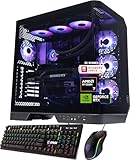


Top 3 picks at a glance
Reading MSI’s naming: what each family means
| Family | Position | Typical form factor | Best for |
|---|---|---|---|
| MEG | Top enthusiast tier | Large tower or special compact design | Flagship builds |
| MPG | Performance tier | Mid-tower or compact | Strong all-round gaming |
| MAG | Mainstream tier | Mid-tower | Value gaming |
| Aegis | Tower family spanning MEG, MPG and MAG branding in different generations | Full-size tower | Upgradeable gaming PC |
| Trident | Compact desktop family | Small, console-like case | Small desks and living rooms |
| Infinite | Mainstream and performance towers | Mid-tower | Balanced value |
| Codex | Entry-to-mid towers | Mid-tower | Lower-cost builds |
MSI revises these families regularly, so confirm the current naming on MSI’s product page before comparing, and treat suffixes as generation markers rather than permanent tiers.
Aegis versus Trident: head-to-head
| Criterion | Aegis (tower) | Trident (compact) |
|---|---|---|
| Case size | Full or large mid-tower | Small, shelf-friendly chassis |
| Graphics card length and thickness | Generous clearance for large cards | Limited; often compact or low-profile card designs |
| Cooling | More fans, larger radiator or cooler options | Tighter airflow; thermals depend on design |
| Upgrade room | More drive bays, more slots, easier swaps | Fewer bays and less internal room |
| Noise at load | Generally lower, because larger fans can spin slower | Can be louder under sustained load |
| Footprint | Large | Small |
| Best for | Primary gaming PC | Living-room and small-desk setups |
The physical rule behind the table is that a compact case has less volume to move air, so it either runs warmer or spins fans faster. A tower gives a larger graphics card and a bigger cooler enough room to run quietly. If space is not a constraint, the tower wins on almost every measurable factor except footprint.
Quick comparison of six MSI desktop picks by class
| Pick | Best for | Typical spec class | Price tier |
|---|---|---|---|
| MSI MEG Aegis / flagship tower | High-end 4K gaming | RTX 5080 or RTX 5090 class, high-end Intel or AMD processor | Premium |
| MSI MPG Aegis R2 class | Strong all-round gaming | RTX 5070 Ti class, Core Ultra 9 or Ryzen 7 class, 32GB DDR5 | Mid to premium |
| MSI MPG Infinite X3 class | High-performance mid-tower | RTX 5070 Ti to RTX 5080 class | Mid to premium |
| MSI MAG Infinite S3 class | Balanced mainstream value | RTX 5060 Ti to RTX 5070 class | Entry to mid |
| MSI MAG Codex class | Entry gaming | RTX 5060 or RTX 5060 Ti class | Entry |
| MSI MPG Trident class | Compact gaming PC | RTX 5060 Ti to RTX 5070 class in compact form | Mid |
Best overall: MSI Aegis tower (RTX 5070 Ti class)
Spec line: Full-size tower with an MSI motherboard, RTX 5070 Ti class graphics, Core Ultra 9 or Ryzen 7 class processor, 32GB DDR5 and a 1TB to 2TB NVMe drive. Best for: a primary gaming PC that you want to upgrade over several years. Skip if: you want the smallest possible footprint.
Published roundups for 2026 frequently feature the Aegis R2 line with a Core Ultra 9 processor and an RTX 5070 Ti with 16GB of memory as MSI’s premium mainstream choice. The practical case for the Aegis family is simple: the large case, strong cooling and standard slots keep the machine useful as graphics cards and storage need replacing.
- Pro: Good airflow and room for large graphics cards.
- Pro: MSI-designed motherboard and graphics, which suits coordinated builds.
- Pro: 16GB graphics memory suits 1440p and many 4K games.
- Con: Large footprint.
- Con: Premium price positioning versus integrator builds with similar graphics.
Best flagship: MEG-class tower with RTX 5080 or RTX 5090
Spec line: Large tower with top-tier processor, RTX 5080 or RTX 5090 class graphics, 32GB to 64GB DDR5 and 2TB or more of NVMe storage. Best for: 4K gaming and heavy creative work. Skip if: you play at 1080p or 1440p and have no need for flagship graphics.
At the top of the range the main considerations are power supply size and cooling. A system with an RTX 5090-class card needs a power supply of roughly 1000W or larger and good intake airflow. Confirm the exact wattage, ATX 3.x rating and cooler type on the product page.
- Pro: Highest performance available in MSI’s lineup.
- Pro: Large interior suits high-end cooling.
- Pro: Room for later storage additions.
- Con: Premium price tier.
- Con: Availability of top-end graphics cards can be constrained.
Best performance mid-tower: MPG Infinite X3 class
Spec line: Mid-tower with Core Ultra or Ryzen processors, RTX 5070 Ti to RTX 5080 class graphics, 32GB DDR5 and NVMe storage. Best for: buyers who want enthusiast performance in a more restrained case. Skip if: you prefer a flashy chassis or plan to install an oversized cooler.
Infinite towers are MSI’s mainstream-to-performance family. The X3 designation positions it in the performance tier, with better cooling and a stronger component set than the S3 class.
- Pro: Strong performance in a standard mid-tower.
- Pro: Widely stocked at major retailers.
- Pro: Balanced cooling for a gaming load.
- Con: Case design may limit major cooling changes.
- Con: Names are similar to neighboring models.
Best value: MAG Infinite S3 class
Spec line: Mid-tower with a six- to eight-core processor, RTX 5060 Ti to RTX 5070 class graphics, 16GB to 32GB DDR5 and 1TB NVMe. Best for: 1080p and 1440p gaming at a moderate price. Skip if: you need a high-end processor or heavy creative performance.
This class is where most buyers find the best balance. Check the memory setup and the power supply wattage, because MSI’s mainstream towers sometimes ship with a single memory stick or a modest power supply, which may limit later upgrades.
- Pro: Good gaming performance per dollar at this tier.
- Pro: Available in many retail locations.
- Pro: Standard mid-tower layout.
- Con: Memory and power supply can be basic.
- Con: Limited premium features.
Best entry build: MAG Codex class
Spec line: Compact mid-tower with an entry processor and RTX 5060-class or 5060 Ti-class graphics, 16GB DDR5 and 500GB to 1TB NVMe. Best for: 1080p esports and mainstream games on a tighter budget. Skip if: you plan to upgrade the graphics card substantially.
Codex systems favor low price over expandability. Plan to upgrade memory or storage later and check that the power supply has enough headroom for a graphics upgrade before relying on that path.
- Pro: Lowest entry price in the MSI lineup.
- Pro: Enough for 1080p gaming.
- Pro: Simple, compact design.
- Con: Limited upgrade headroom.
- Con: Basic cooling and case features.
Best compact: MPG Trident class
Spec line: Compact chassis with a modern processor, RTX 5060 Ti to RTX 5070 class graphics in a compact card design, 16GB to 32GB DDR5 and NVMe storage. Best for: small desks, living-room setups and travel-friendly layouts. Skip if: you want to install a large graphics card later.
Trident systems trade internal room for footprint. The design generally uses compact or custom parts, so a later graphics upgrade may be limited to cards that fit the case. This is the key difference from an Aegis tower and the main reason to buy a compact PC knowingly rather than by accident.
- Pro: Small footprint that fits a shelf or media setup.
- Pro: Console-like design.
- Pro: Strong 1080p and 1440p performance for the size.
- Con: Limited upgrade options.
- Con: Tighter airflow can mean more fan noise under load.
How to choose: sizing and thermals
Check the graphics card length against the case
Large graphics cards can exceed 300mm in length and occupy three slots. Before assuming that a card swap will work, find the case’s maximum card length on the product page. Towers typically allow 320mm or more, while compact cases often allow less than 250mm.
Check the power supply
Add the graphics card’s rated board power to the processor’s maximum power, then add 150W. An RTX 5070 Ti at about 300W plus a 125W processor plus 150W is about 575W, so a 750W power supply gives sensible headroom. If a configuration has a 650W unit, you can run it but have less room to grow.
Check the memory layout
Confirm two sticks of DDR5 for dual-channel. A single 16GB stick limits memory bandwidth and can cost several frames per second in some games.
Check storage and slots
Look for a free M.2 slot and a free drive bay. Adding a second NVMe drive later is often the cheapest way to expand capacity.
Decision matrix
| Your situation | Choose | Why |
|---|---|---|
| Main gaming PC, plan to upgrade the GPU in a few years | Aegis tower or MPG Infinite X3 | Space, cooling and standard parts |
| Small desk or living room | Trident | Footprint |
| Tight budget, 1080p gaming | Codex or Infinite S3 | Lowest cost |
| 4K gaming and creative work | MEG-class tower | Top graphics and cooling |
| Wants to compare against rivals | See the Corsair, NZXT and Alienware lines | Check parts lists across brands |
What MSI’s in-house parts mean in practice
MSI designs motherboards, graphics cards, power supplies and cooling products, and many of its desktops use MSI parts throughout. The practical benefit is coordinated firmware and compatibility. The practical limit is that cases and front-panel connectors may be designed around MSI’s own parts, so swapping the motherboard later can be harder than in a generic ATX tower. If you value freedom to change everything, read the product page’s parts list and consider whether a more generic case suits you better.
Common mistakes when shopping MSI desktops
- Assuming the series name tells you the graphics card. Two listings under the same family can carry different graphics cards, memory sizes and processors. Read the line that names the exact GPU and its video memory.
- Ignoring the processor generation suffix. A listing with an older-generation chip can look identical to a newer one. Compare the full processor model, not just “Core Ultra” or “Ryzen 7”.
- Buying a compact model and planning a flagship card swap. A card that fits an Aegis tower may not fit a Trident, and the power supply may not support it either.
- Overlooking the cooler. A high-power processor on a modest air cooler runs hotter and louder than the same chip on a larger tower cooler or a 240mm to 360mm liquid unit. Check the cooler type on the page.
- Paying for RGB and glass over hardware. Within the same price tier, a plainer case with a better graphics card produces higher frame rates than a showier case with a lower tier card.
- Skipping the retailer’s return window. Large retailers often have shorter or stricter returns on computers than on other products, so note the dates when you order.
A useful habit is to copy the full configuration into a note and compare it line by line against a rival from another brand. If the MSI machine wins on graphics memory, power supply headroom and RAM layout at a similar price tier, it is a good buy. If it loses on two of those three, look elsewhere.
Warranty and support
Warranty terms vary by region and by retailer, and desktops sold through major stores can have different return rules than those bought directly from MSI. Read the seller’s current terms for coverage length, whether labor and parts are both included and how repair shipping is handled. If you plan to upgrade the graphics card yourself, find out in advance whether opening the case affects coverage.
Frequently Asked Questions
What is the best MSI gaming desktop?
For most buyers, an Aegis-family tower with an RTX 5070 Ti class graphics card and 32GB of DDR5 is the best balance of performance and upgrade room. If you want a lower price, an Infinite S3 class tower is the better value.
MSI Aegis vs Trident: which is better?
Aegis is better for performance, cooling and upgrades, while Trident is better for small spaces. If you have room for a tower, choose Aegis. If you need a compact PC that fits on a shelf, choose Trident, knowing that upgrade options are narrower.
Can I upgrade the graphics card in an MSI Trident?
Possibly, but only with cards that fit the compact case and are supported by the power supply. Check the maximum card length and the wattage before buying a replacement.
Are MSI desktops good for gaming?
Yes, they are commonly described as solid gaming systems, particularly when the configuration uses a current RTX 50-series or Radeon RX 9000 graphics card with 32GB of dual-channel RAM. Quality varies by tier, so check the full parts list.
Does MSI use proprietary parts?
Some of its compact designs use custom form factors, while its mid-tower and tower systems generally use standard ATX or micro-ATX parts. Verify the motherboard form factor and the power supply type before planning a swap.
Should I wait for new graphics cards before buying an MSI desktop?
Reports in 2026 describe delays to refreshed NVIDIA cards with no confirmed date, so waiting for a rumored launch is uncertain. If a configuration with the graphics card you want is available at a fair price, buy it and plan upgrades around your needs.
Bottom line
Pick the tower if you have room and want the best performance and upgrade path, the compact Trident if footprint is the priority, and a mainstream Infinite or Codex class system when budget matters most. Check the graphics memory, power supply wattage, memory layout and free slots on the exact configuration, and read the seller’s current warranty terms before you order.
Related guides
- Best High-End Prebuilt Gaming PCs in 2026: Flagship RTX 5090, 5080 and 9800X3D Builds: 4 Compared
- Best RTX 3080 Prebuilt Gaming PCs: Used and Refurbished Buying Guide for 2026: 4 Compared
- Best Prebuilt Gaming PCs for 2026: 7 Lines Worth Buying and How to Spot a Weak Config: 4 Compared
- 4 Best Prebuilt Gaming PCs for 1080p: Entry-Level and Esports Picks for 2026
More from Amazon
Programs that pair well with the guide above. Offers and eligibility are set by Amazon and may change.
Free shipping on eligible items, Prime Video and more. Eligible new members can start with a free trial.
Start a Prime free trialAd-free music streaming. Eligible new subscribers can start with a free trial.
Try Music Unlimited freeA Prime membership for ages 18-24 with a trial period. Eligibility is set by Amazon.
See Prime for Young AdultsAudiobooks and podcasts to listen to on the go. Eligible new members can start with a free trial.
Try Audible freeAs an Amazon Associate we earn from qualifying purchases.


