
The best gaming PC for competitive FPS games such as Counter-Strike 2, Apex Legends, Valorant and Call of Duty is built around the processor first: a Ryzen 7 9800X3D (or a Ryzen 7 7800X3D) paired with a mid-range graphics card in the RTX 5060 Ti to RTX 5070 class, 32GB of DDR5-6000, a fast NVMe SSD and a 240Hz to 500Hz monitor. Esports titles are usually limited by the CPU and by frame-time consistency, not by raw graphics power, so spending on the processor and the monitor gives more competitive benefit than a flagship graphics card. This guide shows the frame-time math, a decision matrix by monitor, six builds and the settings that matter, based on published specs and reviews.
As an Amazon Associate we earn from qualifying purchases at no extra cost to you.

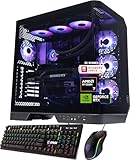

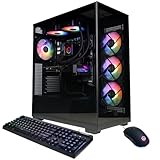
Our Top Picks

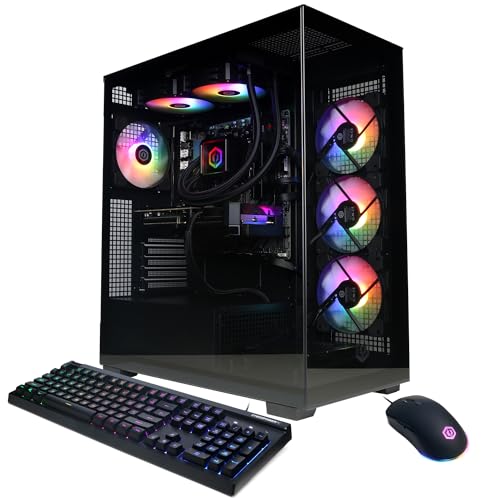
Top 3 picks at a glance
Why competitive FPS needs a different build
A cinematic game rewards a powerful graphics card because it draws complex scenes at high resolution. A competitive shooter is different: you run low graphics settings at 1080p, and the game is so lightly loaded on the GPU that the processor and memory become the bottleneck. What matters is not the average frame rate alone but how quickly each frame arrives, how steady those frames are and how little delay sits between your click and the picture on the screen.
The frame-time math
Frame time is the time each frame takes to render, in milliseconds. It equals 1,000 divided by the frame rate.
| Frame rate | Frame time | Matching monitor refresh |
|---|---|---|
| 60 fps | 16.7 ms | 60Hz |
| 144 fps | 6.9 ms | 144Hz |
| 240 fps | 4.2 ms | 240Hz |
| 360 fps | 2.8 ms | 360Hz |
| 500 fps | 2.0 ms | 500Hz |
Two lessons follow. First, the improvement from 60 to 144 fps cuts frame time by about 9.8 ms, while 240 to 360 fps cuts only about 1.4 ms, so returns diminish quickly and the first jump is by far the most noticeable. Second, the monitor must be able to show the frames you produce. Running 400 fps on a 144Hz screen still helps latency a little, but you will not see most of the extra frames.
1% lows matter more than the average
A game averaging 300 fps with 1% lows of 120 fps feels worse than one averaging 250 fps with 1% lows of 200 fps, because the dips are what you notice during fights. A processor with large cache, such as an X3D chip, tends to raise 1% lows in many esports titles, which is why reviewers often recommend them for competitive play. Published results vary by game and patch, so check current benchmarks for the title you play most.
Match the build to your monitor
| Monitor | Target fps | Processor class | Graphics class | Price tier |
|---|---|---|---|---|
| 1080p, 144 to 165Hz | 150 to 200 fps | Ryzen 5 7600 or Core i5 class | RTX 5060 or RX 9060 XT class | Entry |
| 1080p, 240Hz | 240 to 300 fps | Ryzen 5 9600X to Ryzen 7 7700 | RTX 5060 Ti class | Entry to mid |
| 1080p, 360Hz | 300 to 400 fps | Ryzen 7 7800X3D or 9800X3D | RTX 5060 Ti to RTX 5070 class | Mid |
| 1080p or 1440p, 480 to 500Hz OLED | 400 to 500 fps | Ryzen 7 9800X3D | RTX 5070 class | Mid to premium |
| 1440p, 240Hz | 200 to 280 fps | Ryzen 7 7800X3D or 9800X3D | RTX 5070 Ti or RX 9070 XT class | Mid to premium |
Frame rate targets depend on the game, map, settings and patch; esports titles such as Valorant and CS2 often run well above 300 fps on this hardware, while Apex Legends and Call of Duty with larger maps and effects reach lower figures at the same settings.
Quick comparison of six builds
| Build | Best for | Processor | Graphics | Memory / storage | Price tier |
|---|---|---|---|---|---|
| 1. Budget 144Hz tower (HP Victus or Lenovo Legion Tower 5 class) | First competitive rig | Ryzen 5 class | RTX 5060 class | 16 to 32GB / 1TB | Entry |
| 2. CyberPowerPC or Skytech 240Hz build | Best value for 240Hz | Ryzen 5 9600X class | RTX 5060 Ti class | 32GB / 1TB | Entry to mid |
| 3. MSI MAG Infinite class | Balanced all-rounder | Ryzen 7 7700 class | RTX 5060 Ti to RTX 5070 class | 32GB / 1TB | Mid |
| 4. Corsair Vengeance X3D build | 360Hz competitive play | Ryzen 7 9800X3D | RTX 5070 class | 32GB / 2TB | Mid to premium |
| 5. NZXT Player X3D build | On-camera and competitive | Ryzen 7 9800X3D | RTX 5070 class | 32GB / 2TB | Mid to premium |
| 6. DIY 9800X3D build | Lowest cost for top performance | Ryzen 7 9800X3D | RTX 5070 or RX 9070 class | 32GB DDR5-6000 CL30 / 2TB | Mid to premium |
Prebuilt lines and their configurations change often; check that the exact configuration lists the processor and graphics card you want.
1. Budget 144Hz tower: best entry competitive PC
Spec line: Ryzen 5 class processor, RTX 5060 class graphics, 16GB to 32GB of DDR5 and a 1TB NVMe SSD from lines such as the HP Victus or Lenovo Legion Tower 5. Best for: 1080p play at 144Hz to 165Hz. Skip if: you own a 240Hz or faster monitor.
At this level most esports titles comfortably exceed 144 fps at low settings. Make sure the memory runs in dual channel, since a single stick reduces memory bandwidth and can hurt 1% lows.
- Pro: Lowest price tier that still delivers 144 fps in major esports games.
- Pro: Easy to find with retail warranty and returns.
- Pro: Upgradeable memory and storage.
- Con: Limited headroom for demanding titles such as Apex Legends at 240 fps.
- Con: Check for single-channel memory and weak power supplies.
2. CyberPowerPC or Skytech 240Hz build: best value
Spec line: Ryzen 5 9600X class processor, RTX 5060 Ti class graphics, 32GB DDR5, 1TB NVMe. Best for: 240Hz 1080p play at the lowest practical cost. Skip if: you want a premium case or the best 1% lows.
Integrator builds often pair a capable graphics card with a mid-range processor at a competitive price. For competitive play, check that the processor is a current six- or eight-core model and that memory is DDR5 in two sticks.
- Pro: Strong value for 240Hz play.
- Pro: Standard parts for later upgrades.
- Pro: Many configurations to choose from.
- Con: Component quality varies by listing.
- Con: Cases may be basic.
3. MSI MAG Infinite class: best balanced mainstream pick
Spec line: Ryzen 7 7700 class processor, RTX 5060 Ti to RTX 5070 class graphics, 32GB DDR5, 1TB NVMe. Best for: players who also want to run single-player games at high settings. Skip if: you only play esports and want the lowest price.
This tier offers a good balance of competitive and general gaming performance. MSI’s in-house board and graphics design helps keep the system consistent.
- Pro: Balanced across esports and AAA games.
- Pro: Widely stocked.
- Pro: Mid-tower design with room for upgrades.
- Con: Not X3D, so 1% lows trail the best chips.
- Con: Similar model names can confuse comparison.
4. Corsair Vengeance with a Ryzen 7 9800X3D: best for 360Hz play
Spec line: Ryzen 7 9800X3D, RTX 5070 class graphics, 32GB DDR5, 2TB NVMe, Corsair cooling and power supply. Best for: serious competitive players with a 360Hz or faster monitor. Skip if: you play at 1080p and 144Hz.
The 9800X3D is widely cited as a leading gaming processor, and in esports titles its large cache benefits 1% lows. Corsair’s standard parts and support suit players who want a reliable machine with less tuning.
- Pro: Top-tier gaming processor.
- Pro: Clean internals and strong cooling.
- Pro: Plenty of headroom for 1440p as well.
- Con: Higher price tier.
- Con: Graphics tier may be more than esports titles require.
5. NZXT Player with a Ryzen 7 9800X3D: best looking competitive PC
Spec line: 9800X3D, RTX 5070 class graphics, 32GB DDR5, 2TB NVMe in a minimalist NZXT case. Best for: players who stream or sit on camera. Skip if: you want the cheapest competitive build.
NZXT builds combine strong competitive specs with a tidy look. The airflow-focused case design helps keep the processor and graphics card in a steady temperature range, which supports consistent frame times.
- Pro: Clean look with strong gaming performance.
- Pro: Simple ordering process.
- Pro: Good airflow.
- Con: Premium for design.
- Con: Fewer configurations than large integrators.
6. DIY 9800X3D build: best performance per cost
Spec line: Ryzen 7 9800X3D, a B850 motherboard, 32GB DDR5-6000 CL30, an RTX 5070 or RX 9070 class graphics card, a 2TB PCIe 4.0 SSD and an 750W power supply. Best for: builders comfortable with assembly. Skip if: you want a warranty covering the whole system.
Building lets you put the money where competitive games need it. A 9800X3D with a mid-range graphics card often matches or beats a prebuilt that spends more on the graphics card.
- Pro: Best performance per cost.
- Pro: Full control over parts.
- Pro: Easy to upgrade the graphics card later.
- Con: Requires assembly and BIOS tuning.
- Con: Parts warranties are separate.
Settings that matter for competitive play
- Enable the memory profile. Turn on EXPO or XMP in the BIOS so DDR5 runs at its rated speed. Memory at a default 4800 MT/s costs frame rate in CPU-limited games.
- Use the Windows Balanced or High Performance power plan. A power-saving plan can delay boost clocks.
- Enable Game Mode in Windows. It reduces background interruptions during play.
- Turn on NVIDIA Reflex (or AMD Anti-Lag) in supported games. These features reduce the render queue and can cut system latency noticeably in GPU-limited cases. Reflex is available in games such as Valorant, Apex Legends and Counter-Strike 2, though availability varies by title.
- Set graphics to low, with textures at medium or high. Low shadows, effects and post-processing reduce clutter. Texture quality mostly uses video memory, which has little effect on frame rate if you have enough.
- Cap the frame rate slightly below the monitor’s refresh if you use variable refresh rate. For example, cap at 237 fps on a 240Hz screen to stay inside the VRR window, or leave it uncapped if you play with VRR off and prefer lowest latency.
- Update graphics drivers and chipset drivers. New releases often include fixes for specific games.
- Close background apps. Overlays, browsers and recorders can add stutter during fights.
Peripherals and network
Latency is a chain, so the PC is only one link. Use a wired Ethernet connection, a mouse with a 1,000Hz or higher polling rate on a clean USB port and a monitor with a fast response time and a native high refresh rate. A 1080p, 360Hz panel is the popular competitive choice, while 1440p 240Hz suits players who also want better image quality.
A quick self-check after you build or buy
Before you trust the numbers, run a short routine. Open a practice range or offline map in your main game, enable the in-game frame-time graph or a monitoring overlay, and note the average frame rate and the lowest dips during a flick-heavy session. Then check three things: the processor should sit below about 85 degrees C, memory should show its rated speed in a system-information tool, and the monitor should report the full refresh rate in the display settings. If the frame-time graph shows repeating spikes every few seconds, look for a background update, a recording overlay or a power plan set to save energy before blaming the hardware. Fix the biggest spike source first and repeat the run, changing only one setting at a time so you know which change helped.
Common mistakes
- Spending on an RTX 5080 or RTX 5090 for 1080p esports play, when an X3D processor would improve 1% lows more.
- Running one memory stick, which halves memory channels.
- Leaving memory at default speed because the profile was never enabled.
- Playing at 240 fps on a 60Hz monitor, wasting the hardware.
- Using a stock cooler on a processor that throttles and causes frame-time spikes.
Frequently Asked Questions
What is the best gaming PC for competitive FPS games?
A PC with a Ryzen 7 9800X3D, an RTX 5070-class graphics card, 32GB of DDR5-6000 and a 240Hz to 360Hz monitor is the strongest choice for most competitive players. If budget is tight, a Ryzen 5 9600X with an RTX 5060 Ti handles 240Hz in many esports titles.
Do I need a powerful graphics card for CS2 and Valorant?
No. These games are mostly processor-limited at low settings, so a mid-range card is enough. Put more of the budget into the processor and monitor.
Is 360Hz worth it for competitive play?
For serious players it can be, because frame times drop to about 2.8 ms and motion looks clearer. The jump from 144Hz to 240Hz is more noticeable than from 240Hz to 360Hz, so choose it only if your PC can reach those frame rates consistently.
Is an X3D processor worth it for esports?
Often yes. The larger cache helps 1% lows in many competitive titles, though gains differ by game. Check benchmarks for the game you play most.
Should I play at 1080p or 1440p for competitive FPS?
Many professionals use 1080p because it gives the highest frame rates, while 1440p at 240Hz offers a sharper image with a still-high frame rate on a strong processor and graphics card. Choose based on the games you play and your hardware.
Does RAM speed matter for competitive games?
It can. Faster, low-latency DDR5 helps in processor-limited games, and DDR5-6000 CL30 is the commonly recommended sweet spot for AMD AM5 systems. Always run two sticks to keep dual-channel bandwidth.
Bottom line
Build for frame-time consistency: an X3D processor, 32GB of DDR5-6000 in two sticks, a mid-range graphics card and a monitor whose refresh rate matches what the PC can deliver. Choose the prebuilt or DIY route that fits your budget, enable the memory profile and latency features, and spend leftover money on the monitor and peripherals before a flagship graphics card.
Related guides
- Best High-End Prebuilt Gaming PCs in 2026: Flagship RTX 5090, 5080 and 9800X3D Builds: 4 Compared
- Best RTX 3080 Prebuilt Gaming PCs: Used and Refurbished Buying Guide for 2026: 4 Compared
- Best Prebuilt Gaming PCs for 2026: 7 Lines Worth Buying and How to Spot a Weak Config: 4 Compared
- 4 Best Prebuilt Gaming PCs for 1080p: Entry-Level and Esports Picks for 2026
More from Amazon
Programs that pair well with the guide above. Offers and eligibility are set by Amazon and may change.
Free shipping on eligible items, Prime Video and more. Eligible new members can start with a free trial.
Start a Prime free trialAd-free music streaming. Eligible new subscribers can start with a free trial.
Try Music Unlimited freeA Prime membership for ages 18-24 with a trial period. Eligibility is set by Amazon.
See Prime for Young AdultsAudiobooks and podcasts to listen to on the go. Eligible new members can start with a free trial.
Try Audible freeAs an Amazon Associate we earn from qualifying purchases.


