Optical drives have vanished from nearly every laptop and most desktop cases, yet a shelf of Blu-ray discs still holds things a streaming library does not: uncompressed movie audio, special editions, old home videos, and archived files you burned years ago. Picking a Blu-ray drive today is mostly a question of three choices. Do you need to read discs only or also write them? Do you want a drive you can carry, or one that lives inside a tower? And do you plan to play 4K UHD discs, which carry extra requirements that ordinary Blu-ray drives skip?
This guide is written for people with a specific job in mind: a laptop owner digitizing a disc collection, a desktop builder adding a slim bay drive, or a home-theater PC user who wants proper disc playback. Because several listings below read nearly alike, the focus is on what each title actually states, such as port type, burn speed, card reader extras, and form factor. Seven drives are covered, and the 2026 shopping approach is simple: match the connection and media support to your machine first, then compare extras.
Our Top Picks


Top 3 picks at a glance
Quick Picks
As an Amazon Associate we earn from qualifying purchases at no extra cost to you.


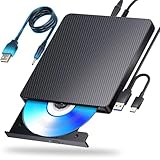

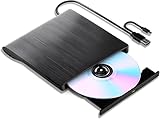

| Product | Best for | Key spec from the title |
|---|---|---|
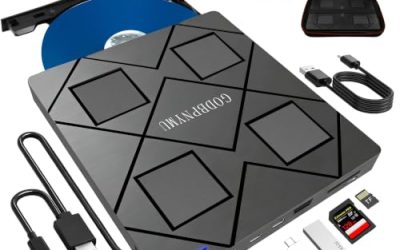
| GODBPNYMU 8-in-1 | Laptops that need ports and card slots too | USB-C hub, 2 USB plus USB-C ports, TF/SD card reader |
| LLMHHKYK External Drive | Simple carry-along disc reading and burning | USB 3.0 and Type-C, BD/DVD/CD reader and burner |
| aelrsoch External Drive | Older Windows machines | USB 3.0 / Type-C, Windows 7 to 11 listed |
| Generic External Blu-ray Burner | Plain slim external burning | USB 3.0 Type-C, read and write, slim |
| GOOBOX 6X BD-RE | Buyers who want a stated burn speed | 6X BD-RE burner, USB-C and USB 3.0 |
| archgon Aluminum Writer | PC and Mac users after UHD 4K support | Aluminum body, USB 3.0, UHD 4K Blu-ray writer |
| JOTEC BU40N | Desktop builders with a slim bay | Super slim internal 4K UHD Blu-ray writer |
How to Choose
External or internal
An external drive plugs into any computer with a free USB-A or USB-C port and moves between machines, which is why six of the seven options here are external. The JOTEC BU40N is the exception: it is an internal super slim drive, so it needs a compatible slim SATA bay, which many modern cases and almost all small-form-factor builds lack. If you cannot name the bay type in your PC, go external.
Read-only versus burner
Every listing here mentions burning, writing, or a burner, but the titles are not equally specific. Look for explicit BD-R and BD-RE support if you want to archive files, and a stated write speed such as the 6X BD-RE on the GOOBOX. Playing a disc and writing one are separate jobs, so a product that only lists a reader and player should not be bought for backups.
4K UHD discs are a different case
Standard Blu-ray movies play on nearly any capable drive with the right software. 4K UHD discs add requirements: a drive marked for UHD, compatible playback software, and a display chain that supports HDCP 2.2. The archgon and JOTEC titles both name UHD 4K, which is the signal to look for. A drive that never mentions UHD should be treated as a standard Blu-ray unit. That rule saves buyers from the most common disappointment in this category: a disc that loads but will not play in full 4K because one link in the chain is missing.
Ports, cables, and what to ignore
USB 3.0 gives enough bandwidth for any optical drive, so a faster port will not speed up disc reading. Check whether your laptop has a USB-C port or only USB-A, and whether a drive includes both connection styles. Card readers and extra USB ports, as on the GODBPNYMU, are convenience features, not performance features. Budget drives usually cut corners on tray quality, fan noise during writing, and instructions, so look for plug-and-play wording and a clear compatibility list for your operating system. Whatever you choose, test it with one disc you own before you rely on it for a large digitizing project.
The 7 Best Options
GODBPNYMU 8-in-1 External Blu-ray Drive
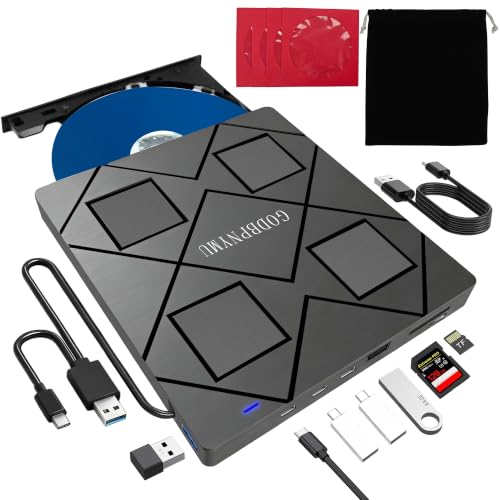
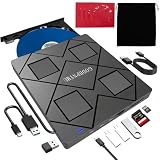
This one targets thin laptops that have lost both their disc drive and most of their ports. The title describes an 8-in-1 unit that combines the Blu-ray drive with a USB-C hub, two USB ports plus USB-C, and a TF/SD card reader, with Windows 11 through 7 and macOS compatibility.
- Strength: card reader and USB ports replace a separate dongle.
- Strength: Windows and Mac compatibility is stated in the title.
- Trade-off: the hub features are extras that add complexity if you only want to play discs.
Skip it if you want the simplest possible drive or a UHD 4K-labeled model. Desktop users with plenty of free ports gain little from the hub side of the design.
LLMHHKYK External Blu-ray Drive
The LLMHHKYK is presented as a portable Blu-ray player and CD/DVD burner with USB 3.0 and Type-C connections, and plug-and-play setup. It suits a student or home user who wants one lightweight drive that moves between a laptop and a desktop.
- Strength: both USB 3.0 and Type-C connection styles are listed.
- Strength: plug-and-play wording keeps setup short.
- Trade-off: the title does not state a Blu-ray write speed or UHD support.
Skip it if you need a verified burn speed or 4K UHD disc playback. Because the listing is short on technical detail, read the full product page before relying on it for important archives.
aelrsoch External Blu-ray Drive
The aelrsoch lists USB 3.0 and Type-C, BD and DVD reading, and DVD/CD burning, with compatibility for Windows 7 through 11. That older-Windows range makes it relevant for an aging desktop that still runs a previous OS version.
- Strength: Windows 7 through 11 support is stated.
- Strength: USB 3.0 and Type-C give flexibility across ports.
- Trade-off: the phrasing reads BD read with DVD and CD burning, so confirm Blu-ray writing before buying for backups.
Skip it if your main goal is archiving to Blu-ray discs. It makes more sense as a playback and general disc drive for an older machine than as a dedicated archiving tool.
External Blu-ray CD DVD Drive, USB 3.0 Type-C
This unbranded-looking listing is a slim, portable Blu-ray burner and player with USB 3.0 and Type-C and both read and write support in the title. It fits shoppers who want the core function without extras.
- Strength: read and write are both named.
- Strength: slim, portable design suits travel.
- Trade-off: no brand or write speed is shown, which makes support harder to judge.
Skip it if brand reputation or published speed ratings matter to you. Buyers who want a manufacturer name behind the warranty are better served by a branded model.
GOOBOX External Blu-ray Drive
The GOOBOX is the one that publishes a speed: a 6X BD-RE burner with USB-C and USB 3.0 for laptops and desktops. That detail helps buyers who plan to rewrite discs or burn bigger archives and want a number to compare.
- Strength: 6X BD-RE speed is stated in the title.
- Strength: it lists Blu-ray, CD, and DVD reading for mixed collections.
- Trade-off: no UHD 4K label appears, so it is not the pick for UHD discs.
Skip it if you plan to watch 4K UHD movies on a PC. It also fits better in a household that burns data discs than one that mostly watches films.
archgon Premium Aluminum External Blu-ray Writer
The archgon pairs an aluminum enclosure with USB 3.0 and a UHD 4K Blu-ray writer label, for PC and Mac. It is aimed at people who want both writing and UHD capability in a sturdier shell.
- Strength: UHD 4K is named in the title.
- Strength: aluminum construction suggests a more durable body than plain plastic.
- Trade-off: it lists USB 3.0 only, so a USB-C-only laptop will need an adapter.
Skip it if your computer has only USB-C ports and you dislike adapters. The metal shell also adds weight compared with a plastic travel drive, which matters for frequent carry.
JOTEC BU40N Internal Drive
The JOTEC BU40N is a super slim internal 4K UHD Blu-ray writer that is also DVD compatible. It is for desktop or home-theater builders who have a slim optical bay and want a permanent drive.
- Strength: internal mounting leaves no cable clutter on the desk.
- Strength: UHD Blu-ray writer capability is named.
- Trade-off: it requires a slim drive bay and internal connection, and cannot move between computers.
Skip it if you own a laptop or a case without a slim optical bay. Anyone unsure of the bay type should measure the opening or consult the case manual first.
Which One Fits Your Situation
You are digitizing a disc collection on a thin laptop
The GODBPNYMU 8-in-1 solves the port shortage and the card slot problem together, so one cable handles disc reading, SD cards, and extra USB devices. That is useful for photographers and video hobbyists who move footage from cards and old discs onto the same computer.
You want to watch 4K UHD movies on a PC
Look at the archgon for an external setup or the JOTEC BU40N for a built-in slim bay. Both titles name UHD 4K, but remember that playback software and an HDCP 2.2 display are required too.
You need to archive files to disc
The GOOBOX publishes a 6X BD-RE speed, which makes it the easiest to evaluate for burning work. The generic slim burner is a lower-profile option if you want read and write language without extras. Pair either with a spindle of rewritable discs to test your workflow before committing a whole archive.
You still run an older Windows desktop
The aelrsoch lists Windows 7 through 11, so it covers the widest range of operating systems in this group. That is helpful for a basement workstation that has not been upgraded in years.
Common Mistakes
- Buying a reader or player when you need a burner for backups.
- Assuming any Blu-ray drive plays 4K UHD discs; only drives labeled for UHD qualify, and software and display support matter too.
- Choosing an internal drive without checking that the case has a slim optical bay.
- Overlooking port type, then needing an adapter for a USB-C-only laptop.
- Paying for card readers and hub ports you will never use.
Related guides
- Noctua Nh-D15 Vs Thermalright Peerless Assassin 120
- Sustainable Gaming Pc Power Supply Efficiency Guide
- Thermal Paste Application Method For Lga1851
Frequently Asked Questions
Do I need a special drive for 4K UHD Blu-ray discs?
Yes. Look for a drive labeled for UHD, such as the archgon or JOTEC listed above. You also need playback software that supports UHD and a display chain with HDCP 2.2.
Is an external Blu-ray drive powered by USB alone?
Many slim external drives draw power from the USB connection, but some use a second cable or adapter. Read the product page for the power details of the exact model.
Can I use these on a Mac?
The GODBPNYMU lists macOS compatibility and the archgon names PC and Mac. Other titles list Windows only, so check before ordering if you use a Mac.
What is BD-RE?
BD-RE is rewritable Blu-ray media that can be erased and written again. A drive that lists BD-RE write support, like the GOOBOX, can work with both write-once and rewritable discs.
Related guides
More from Amazon
Programs that pair well with the guide above. Offers and eligibility are set by Amazon and may change.
Free shipping on eligible items, Prime Video and more. Eligible new members can start with a free trial.
Start a Prime free trialAd-free music streaming. Eligible new subscribers can start with a free trial.
Try Music Unlimited freeA Prime membership for ages 18-24 with a trial period. Eligibility is set by Amazon.
See Prime for Young AdultsAudiobooks and podcasts to listen to on the go. Eligible new members can start with a free trial.
Try Audible freeAs an Amazon Associate we earn from qualifying purchases.