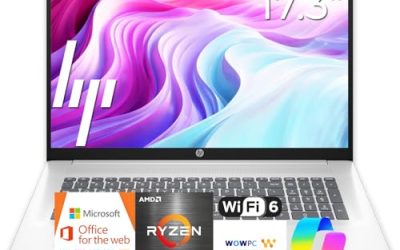
Working from home changes what a laptop has to do. It sits open for eight hours, runs a video call, a chat app, a browser full of tabs, and a spreadsheet at the same time, then gets carried to the couch or a coffee shop when the house gets noisy. A Lenovo laptop for remote work does not need gaming graphics, but it does need steady memory, a screen that does not tire your eyes, reliable Wi-Fi, and a keyboard you can type on all day. The decision is less about peak speed and more about avoiding the small frustrations that add up across a workweek.
This guide is for remote employees, freelancers, and students doing online classes who have settled on Lenovo and want help sorting seven listings in 2026. Each recommendation uses only the facts in the title, such as the processor, RAM, storage, screen size, and Wi-Fi standard. A headset that appeared in the same search results is not a laptop, so it is left out. When a title omits a detail, check the listing before you buy.
Our Top Picks
Top 3 picks at a glance
Quick Picks
As an Amazon Associate we earn from qualifying purchases at no extra cost to you.



| Product | Best for | Key spec from the title |
|---|---|---|
| Lenovo 15.6 FHD Business Laptop | Basic remote office work | 8GB DDR5, 128GB storage, Copilot AI, Office 365 |
| Lenovo IdeaPad Slim-3i (N150, SD card) | Light work with expandable storage | Quad-core N150, 8GB LPDDR5, 128GB UFS plus 256GB SD card |
| Lenovo IdeaPad Slim 3 (Ryzen 5) | Strongest processor in this set | AMD Ryzen 5, 8GB DDR5, 256GB SSD |
| Lenovo IdeaPad Slim 3i (N150) | Simple Microsoft 365 setup | N150, 8GB RAM, 128GB SSD, Microsoft 365 |
| Lenovo Essential 15.6 (500GB HDD) | Extra backup space | 8GB DDR5, 128GB storage, 500GB external HDD |
| Lenovo V15 15.6 FHD | More internal storage on Lenovo | 8GB DDR5, 256GB SSD, Wi-Fi 6, Copilot AI |
| Lenovo Essential 15.6 (Bluetooth 5.2) | Wireless peripherals and anti-glare | 8GB DDR5, 128GB, Wi-Fi 6, Bluetooth 5.2, anti-glare |
How to Choose
Memory and processor for video calls and tabs
A remote day is mostly browsing, meetings, and documents, so 8GB of RAM is the minimum and 16GB is welcome if your company uses heavy tools. All seven listings show 8GB, so the processor becomes the main difference. An Intel N150 handles calls and documents but slows when you screen share and run many tabs. A Ryzen 5 chip gives noticeably more headroom, so it fits people who keep several work apps open simultaneously.
Storage: internal SSD, UFS, SD cards, and external drives
Storage details in these titles vary a lot. A 256GB SSD is the safest internal choice for work files and updates. A 128GB drive works only if your files live in the cloud. Be careful with UFS storage, which is slower than a standard SSD, and with SD cards or external hard drives, which add space but are removable and slower. Do not let bundled cloud storage convince you that local space is unnecessary, because offline access still matters during connection drops.
Display, webcam, and audio
Choose a full HD 15.6-inch screen with an anti-glare finish if your desk sits near a window. Eye comfort matters when you read documents for hours. Titles rarely describe webcam quality, so check the listing and plan to use a separate webcam or headset if you take many calls. A noise-canceling headset is a more useful upgrade than a laptop with extra processor power for most meeting-heavy jobs.
Connectivity, ports, and where budget models cut corners
Look for Wi-Fi 6 and a USB-C port, since they make docking stations and external monitors simpler. Bluetooth 5.2 helps with wireless mice and headsets. Entry Lenovo models often use plastic bodies, dimmer panels, and slower storage. Titles that stack Copilot AI, Office 365, and cloud storage are mostly describing software offers, not hardware strength, so judge by RAM, storage type, and processor first.
A sensible home office setup also includes a laptop stand and an external keyboard. These cheap additions improve posture far more than a small hardware upgrade, and they let a modest laptop feel like a proper workstation.
It also helps to think about the environment. A spare bedroom with a proper desk allows a bigger external monitor, so the laptop screen matters less and processing power matters more. A kitchen table or sofa means the laptop is your only display, which makes brightness, anti-glare coating, and 15.6-inch size more important. If you share the space with family, a quieter laptop with an efficient processor and a headset with a boom mic is a better investment than extra performance you rarely use.
Finally, plan for the next few years. Remote jobs tend to add software over time, such as security clients, VPN tools, and collaboration suites, and each one uses memory. Choosing a model with a faster processor and an internal SSD today gives the laptop a longer useful life than one that only just meets today’s requirements.
The 7 Best Options
Lenovo 15.6 FHD Business Laptop
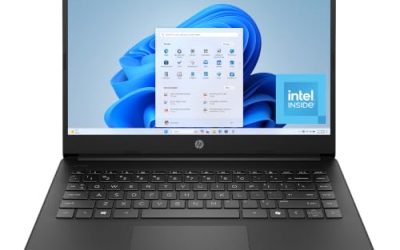
This is a straightforward remote-office laptop. The title lists a 15.6-inch FHD screen, an unspecified Intel processor, 8GB of DDR5 RAM, 128GB of storage, 1TB of cloud storage, Copilot AI, and Office 365. The slim body is aimed at students and home workers.
- Strength: 8GB of DDR5 memory and a full HD screen for everyday work.
- Strength: Office and cloud storage bundled for quick setup.
- Trade-off: only 128GB of storage and an unnamed processor leave questions.
Skip it if you store many local files or want to know the exact CPU. Remote workers who sync everything to the cloud will feel the limit less than people who keep project folders on the drive.
Lenovo IdeaPad Slim-3i (N150, SD card)
A budget IdeaPad with a quad-core Intel N150, 8GB of LPDDR5 memory, 128GB of UFS storage, and a 256GB SD card, plus a one-year Office 365 subscription. The title also lists Wi-Fi 6 and USB-C, which are helpful for home setups.
- Strength: Wi-Fi 6 and USB-C support modern home networks and docks.
- Strength: SD card adds extra file storage.
- Trade-off: UFS and SD card storage are slower than a true SSD.
Skip it if you handle large files or want fast storage.
Lenovo IdeaPad Slim 3 (Ryzen 5)
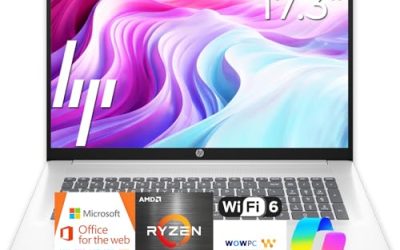
The strongest processor choice in this set. The title shows an AMD Ryzen 5, 8GB of DDR5 RAM, a 256GB SSD, an FHD business-oriented display. It suits remote workers who juggle many applications.
- Strength: Ryzen 5 offers more headroom than the N150 models.
- Strength: a 256GB SSD is a comfortable internal drive.
- Trade-off: the title does not mention a software bundle or Wi-Fi standard.
Skip it if you want Microsoft 365 included at purchase. In that case, budget for a separate subscription or use free web versions of office tools, and remember that the Ryzen advantage is worth more than a short bundled trial.
Lenovo IdeaPad Slim 3i (N150)
This Arctic Grey model combines a Microsoft 365 subscription with an Intel N150, 8GB of RAM, a 128GB SSD, and Windows 11. It targets simple remote work and online classes.
- Strength: Microsoft 365 is included in the title.
- Strength: an SSD is preferable to UFS for speed.
- Trade-off: N150 performance is limited when you open many tabs.
Skip it if your job needs heavier software.
Lenovo Essential 15.6 (500GB HDD)
For people who want a separate place for backups, this Essential pairs 8GB of DDR5 RAM and 128GB of storage with a 500GB external hard drive. The title highlights long battery life and an FHD anti-glare display, along with Office.
- Strength: external drive gives extra backup space.
- Strength: FHD anti-glare screen is easier on the eyes at a desk.
- Trade-off: an external hard drive is one more item to carry and manage.
Skip it if you prefer all-internal storage. External drives are also easy to forget on a trip, so this model suits people whose laptop mostly stays at a desk.
Lenovo V15 15.6 FHD
A step up in internal storage among the Intel models. The title shows 8GB of DDR5 RAM, a 256GB SSD, Copilot AI, Wi-Fi 6, and Office 365 in a portable design.
- Strength: 256GB SSD with 8GB of DDR5 RAM suits daily office work.
- Strength: Wi-Fi 6 helps stability on video calls.
- Trade-off: the processor model is not named, so confirm it.
Skip it if you need to see the exact CPU in the title.
Lenovo Essential 15.6 (Bluetooth 5.2)
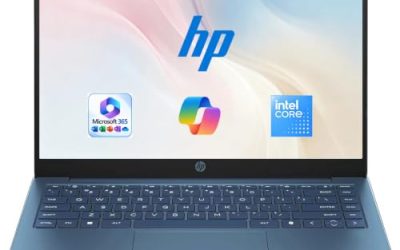
This Essential model lists 8GB of DDR5 RAM, 128GB of storage, 1TB of cloud storage, Wi-Fi 6, Bluetooth 5.2, and an anti-glare screen, with Office 365 and Copilot AI included.
- Strength: Bluetooth 5.2 and Wi-Fi 6 suit wireless mice and headsets.
- Strength: anti-glare finish reduces reflections.
- Trade-off: 128GB of storage is the main limitation for local files.
Skip it if you want a larger internal drive.
Which One Fits Your Situation
You live in video calls and spreadsheets
Go for the Lenovo IdeaPad Slim 3 (Ryzen 5). The processor handles screen sharing and many tabs better than N150 models.
Your files are mostly in the cloud
The Lenovo 15.6 FHD Business Laptop or the Essential with Bluetooth 5.2 work well, since 128GB of local storage suffices when work lives online.
You need storage and backups
The Lenovo V15 with a 256GB SSD is simpler, while the Essential with a 500GB external HDD adds backup space.
You are a student or occasional remote worker
The IdeaPad Slim 3i with Microsoft 365 is a simple, ready-to-go option for classes and basic documents.
If you cannot decide, rank your needs: processor first for heavy multitasking, internal SSD size second for local files, and extras such as Office bundles third. Software offers expire, while hardware stays with you for years.
Common Mistakes
- Counting SD cards or external drives as if they were fast internal storage.
- Ignoring the processor line and assuming all 8GB Lenovo laptops perform alike.
- Relying on the built-in webcam and microphone when meetings fill the day.
- Skipping a stand and external keyboard, which hurts posture more than any spec.
- Treating Copilot AI and cloud storage offers as hardware upgrades.
Related guides
- Noctua Nh-D15 Vs Thermalright Peerless Assassin 120
- Sustainable Gaming Pc Power Supply Efficiency Guide
- Thermal Paste Application Method For Lga1851
Frequently Asked Questions
How much RAM does a work-from-home laptop need?
Eight gigabytes covers calls, browsing, and documents. Sixteen gigabytes is better if your job involves large files, many browser tabs, or specialized software.
Is an Intel N150 enough for remote work?
It handles email, documents, and video calls, but it slows when you multitask heavily. A Ryzen 5 or similar chip is a safer choice for demanding days.
Do I need a separate webcam?
If you take many calls, an external webcam usually delivers better image quality than a built-in one on a budget laptop. Check the listing for the built-in camera details first.
Is a 15.6-inch laptop a good size for a home office?
Yes. It balances screen space and portability, and you can add an external monitor for more room. If you move often, a 14-inch size is lighter to carry.