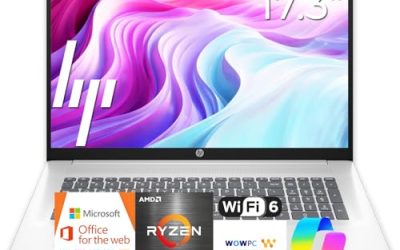
An everyday laptop is the machine that handles email, video calls, streaming, homework, online banking, and a dozen browser tabs without making a fuss. It is not a gaming rig or a video-editing workstation, and that is exactly why the choice can go wrong: the market is full of listings that stack buzzwords such as Copilot AI, 1TB cloud storage, and Office included on top of very modest hardware. The real decision is how much memory, storage, and screen quality you need before everyday use stops feeling slow.
This guide is for first-time buyers, parents shopping for a household computer, students, and anyone replacing an aging laptop for plain daily tasks in 2026. It compares seven options from HP, Dell, and Apple using only what the listing titles state: processor, RAM, storage, display, and software bundle. Where a title is cut off or vague, the advice is to check the listing before buying.
Our Top Picks
Top 3 picks at a glance
Quick Picks
As an Amazon Associate we earn from qualifying purchases at no extra cost to you.



| Product | Best for | Key spec from the title |
|---|---|---|
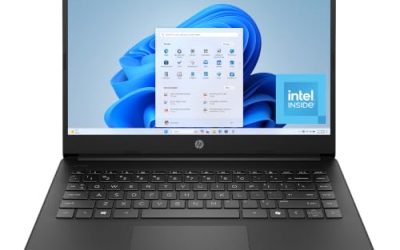
| HP 14 Inch Everyday Laptop (Intel N150) | Light browsing and Office work | Intel N150, 128GB SSD, Microsoft 365, Windows 11 |
| HP Everyday Laptop (Intel, Wi-Fi 6) | Simple family computer | 128GB storage, Wi-Fi 6, fast charge, Office 365 |
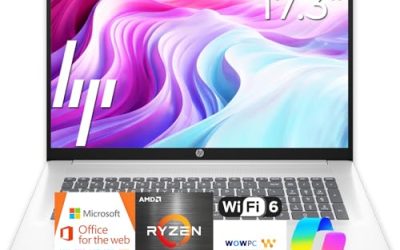
| HP Everyday Slim (AMD) | Slim carry for basic tasks | AMD processor, 4GB DDR5 RAM, 128GB SSD |
| Dell 15.6 (Core 3 100U, DDR5) | Bigger screen and roomier storage | 8GB DDR5, 512GB SSD, 300-nit anti-glare screen |
| HP Everyday Laptop (8GB RAM) | Smoother multitasking on HP | 8GB RAM, 128GB SSD, Office 365, fast charge |
| Apple MacBook Neo 13-inch | Apple users who want a simple notebook | A18 Pro chip, 8GB unified memory, 256GB SSD |
| Dell 15.6 (Core 3 100U, DDR4) | Value-minded Dell shoppers | 8GB DDR4, 512GB SSD, 250-nit IPS display |
How to Choose
Memory is the first spec that decides daily speed
For everyday use, 8GB of RAM is the practical floor today. Browsers, a video call, and a document open at once can crowd 4GB models, leading to stalls when you switch tabs. If a listing shows 4GB, treat it as a light-duty machine for one task at a time. DDR5 is newer and faster than DDR4, but the gap matters less than simply having 8GB instead of 4GB.
Storage: capacity and type both count
A 128GB SSD fills quickly once Windows updates, apps, and a few downloads are installed. A 256GB drive is comfortable for most households, and 512GB gives room for photos and school files. Cloud storage bundled with a laptop, such as 1TB, helps with backups but does not replace local space, and it may be a time-limited offer. Look for an SSD rather than eMMC or a hard drive, since it affects boot time and app launches more than any other storage choice.
Screen size, brightness, and panel type
A 14-inch screen is easier to carry; a 15.6-inch screen is easier on the eyes for long sessions and spreadsheets. Look for full HD resolution (1920 by 1080), an anti-glare finish, and brightness near 300 nits if you work near windows. Listings that say only HD may mean a lower 1366 by 768 panel, so confirm the resolution. IPS panels offer wider viewing angles than basic displays.
Processor, battery, and what to ignore
Entry processors such as the Intel N150 handle browsing, streaming, and Office comfortably but slow down with heavy multitasking. A Core 3 class chip adds headroom. Ignore big claims about AI features on entry hardware, because they depend on dedicated processing power that budget chips often lack. Long battery life claims in titles rarely include hours, so use reviews of the specific battery capacity and charging speed instead of the adjective.
Budget models cut corners in predictable places: plastic chassis, a dim display, a single memory slot soldered to the board, and ports limited to one USB-C. If you plan to keep the laptop for four or five years, spending a little more on memory and screen quality usually pays off more than extra software bundles.
One more habit helps: write down the three things you do most, then match the laptop to the heaviest of them. If that is a video call with a shared document, 8GB of RAM and a sharp screen matter. If it is streaming and email on the couch, a lighter machine with a longer-lasting battery is a better match, and you can accept a smaller drive. Matching the machine to the heaviest routine task avoids both overspending and the frustration of a laptop that stutters on Monday morning.
The 7 Best Options
HP 14 Inch Everyday Laptop (Intel N150)
This compact HP targets people who need a basic Windows 11 machine with Microsoft 365 already included. The title names an Intel N150 processor, a 128GB SSD, 1TB of cloud storage, and Copilot AI branding. The 14-inch size keeps it easy to carry from room to room.
- Strength: Microsoft 365 is included, which saves a separate software purchase.
- Strength: portable 14-inch size suits couches, kitchen tables, and backpacks.
- Trade-off: the title does not list RAM, so confirm it before buying.
Skip it if you plan to keep dozens of tabs open or store a large photo library locally.
HP Everyday Laptop (Intel, Wi-Fi 6)
A straightforward family laptop with 128GB of storage, Wi-Fi 6, fast charge, and an Office 365 bundle. The title mentions an unspecified Intel CPU, so check the listing for exact model and RAM. It suits homework, streaming, and general web use.
- Strength: Wi-Fi 6 helps with stable video calls on a modern router.
- Strength: fast charge cuts downtime between uses.
- Trade-off: the processor and memory are not named in the title, so details are unclear.
Skip it if you need to know exact performance specs before buying.
HP Everyday Slim (AMD)
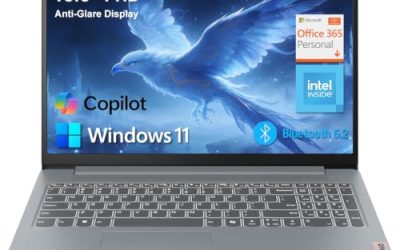
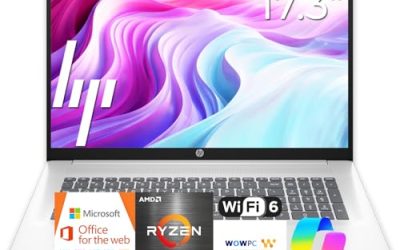
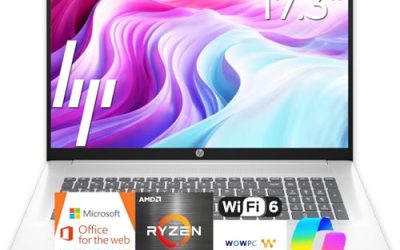
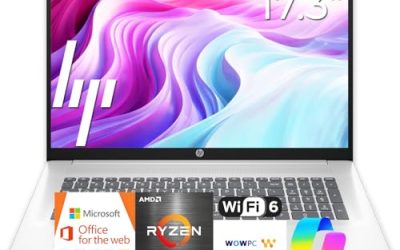
This HP is built for portability and light use. It lists an AMD processor, 4GB of DDR5 RAM, a 128GB SSD, and Windows 11, along with 1TB of cloud storage and long battery life claims. The slim label promises easy carrying.
- Strength: DDR5 memory is a newer standard than DDR4 in this class.
- Strength: slim design for travel and school bags.
- Trade-off: 4GB of RAM limits multitasking and can feel cramped with several browser tabs.
Skip it if you juggle many apps or tabs at once.
Dell 15.6 (Core 3 100U, DDR5)
The most complete screen and storage package in this set. The title lists a 15.6-inch full HD display, an Intel Core 3 100U, 8GB of DDR5 RAM, a 512GB SSD, a 300-nit anti-glare screen, and Wi-Fi 6. That gives it more headroom for office work and general study.
- Strength: 512GB SSD with 8GB DDR5 handles years of documents and photos.
- Strength: 300-nit anti-glare screen is easier to use near windows.
- Trade-off: a 15.6-inch body is bulkier to carry than 14-inch rivals.
Skip it if you want the lightest possible laptop for travel.
HP Everyday Laptop (8GB RAM)
For buyers who want HP and 8GB of memory together. The title shows Intel processing, 8GB RAM, a 128GB SSD, Microsoft Office 365, 1TB of cloud storage, and Windows 11. It balances multitasking with basic storage.
- Strength: 8GB RAM gives more breathing room than the 4GB models.
- Strength: Office and cloud storage are bundled for household use.
- Trade-off: 128GB of local storage fills quickly.
Skip it if you store large media files locally.
Apple MacBook Neo 13-inch
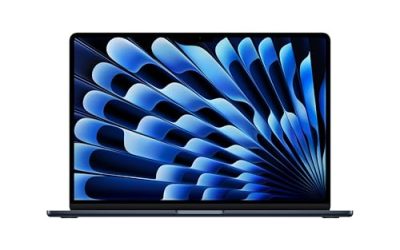
This is the outlier: an Apple notebook with an A18 Pro chip, a Liquid Retina display, 8GB of unified memory, and a 256GB SSD, positioned around Apple Intelligence. It suits people already in the Apple ecosystem who want a simple everyday computer.
- Strength: Liquid Retina display and Apple silicon in a 13-inch body.
- Strength: 256GB storage is double the base on many Windows rivals here.
- Trade-off: it does not run Windows software natively, so check your must-have programs.
Skip it if you depend on Windows-only applications or need more than 8GB of memory.
Dell 15.6 (Core 3 100U, DDR4)
A close sibling of the DDR5 Dell, with an IPS anti-glare screen rated at 250 nits, DDR4 memory, 8GB of RAM, and a 512GB SSD. It trades a little brightness and memory speed for what is likely a more modest tier.
- Strength: 512GB SSD and 8GB RAM suit everyday multitasking.
- Strength: IPS panel for wider viewing angles.
- Trade-off: 250 nits is dimmer than the DDR5 sibling in bright rooms.
Skip it if you often work next to bright windows or outdoors.
Which One Fits Your Situation
A shared family computer
The Dell 15.6 with the DDR5 memory offers the best mix of storage, screen size, and RAM for several users with different accounts.
A student carrying a bag all day
The HP 14 Inch Everyday Laptop is easier to carry, and the HP Everyday Laptop with 8GB RAM adds multitasking room if you can confirm the specs in the listing.
Someone who lives in the Apple ecosystem
The Apple MacBook Neo 13-inch fits phone, tablet, and notebook workflows, as long as your daily software runs on it.
A tight budget with simple needs
The HP Everyday Slim (AMD) covers email and streaming, but pair it with careful tab habits because of the 4GB of RAM.
If two options seem equal, lean toward the one with more RAM and a larger SSD, because those are the specs you cannot easily change later on thin laptops. Software bundles and cloud offers can be added at any time, but a soldered memory chip cannot.
Common Mistakes
- Buying 4GB of RAM to save money, then replacing the laptop early because it feels slow.
- Counting bundled cloud storage as local space and running out of drive capacity.
- Assuming an AI label means strong performance on an entry processor.
- Skipping the display resolution check and ending up with a low-resolution panel.
- Choosing a 15.6-inch laptop for a commute when a 14-inch size would be easier to carry.
Related guides
- Noctua Nh-D15 Vs Thermalright Peerless Assassin 120
- Sustainable Gaming Pc Power Supply Efficiency Guide
- Thermal Paste Application Method For Lga1851
Frequently Asked Questions
How much RAM does an everyday laptop need?
Eight gigabytes is the practical minimum for smooth multitasking. Four gigabytes can work for single-task use, but it tends to slow down with multiple browser tabs and video calls.
Is 128GB of storage enough?
It works for web-based use and light documents, but updates and apps consume space quickly. A 256GB or 512GB drive is more comfortable and avoids frequent cleanup.
How long should an everyday laptop last?
Three to five years is a reasonable target for a laptop with 8GB of RAM and an SSD, assuming the battery is not abused. Entry hardware with 4GB tends to feel dated sooner, which is why memory is the safest place to spend a little extra.
Is a Windows laptop or a MacBook better for daily tasks?
Either handles email, browsing, and streaming. Choose based on the software you need and the devices you already own, since switching ecosystems adds learning time and sometimes extra cost.