Who is the laptop for? That is the question that makes “best HP laptop for business” answerable. A bookkeeper who lives in spreadsheets, a sales rep who works from a client lobby, and a founder who needs one machine for everything have very different needs, even if all three walk into the same HP catalog. This guide sorts five HP listings by the role they suit, rather than by a single ranking, because a business laptop that is perfect for one seat can be a poor match for another.
We look at the choices as buyers would in 2026, using only what each product title states. We cover a 17.3-inch Ryzen 5 model, two versions of the HP 255 G10 workhorse, an Intel Core i5 machine, and a small 14-inch student-style bundle. Where a title omits something a business owner would want to know, such as warranty length or battery capacity, we say to read the listing.
Our Top Picks
Top 3 picks at a glance
Quick Picks
As an Amazon Associate we earn from qualifying purchases at no extra cost to you.


| Product | Best for | Key spec from the title |
|---|---|---|
| HP 17 Business Laptop (Ryzen 5) | Desk-bound analysts and bookkeepers | 17.3″ FHD, 16GB RAM, 512GB SSD, numeric keypad |
| HP 255 G10 (AMD Quad-core) | Standard office seats | 15.6″ FHD, 16GB RAM, 512GB SSD, W11 Pro |
| HP 15.6 (Core i5-1135G7) | Intel-first environments | Iris Xe, 16GB RAM, 512GB SSD, Win 11 Pro |
| HP 255 G10 (Ryzen 7 7730U) | Power users and multitaskers | 32GB RAM, 1TB PCIe SSD, Wi-Fi 6, HDMI |
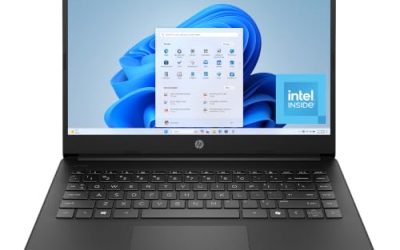
| HP 14″ Student Business | Entry-level note-taking | Intel 4-core CPU, 4GB DDR5, MS Office, Win 11 Pro |
How to Choose
Start with the seat, not the model
List the apps the person will open every day. For email, a browser, and an office suite, 8GB to 16GB of RAM is enough. For accounting packages, large spreadsheets, and a dozen browser tabs plus video calls, aim for 16GB or 32GB. A person who is on the road should weigh the 14-inch class, while a person who sits at the same desk each day can enjoy a 17.3-inch screen. Hybrid workers who split time between home and office often land on the 15.6-inch middle ground, which keeps a keypad without the bulk of a 17-inch frame.
Operating system and security basics
Windows 11 Pro is the sensible default for any machine that handles client data, because it supports device encryption and managed sign-in. A webcam shutter, as listed on the 255 G10, is a simple privacy feature, and a fingerprint reader is a bonus when present. Do not assume features that the title does not mention, such as fingerprint readers, backlit keys, or USB-C charging, and confirm each on the listing before you buy for a whole team.
Storage type and capacity
For business, 512GB is the comfortable minimum. PCIe SSDs are faster than UFS or bundled external drives, so read that line carefully. Titles that state combined storage totals can mislead, especially when the number counts something other than the internal drive; the figure on the listing may count a slow external drive or a cloud subscription.
Ports, connectivity, and where budgets get trimmed
HDMI makes client presentations easy. Wi-Fi 6 handles busy office networks better than older standards. If staff share a printer, scanner, or docking station, confirm the ports and wireless features on the listing rather than assuming them. Budget configurations tend to cut the amount of RAM, the speed of the storage, and the clarity of the warranty terms. Compare spec line against spec line rather than relying on a family name, and ignore marketing words such as powerful or ultra-fast that carry no numbers.
The 5 Best Options
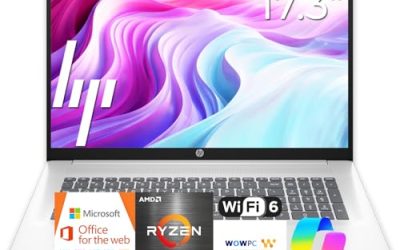
HP 17 Business Laptop (Ryzen 5)
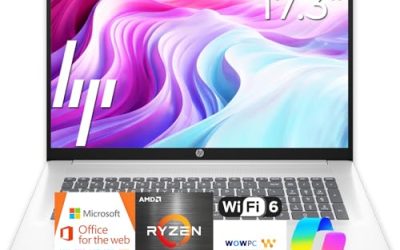
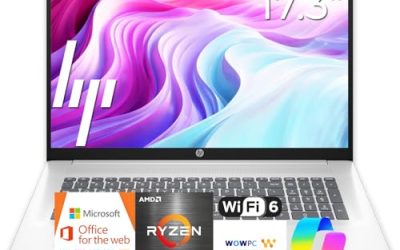
This is the choice for desk-based analysts. The title lists a 17.3-inch Full HD display, an AMD Ryzen 5 CPU, 16GB of RAM, a 512GB SSD, a numeric keypad, and a long-battery claim. The screen is large enough to hold a spreadsheet and a reference document side by side, and the keypad speeds up data entry. It also works well for a home office where the laptop stays put and a second monitor is not practical, since the panel itself is already large.
- Strength: 16GB of memory plus a 17.3-inch Full HD screen suits spreadsheet-heavy roles.
- Strength: the numeric keypad helps with bookkeeping and finance work.
- Trade-off: a 17-inch chassis is awkward on trains and in client lobbies, and the title gives no battery figure.
Skip it if the person travels often or needs a compact laptop. Confirm the Windows edition on the listing as well.
HP 255 G10 (AMD Quad-Core)
The 255 G10 is the default pick for a normal office seat. The title lists an AMD quad-core CPU, 16GB of RAM, a 512GB SSD, Windows 11 Pro, a 15.6-inch Full HD display, a webcam with shutter, a numeric keypad, and Microsoft Copilot. It is straightforward, and that is the point: same configuration, same behavior, easy to support. Companies that image laptops in batches value a model whose parts and drivers stay the same from one order to the next. The Copilot mention in the title is a software feature, not a hardware upgrade.
- Strength: Windows 11 Pro and a webcam shutter match workplace security needs.
- Strength: 16GB and 512GB are well matched to typical office loads.
- Trade-off: the exact AMD processor model is not named in the title.
Skip it if you want a confirmed high-end processor.
HP 15.6 (Core i5-1135G7)
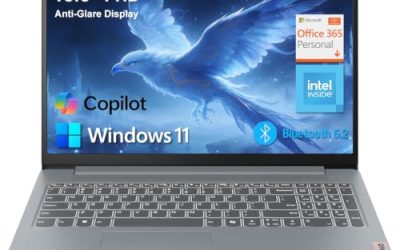
This HP suits shops that standardize on Intel. The title lists a Windows 11 Pro 15.6-inch Full HD display, an 11th Generation Intel Core i5-1135G7, Intel Iris Xe graphics, 16GB of RAM, a 512GB SSD, a numeric pad, and a long-battery claim. It is a balanced office configuration with a known processor family, such as an office that already runs Intel machines and wants drivers and imaging to match. Read the listing for warranty terms and the exact build, because older platforms vary.
- Strength: Iris Xe graphics suit video calls and presentations.
- Strength: Pro edition, 16GB, and 512GB make it ready for work.
- Trade-off: the 11th Generation chip is older, so long-term support may be shorter.
Skip it if you want a recent platform for years of use.
HP 255 G10 (Ryzen 7 7730U)
The upper 255 G10 configuration suits power users. The title lists a 15.6-inch Full HD display, an AMD Ryzen 7 7730U, 32GB of RAM, a 1TB PCIe SSD, a numeric keypad, a webcam, Wi-Fi 6, HDMI, and Windows 11 Pro. For a founder who runs everything at once, this is the roomiest configuration. With 32GB of memory it can keep accounting software, a browser full of tabs, a video call, and a project tool open together. A Ryzen 7 in the U family is aimed at efficient mobile performance, so keep expectations realistic for rendering or other very heavy work.
- Strength: 32GB of RAM and 1TB of PCIe storage leave plenty of headroom.
- Strength: HDMI and Wi-Fi 6 are useful for meetings and client work.
- Trade-off: it costs more than the other 15.6-inch options, so it is a premium-tier purchase.
Skip it if the seat only needs email and documents.
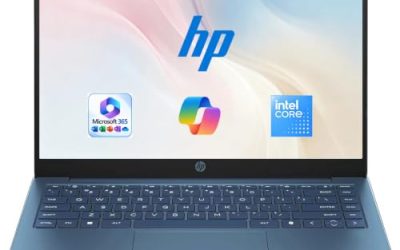
HP 14″ Student Business
This compact HP is the lightest option. The title lists a 14-inch display, an Intel 4-core CPU, 4GB of DDR5 RAM, Windows 11 Pro, Microsoft Office, Copilot AI, and a 628GB storage figure that appears to combine a 128GB portion with other storage; the title is cut off, so check the listing for the breakdown. It is aimed at students and entry-level staff who need basic productivity software. Because the title lists Microsoft Office, a new hire could be productive on day one, though the subscription terms deserve a read on the listing. Treat the machine as a starter laptop rather than a long-term workhorse.
- Strength: Windows 11 Pro and Office included in the title help with initial setup.
- Strength: a 14-inch body is easy to carry.
- Trade-off: 4GB of RAM and a small internal drive limit multitasking, and the 628GB headline likely includes storage that is not a fast internal SSD.
Skip it if you need a laptop that grows with the business.
Which One Fits Your Situation
You are the bookkeeper or analyst
The HP 17 Business Laptop with Ryzen 5 offers a big screen, 16GB, and a numeric keypad. It is the best fit for spreadsheet-heavy roles, and the large panel reduces the need for a second monitor on a shared desk.
You are equipping several desks at once
Standardize on the HP 255 G10 with the AMD quad-core CPU. Identical configurations make training and support easier, and a spare unit can be swapped in without changing anyone’s routine. Keep one extra on the shelf if downtime would hurt.
You are the founder who does everything
The HP 255 G10 with Ryzen 7 and 32GB gives the most headroom. The Intel i5 model is the alternative if your software needs favor an Intel platform. Either way, ask your IT contact whether line-of-business apps have specific requirements before ordering.
You are hiring an intern for light tasks
The 14-inch HP covers email, documents, and web use at the entry tier, and it comes with Windows 11 Pro and Office listed. If the intern turns into a permanent hire, plan to move them to a 16GB model.
Common Mistakes
- Choosing by family name rather than by the memory, storage, and operating system lines, which differ widely inside one family.
- Buying 4GB of RAM for any role that uses more than email.
- Treating an external drive or cloud allowance in a bundle as if it were internal storage.
- Skipping a webcam shutter or privacy feature when clients are on screen, or when the laptop is used in shared spaces.
- Buying a 17-inch laptop for someone who travels weekly.
Related guides
- Noctua Nh-D15 Vs Thermalright Peerless Assassin 120
- Sustainable Gaming Pc Power Supply Efficiency Guide
- Thermal Paste Application Method For Lga1851
Frequently Asked Questions
Is the HP 255 G10 a good business laptop?
It is a common office configuration with a 15.6-inch screen, a numeric keypad, and Windows 11 Pro on the listings here, in both a mainstream and a high-memory version. Buyers like it because it is predictable, and because replacement parts and drivers are easy to find for a long-running line.
Do I need Windows 11 Pro?
For a business that handles customer data or manages several devices, yes, it is the safer choice. A solo user with no special needs may not notice the difference.
How much storage do I need?
At least 512GB for most roles. Anything less fills quickly with documents, email caches, and updates, and cloud sync tools can quietly consume tens of gigabytes more.
Is a 14-inch laptop too small?
Not for travel and meetings, but it lacks a numeric keypad and shows less on screen. Choose it for portability, not for heavy spreadsheet work. If you need the keypad but want something lighter than a 17-inch machine, the 15.6-inch 255 G10 is the compromise.