The Core i9-9900K is an eight-core, sixteen-thread LGA1151 chip with a 95W base rating, and anyone who has run one knows the label undersells what it pulls once boost clocks kick in. It is also an older platform, which creates a specific shopping problem: many of the newest coolers drop LGA1151 from their headline compatibility lists and mention only LGA1700 or LGA1851. The decision here is not just “which cooler is strongest” but “which strong cooler still mounts on a Z370 or Z390 board.”
This guide is for owners keeping a 9900K or 9900KF alive in 2026, whether that means an overclocked daily machine or a quiet workstation that simply refuses to retire. It lists five coolers whose titles state Intel support or a socket family that includes 115x, spanning dual-tower air, a single tower, a screen-equipped twin tower and a 360mm all-in-one. Two Cooler Master listings were left out because their titles name only LGA1851 and LGA1700, and the white and black versions of the same screen cooler appear once.
Our Top Picks
 ID-COOLING FROZN A620 PRO SE Dual-Tower CPU Cooler5.59 x 4.72 x 6.18 inches2.6 poundsCheck on Amazon




Top 3 picks at a glance
Quick Picks
As an Amazon Associate we earn from qualifying purchases at no extra cost to you.


| Product | Best for | Key spec from the title |
|---|---|---|
| Thermalright Peerless Assassin 120 Vision MAX ARGB | Cooling with a live status screen | Twin tower, 2150RPM, 480×854 IPS screen |
| Noctua NH-D15 chromax.Black | Quiet, maximum air cooling | 168mm height, 6 heatpipes, dual tower |
| ID-COOLING FROZN A620 PRO SE | Strong air cooling at a lower tier | 260W, 157mm, 6 heat pipes, dual 120mm fans |
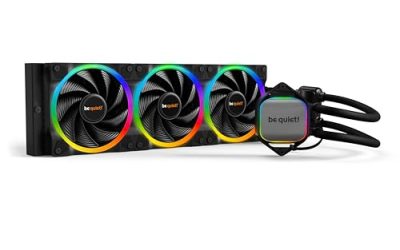
| be quiet! Pure Loop 2 FX 360mm | Overclocked 9900K in a liquid-ready case | 360mm, ARGB, 3 PWM Light Wings fans |
| Noctua NH-U12A | Memory clearance and low noise | 158mm, dual 120mm fans, 100% RAM compatibility |
How to Choose
Confirm LGA1151 support on the full spec sheet
The 9900K uses LGA1151 (the second revision, shared with 8th and 9th generation chips). Titles that list only LGA1851, LGA1700 or LGA1200 are not a match, because those sockets use different mounting hole spacing or hardware. Look for 115x in the compatibility line, or a title that names Intel generically, then verify the socket list in the manual before ordering.
This single check eliminates more candidates than any performance metric. A cooler that is excellent on paper but ships without LGA115x brackets is useless on this board, and returns on bulky coolers are a hassle.
Cooling capacity for an eight-core part
The 9900K was one of the first mainstream chips to run uncomfortably warm at stock because of its aggressive boost behavior, and many owners later add a heavier cooler to hold clocks. For stock operation, a quality 120mm single tower is workable, though fans will ramp up under all-core loads. For overclocking, aim for a dual-tower air cooler with a rating around 250W or more, or a 280mm to 360mm radiator.
A 9900K can draw well above its 95W label with unlocked power limits, so margin keeps temperatures steady and the fans calm. A cooler that is merely adequate will spend most of a long render or gaming session at full speed.
Fit: height, memory and the VRM heatsink
Measure the case first. Dual towers at 157mm to 168mm need wide side-panel clearance, and many mid-tower cases from the 8th and 9th generation era are narrower than modern ones. On Z370 and Z390 boards, large coolers can overlap the first memory slot or sit near the VRM heatsink, so check your board layout.
A single tower with strong memory clearance, like one that advertises full RAM compatibility, avoids this problem. For liquid cooling, verify radiator length and thickness against the case, and check that the tubes can reach the socket.
What to ignore, and where budget models cut corners
Ignore lighting and screens when choosing for temperatures; they add cost without improving heat transfer. Budget coolers typically trim fan quality and mounting hardware, and some assume a newer socket and ship brackets that do not fit older boards.
The cheapest dual towers can also use looser fin spacing that works with fast fans but gets loud at the low speeds a quiet build needs. Always confirm LGA115x hardware is in the box and that the fans are PWM-controlled.
The 5 Best Options
Thermalright Peerless Assassin 120 Vision MAX ARGB
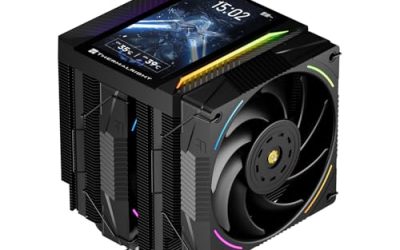
This twin-tower air cooler adds a 5-inch screen with 480×854 resolution to a 2150RPM fan setup, and the listing names 115x support among its sockets. It suits an owner who wants real cooling for the 9900K plus a visual dashboard in a glass-panel case. The black and white versions are the same product, so the choice comes down to the color of the build.
- Strength: a twin-tower radiator targets strong air cooling for an eight-core chip.
- Strength: the 5-inch IPS screen provides a status display without a separate monitor.
- Trade-off: the screen and lighting add cost and complexity compared with a plain tower.
Skip it if you want the quietest possible build, or if your case is too narrow for a twin tower with a display.
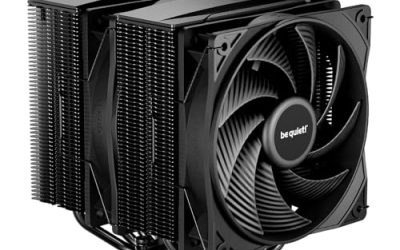
Noctua NH-D15 chromax.Black
The NH-D15 chromax.Black is a dual-tower cooler at 168mm with six heatpipes, built for low-noise, enthusiast-grade cooling on Intel and AMD. For a 9900K, it is the traditional answer when you want a quiet air solution with ample capacity for an overclock and no pump to worry about over the years.
- Strength: six heatpipes and two towers give plenty of cooling capacity.
- Strength: low-noise operation is a core aim of the design.
- Trade-off: at 168mm it is tall and may clash with narrow cases or tall memory.
Skip it if your case cannot fit 168mm or you prefer a lighter, smaller cooler. Buyers should also check that the front fan does not collide with the first memory slot on their board, since this layout is wide.
ID-COOLING FROZN A620 PRO SE
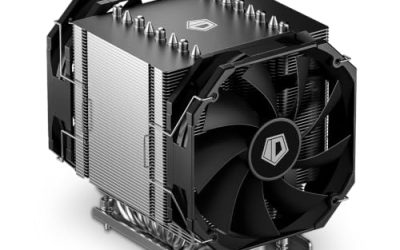
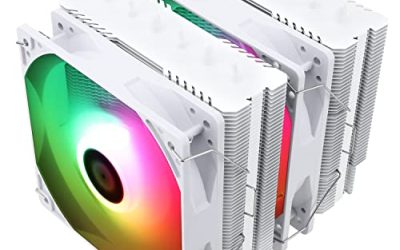
The A620 PRO SE is a dual-tower, 157mm design with a 260W rating, six heat pipes and two 120mm fans listed at 27.2dB(A) maximum. It aims at buyers who want dual-tower performance with low noise at a more affordable tier, and the 260W figure leaves comfortable margin for a tuned 9900K.
- Strength: a 260W rating gives plenty of margin for an overclocked eight-core chip.
- Strength: two quiet fans keep noise down under load.
- Trade-off: the listing is truncated in its socket line, so confirm LGA115x hardware is included before buying.
Skip it if you cannot confirm the socket or prefer a single-tower design.
be quiet! Pure Loop 2 FX 360mm
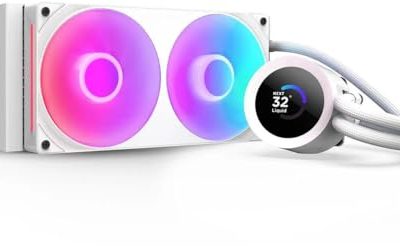
This all-in-one liquid cooler uses a 360mm radiator and three PWM Light Wings fans with ARGB illumination, and the title says it fits Intel Core i3, i5, i7 and i9 processors. For a 9900K pushed beyond stock, a 360mm radiator spreads heat across more surface area than any tower, and it leaves the area around the socket open for memory.
- Strength: a 360mm radiator suits sustained overclock loads.
- Strength: three PWM fans and ARGB lighting arrive in one package.
- Trade-off: it needs a case with a 360mm mount and adds a pump to the list of parts that can fail.
Skip it if your case cannot fit a 360mm radiator or you would rather stay with air. Plan the radiator position early, because front mounts and top mounts change tube routing and how the fans interact with the rest of the case airflow.
Noctua NH-U12A
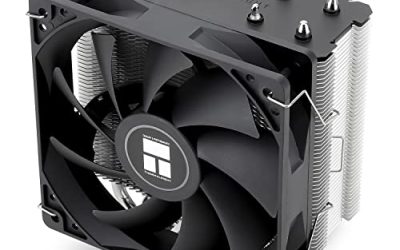
The NH-U12A is a single-tower cooler at 158mm with dual 120mm fans, and the title highlights full RAM compatibility. That memory clearance is useful on older boards where the first DIMM slot sits close to the socket, and it makes this the easier fit for a stock-speed 9900K in a mid-size case.
- Strength: dual fans on a single tower deliver strong cooling in a smaller footprint.
- Strength: 100% RAM compatibility avoids memory conflicts.
- Trade-off: it has less cooling mass than a dual tower for a heavy overclock.
Skip it if you plan an aggressive overclock and want maximum capacity. For everyday work and gaming at stock settings, though, a tower of this size is often all an eight-core chip needs.
Which One Fits Your Situation
A stock-speed 9900K in a quiet office build
The Noctua NH-U12A provides ample cooling with strong memory clearance and low noise, without the bulk of a dual tower. It also keeps the first DIMM slots usable, which matters when you are filling out an older board with four memory sticks.
A tuned all-core overclock
Overclockers who run the chip near its limits spend long periods at high power, so cooling capacity is the priority and appearance comes second. The Noctua NH-D15 chromax.Black or the be quiet! Pure Loop 2 FX 360mm gives the most capacity. Choose air for simplicity and long service life, and choose liquid when the case has a 360mm mount and you want the area around the socket clear.
A glass-panel gaming rig
The Thermalright Peerless Assassin 120 Vision MAX ARGB combines twin-tower cooling with a display. Pick it when the look of the build matters as much as the temperatures, and make sure the case is wide enough for the tower.
An upgrade that needs dual-tower performance at a lower tier
The ID-COOLING FROZN A620 PRO SE offers a 260W rating and two fans. Verify the socket list first, then enjoy the capacity it brings to a hot-running chip.
Common Mistakes
- Buying a newer cooler that lists only LGA1700 or LGA1851 and cannot mount on an LGA1151 board.
- Assuming the 95W label reflects real power draw during boost or an overclock.
- Ignoring memory clearance on older boards where the first slot sits close to the cooler.
- Choosing a 360mm radiator for a case that supports only 240mm, or forgetting to check radiator thickness against the fans.
- Paying extra for a screen or lighting when the goal is lower temperatures, and reusing old thermal paste when remounting, which leaves gaps on the lid.
Related guides
- Sustainable Gaming Pc Power Supply Efficiency Guide
- Noctua Nh-D15 Vs Thermalright Peerless Assassin 120
- Thermal Paste Application Method For Lga1851
Frequently Asked Questions
What socket does the i9-9900K use?
It uses LGA1151, the same physical socket family shared by 8th and 9th generation Core chips. Cooler mounting kits that list 115x generally cover it, but always confirm in the product manual.
Is air cooling enough for a 9900K?
For stock use, a good single or dual tower is enough. For all-core overclocking, a dual tower or a 280mm to 360mm liquid cooler offers more margin and lower fan noise.
Will newer coolers fit my older board?
Only if the listing includes LGA115x hardware. Many new coolers list only the latest Intel sockets, so check the compatibility line carefully and avoid models that mention LGA1700 or LGA1851 alone. If the listing is vague, the manufacturer’s compatibility page is the safest tiebreaker, and a short question to the seller before ordering costs nothing.
Do I need a 360mm radiator?
Not for stock settings. It helps on a tuned 9900K that holds high clocks under sustained load and in cases with limited airflow, where more radiator area lets the fans stay slower.