Picking a Cooler Master CPU cooler is rarely about the logo on the box. The brand sells everything from a plain single-tower air cooler with one 120mm fan to a 360mm liquid loop with a dual-chamber pump, and the right choice depends on what sits underneath it. A 65-watt Ryzen 5 in a quiet office build has very different needs from a 16-core chip in a mesh-front gaming case, and the gap between those two builds is exactly where the Cooler Master range splits into tiers. This guide narrows the lineup to six distinct models and explains where each one earns its place.
It is written for builders who already like the Cooler Master approach, meaning familiar mounting hardware, broad socket support and fans that favor low noise over raw pressure, and who want to know which tier makes sense in 2026. If you are weighing air against liquid, the sections below put concrete checkpoints on that decision: socket support, radiator size, case clearance and fan count. Duplicate listings of the same model, and coolers from other brands that show up in brand searches, are left out so the list stays honest.
Our Top Picks
 Cooler Master Hyper 212 Black CPU Air Cooler4 Heat Pipes4.7 x 3.1 x 6.3 inches1.54 PoundsCheck on Amazon
 Cooler Master Elite Liquid 240 AIO Liquid CPU240mm Radiator4.7 x 4.7 x 1 inches2.87 PoundsCheck on Amazon


Top 3 picks at a glance
Quick Picks
As an Amazon Associate we earn from qualifying purchases at no extra cost to you.




| Product | Best for | Key spec from the title |
|---|---|---|
| Hyper 212 Black | Simple, low-cost air cooling | 4 heat pipes, 120mm PWM fan, AM5/AM4 and LGA1851/1700 |
| V4 Alpha 3DHP | Mid-range air with two fans | Single tower, dual PWM fans, 3DHP |
| Hyper 212 Spectrum V3 ARGB | Air cooling with lighting | 4 heat pipes, 120mm PWM fan, ARGB |
| V8 ACE 3DHP | AM5 builds wanting more fin area | AM5 support, LCP blades, dual 120mm PWM fans |
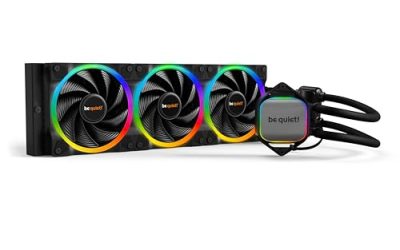
| Elite Liquid 240 | First all-in-one loop | 240mm radiator, dual-chamber pump, 2 ARGB fans |
| 360L Core | Hot, high-core-count CPUs | 360mm radiator, 3 ARGB PWM fans, Gen S pump |
How to Choose
Match the socket before anything else
Check the title for your exact socket. Most coolers here list AM5, AM4, LGA1851 and LGA1700 in the same line, but the V8 ACE is listed for AM5 only. An Intel builder or an AM4 owner who skips this line ends up with a cooler that cannot be mounted at all.
If you expect to move the cooler to a new board in a couple of years, favor the models that name both AMD and Intel sockets. A cooler that survives a platform change is worth more than a small difference in fin area.
Air or liquid: set a clearance budget
A single-tower air cooler needs vertical room, so measure the gap between the motherboard and the side panel and compare it with the cooler height on the spec sheet. Many compact cases leave only about 150mm to 160mm, which rules out some towers with two fans.
A 240mm or 360mm radiator needs a front, top or side mount that fits its full length, plus tube slack. If your case lists a 240mm radiator limit, a 360mm unit will not go in no matter how good it looks.
Fan count and pump design
Two fans on a tower cooler spread airflow across more fin area at lower speed, which usually means less noise at the same temperature. Look for four-pin PWM control so the fans can idle near silent, and make sure your motherboard has a spare CPU or system fan header for the second connector.
On liquid models, a dual-chamber pump separates the coolant path from the pump chamber, and a 360mm radiator with three fans gives the most surface area. Radiator length matters less than whether the fans can ramp down at idle.
What to ignore, and where budget models cut corners
RGB effects add nothing to cooling, so treat them as a styling choice. The cheapest coolers typically ship with a single fan and a thinner fin stack, which is fine for 65-watt to 105-watt processors but leaves little headroom for sustained all-core loads.
Do not pay a premium for lighting if the chip is a modest six-core part. Spend that money on a second fan or a larger radiator instead.
The 6 Best Options
Cooler Master Hyper 212 Black
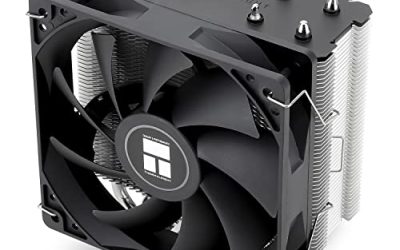
The Hyper 212 Black is the straightforward pick for builders who want a proven tower shape without extra features. The listing shows four heat pipes, a 120mm PWM fan and support for AM5, AM4, LGA1851 and LGA1700, which covers most current desktop boards. It fits a first build or a budget refresh where the processor is a mainstream six- or eight-core part.
- Strength: four heat pipes with a PWM fan keep wiring and fan control simple.
- Strength: broad socket coverage across both major platforms.
- Trade-off: a single 120mm fan limits headroom for heavily overclocked or high-core-count chips.
Skip it if your processor runs hot under sustained all-core work, or if you want a cooler with visible lighting.
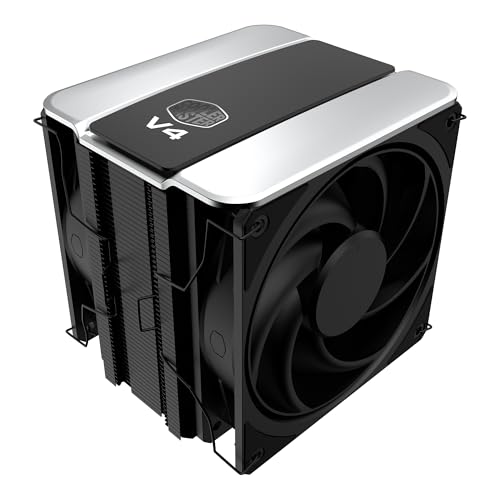
Cooler Master V4 Alpha 3DHP
This single-tower design adds a second fan and what the title calls 3DHP, a heat pipe layout aimed at better contact with the processor lid. It lists AM5, AM4, LGA1851 and LGA1700 support, so it works for most current boards. It suits builders who have outgrown the entry tower but do not want a liquid loop.
- Strength: dual PWM fans can move air at lower speeds for a quieter profile.
- Strength: the 3DHP construction points to a step up from the basic tower tier.
- Trade-off: two fans on a tower mean more width and more care with tall memory modules.
Skip it if your case has tight side-panel clearance or you only run a low-power chip that a smaller cooler would handle.
Cooler Master Hyper 212 Spectrum V3 ARGB
The Spectrum V3 keeps the four heat pipes and 120mm PWM fan of the standard model and adds ARGB lighting. It lists AM5, AM4, LGA1851 and LGA1700 support and is aimed at builds with a visible cooler under a glass panel, where the cooler is part of the look.
- Strength: the same four-heat-pipe layout with addressable lighting for coordinated builds.
- Strength: familiar mounting and wide socket support.
- Trade-off: lighting needs an extra header and adds no cooling capacity over the plain version.
Skip it if your case is solid-panel or you would rather put the difference toward a second fan.
Cooler Master V8 ACE 3DHP
The V8 ACE is the AMD-only entry here. The title lists AM5 support, a single-tower body, 3DHP cooling, LCP blades and dual 120mm PWM fans. It is a focused choice for a Ryzen 7000 or newer build where Intel compatibility is irrelevant and the buyer wants a larger air cooler.
- Strength: dual PWM fans paired with the 3DHP layout target stronger sustained cooling.
- Strength: the title notes LCP blades as part of its quiet design.
- Trade-off: AM5-only support means it cannot move to an Intel or AM4 board later.
Skip it if you may switch platforms or already own an AM4 or Intel system.
Cooler Master Elite Liquid 240
The Elite Liquid 240 is the entry point into liquid cooling for this lineup, with a 240mm radiator, a dual-chamber pump and two low-noise ARGB fans. It lists AM5, AM4, LGA1851 and LGA1700 support. It suits builders who want a clean look around the socket and have a case with a 240mm mount at the front or top.
- Strength: a 240mm radiator frees space around the socket compared with a tall tower.
- Strength: dual-chamber pump design and ARGB fans arrive in one package.
- Trade-off: it requires a case with a 240mm mount and relies on a pump that air coolers do not have.
Skip it if your case cannot take a 240mm radiator or you prefer the simplicity of air.
Cooler Master 360L Core
The 360L Core uses a 360mm radiator with three ARGB PWM fans and the Gen S dual-chamber pump. The listing stresses quiet cooling and easy installation, aiming at buyers who want maximum radiator area from this brand without stepping up to a premium tier.
- Strength: three fans on a 360mm radiator give the most surface area in this group.
- Strength: easy installation is called out in the title.
- Trade-off: it needs a case with a 360mm mount and enough tube length to reach it.
Skip it if you own a compact case or a modest processor that does not need this much radiator.
Which One Fits Your Situation
A quiet everyday Ryzen or Core build
The Hyper 212 Black covers the basics with four heat pipes and a PWM fan, and the V4 Alpha 3DHP adds a second fan for more margin. Both suit mid-range processors and do not demand a special case.
A glass-panel build with matching lighting
The Hyper 212 Spectrum V3 ARGB keeps air cooling simple while adding lighting, and the Elite Liquid 240 offers a more dramatic look if the case has a 240mm mount.
A new AM5 system with a hot chip
The V8 ACE 3DHP is built for AM5 and brings dual fans for sustained loads. Step up to the 360L Core if the case supports a 360mm radiator and the processor runs warm under all-core work.
A build you may carry across platforms
Choose the V4 Alpha 3DHP over the V8 ACE. Its listing covers AM5, AM4, LGA1851 and LGA1700, so the same cooler can follow you to a different board. Pair it with a case that has generous side-panel space and the second fan will not get in the way of tall memory kits. That flexibility is the main reason it sits above the entry tower for builders who upgrade often.
Common Mistakes
- Ignoring the socket list and buying an AM5-only cooler for an AM4 or Intel board.
- Choosing a 360mm radiator without confirming the case supports that length at the front or top.
- Assuming ARGB lighting improves cooling performance when it only changes appearance.
- Forgetting to measure side-panel clearance for tall tower coolers, especially dual-fan designs.
- Overlooking memory module height when a cooler has a second fan on a tower body.
Related guides
- Sustainable Gaming Pc Power Supply Efficiency Guide
- Noctua Nh-D15 Vs Thermalright Peerless Assassin 120
- Thermal Paste Application Method For Lga1851
Frequently Asked Questions
Is the Hyper 212 still enough for a modern CPU?
For mid-range six- and eight-core processors, the four heat pipes and PWM fan on the spec sheet are a reasonable match. For heavily overclocked chips or sustained all-core workloads, look at the dual-fan or liquid options.
Do I need liquid cooling?
Not for most builds. Liquid helps when case airflow is limited, when you want a clear view of the motherboard, or when the chip sustains high all-core loads. A good tower cooler is simpler and has one less moving part.
Are these coolers compatible with LGA1851?
The listings for the Hyper 212 models, V4 Alpha and Elite Liquid 240 mention LGA1851 and LGA1700 support, while the V8 ACE is listed for AM5 only. Always confirm your socket in the full specifications before ordering.
What does PWM fan control give me?
A four-pin PWM fan lets the motherboard adjust speed with temperature, so the fan idles quietly and ramps up only under load. It also keeps noise lower than a fixed-speed fan at the same cooling output.