A white CPU cooler is a design choice before it is a thermal one. If the case, graphics card, memory and fans are all pale, a black heatsink in the middle of the board breaks the look, and that single mismatch is what sends buyers searching for a white model. The question this keyword hides is how much cooling you are willing to trade for appearance, since white-finished coolers span plain budget towers, towers with built-in screens and one 360mm liquid design.
This guide covers six white coolers whose titles state the finish clearly, so there is no guessing about color. They are compared on what the listings say: heatpipe count, fan type, tower layout, display features and socket support. Most come from Thermalright, which dominates this niche, with one ID-COOLING air tower mixed in. If you are matching a white build in 2026, the real choice is between a simple tower, a double-tower with a screen, and a liquid radiator.
Our Top Picks


Top 3 picks at a glance
Quick Picks
As an Amazon Associate we earn from qualifying purchases at no extra cost to you.


| Product | Best for | Key spec from the title |
|---|---|---|
| Thermalright Peerless Assassin 120 SE ARGB White | All-round white air cooling | 6 heat pipes, dual 120mm PWM fans, AGHP technology |
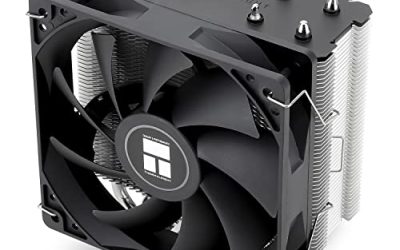
| Thermalright Assassin X120 SE ARGB White | Compact white tower | 4 heat pipes, PWM fan with S-FDB bearing |
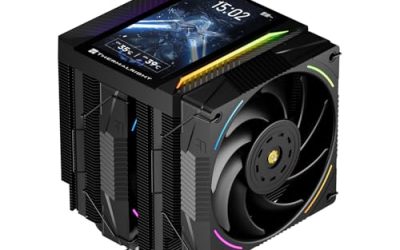
| Thermalright Peerless Assassin 120 Vision MAX ARGB White | Screen on an air cooler | Twin tower, 2150RPM, 5-inch IPS screen |
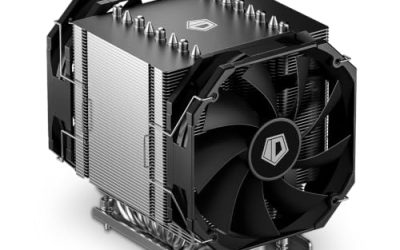
| ID-COOLING SE-214-XT V2 ARGB White | Low-cost white tower | 4 heatpipes, 120mm white fan, direct contact heatsink |
| Thermalright Peerless Assassin 120 Digital White | Digital readout builds | 6 heat pipes, dual towers and fans, digital display top |
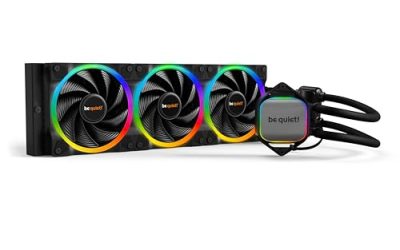
| Thermalright Frozen Notte 360 White ARGB V2 | White liquid cooling | 360 specification liquid cooler, 3 PWM fans |
How to Choose
Verify the finish covers what you can see
A white label can mean a white fan, a white heatsink cover or both. In a case with a side window you mainly see the top cover and the fan frames, so check the listing for words such as white fan, white aluminum cover or white radiator. The heatpipes and fin stack are usually metal and will not be white, so expect some silver beneath the paint.
Choose tower versus liquid first
An air tower has no pump and costs less, but a big double tower can block memory slots and tall coolers can hit the side panel. The 360mm liquid option moves heat to a radiator and keeps the board area clear, but needs 360mm radiator support at the top or front. Measure the cooler height and radiator allowance in your case manual before looking at color options.
Heatpipes, fans and noise
Four heatpipes are common for mid-range processors, and six suit hotter chips. Dual-fan setups with PWM control give the best balance of airflow and noise, because the motherboard can slow them at idle. S-FDB bearings, mentioned on two Thermalright listings, are aimed at long fan life. Ignore peak RPM figures; check how low the fans can drop for quiet daily use.
Screens and lighting add cost, not cooling
The Vision MAX with its 5-inch IPS screen and the Digital model with a display on top add monitoring and style but not extra thermal capacity. ARGB lighting likewise changes appearance only. If your priority is temperature for the money, the plain ARGB towers are better value, while the display versions suit showpiece builds.
The 6 Best Options
Thermalright Peerless Assassin 120 SE ARGB White
This is the default white air cooler for most builders. The title lists six heat pipes with AGHP technology, dual 120mm TL-C12CW-S PWM fans and ARGB lighting, with support for AMD AM4 and AM5 and several Intel sockets. A twin-fan, double-tower layout gives it strong cooling capacity for its class, and the white fans carry the color story across the case.
- Six heat pipes and two PWM fans give strong thermal capacity
- White fan frames match pale builds and add ARGB lighting
- Trade-off: the double-tower body is large and can crowd the first memory slot
Skip it if you have tall memory or a compact case, where a single-tower model will fit more easily. Buyers who do not want any lighting should look at the non-ARGB models in the same family.
Thermalright Assassin X120 SE ARGB White
The Assassin X120 SE is the smaller white tower for mid-range processors. The title lists four heat pipes and a TL-C12CW-S PWM quiet fan with an S-FDB bearing, plus ARGB lighting and AMD and Intel support. It is a sensible pairing with an efficient chip in a mid-tower where the larger double-tower would feel crowded.
- Single-tower footprint fits more cases and clears more memory
- S-FDB bearing is aimed at quiet, long-lasting operation
- Trade-off: four heat pipes and one fan limit capacity compared with the larger model
Skip it if your processor runs hot or if you want a dual-fan layout. Anyone planning an overclock would be better served by the six-heatpipe tower above, and anyone running a very hot chip should look at a larger design entirely.
Thermalright Peerless Assassin 120 Vision MAX ARGB White
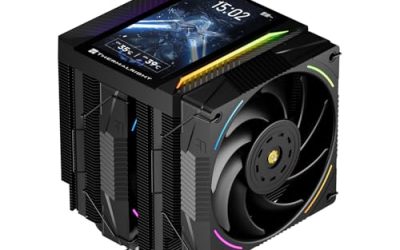
This one is for builders who want a screen on an air cooler as a centerpiece. The title lists a twin-tower radiator, 2150RPM fans and a 5-inch IPS screen with 480×854 resolution, finished in white with ARGB lighting. It turns the top of the cooler into a small display that can show system information or images, and the higher fan speed listed in the title gives it room to push air when the processor is under load.
- Large 5-inch IPS screen adds a custom display to a white build
- Twin-tower layout retains the strong cooling design of the family
- Trade-off: the screen adds cost and likely software, and does not improve cooling
Skip it if you want a simple setup or an unobtrusive build, or if your case has a solid side panel where nobody will ever see the screen.
ID-COOLING SE-214-XT V2 ARGB White
This tower is the low-cost white option from a different maker, useful when you want to vary the brand mix. The title lists four heatpipes, a 120mm white fan, a direct contact heatsink and support for Intel and AMD sockets, including LGA1700 and older Intel generations.
- White fan and ARGB lighting at an entry-level tier
- Direct contact design is aimed at efficient heat transfer
- Trade-off: four heatpipes and a single fan limit its thermal ceiling
Skip it if you plan to overclock or pair it with a hot processor. It is a better match for efficient mid-range chips in a build that prizes price over maximum capacity. Because it comes from a different brand than the Thermalright towers, it is also an easy cross-brand comparison against them.
Thermalright Peerless Assassin 120 Digital White
The Digital version suits builders who want a status readout on top of the cooler without a full screen. The title lists 1850RPM plus 10 percent, six heat pipes, dual towers and fans, and a digital display on top, in white. The dual-fan, dual-tower arrangement mirrors the standard Peerless Assassin design, so the display is the only major addition to a proven layout.
- Six heat pipes and dual towers for strong cooling capacity
- Digital display adds information without a full-size screen
- Trade-off: it is tall and wide, so it needs a roomy case with good side-panel clearance
Skip it if you dislike displays on components, or if you have a small case. Buyers who simply want temperature monitoring can get that from software on any cooler, which makes the display a style choice more than a necessity. Check that the readout is not so bright that it distracts in a dark room.
Thermalright Frozen Notte 360 White ARGB V2
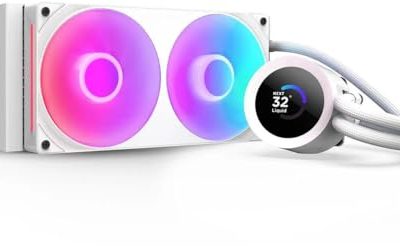
This is the white liquid pick for a large case and a hot processor. The title lists a 360 specification liquid cooler with three PWM fans, ARGB lighting, and support for AM4, AM5 and Intel LGA1700 and 1851. It keeps the memory area clear in a way no tower can, and the white fans are a natural match for a pale case. Of the six picks it is the only one that moves heat away from the socket.
- 360mm radiator suits hot, high-power processors
- Three PWM fans in white match a pale case
- Trade-off: it needs 360mm radiator space, a pump and extra cable routing
Skip it if your case cannot fit a 360mm radiator, or if you would rather avoid pumps and the question of long-term liquid cooler wear. A tower such as the Peerless Assassin SE removes that concern while keeping the white look.
Which One Fits Your Situation
You want a white build with strong cooling
The Peerless Assassin 120 SE ARGB White gives the best balance of capacity and cost, with six heat pipes and two fans. It is the natural starting point for most pale builds that use a mainstream or upper-midrange processor, and it avoids the added cost of a screen or radiator.
You have a small case or tall memory
The Assassin X120 SE ARGB White is the smaller choice, or the ID-COOLING SE-214-XT V2 if you want a lower-cost tower. Check the maximum cooler height in your case manual first, because a few millimeters can decide whether the side panel closes.
You want a display
Choose the Vision MAX for a large screen or the Digital model for a simpler readout. Both belong in cases with a glass side panel where the top of the cooler is visible.
You want liquid cooling in white
The Frozen Notte 360 White ARGB V2 is the pick for a large case. It frees the memory slots and spreads heat across a big radiator, which suits builders who run hot chips and still want the white theme to stay intact.
Common Mistakes
- Assuming every part of a white cooler is white, when heatpipes and fins are normally bare metal.
- Ignoring memory clearance and case height on double-tower models.
- Paying for a screen or display that adds no cooling and will sit behind a solid panel.
- Skipping the radiator and mounting checks before buying a 360mm liquid cooler, which can leave you with a part the case cannot hold.
- Not confirming socket support on the listing, especially for older Intel boards.
Related guides
- Noctua Nh-D15 Vs Thermalright Peerless Assassin 120
- Sustainable Gaming Pc Power Supply Efficiency Guide
- Thermal Paste Application Method For Lga1851
Frequently Asked Questions
Do white coolers cool as well as black ones?
Yes. Color does not affect performance. Cooling depends on the heatpipes, fins, fans and radiator, so compare those specs instead of the finish. A white cooler with fewer heatpipes will not outperform a black one with more.
Do the screens need software?
Often yes, since displays usually need a utility to change what they show. Check the manufacturer’s information about supported systems before you buy a model with a screen.
Should I choose air or liquid for a white build?
Both work. Air is simpler, quieter to maintain and has no pump, while liquid offers more radiator area and clears the board. Choose according to your case size and processor heat.
Will white paint yellow or fade over time?
Quality finishes generally hold up well, but dust and heat can dull any surface. Keep the cooler clean, and avoid harsh cleaners that could mark the coating.