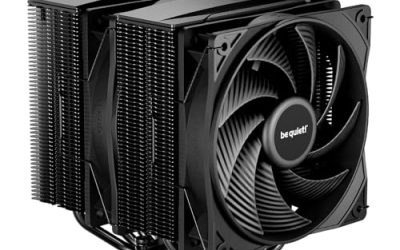
The Ryzen 9 5950X does not come with a cooler in the box, which means the heatsink you pick is a real part of the build rather than an afterthought. Sixteen cores on the AM4 socket pull a lot of sustained power during rendering, compiling, and streaming while gaming, and a weak cooler turns that into throttled clocks and a loud fan curve. The decision is simple to state and harder to execute: do you want a large air tower with no pump to worry about, or a 360mm liquid loop that moves heat out to a big radiator?
This guide is for anyone pairing a 5950X with an AM4 board in 2026, whether that is a fresh build around a platform you already own or an upgrade for a chip that has been running on a borrowed cooler. Every pick below is a real aftermarket cooler. We left out a Wraith Stealth listing, because that style of cooler is aimed at entry-level Ryzen 3 and 5 parts, and an AMD Ryzen 9 5900XT processor that appeared in the product set, because it is a CPU and not a cooler.
Our Top Picks



Top 3 picks at a glance
Quick Picks
As an Amazon Associate we earn from qualifying purchases at no extra cost to you.




| Product | Best for | Key spec from the title |
|---|---|---|
| be quiet! Pure Loop 2 FX 360mm | Quiet liquid cooling with lighting | 360mm radiator, 3 PWM fans, ARGB |
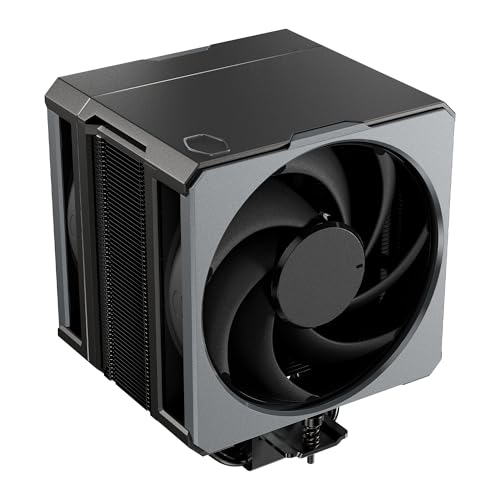
| Cooler Master Hyper 612 APEX | Big air cooling without a pump | Single tower, dual PWM fans, 6 SCHP heat pipes |
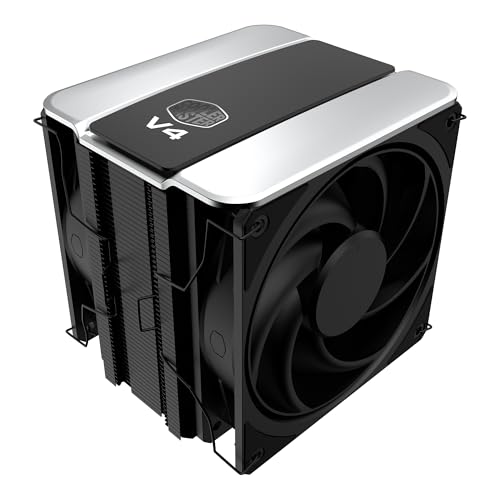
| Cooler Master V4 Alpha 3DHP | Dual-fan air cooling | Single tower, 3DHP, dual PWM fans |
| ARCTIC Liquid Freezer III Pro 360 | Maximum heat removal | 3 x 120mm AIO, AM4 and AM5 support |
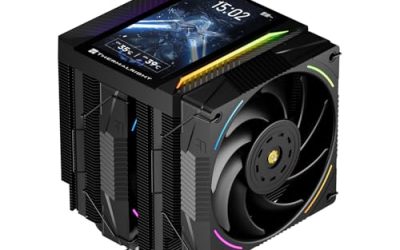
| Thermalright Assassin X 120R Digital ARGB | Compact tower with a display | 4 heat pipes, 2000RPM, 12cm PWM fan |
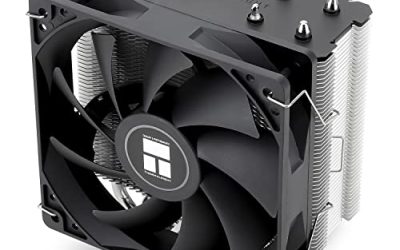
| Cooler Master Hyper 212 Black | Familiar, simple air cooling | 4 heat pipes, 120mm PWM fan |
How to Choose
Match the cooler to a 105W-class, 16-core chip
The 5950X carries a 105W TDP, and its real draw under an all-core load goes higher. That puts it in a different league from a six-core Ryzen. Look for a cooler built for high-core-count desktop chips: a 360mm radiator, or an air tower with at least six heat pipes or a dual-fan layout. A four-heat-pipe, single-fan tower can keep the chip alive in games, but it leaves little headroom once every core is busy for an hour of video encoding. Think about the workload first: a gaming-only owner who rarely loads all sixteen cores has very different needs from someone who renders scenes overnight, and the cooler should follow that pattern rather than the processor name alone.
Confirm AM4 mounting before anything else
Many current coolers list AM5 and LGA1851 first. The 5950X sits on AM4, so the product page must explicitly name AM4 support, and the box should include the AM4 brackets or backplate hardware. A cooler that lists only newer sockets is a return waiting to happen. All six picks below name AM4 or a general Ryzen range in the title.
Check physical clearance
For air towers, measure the gap from the CPU socket to the case side panel and compare it with the stated cooler height. Also check memory: a tall tower with a fan on the DIMM side can block taller RAM modules. For a 360mm radiator, confirm that your case supports a 360mm radiator at the top or front, that the tubes reach the CPU block, and that the radiator will not collide with the top motherboard heatsinks or the first RAM slot.
Know what to ignore and where budget models cut corners
RGB, screens, and digital readouts add cost but no cooling. Fan RPM figures alone mislead, since a larger fan at lower speed can move the same air more quietly. Budget air coolers usually cut corners on heat pipe count, fan quality, and mounting hardware, and the cheapest options often rely on a single thin fan that gets loud when the chip ramps up. For liquid coolers, pump noise and radiator size matter more than the lighting package. It also pays to check the fan connectors: PWM fans can be controlled by the motherboard header, while a cooler with a separate lighting controller may need extra cables and a free ARGB header that an older AM4 board might not have.
The 6 Best Options
be quiet! Pure Loop 2 FX 360mm
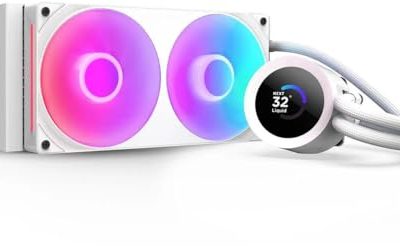
This 360mm closed-loop cooler suits buyers who want liquid cooling with a visual theme and a calm acoustic profile. The title lists three PWM fans and ARGB illumination, and it names AMD Ryzen 3, 5, 7, and 9 compatibility, which covers the 5950X.
- Strength: a 360mm radiator gives a large surface area for a 16-core chip.
- Strength: three PWM fans let the motherboard scale speed with temperature instead of running flat out.
- Trade-off: the radiator needs a case with proper 360mm mounting space.
Skip it if your case is compact or if you dislike lighting on the fans. Confirm the AM4 bracket is in the box before ordering.
Cooler Master Hyper 612 APEX
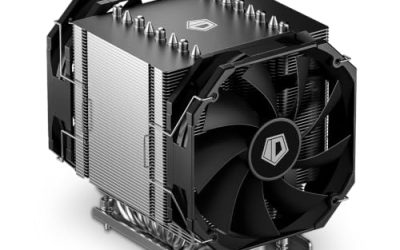
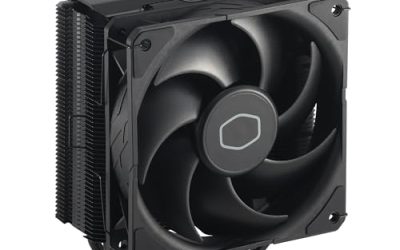
The Hyper 612 APEX is a single-tower air cooler with dual PWM fans and six SCHP heat pipes. The title lists AMD AM5 and AM4 alongside Intel LGA1851 and LGA1700, and the AM4 listing is the line that matters for a 5950X. It is built for buyers who want strong air cooling without a pump.
- Strength: six heat pipes and two fans suit a hot, multi-core processor.
- Strength: air cooling has no pump to fail and needs no radiator space.
- Trade-off: a large tower can crowd memory and narrow case panels.
Skip it if your case has limited height clearance or if you want a clean look without a bulky heatsink.
Cooler Master V4 Alpha 3DHP
Another single-tower, dual PWM fan design from Cooler Master, the V4 Alpha uses 3DHP heat pipe technology and lists AM5, AM4, LGA1851, and LGA1700 support. The title describes it as quiet cooling, which suits a desk where the tower sits in view and within earshot.
- Strength: dual fans on a single tower push air through the whole fin stack.
- Strength: broad socket support makes it reusable if you later change platforms.
- Trade-off: the title gives no heat pipe count, so you cannot compare it directly with the 612 APEX from the headline spec alone.
Skip it if you want a numbered spec sheet to compare before buying, or if your case is very narrow.
ARCTIC Liquid Freezer III Pro 360
This is a 360mm all-in-one with three 120mm fans, and the title lists LGA1851, LGA1700, AM4, and AM5. It is the straightforward choice for buyers who want the biggest radiator in this group and the most cooling surface for a demanding chip.
- Strength: three 120mm fans on a 360mm radiator suit sustained all-core loads.
- Strength: AM4 is named directly in the title.
- Trade-off: it needs a case with generous radiator space and careful tube routing.
Skip it if your case cannot take a 360mm radiator or if you prefer the simplicity of an air tower with nothing to route.
Thermalright Assassin X 120R Digital ARGB
The Assassin X 120R is a compact air cooler with four heat pipes, a 12cm PWM fan running up to 2000RPM, and a digital screen top cover with ARGB. It is for builders who want a small footprint and a visible temperature readout rather than maximum cooling capacity.
- Strength: a small tower helps in cases where large coolers will not fit.
- Strength: the digital top cover adds a readout for buyers who like visible monitoring.
- Trade-off: four heat pipes and one fan leave less thermal headroom on a 16-core chip.
Skip it if you plan to run heavy all-core workloads for long sessions, or if the screen and lighting hold no interest.
Cooler Master Hyper 212 Black
The Hyper 212 Black pairs four heat pipes with a 120mm PWM fan, and the title lists AM5, AM4, LGA1851, and LGA1700. It is the familiar name for budget-minded builds and fits buyers who mostly game on the 5950X and only occasionally load every core.
- Strength: AM4 support is named in the title.
- Strength: a single 120mm PWM fan keeps the design uncomplicated.
- Trade-off: four heat pipes with one fan is a lighter setup than the dual-fan towers on this list.
Skip it if the 5950X will sit under heavy rendering or encoding for hours at a time.
Which One Fits Your Situation
You want the quietest high-end build
Go with the be quiet! Pure Loop 2 FX 360mm. Its three PWM fans on a 360mm radiator let each fan spin slowly, which is how large liquid coolers keep noise down during long sessions.
You need maximum cooling capacity
The ARCTIC Liquid Freezer III Pro 360 is the pick for sustained rendering or compiling. Three 120mm fans and a 360mm radiator give the largest cooling surface on the list.
You prefer air and a clean case
Choose the Cooler Master Hyper 612 APEX. Six SCHP heat pipes and dual fans give strong air cooling without a pump or radiator. The V4 Alpha 3DHP is the alternative if you want a similar dual-fan layout.
You are working with a tight budget or a small case
The Thermalright Assassin X 120R or the Cooler Master Hyper 212 Black keeps costs and size down. Both suit gaming-first use better than all-day rendering on a 5950X.
Common Mistakes
- Buying a cooler that lists only AM5 or Intel sockets and not AM4, then discovering the brackets do not fit.
- Pairing a 16-core chip with an entry-level, bundled-class cooler and expecting stable clocks under load.
- Ignoring case height or radiator mounting limits until the parts arrive.
- Choosing by lighting or screen features instead of heat pipe count and radiator size.
- Leaving the motherboard fan curve on its default setting; a gentler custom curve in the firmware keeps a big cooler quieter during short boosts, though sustained loads will still push the fans harder.
Related guides
- Sustainable Gaming Pc Power Supply Efficiency Guide
- Noctua Nh-D15 Vs Thermalright Peerless Assassin 120
- Thermal Paste Application Method For Lga1851
Frequently Asked Questions
Does the Ryzen 9 5950X include a cooler?
No, the 5950X is sold without one, so a cooler must be bought separately. Choose a model that explicitly lists AM4 support, and check that the mounting hardware is in the box.
Is liquid cooling required for a 5950X?
No. A large dual-fan air tower can handle the chip well, though a 360mm liquid cooler offers more headroom for sustained all-core loads and tends to be quieter at the same temperature.
Can an AM5 cooler be used on AM4?
Only if the product lists AM4 and includes the right brackets. Many current coolers do, but the listing should say so clearly before you buy.
Are RGB lighting and digital screens worth paying for?
They are cosmetic. They add cost without improving temperatures, so spend first on heat pipe count or radiator size, and treat lighting as a bonus. If the case has a solid side panel, the screen or lighting will never be seen anyway.