The Ryzen 5 5600X is a 6-core, 12-thread chip that ships with a Wraith Stealth cooler in the box, and that bundled heatsink is exactly why this shopping question exists. The stock cooler keeps the processor alive, but it gets loud when the chip boosts under a game or a render, and it leaves little thermal headroom. Replacing it is one of the cheapest upgrades on an AM4 build, and the real decision is how far to go: a simple single-tower air cooler, a bigger dual-purpose tower, or a 240mm liquid loop.
This guide is for buyers who already own a 5600X (or are speccing one) and want a quieter, cooler chip without overspending. Because the processor is a 65W-class part, the biggest tower in the shop is rarely necessary. What matters more is mounting compatibility with AM4, clearance for your memory and case panel, and a fan that stays pleasant at idle. Every pick below comes from the listing titles and the specs they state, so treat the notes as a starting shortlist and confirm dimensions against your own case in 2026 before buying.
Our Top Picks
 Cooler Master Hyper 212 Black CPU Air Cooler4 Heat Pipes4.7 x 3.1 x 6.3 inches1.54 PoundsCheck on Amazon


Top 3 picks at a glance
Quick Picks
As an Amazon Associate we earn from qualifying purchases at no extra cost to you.



| Product | Best for | Key spec from the title |
|---|---|---|
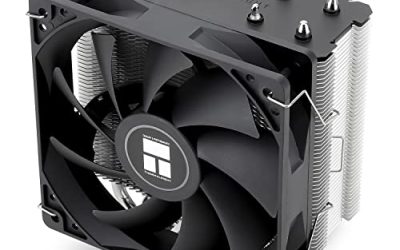
| Thermalright Assassin X 120R SE V2 | Lowest-cost step up from stock | 1550RPM 120mm RGB PWM fan, S-FDB bearing |
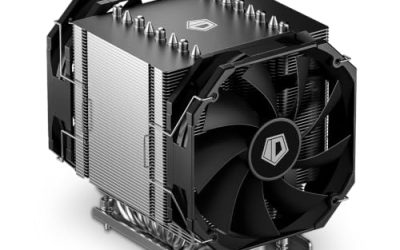
| be quiet! Dark Rock 5 | Quiet builds with tall memory | 6 heat pipes, Silent Wings 4 120mm FDB PWM fan |
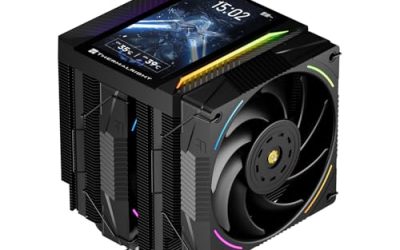
| Thermalright Assassin X 120R Digital ARGB | Showcase builds that want a display | Digital screen top cover, TL-P12-S PWM fan |
| Cooler Master Hyper 212 Black | Plain, all-black air cooling | 4 heat pipes, 120mm PWM fan |
| Cooler Master Hyper 212 Spectrum V3 ARGB | Lit-up air cooling on a budget | 4 heat pipes, ARGB lighting, AM5/AM4 support |
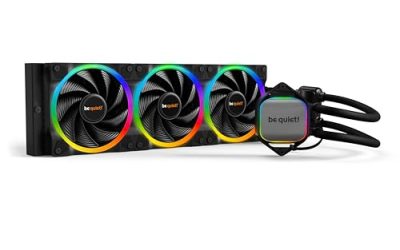
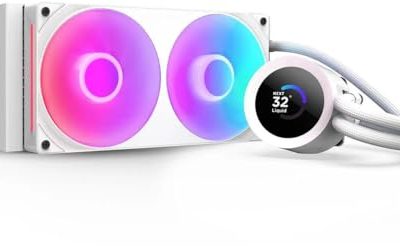
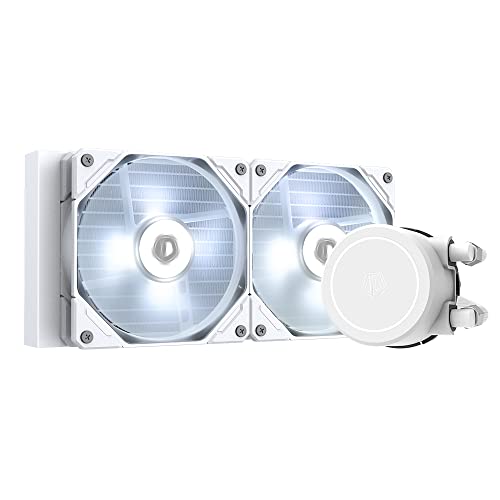
| ID-COOLING FROSTFLOW X 240 Snow | White builds and radiator-style cooling | 240mm AIO, 2x120mm PWM fans, white LED pump |
How to Choose
Confirm the AM4 mounting hardware
The 5600X sits in an AM4 socket, so the first line to read is the compatibility list. Several of these titles name both AM5 and AM4, which means the bracket set should cover the socket you have today and the one you might move to later. If a listing only mentions Intel sockets, it is not the right product no matter how good the fan looks.
Measure case and memory clearance
Tower coolers are tall, and a 120mm fan on a tower often adds width that collides with tall RAM or a tight side panel. Before ordering, check the cooler height against your case spec sheet and note whether the first fan can be raised. The be quiet! Dark Rock 5 title calls out RAM and VRM compatibility, which is the kind of language to look for when your memory modules have tall heat spreaders.
Match fan style to your noise tolerance
A PWM fan lets the motherboard slow the cooler down at idle, and that is the feature that separates a pleasant desktop from a droning one. Fluid dynamic and similar sealed bearings listed in the titles are aimed at long-term noise, while a high top-end RPM figure mainly tells you how loud the cooler can get at full speed. For a 65W-class chip, a 120mm fan running at moderate speed is usually plenty.
Decide between air and a 240mm loop
A 240mm all-in-one gives you a cooler that sits mostly out of the way of memory, but it adds a pump, tubing, and a radiator that needs a case mounting point. Air towers have fewer failure points and are simpler to mount. Budget models trim aluminum fin density, fan bearing quality, and mounting hardware, so read the heat pipe count and fan description rather than judging by looks. Ignore lighting claims when thermals are the goal, since lighting adds nothing to cooling.
One more practical threshold: if your case is a compact mid tower, leave at least a few millimeters between the cooler top and the side panel, and confirm the first memory slot is not blocked by the front fan. A cooler that fits on paper but forces you to run a single memory stick is a poor trade. Buyers who plan to keep the stock fan curve untouched should also look for a PWM header connection, since a three-pin fan on a basic motherboard cannot slow down smoothly.
The 6 Best Options
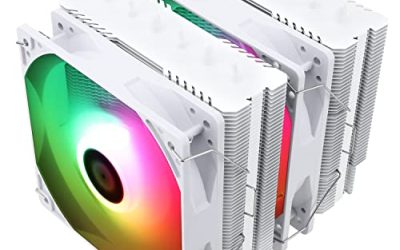
Thermalright Assassin X 120R SE V2
This is the value entry on the list, aimed at 5600X owners who want a clear step up from the bundled cooler without paying for extras. The title lists 4 and 6mm heat pipes, a 120mm RGB PWM fan, and a 1550RPM top speed, plus an S-FDB bearing and AM4/AM5 mounting.
- Strength: The PWM fan and S-FDB bearing suggest quiet idle behavior for a budget tower.
- Strength: AM4 and AM5 coverage means it can move to a newer board later.
- Trade-off: Single 120mm tower with RGB lighting, so it is not the pick for heavy overclocking headroom.
Skip it if you want a premium, all-quiet build with the most heat pipes, or if your case is very narrow and you cannot confirm clearance first.
be quiet! Dark Rock 5
The Dark Rock 5 is the pick for buyers whose priority is low noise and room around the memory. The listing highlights 6 high-performance heat pipes, a Silent Wings 4 120mm FDB PWM fan, and high RAM and VRM cooler compatibility.
- Strength: Six heat pipes is the largest count in this group, giving the most thermal capacity on paper.
- Strength: The title specifically mentions memory and VRM compatibility, which suits builds with tall RAM.
- Trade-off: Premium tier positioning means it costs more than the Hyper 212 or Assassin models.
Skip it if you only game lightly on a 5600X and would never notice the extra headroom, or if you are building to a strict budget.
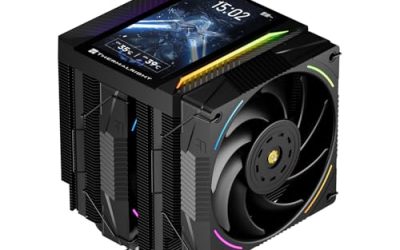
Thermalright Assassin X 120R Digital ARGB
This variant is for showcase builds. The title names a digital screen top cover, a TL-P12-S PWM quiet fan, and ARGB styling on a black air cooler.
- Strength: The top cover adds a visible display, which changes the look of an open-frame or windowed case.
- Strength: PWM fan control keeps noise adjustable through the motherboard.
- Trade-off: Some of the price goes toward the screen rather than cooling hardware.
Skip it if your case has a solid side panel or you want the lowest-cost cooling. The standard Assassin X model gives you the same tower format without the display.
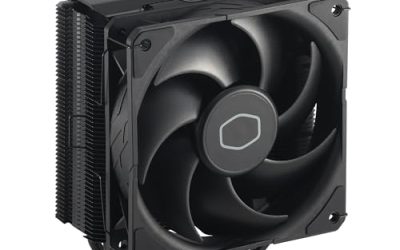
Cooler Master Hyper 212 Black
The Hyper 212 name is familiar for a reason: a simple tower with a straightforward design. This black version lists 4 heat pipes, a 120mm PWM fan, and support for AMD AM5 and AM4 along with Intel LGA1851 and LGA1700.
- Strength: Broad socket support makes it useful if you reuse the cooler across upgrades.
- Strength: Plain black finish blends into almost any case without lighting.
- Trade-off: Four heat pipes means less capacity than the Dark Rock 5 for an overclocked chip.
Skip it if you want lighting or a tall-memory-friendly layout confirmed in the listing.
Cooler Master Hyper 212 Spectrum V3 ARGB
Same tower idea as the Black model, with ARGB lighting added for builds with a windowed panel. The title again lists 4 heat pipes, a 120mm PWM fan, quiet cooling, and AM5/AM4 plus Intel LGA1851/1700 support.
- Strength: Lighting without a separate controller on the listing, ideal for matching an ARGB case.
- Strength: The four-pipe design is a familiar mid-range balance for a 65W-class processor.
- Trade-off: The lighting is the main difference from the Black version, so you pay for appearance.
Skip it if your case has no window, since the Black model delivers the same cooling idea for less.
ID-COOLING FROSTFLOW X 240 Snow
The only liquid option here, this 240mm all-in-one comes with two 120mm PWM fans and a white LED pump. The title lists compatibility with Intel LGA1700, 1200, and 115X plus AMD AM5 and AM4.
- Strength: A 240mm radiator spreads heat away from the socket and keeps the area around memory clear.
- Strength: White theming suits a white-case build.
- Trade-off: It needs a 240mm radiator mount in the case, and it adds pump and tubing complexity.
Skip it if your case cannot mount a 240mm radiator, or if you want the simplest, quietest low-maintenance setup. A tower is a better fit for a 5600X in that case.
Which One Fits Your Situation
You want the cheapest real upgrade over the stock cooler
The Thermalright Assassin X 120R SE V2 is the natural starting point. It gives a 120mm PWM tower with AM4 mounting for a modest step up from the bundled heatsink.
You care about silence and use tall memory
Go with the be quiet! Dark Rock 5. The Silent Wings 4 fan and the RAM and VRM compatibility note both point at a quiet, roomy build.
You are building a white or lit-up showcase
The ID-COOLING FROSTFLOW X 240 Snow suits a white theme with a 240mm loop, while the Hyper 212 Spectrum V3 ARGB is a simpler lit alternative if your case lacks radiator space.
You are replacing a cooler in a build you will keep for years
Longevity points toward the be quiet! Dark Rock 5 for its FDB fan and its larger heat pipe count, or the Cooler Master Hyper 212 Spectrum V3 ARGB if you would rather keep spending low and swap the whole tower when you eventually change platforms. Either choice outlasts the stock Wraith Stealth in terms of comfort during long sessions, and both list AM4-era mounting support. If you are unsure, read the fan bearing description first, because that component is the part most likely to become audible with age.
Common Mistakes
- Buying a cooler without checking its height against the case panel clearance.
- Assuming a bigger cooler always means quieter operation when fan speed and bearing quality matter more.
- Choosing an AIO when the case has no 240mm mounting location.
- Paying extra for lighting or a digital display when the goal is lower temperatures.
- Ignoring the compatibility list and discovering the bracket does not cover AM4.
Related guides
- Noctua Nh-D15 Vs Thermalright Peerless Assassin 120
- Sustainable Gaming Pc Power Supply Efficiency Guide
- Thermal Paste Application Method For Lga1851
Frequently Asked Questions
Is the stock Wraith Stealth cooler enough for a 5600X?
It will keep the chip running, but it is usually louder under load than an aftermarket tower. Buyers who want a quiet desktop tend to replace it with a 120mm tower.
Do I need a 240mm liquid cooler for this processor?
Not for thermals alone. The 5600X is a modest-power part, so a good single tower is typically enough, and a 240mm loop is more about layout and appearance.
Will these coolers work if I upgrade to AM5 later?
Several listings name both AM4 and AM5 support, including the Hyper 212 models and the Assassin X SE V2. Confirm the exact bracket included before you move platforms.
Does RGB lighting affect cooling?
No. Lighting is cosmetic. Compare heat pipe count, fan type, and mounting support when judging performance.