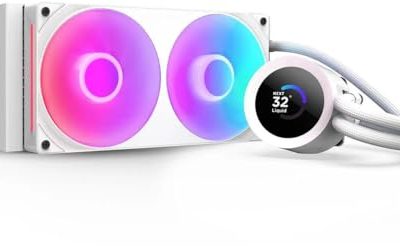
A second fan on a CPU cooler is not a gimmick, but it is also not a free upgrade. Two fans in a push-pull layout pull air through the fin stack from both sides, which lets the fans spin slower for the same airflow or raises airflow at the same speed. The practical payoff is lower noise at a given temperature, and a bit of redundancy: if one fan fails, the other still moves air. If you are searching for dual fan coolers specifically, you probably want one of those two outcomes, quiet operation or a cooler that stays in control when the processor is working hard.
The six coolers here all ship with two fans, and they come in two shapes: twin-tower designs, where two heatsink blocks share a fan between them and another on the outside, and a single-tower model with two fans stacked around it. The common questions are the same either way. Will it clear your memory, will it fit your case, and does the socket list match the board? The sections below work through those checks with the specs in each listing.
Our Top Picks
 Thermalright Peerless Assassin 120 SE ARGB CPU Air6 Heat Pipe4.92 x 5.31 x 6.1 inches2 PoundsCheck on Amazon
 ID-COOLING FROZN A620 PRO SE Dual-Tower CPU Cooler5.59 x 4.72 x 6.18 inches2.6 poundsCheck on Amazon



Top 3 picks at a glance
Quick Picks
As an Amazon Associate we earn from qualifying purchases at no extra cost to you.



| Product | Best for | Key spec from the title |
|---|---|---|
| Thermalright Peerless Assassin 120 SE | Value dual-tower cooling | 6 heat pipes, dual 120mm PWM fans, 1550RPM |
| Thermalright Peerless Assassin 120 SE ARGB | Same design with lighting | 6 heat pipes, dual PWM fans, aluminium cover |
| be quiet! Pure Rock Pro 3 Black | Quiet, compact double tower | 250W TDP, 2 silent 120mm PWM fans |
| ID-COOLING FROZN A620 PRO SE | High rating at a value tier | 260W, 157mm, 27.2dB(A) max |
| Cooler Master V4 Alpha 3DHP | Single tower with two fans | Single tower, dual PWM fans, 3DHP |
| Thermalright Assassin X 120R SE Plus | Wide socket coverage on a budget | Double PWM fans, 1550RPM, many Intel sockets |
How to Choose
Twin tower or single tower with two fans
A twin-tower cooler has two separate fin stacks, usually with a fan in the middle and one on the side. It offers the most surface area, which is why these coolers handle high-wattage chips. A single tower with two fans, like the Cooler Master V4 Alpha, is narrower and often easier on memory clearance. Pick twin tower if thermal headroom is the priority and your case is wide. Pick single tower if you are tight on space around the RAM slots.
Check height, width, and memory clearance
Dual-fan coolers are big. The ID-COOLING A620 PRO SE is listed at 157mm tall, and twin towers commonly overhang the first memory slot. Check your case’s maximum CPU cooler height, which for many mid-tower cases is around 160mm, and look for a statement about RAM clearance in the cooler’s full listing. If you use tall memory heatsinks, a fan that can be raised on its clips solves most conflicts.
Read the socket list and the TDP rating
Most of these coolers cover AMD AM4 and AM5 and Intel LGA1700, and some add LGA1851. The Assassin X 120R SE Plus also names LGA 1150, 1151, and 1200, which helps if you are cooling an older Intel platform. TDP ratings are manufacturer targets, not guarantees: the Pure Rock Pro 3 lists 250W and the A620 PRO SE 260W, and they leave real headroom on a mainstream chip. For a processor that boosts hard, extra rating buys quieter operation.
Watch fan speed, noise, and what to ignore
Fan speed matters as much as fan count. The Thermalright dual-fan models list 1550RPM, a moderate ceiling that keeps noise in check. The ID-COOLING model lists a maximum of 27.2dB(A), a useful figure to compare. Ignore ARGB lighting if you will not see it, and expect budget models to cut corners on mounting hardware, thermal paste quality, and fan bearing life. PWM control is a must so the motherboard can slow the fans at idle.
Installation is the other half of the choice. Dual-fan towers are heavier than a boxed cooler, and the fans sit on clips that are easy to knock loose while you tighten the mounting screws. Plan to install the cooler before the graphics card and, if the case allows, before the memory, then add the second fan last. Make sure the fan cables reach the CPU fan header and a second header or splitter on the board, since two PWM fans on one header should be matched in current draw. Most boards handle two fans on a single header without trouble, but the manual will confirm the limit.
Finally, think about what happens over time. Heat pipe coolers have no moving parts apart from the fans, so the expected life is long, and replacing a worn 120mm fan is inexpensive. That makes dual-fan air cooling a low-maintenance route compared with a liquid loop. The things to watch are dust buildup between the fins, which raises temperatures slowly, and a fan whose bearing starts to rattle. A can of compressed air once or twice a year keeps either problem in check.
The 6 Best Options
Thermalright Peerless Assassin 120 SE
This is the well-known value dual-tower: six heat pipes with AGHP technology, dual 120mm PWM fans, and a 1550RPM top speed. It is for builders who want strong cooling without a premium price, and it suits a mainstream AMD or Intel desktop. The AM4, AM5, and LGA 1700 sockets appear in the title, with more in the full listing.
- Strength: six heat pipes and dual 120mm PWM fans.
- Strength: value pricing tier for a twin-tower cooler.
- Trade-off: a twin tower can crowd tall memory modules.
Skip it if you need a narrow cooler or have a small case.
Thermalright Peerless Assassin 120 SE ARGB
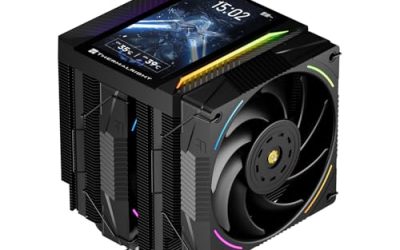
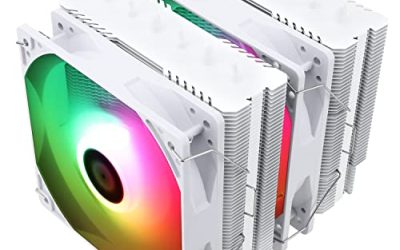
The ARGB version keeps the same six-heat-pipe, dual-tower layout and adds lighting. The title lists dual TL-C12C-S PWM fans and an aluminium heatsink cover with AGHP technology. It is for builders with a windowed case who want the look of the value dual tower with addressable lighting.
- Strength: same twin-tower cooling as the non-lit model.
- Strength: ARGB for a lit build.
- Trade-off: lighting adds nothing to cooling and needs a compatible header.
Skip it if your case has no window or your board has no addressable RGB header.
be quiet! Pure Rock Pro 3 Black
The Pure Rock Pro 3 is a compact double-tower cooler with a 250W TDP rating, two silent 120mm PWM fans, and six 6mm heat pipes. Its pitch is quiet operation: the high rating means a mainstream processor leaves the fans running slowly. It supports AMD and Intel, per the title, and the black finish suits a dark build.
- Strength: 250W rating with two silent 120mm PWM fans.
- Strength: compact double-tower layout.
- Trade-off: it sits in a higher price tier than the value Thermalright models.
Skip it if the lowest cost is your main goal.
ID-COOLING FROZN A620 PRO SE
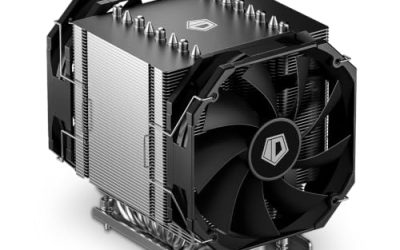
This dual-tower cooler lists a 260W rating, 157mm height, six heat pipes, and dual 120mm fans with a 27.2dB(A) maximum. The noise figure is a helpful point of comparison, since many listings omit it. It supports Intel LGA1851 per the title, so confirm the other sockets in the full listing before buying.
- Strength: 260W rating, the highest in this group.
- Strength: stated 27.2dB(A) noise ceiling.
- Trade-off: 157mm height needs a case with enough clearance.
Skip it if your case limits cooler height.
Cooler Master V4 Alpha 3DHP
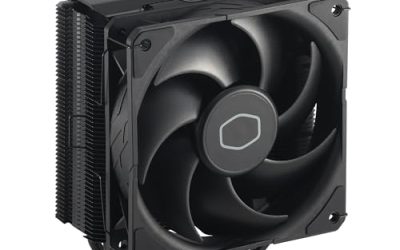
The V4 Alpha is a single tower with two PWM fans and 3DHP technology, supporting AMD AM5 and AM4 and Intel LGA1851 and LGA1700. It is the narrower alternative for someone who wants dual fans but is wary of a twin tower blocking the memory slots. The title also stresses quiet cooling.
- Strength: dual PWM fans on a single-tower design.
- Strength: AM5, AM4, LGA1851, and LGA1700 named in the title.
- Trade-off: less fin surface than a twin-tower cooler.
Skip it if you are cooling a very high-wattage processor.
Thermalright Assassin X 120R SE Plus
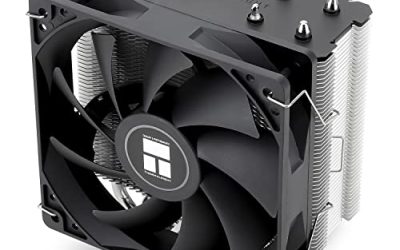
The Assassin X 120R SE Plus has double PWM quiet fans at 1550RPM and a long socket list: AM4, AM5, and Intel LGA 1700, 1851, 1150, 1151, and 1200. That makes it a good match for upgrading an older Intel build or for someone who switches platforms often. It sits in the budget tier.
- Strength: broad socket list including older Intel platforms.
- Strength: two PWM fans for quieter operation.
- Trade-off: budget tier, with less capacity than the twin-tower models.
Skip it if you want a twin tower for a hot, high-wattage chip.
Which One Fits Your Situation
You want strong cooling on a budget
The Thermalright Peerless Assassin 120 SE gives twin-tower capacity at a value price.
You want a quiet build
The be quiet! Pure Rock Pro 3 Black pairs a 250W rating with silent fans. The ID-COOLING FROZN A620 PRO SE is the alternative if the stated 27.2dB(A) ceiling matters.
You have tall memory modules
The Cooler Master V4 Alpha 3DHP is a single tower, which usually leaves more room around the RAM slots.
You are upgrading an older Intel system
The Thermalright Assassin X 120R SE Plus lists LGA 1150, 1151, and 1200 alongside current sockets. For a lit build on current hardware, the Peerless Assassin 120 SE ARGB adds lighting.
If two of these seem equally good, let case clearance decide. A cooler that fits with room to spare is easier to install, easier to service, and less likely to press against the side panel or the top memory slot. Dust filters on the case intake help any of them keep their performance over time. When budgets are tight, put the money into the cooler’s fin area and fan quality before lighting, and expect a quiet, steady build regardless of which model you pick. Keep the mounting box, since the bracket parts are useful if you change platforms later, and register the product if the maker offers an extended warranty on fans.
Common Mistakes
- Assuming two fans always means better cooling; fin area and heat pipe count matter as much.
- Skipping the memory clearance check with a twin-tower cooler.
- Forgetting the case height limit and ordering a 157mm cooler for a narrow case.
- Ignoring the socket list, especially for older Intel platforms.
- Paying more for ARGB lighting in a case without a window.
Related guides
- Noctua Nh-D15 Vs Thermalright Peerless Assassin 120
- Sustainable Gaming Pc Power Supply Efficiency Guide
- Thermal Paste Application Method For Lga1851
Frequently Asked Questions
Are two fans better than one?
Often, because the fans can spin slower for the same airflow. That is a noise benefit. The heatsink design still sets the cooling ceiling.
Do dual-fan coolers fit all cases?
No. Twin towers are tall and wide. Check your case’s maximum cooler height and memory clearance before buying in 2026 or any other year.
What happens if one fan fails?
The other keeps moving air, though cooling will drop. Fans are usually replaceable with standard 120mm models.
Do I need PWM fans?
Yes, for noise control. PWM lets the motherboard slow the fans at idle and speed them up under load.