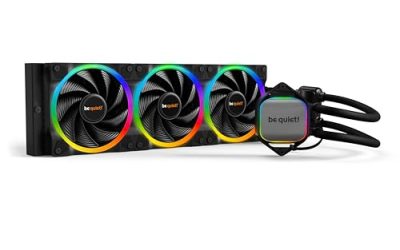
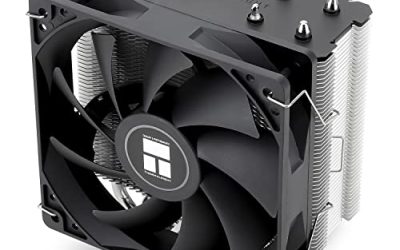
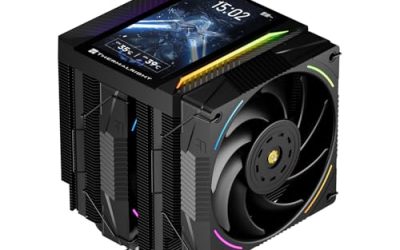
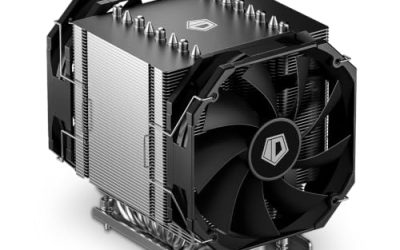
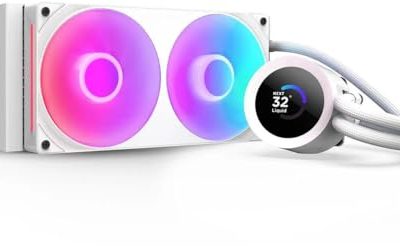
A 360mm all-in-one cooler is a commitment. You are giving up a front or top fan mount for a radiator roughly 400mm long, trusting a pump to run for years, and usually paying more than you would for a big air tower. The reason to do it is simple: three 120mm fans spread across a long radiator give a high-wattage processor more surface area to shed heat while keeping fan speeds modest. This guide is for builders who have already decided that a 360mm radiator is the right size and now need to pick between plain performance coolers and the newer wave of units with built-in screens.
The shortlist below mixes both camps. Some models focus on the basics: a quality pump, three PWM fans, and broad socket support. Others add an LCD or AMOLED panel on the pump block that can show temperatures, clocks, or custom images. Based on the listed specs, the real question is whether you want that display, because the cooling hardware underneath is what matters in a sealed loop and the screen is a bonus that raises the price tier. Every pick here targets a 360mm radiator, so confirm your case supports one before you read further.
Our Top Picks
 ARCTIC Liquid Freezer III Pro 360 A-RGBLiquid Freezer III Pro 360 A-RGB15.7 x 4.7 x 2.9 Inches4.5 PoundsCheck on Amazon
 ASUS TUF Gaming LC III ARGB 360mm AMD/Intel360mm|ARGB14.2 x 4.7 x 1.04 inches6.6 PoundsCheck on Amazon


Top 3 picks at a glance
Quick Picks
As an Amazon Associate we earn from qualifying purchases at no extra cost to you.


| Product | Best for | Key spec from the title |
|---|---|---|
| ARCTIC Liquid Freezer III Pro 360 A-RGB | Broad socket coverage without a screen | Cooler for LGA1851, LGA1700, AM4, AM5 |
| Thermalright Peerless Vision 360 ARGB | Builders who want a pump-head display | 3.95-inch IPS LCD, 480×480 resolution |
| Antec Ultra 360 ARGB | Older and newer Intel boards plus AMD | 3x120mm PWM fans, LGA 1200/1851/20XX and AM4/AM5 |
| ASUS TUF Gaming LC III ARGB 360mm | Durability-minded gaming builds | Reinforced tubing, 3-phase 6-slot 4-pole pump |
| Jungle Leopard Chill Arc 360mm | Showpiece builds with a large panel | 6.67-inch 2K AMOLED screen, 320W TDP |
| Thermalright Mjolnir Vision 360 UB PRO ARGB | Screen plus extra airflow around the socket | Inline fan, 3.5-inch LCD |
How to Choose
Confirm the case can take a 360mm radiator
This is the check that sinks more purchases than any other. A 360mm radiator needs three 120mm fan positions in a row, and the mount has to be in the front or top of the case. Look at the case spec sheet for a line such as “top: up to 360mm” or “front: up to 360mm.” Then check clearance on the other axis: thick radiators plus fans can collide with tall memory modules or the top VRM heatsink when mounted at the top. If the case lists only 280mm, none of these coolers will work.
Match the socket and the mounting hardware
List the exact socket you are using. The products here name different sets: some cover LGA1851, LGA1700, AM4, and AM5, while another includes LGA 1200 and the older 20XX family. If you are on a current Ryzen board, AM5 support is the line to find. For Intel, 1700 and 1851 share a mounting pattern in most cases, but read the listing for the cooler you choose. Budget units sometimes omit a backplate or ship fewer brackets, so the socket list in the title is a minimum check, not the whole story.
Decide whether the screen is worth it
Pump-head displays range from a 3.5-inch LCD to a 6.67-inch AMOLED panel in this group. They add cost and, in some cases, require software running in the background to show data. If your case has a solid side panel or you never look at the build, skip the display and put that money toward a better CPU or fans. If your case has a glass panel and you like a clean monitoring readout, a screen can replace a separate gauge. Treat it as décor, not performance.
Look at fans, pump, and what to ignore
Three PWM fans on a 360mm radiator is the norm, and PWM matters because it lets the motherboard ramp speed with temperature. A pump design described in the title, such as a 3-phase 6-slot 4-pole motor, tells you the maker is emphasizing pump quality, which affects noise and longevity. Ignore ARGB marketing and peak-wattage claims without a test method behind them; a TDP number in a title is a rating, not a guarantee. Where budget models cut corners: thinner tubing, fewer mounting parts, and fans with limited speed ranges. Check the warranty length before you buy, since a leak or pump failure is the main risk of any sealed loop.
The 6 Best Options
ARCTIC Liquid Freezer III Pro 360 A-RGB
This is the straightforward pick for builders who want a 360mm liquid cooler with wide socket coverage and no display. The title names LGA1851, LGA1700, AM4, and AM5, which covers the two newest Intel generations and both current AMD platforms in one box. That makes it a sensible choice if you might swap the CPU later, or if you are moving a cooler from an AM4 system to a new board.
- Strength: four sockets listed in the title, including AM4 and AM5.
- Strength: three 120mm fans with addressable RGB for a clean, screenless look.
- Trade-off: no pump-head display, so it will look plain next to the screen-equipped models.
Skip it if you want live temperature readouts on the pump block or if your motherboard has no addressable RGB header and you care about lighting control.
Thermalright Peerless Vision 360 ARGB
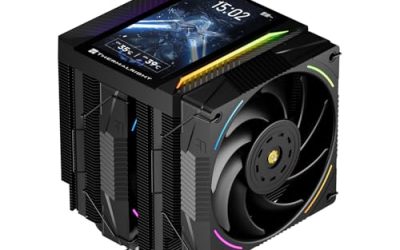
Thermalright places a 3.95-inch IPS LCD with 480×480 resolution on this 360mm unit, which suits a builder who wants a dedicated readout without paying for the largest panel in the group. The square display is big enough to show a temperature gauge or a custom image and small enough that it does not dominate the pump block. It is a middle path between a plain AIO and the more extravagant screen models.
- Strength: 3.95-inch IPS panel at 480×480 for readable monitoring.
- Strength: ARGB lighting and a 360mm radiator for high-wattage CPUs.
- Trade-off: the screen adds cost over a similar unit without one.
Skip it if your case has no glass panel or if you prefer a cooler that works with no companion software.
Antec Ultra 360 ARGB
Antec lists 3x120mm PWM fans, a high-performance pump, and a socket list that reaches back to Intel LGA 1200 and the 20XX family while still covering LGA1851, AM4, and AM5. That reach is the selling point: it is useful for someone running an older high-core-count Intel platform who still wants a 360mm radiator. The ARGB lighting is there for those who want it, with no screen added to the price.
- Strength: unusually broad Intel list, including LGA 1200 and 20XX.
- Strength: three PWM fans and a pump described as high-performance.
- Trade-off: no display, and the listing gives less detail on the pump design than some rivals.
Skip it if you want a screen on the pump head or a cooler built around a specific pump motor design.
ASUS TUF Gaming LC III ARGB 360mm
The title leans on build quality: reinforced tubing, TUF Gaming MF-12 fans, and a 3-phase 6-slot 4-pole pump. Those details point to a unit made for builders who care about long-term reliability and want a recognizable gaming brand on the cooler. It supports both AMD and Intel according to the listing, which makes it a flexible match for ASUS boards and for anyone building a TUF-themed system.
- Strength: reinforced tubing, a durability feature a sealed loop benefits from.
- Strength: dedicated pump motor design called out in the title.
- Trade-off: a name-brand gaming cooler can sit in a higher price tier than similar-spec rivals.
Skip it if you want a built-in screen or are shopping purely on the lowest cost per radiator inch.
Jungle Leopard Chill Arc 360mm
This one is the showpiece. A 6.67-inch 2K AMOLED screen is by far the largest panel in this group, and the title also lists a 320W TDP rating and ARGB fans. It targets the builder who wants the cooler to be the centerpiece of a glass-panel case, with room for animated graphics or large readouts. Socket coverage includes Intel LGA1851, LGA1700, and 115X, per the listing.
- Strength: 6.67-inch 2K AMOLED panel for maximum visual impact.
- Strength: 320W TDP rating stated in the title.
- Trade-off: the brand is less established than the major cooler makers, so check warranty terms.
Skip it if you want a conservative, widely supported cooler or a case with a closed side panel.
Thermalright Mjolnir Vision 360 UB PRO ARGB
Thermalright pairs a 3.5-inch LCD screen with an inline fan on this 360mm model. The inline fan is an interesting extra: it is intended to move air across the area around the socket, which is a spot that a bare water block leaves without airflow. For a builder with a hot VRM area or tightly packed board, that detail is worth a look, although the title does not give cooling numbers.
- Strength: inline fan adds airflow beyond the radiator.
- Strength: 3.5-inch LCD for a compact, readable display.
- Trade-off: more components mean more cables to route.
Skip it if you want the simplest possible installation or no display at all.
Which One Fits Your Situation
You want a clean build with no software
The ARCTIC Liquid Freezer III Pro 360 A-RGB is the cleanest fit. It covers the main current sockets, adds lighting without a display, and keeps the pump head simple.
You are on an older Intel platform
The Antec Ultra 360 ARGB lists LGA 1200 and 20XX alongside the newer sockets, which makes it the natural choice if you are upgrading cooling on a platform that is not the latest.
You want a display but not a huge one
The Thermalright Peerless Vision 360 ARGB gives you a 3.95-inch IPS screen at 480×480 without stepping up to the largest panel. If you also want extra airflow around the socket, the Thermalright Mjolnir Vision 360 UB PRO ARGB adds an inline fan.
You are building a showpiece
The Jungle Leopard Chill Arc 360mm brings a 6.67-inch AMOLED screen to a glass-panel build. For a more established gaming brand with a focus on durability, the ASUS TUF Gaming LC III ARGB 360mm is the alternative.
Common Mistakes
- Buying a 360mm cooler before checking whether the case supports a 360mm radiator in the front or top position.
- Assuming every cooler fits every socket; read the socket list in the listing, especially for older Intel and AMD boards.
- Paying extra for a screen when the case has a solid side panel and nobody will see it.
- Ignoring tall memory and VRM heatsinks that can collide with a top-mounted radiator.
- Treating a TDP rating in the title as a performance guarantee instead of a rough guide to the cooler’s design target.
Related guides
- Noctua Nh-D15 Vs Thermalright Peerless Assassin 120
- Sustainable Gaming Pc Power Supply Efficiency Guide
- Thermal Paste Application Method For Lga1851
Frequently Asked Questions
Is a 360mm AIO always better than a 240mm?
A longer radiator offers more surface area, which generally lets fans run slower for the same heat load. That helps most with high-wattage processors. A mid-range chip may not need it, and a 240mm unit can be easier to fit.
Do I need the screen software running all the time?
Many pump-head displays depend on companion software to show live data, though behavior varies by brand. Read the manual or listing before you buy if you dislike background programs. The cooling itself does not depend on the screen.
How long does an AIO last?
That depends on the pump and build quality, which is why warranty length is worth comparing. Reinforced tubing and a well-regarded pump design are good signs. Plan to monitor temperatures over time, since rising numbers can signal a failing pump.
Will these fit the newest sockets in 2026?
Several listings name LGA1851 and AM5, which are the current Intel and AMD sockets. Confirm that your exact socket appears in the listing and that the box includes the right brackets before ordering.