
Any AM5 motherboard accepts the Ryzen 9 9950X, so the real choice is between B650E, X670E, and X870E boards, which differ in I/O, USB4, and power delivery rather than CPU speed. For most 16-core builds a B650E board with a strong power stage is the value pick, X870E suits buyers who want the most connectivity, and X670E remains a dated but workable premium option.
As an Amazon Associate we earn from qualifying purchases at no extra cost to you.


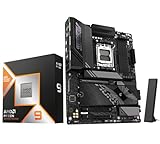

Our Top Picks
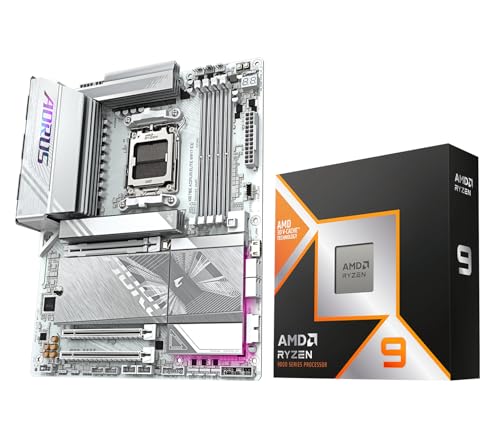


Top 3 picks at a glance
What the Processor Needs From a Board
The Ryzen 9 9950X is a Zen 5 AM5 processor with 16 cores and 32 threads. Tom’s Hardware lists a 170 W TDP and a 230 W maximum, a 5.7 GHz peak clock, and a launch price that is not relevant to the board choice. Other sources give a 4.3 GHz base clock and 64 MB of L3 cache. FPS Review and Pokde.Net list a 200 W package power limit, while Tom’s Hardware and CPU-Monkey list 230 W as the maximum, so treat the exact power figure as a range. Either way, a 16-core chip places sustained load on the board’s power delivery.
| Spec | Figure, as reported | Board relevance |
|---|---|---|
| Cores and threads | 16 cores, 32 threads | Sustained all-core load stresses the VRM |
| Peak clock | 5.7 GHz (Tom’s Hardware) | BIOS and cooling must allow the boost behavior |
| Base clock | 4.3 GHz (FPS Review and others) | Reference for sustained performance |
| TDP and power limit | 170 W TDP; 200 to 230 W package limit, depending on source | Size the VRM and cooler for the higher figure |
| L3 cache | 64 MB (FPS Review) | No board effect |
| Socket | AM5 | Requires an AM5 board and DDR5 memory |
Chipset Differences That Matter
Guides agree that the chipset decides connectivity and expansion, while the CPU’s speed is the same on every AM5 board. One source reports that with the same processor, a B650 board and an X870 board produce the same frame rates. The extra cost of X870 buys connectivity such as mandatory USB4 with a 40 Gbps port and a guaranteed PCIe 5.0 slot for the graphics card.
| Chipset | What sources say it adds | Fit for the 9950X |
|---|---|---|
| B650 | Entry AM5 platform; USB4 is optional | Workable with a board that has a strong VRM; avoid the cheapest model |
| B650E | PCIe 5.0 for the graphics card and at least one M.2 drive; spec table lists 12 chipset lanes and optional USB4 | Good value for a 16-core build |
| B850 | Newer mainstream chipset; guides say you do not need X870E for AM5 chips | Suitable for most builds; confirm the board’s VRM |
| X670E | Previous-generation high-end chipset | Viable premium choice; dated |
| X870 | Mandatory USB4, more M.2 slots, and faster wired networking | Good when you need USB4 or several fast drives |
| X870E | Most I/O; one spec table lists 20 chipset PCIe 4.0 lanes and standard USB4 | Best connectivity for a premium workstation-style build |
Power Delivery and Cooling
For a 16-core chip, one source advises choosing a B650 board with a strong VRM rather than the cheapest model, because sustained all-core loads depend on power delivery. Another makes the same point, stating that VRM quality matters more than the chipset name for a 9950X build. A roundup of tested boards lists a board with 18 + 2 + 2 power stages, which illustrates the scale of power delivery some buyers look for. Check the board maker’s CPU support list, confirm the BIOS version, and use a cooler rated for the chip’s listed power and the socket’s mounting kit.
Board Examples From Buyer’s Guides
Several buyer’s guides name boards for this CPU. These examples come from those guides and should be confirmed against the board maker’s current production list before purchase.
- ASUS ROG Strix X870E-E Gaming WiFi: named as the top pick in one guide’s list of boards for the 9950X, with strong power delivery.
- Mid-range B650E and B850 boards: guides suggest these for buyers who want the chip’s full performance without the X870E price tier. Choose one with a documented power stage count and a BIOS version that lists the 9000 series.
Compatibility Checklist
- Socket and memory: The 9950X uses AM5 and requires DDR5 memory. Check the board’s memory support list for the speed and kit you plan to use.
- BIOS: Some B650 boards may need a BIOS update before they recognize the chip. Update before installing the processor where the board allows it, and check the maker’s release notes.
- Cooler: Use a cooler rated for the 170 W TDP and the socket’s mounting kit. Check the cooler maker’s socket list before buying.
- Power supply: A high-core CPU and a high-end graphics card together draw substantial power. Follow the manufacturer’s manuals for both components and leave headroom in the power budget.
- Case and airflow: Confirm the board’s form factor fits the case, and make sure the case gives the VRM and cooler enough airflow under long all-core loads.
Pick a Board by Build Goal
| If you | Pick | Why |
|---|---|---|
| Want the best value for a 16-core build | B650E with a strong power stage | PCIe 5.0 for the graphics card and storage at a lower cost than X870E |
| Want current features without the top tier | B850 | Suitable for most builds; confirm the VRM quality |
| Need USB4 or several fast drives | X870 | Mandatory USB4 and more M.2 slots |
| Want the most I/O and the best VRM | X870E | Highest connectivity and expansion in the comparisons |
| Already own an X670E board | Keep it | The CPU runs the same; the upgrade gains are in I/O, not speed |
Alternatives
Ryzen 7 9700X on a B850 or B650 board
The 9700X is an 8-core AM5 chip with a 65 W default TDP. It runs on the same boards at a lower power budget and is the better choice when the workload is mostly gaming rather than all-core rendering. Its motherboard needs are lighter, so a mid-range board is sufficient.
Ryzen 9 9950X3D
AMD lists the Ryzen 9 9950X3D as a related AM5 processor. It is a different chip with its own cache design and is discussed separately in other guides. Its motherboard choice follows the same AM5 chipset rules covered here, and its power and cooling needs should be checked on its own specification page.
An X670E board for a dated premium build
X670E remains a workable premium option for the 9950X. It lacks some of the features of newer chipsets, so compare its I/O and USB4 support with X870E before buying. Older guides still favor it, but newer comparisons lean toward X870 and X870E for the same tier.
Thermal and Airflow Notes
A 16-core processor with a 170 W TDP and a package limit that reviewers report as high as 230 W produces heat that the cooler and case must move. Under long all-core workloads such as rendering or compilation, the VRM and the CPU cooler both run near their sustained limits. Choose a cooler rated for the chip’s listed power, confirm its AM5 mounting kit, and check its height against the case. A case with reasonable front intake and rear exhaust helps the VRM heatsink as well as the CPU.
Gaming loads are lighter than all-core rendering, so a 9950X in a gaming build rarely runs at its sustained maximum. Still, the board should be chosen as if the sustained load were the worst case, because that is the scenario that exposes weak power delivery. Keep the BIOS current, and leave the manufacturer’s default power settings in place unless you understand what each option changes.
Power Supply and Platform Budget
The 9950X is a high-end platform component, so the total system budget should include the processor, the board, the memory kit, and the graphics card. Follow the manufacturer’s manual for each component and check the power supply maker’s compatibility list before buying. Leaving headroom above the total expected draw is a conservative choice that also gives room for later upgrades. The board choice is a good moment to check that the case, cooler, and power supply all fit the chosen board’s form factor.
Frequently Asked Questions
Does the Ryzen 9 9950X need an X870E motherboard?
No. Any AM5 board accepts the chip, and guides say X870E adds connectivity rather than speed. Choose X870E if you need its I/O, and a strong B650E or B850 board if you do not.
Is B650 enough for a 9950X?
It can be, provided the board has a strong power delivery system. Guides warn against the cheapest B650 model for a 16-core chip because sustained all-core loads depend on the VRM. Check the board’s power stage count and the reviews of its power delivery.
Why do sources list different power figures for the 9950X?
The 170 W TDP is consistent across sources, but package power limits are reported as 200 W in some reviews and 230 W in others. Use the higher figure when choosing the VRM and cooler, and check the board maker’s CPU power settings.
Do I need a BIOS update for a B650 board?
Some B650 boards may need a BIOS update before they recognize the 9950X. Check the board maker’s CPU support list and release notes, and update before installing the chip where the board allows it.
Does the 9950X need DDR5 memory?
Yes. The AM5 platform uses DDR5. Confirm the board’s memory support list and the kit’s rated speed before buying.
Is the 9950X worth it for gaming?
Its strength is multi-core workloads, while reviewers say gaming gains over lower-core chips are limited. If gaming is the main use, a Ryzen 7 9700X on a mid-range board is a lower-cost route to the same gaming results.









