
Modern motherboards ship with chunky M.2 heatsinks built right in, so it is reasonable to ask whether a separate aftermarket cooler is ever worth buying. For most drives the answer is no, but there are specific fast-drive scenarios where the built-in plate runs out of headroom. Here is how to tell which camp you are in.
As an Amazon Associate we earn from qualifying purchases at no extra cost to you.


Our Top Picks



Top 3 picks at a glance
What each type is really doing
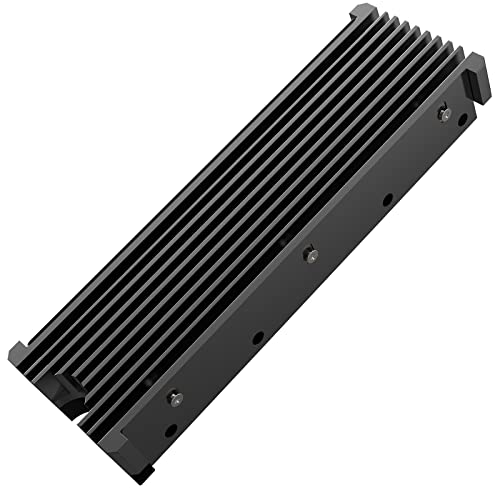
An M.2 SSD throttles to protect itself when the controller reaches roughly 70 to 80 degrees Celsius. A heatsink’s only job is to spread that heat and hand it off to case airflow. The motherboard’s integrated heatsink is a flat aluminum plate with a thermal pad, usually good for 3 to 8 degrees of cooling. A tall aftermarket heatsink with fins, or one with a tiny fan, has far more surface area and can pull temperatures down 10 to 20 degrees under sustained load.
| Cooler type | Typical temp drop | Best for | Downside |
|---|---|---|---|
| Bare drive, no heatsink | 0 (baseline) | Light use, SATA-class NVMe | Throttles under load |
| Motherboard M.2 plate | 3-8 C | Most Gen4 drives | Limited fin area |
| Tall finned aftermarket | 10-15 C | Fast Gen4/Gen5 drives | May block GPU or fans |
| Active (fan) heatsink | 15-20 C | Gen5 sustained writes | Extra noise, height |
When the motherboard heatsink is enough
For everyday gaming and general use, the built-in plate handles Gen4 drives comfortably. Games load in bursts, not marathon writes, so a drive rarely stays hot long enough to throttle. If your board covers the M.2 slot with a decent plate and you get a little front-to-back airflow, do not overthink it; the free heatsink is doing its job.
When you want an aftermarket cooler
Gen5 drives are the real reason aftermarket cooling exists. Their controllers run hot and can throttle within seconds of a sustained transfer, so many Gen5 SSDs now ship with their own tower heatsink or even a fan. If you routinely move large video files, run a drive as a scratch disk, or push heavy sequential writes, a taller finned or active cooler keeps performance from tanking. The catch is physical: a tall M.2 heatsink can collide with the graphics card or a bottom radiator, so measure clearance first.
The thermal pad detail people miss
A heatsink is only as good as its contact. Cheap thermal pads and uneven pressure waste the metal above them. When you fit any heatsink, peel the protective film off both sides of the pad, match pad thickness to the gap, and tighten evenly. A great cooler on a bad pad can perform worse than the stock plate.
FAQ
Do I need to remove the motherboard heatsink to add an aftermarket one?
Yes. You cannot stack two heatsinks on one drive; the aftermarket unit replaces the board’s plate. Keep the stock heatsink in case you sell the drive or revert later.
Will a hot M.2 SSD lose my data?
Not immediately. Throttling protects the drive by slowing it down, so you lose speed, not files. Chronic high heat over years can shorten lifespan, which is another reason to cool fast drives.
Bottom line
For typical Gen4 drives and gaming, the motherboard’s built-in M.2 heatsink is plenty and an aftermarket cooler is overkill. Step up to a tall finned or active heatsink only for hot Gen5 drives or sustained heavy writes, and always check GPU and radiator clearance before buying. Whatever you choose, seat the thermal pad properly, because contact matters more than fin count.









