
When designing or upgrading a home office, media center, or living room desktop setup, computer noise and thermal management are just as critical as desk ergonomics or ambient lighting. A desktop PC drawing 150 to 250 watts of power generates significant heat that must be moved away from the processor quickly. If the cooling system struggles, cooling fans spin up to aggressive decibel levels (often exceeding 40 dB to 45 dB), turning a peaceful residential workspace into a loud, distracting environment. The primary bridge between your central processing unit (CPU) and its cooling heatsink is the thermal interface material. Deciding between liquid metal vs thermal paste for cpu cooling performance comes down to balancing raw thermal transfer against installation safety, ongoing maintenance, and household lifestyle factors. Whether you are assembling a silent home workstation or a sleek living room entertainment rig, selecting the right compound ensures your system remains quiet, cool, and reliable for years of daily use.
Our Top Picks



Top 3 picks at a glance

Quick Verdict
For the vast majority of home users, traditional thermal paste is the safest and most practical choice. Standard silicon- or carbon-based pastes are electrically non-conductive, chemically inert, compatible with all heatsink metals (including aluminum), and exceptionally forgiving during installation.
As an Amazon Associate we earn from qualifying purchases at no extra cost to you.


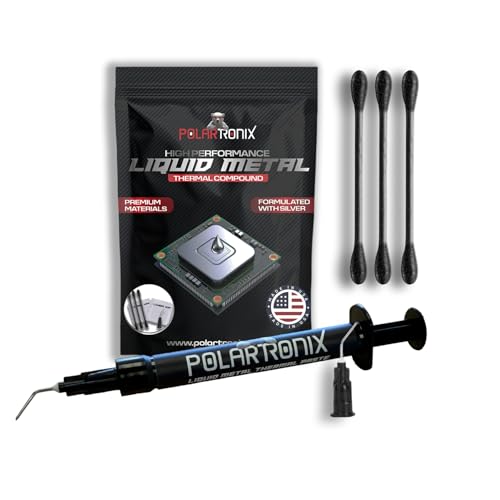
By contrast, liquid metal interface materials—such as Thermal Grizzly Liquid Metal Thermal Paste Conductonaut 1 Gram or PolarTronix Liquid Metal Thermal Paste – 1 Gram—are specialized gallium alloy compounds engineered for maximum thermal conductivity. Liquid metal can drop CPU core temperatures by 8°C to 15°C under heavy loads compared to standard pastes. However, because liquid metal conducts electricity and aggressively corrodes aluminum, it demands expert application, protective barriers, and static placement, making it higher risk for a typical home environment.
Side by Side
Comparing these interface options side by side highlights how their physical characteristics translate into practical home use:
| Feature | Liquid Metal | Thermal Paste |
|---|---|---|
| Comfort & Application Ease | Difficult; requires meticulous cleaning, brushing, and electrical isolation around the CPU socket. | Foolproof; simple pea-sized dot or cross pattern squeezed directly onto the CPU lid. |
| Durability & Longevity | 2 to 4 years (may require re-application if alloy absorbs into copper heatsink bases). | 4 to 8 years without maintenance or pump-out degradation. |
| Price Range | Varies | |
| Maintenance Needs | High; requires regular inspection for runoff or oxidation barrier formation. | Zero maintenance; apply once and leave untouched for years. |
| Space Needed & Physical Risk | High risk if PC is tilted or bumped; liquid can migrate and short electronic traces. | Zero structural risk; viscous paste stays firmly where applied regardless of physical movement. |
| Look & Aesthetics | Mirrored, metallic liquid layer; invisible under cooler but requires neat protective tape perimeter. | Opaque gray or white paste layer; easily wiped clean with standard isopropyl alcohol. |
| Resale & Versatility | Low versatility; permanent staining on CPU lids can reduce component resale value. | High versatility; leaves no permanent marks, preserves component warranties and resale value. |
| Best For | Extreme overclocking, delidded CPUs, high-wattage workstations, whisper-quiet custom loops. | Family PCs, home office setups, budget builds, SFF living room HTPCs, quick upgrades. |
Where Liquid Metal Wins
Liquid metal excels in sheer thermal conductivity. Standard high-end thermal pastes offer a conductivity rating between 4 W/mK and 8.5 W/mK. In contrast, gallium-based liquid metals achieve ratings between 70 W/mK and 73+ W/mK. This massive improvement in thermal transfer eliminates micro-gaps between the CPU heat spreader and the cooler base almost completely.
When running heavy 200W+ CPU rendering or simulation workloads in a home office, liquid metal routinely drops peak core temperatures by 8°C to 15°C. This drastic drop directly benefits household ambient comfort and acoustic levels. Because the processor runs significantly cooler, system fans can operate at lower RPMs, dropping fan noise from a harsh 42 dB hum down to a soft, barely audible 30 dB background whisper. Products like Thermal Grizzly Liquid Metal Thermal Paste Conductonaut 1 Gram and PolarTronix Liquid Metal Thermal Paste – 1 Gram provide all the necessary tools (micro-swabs and precision needles) for enthusiasm-level thermal management where absolute silent cooling performance is the top priority.
Where Thermal Paste for Cpu Cooling Performance Wins
While liquid metal wins on absolute temperature drops, standard thermal paste wins decisively on safety, usability, and long-term peace of mind in a home environment. Standard pastes are made of metal oxide, zinc oxide, or carbon particles suspended in silicone oil. They are 100% electrically non-conductive.
Additionally, standard pastes are completely safe with all heatsink materials, including low-cost aluminum coolers common in compact home PCs. Liquid metal chemically reacts with aluminum instantly, causing structural degradation and turning the aluminum base brittle and porous. Reliable products such as ARCTIC MX-4 (4 g) and ARCTIC MX-7 (8 g) offer simple application, zero risk of short circuits, and up to 8 years of steady performance without drying out, making them ideal for everyday home computing.
Cost Over 5 Years
Evaluating liquid metal vs thermal paste for cpu cooling performance over a 5-year timeline involves both upfront purchase prices and risk-associated costs:
- Re-application Frequency: High-grade thermal paste requires zero intervention over a 5-year lifespan. Liquid metal applied to bare copper can alloy slightly over the first 12 to 18 months, requiring a clean-up and fresh re-application to maintain optimal contact.
Which One for Your Home
Small Apartment / Compact Home Office
In small living spaces where the desk sits near a bed or main sofa, quiet operation is vital. However, small-form-factor (SFF) cases are crammed with tight wiring where precision application is difficult. Standard thermal paste is recommended here to avoid accidental liquid runoff during tight component assembly, while providing plenty of cooling performance for quiet fan profiles.
Family with Kids or Pets
If your computer desk sits in a high-traffic family room where children, dogs, or cats frequently bump into the furniture, vibration and physical movement are constant factors. Standard non-conductive thermal paste is far safer. Liquid metal can migrate or form tiny droplets under heavy physical impact if improperly sealed, whereas standard paste stays locked between metal contact surfaces indefinitely.
Rental or Frequently Moved Setup
If you live in a rental home or relocate frequently, your PC will inevitably experience transport vibration in cars or moving boxes. A traditional paste build guarantees that bumps and angle changes during moves won’t dislodge hazardous conductive liquids across sensitive electronic circuit boards.
Long-Term Home Build / High-End Workstation
For a permanent, heavy-duty home office workstation built for professional video editing, 3D rendering, or severe heavy-load tasks in 2026, liquid metal is a compelling choice. On a stationary desk that remains untouched, the unmatched thermal transfer keeps high-wattage CPUs well clear of thermal throttling while keeping ambient room noise down to relaxing levels.
FAQ
Can liquid metal damage an aluminum CPU cooler heatsink in a home computer?
Yes. Gallium inside liquid metal rapidly penetrates the grain boundaries of aluminum, causing severe corrosion and structural breakdown within hours. Liquid metal should only ever be used with nickel-plated copper or solid copper cooler bases.
How much quieter will my home office PC be with liquid metal vs thermal paste for cpu cooling performance?
By lowering CPU temperatures by 8°C to 15°C under heavy workloads, liquid metal allows your cooling system to run fan speeds significantly slower. In practice, this can drop fan noise levels by 5 dB to 12 dB, turning a noticeable whir into near-silent operation.
How often do I need to replace thermal paste or liquid metal in a home desktop?
Modern thermal paste like ARCTIC MX-4 or MX-7 easily lasts 5 to 8 years without needing replacement. Liquid metal typically requires checking after 12 to 18 months, as copper heatsinks gradually absorb small amounts of gallium, requiring a light top-off layer.
Is liquid metal safe for living room gaming consoles or pre-built home desktop PCs?
Liquid metal is safe only when the manufacturer or builder includes specialized foam or conformal coating barriers around the processor socket to catch any liquid runoff. For home users performing DIY maintenance, standard thermal paste remains the much safer, stress-free alternative.









