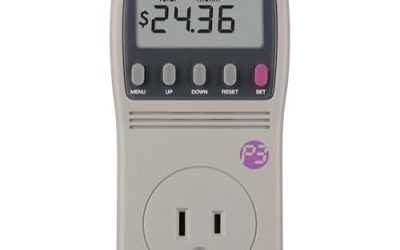
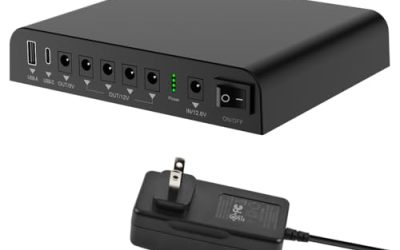
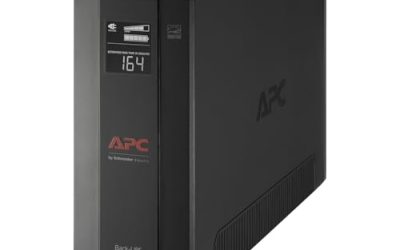
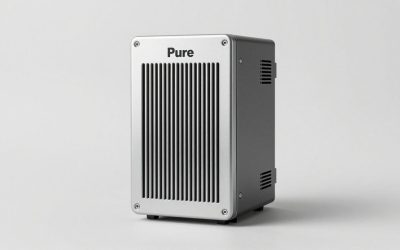
A line-interactive UPS passes utility power to your PC and corrects small voltage swings with a built-in transformer, switching to battery only during an outage or a major sag. An online UPS, also called double-conversion, constantly converts incoming power to battery-style power and back, so your equipment never sees the raw wall supply. The first is enough for most home desktops; the second suits sensitive or critical equipment.
The choice comes down to how much protection you need, how loud and warm a unit you can live with, and how much more you are willing to spend. This guide explains how each design works, where the differences show up in daily use, and how to match a type to a gaming PC, a home office, or a small server.
Before You Buy Checklist
- Add up the rated power draw of everything you will plug in: PC, monitor, router, and any external drives.
- Check your PC power supply for active power factor correction compatibility, and confirm the UPS output waveform is suitable.
- Decide how many minutes of runtime you need: enough to save and shut down, or enough to keep working through short cuts.
- Look at the unit’s outlet count, battery-only outlets, surge-only outlets, and any USB or software shutdown connection.
- Note the location: online units can run warmer and louder, so plan for ventilation and distance from your ears.
How Each Type Works
Line-interactive
In normal conditions, a line-interactive unit routes utility power through filtering and an automatic voltage regulator. When voltage dips or rises moderately, a transformer taps adjust it without touching the battery, which prolongs battery life. When power fails or goes outside the tolerance range, the unit switches to the battery and an inverter produces output. A brief transfer time, generally a few milliseconds, happens during that switch, which modern power supplies handle easily.
Online double-conversion
An online unit converts incoming AC to DC and then back to clean AC constantly, with the battery connected to the DC stage. Because the battery is always in the circuit, the output does not interrupt when power fails, so there is effectively zero transfer time. The output is also isolated from line noise, spikes, and frequency variation.
Where standby units fit
Basic standby designs sit below line-interactive in capability. They offer surge protection and battery backup but little voltage correction, so repeated small sags push them onto battery more often.
Side-by-Side Comparison
| Feature | Line-interactive | Online double-conversion |
|---|---|---|
| Power path | Utility with regulation, battery when needed | Always through the inverter |
| Transfer time | Short switch to battery | None |
| Voltage correction | Moderate sag and surge | Full isolation and regulation |
| Efficiency | Higher | Lower, more heat |
| Fan noise | Often quiet or silent | Usually constant fan |
| Cost tier | Budget to mid-range | Mid-range to premium |
| Best for | Home PCs, networking gear | Servers, lab and medical-style gear |
Which One a Gaming or Home PC Needs
For a typical gaming desktop, a line-interactive unit is usually the sensible match. It handles brownouts and brief outages, and a modern power supply rides through the short transfer time without trouble. It runs cooler, costs less, and often has no constant fan noise, which matters if the unit sits next to your desk.
An online UPS makes sense in specific cases: gear that cannot tolerate any switching event, locations with frequent unstable power, equipment running critical workloads, or a small home server that should never drop out. The trade-offs are a higher price, extra heat, and typically lower efficiency, so you are paying for protection you may not need if your power supply is clean.
Pay attention to the output waveform. Many budget line-interactive units produce a stepped approximation of a sine wave when running on battery. Most modern PC power supplies accept it, but some active power factor correction supplies may shut down or hum. A pure sine wave output avoids that worry, and online designs always provide it.
Sizing, Runtime, and Practical Tips
Add the wattage of each device and leave at least 20 to 30 percent headroom. The UPS rating in volt-amperes is not the same as watts; the usable wattage is lower, so check both numbers on the label. A larger battery extends runtime, but battery-backed power is meant for a safe shutdown, not for playing through a long outage.
- Plug the monitor and router into battery-backed outlets if you want to keep working briefly.
- Do not plug laser printers or space heaters into a UPS; they draw sharp, heavy loads.
- Install the vendor’s monitoring software to trigger an automatic shutdown.
- Leave air space around the unit for cooling.
- Plan to replace the battery every few years; batteries age even if they are rarely used.
In 2026, many home line-interactive models include USB communication, an LCD readout, and replaceable battery modules, which gives you a lot of control for your money. Treat any surge protection rating as a feature of the specific unit rather than assuming equal protection across designs.
Real-World Scenarios
A gaming desktop in a typical home
A gaming PC, a monitor, and a router are served well by a line-interactive unit with a modest battery. When a brief outage hits, you get enough minutes to save progress and shut down, and when voltage sags, the regulator corrects it without draining the battery.
A home office with a work-from-home deadline
If lost work costs money, protection is worth more. A line-interactive unit with a larger battery and pure sine wave output covers most needs. Add an online model only if outages are long and you must keep a specific device alive, since the extra cost is justified by the application rather than by habit.
A small home server or network storage
Machines that run constantly, handle databases, or write to disk around the clock benefit from isolation and zero transfer time. This is where online units earn their price, particularly in areas with noisy or unstable utility power.
An area with frequent brownouts
Repeated sags push cheaper standby units onto battery often, which shortens battery life. A line-interactive design with voltage regulation handles this more gracefully, and an online design handles it best.
Also consider noise and heat. An online unit commonly runs its fan all the time, which may be fine in a closet but irritating under a desk. Many line-interactive designs stay quiet until they switch to battery. If the unit will sit in a bedroom or studio, ask about fan behavior before you commit.
Lastly, think about service. Look for a unit whose battery can be replaced by the user, because the cost of a new battery is far lower than a new UPS. Keep a note of the installation date and plan to swap the battery before it fails, not after.
Maintenance and Testing the Unit
A UPS only helps if it works on the day you need it. Most units have a self-test button or a software option that briefly switches to battery; run it every few months and watch for warning lights or error messages. Keep the unit in a cool, dry spot, since heat shortens battery life more than almost anything else.
Replace the battery when the unit reports it, or when runtime drops far below what it once gave. Dispose of old batteries at a recycling point instead of the household bin. Make sure connected equipment is shut down properly during a long outage, and avoid daisy-chaining a UPS with a power strip that has its own heavy load.
Related guides
- How To Set Up Computer Speakers For Better Sound At Your Desk
- How To Check Whether Your Ram Is Running At Its Rated Speed
- How To Choose The Right Monitor Riser Height For Your Desk
Frequently Asked Questions
Is online UPS better than line-interactive?
It provides stronger isolation and zero transfer time, so it is better in a technical sense. For ordinary home use, that extra protection often goes unused, and the higher cost, heat, and noise make line-interactive the more practical choice.
Will the transfer time on a line-interactive UPS shut off my PC?
Generally not. Modern power supplies have hold-up capability that covers the short transfer. If you notice restarts when switching to battery, check compatibility and consider a pure sine wave unit.
Do I need pure sine wave output?
It is a good idea if your power supply uses active power factor correction and the manufacturer warns about simulated waveforms. Otherwise, a stepped approximation often works, but a pure sine wave removes the doubt.
How long will a UPS keep my PC running?
That depends on the battery size and your load. Expect minutes rather than hours for a gaming PC. The goal is a clean save and shutdown, not extended play during an outage.
Related guides
More from Amazon
Programs that pair well with the guide above. Offers and eligibility are set by Amazon and may change.
Free shipping on eligible items, Prime Video and more. Eligible new members can start with a free trial.
Start a Prime free trialAd-free music streaming. Eligible new subscribers can start with a free trial.
Try Music Unlimited freeA Prime membership for ages 18-24 with a trial period. Eligibility is set by Amazon.
See Prime for Young AdultsAudiobooks and podcasts to listen to on the go. Eligible new members can start with a free trial.
Try Audible freeAs an Amazon Associate we earn from qualifying purchases.