When the power drops, a laptop keeps running on its battery, but the router and modem go dark and the connection dies with them. A mini DC UPS fixes that by feeding your router a steady low-voltage supply from a built-in battery, which is why the search for the best mini UPS battery backups for WiFi routers matters most to remote workers, streamers and anyone who cannot afford to lose a session.
This guide is for households setting up outage protection in 2026. Eight units are compared below using only what their listings state. The key rule is that these are DC devices: your router must accept the voltage and connector the unit supplies, so read the voltage and amperage sections of each listing carefully and confirm them against your router’s power adapter. These are not whole-room backups, and they will not keep a gaming PC running; they exist to keep the network alive while the power is out.
Our Top Picks

Top 3 picks at a glance
Quick Picks
As an Amazon Associate we earn from qualifying purchases at no extra cost to you.

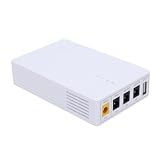

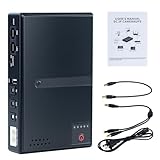


| Product | Best for | Key feature from the title |
|---|---|---|
| TalentCell Mini UPS 27000mAh | Longest listed capacity | 97.2Wh, 12V/9V DC plus USB-C PD |
| VISLONE Mini UPS 13500mAh | Router, camera and ONU backup | 5V/9V/12V outputs |
| SKE DC20000 Plus Altair | Router and modem with surge protection | 20000mAh, 5V/9V/12V outputs |
| Generic 18W Mini DC UPS | PoE and multi-voltage gear | 5V to 24V outputs |
| KP3 Mini UPS 10000mAh | Compact router backup | 0ms transfer, 36Wh |
| Yuuki Power Mini DC UPS 20800mAh | Router plus PoE device | 70Wh, USB 5V and DC 12V/9V outputs |
| MARSRIVA KP5 MAX 20000mAh | Multi-device backup | 64Wh, PoE, USB-C, USB-A |
| Unbranded Multi-Voltage Mini DC UPS | Basic outage protection | 5V, 9V and 12V outputs |
How to Choose
Match voltage, connector and polarity
Look at the label on your router’s power adapter: it states a voltage, an amperage and often a plug size. The UPS must offer that voltage, and the plug must fit with the correct polarity. A mismatch can damage equipment, so if you are unsure, consult the router’s manual or a qualified technician.
Write down every device you want to keep online, usually the router and the modem or fiber terminal, and check each one’s adapter label. If they run at different voltages, you may need a unit with several outputs or two separate backups. The label is the most reliable source, so read it before you compare listings.
Compare watt-hours, not just milliamp-hours
A milliamp-hour figure depends on the battery’s internal voltage, so watt-hours give a fairer comparison. A 10 watt router on a 36Wh pack would run for a few hours in theory, but conversion losses reduce that, so treat any runtime estimate as approximate.
Where a listing gives only milliamp-hours, you can still estimate: multiply by the battery’s nominal voltage, if stated, to get watt-hours. When the voltage is not given, treat the capacity as unverified and look for listings that print the watt-hour figure plainly, as several here do.
Check for PoE and extra outputs
If you power a camera or access point over PoE, look for a PoE listing and the stated voltages. Several units also include USB outputs, which can keep a phone charging during an outage.
PoE adds another wrinkle: a camera or access point may need a specific voltage, and the PoE output on a mini UPS may be limited in speed. One listing here states 100Mbps PoE, which is enough for many cameras but not a fast access point. Match the output to the device before you rely on it.
What to ignore and where budget units cut corners
Ignore giant capacity numbers without watt-hour figures; they can be misleading. Cheaper units often leave out clear output specs, safety details or transfer-time claims, so a listing that names only mAh and a few voltages deserves extra caution.
Also consider placement and recharging. These units sit near the router and need a wall adapter or USB source to recharge, so leave a spot with airflow and keep them away from damp areas. A battery that is never topped up will not help when the power fails.
The 8 Best Options
TalentCell Mini UPS 27000mAh
For households that want long standby and a mix of outputs, with 97.2Wh of capacity and DC 12V and 9V alongside USB-A and USB-C PD.
- 97.2Wh capacity, the largest listed here
- DC 12V/9V plus 18W USB-A/USB-C PD outputs
- Trade-off: the 5V output is not named, so confirm it suits your gear
Skip it if you need PoE or a compact body.
VISLONE Mini UPS Battery Backup 13500mAh
A mid-capacity unit for routers, cameras, switches and ONU devices, with 5V, 9V and 12V outputs.
- Three selectable voltages for common gear
- Portable and rechargeable
- Trade-off: no watt-hour figure or transfer time in the title
Skip it if you need a PoE output.
SKE DC20000 Plus Altair
A 20000mAh unit that adds surge protection and USB and Type-C charging for a router and modem pairing.
- 5V, 9V and 12V outputs
- Surge protector function named in the title
- Trade-off: no watt-hour number is listed
Skip it if you want a stated transfer speed.
Generic 18W Mini DC UPS
A multi-voltage unit covering 5V, 9V, 12V, 15V and 24V, the widest range here, for routers, modems, PoE devices and cameras.
- Output range from 5V to 24V
- 18W output, with PoE devices named
- Trade-off: no brand or capacity is listed
Skip it if you want a stated battery capacity.
KP3 Mini UPS 10000mAh
A compact unit for a single router or modem, with 36Wh of capacity and 0ms transfer.
- 0ms switchover claimed in the title
- 36Wh capacity for short outages
- Trade-off: the smallest capacity listed, so runtime is limited
Skip it if you want hours of runtime for multiple devices.
Yuuki Power Mini DC UPS 20800mAh
A 70Wh unit rated for routers up to 18W, with USB 5V and DC 12V, 9V and 5V outputs plus 100Mbps PoE.
- 70Wh capacity with a stated 18W router limit
- Includes 15V and 24V PoE (100Mbps)
- Trade-off: the stated limit means high-draw gear is not suitable
Skip it if your router needs more than 18W.
MARSRIVA KP5 MAX 20000mAh
A multi-device unit for routers, modems and CCTV, with 64Wh of capacity, PoE, USB-C and USB-A outputs.
- 64Wh capacity with PoE support
- 0ms transfer and multi-device backup
- Trade-off: PoE speed and output voltages are not detailed in the title
Skip it if you only need a simple router backup.
Unbranded Multi-Voltage Mini DC UPS
A basic unit that supports 5V, 9V and 12V for routers, modems and security cameras, with PoE power backup named.
- Three voltages cover common gear
- Built for power outage protection at home
- Trade-off: no brand, capacity or transfer time listed
Skip it if you want clear capacity figures.
Which One Fits Your Situation
You work from home and need hours of uptime
Choose the TalentCell Mini UPS at 97.2Wh, or the Yuuki Power unit at 70Wh if your router stays under its stated 18W limit.
Whichever you choose, remember that the modem or fiber terminal needs power too. If the unit has only one DC output, you may need a splitter or a second backup, so check the number of outputs.
You run a router plus a PoE camera
The MARSRIVA KP5 MAX lists PoE, USB-C and USB-A outputs at 64Wh, while the Generic 18W Mini DC UPS covers a wider voltage range.
Match the PoE voltage and speed to the camera, and confirm that the unit can carry the combined load of the router and the camera at once.
You only need a short bridge for one device
The KP3 Mini UPS at 36Wh is the compact answer for a single router.
Short outages are common, and a small battery that covers a router for a while is often enough. If your area has long outages, a larger unit like the TalentCell or Yuuki Power model gives more room, though even those have limits.
Common Mistakes
- Buying without matching the router’s voltage, polarity and connector
- Comparing mAh across units without checking watt-hours
- Ignoring the stated output limit, such as the 18W cap on one listing
- Forgetting that the modem or ONU also needs backup power
- Assuming a runtime estimate is exact
Taking a few minutes to read adapter labels and listing specs prevents most of these problems. When in doubt about wiring or voltage, ask a qualified technician rather than guessing.
Frequently Asked Questions
How long will a mini UPS run my router?
Divide the unit’s watt-hours by your router’s wattage for a rough estimate, then expect less in practice due to conversion losses. A router’s wattage is usually printed on its adapter or in its manual, so look there before doing the math.
Can a mini UPS power a modem and router together?
Only if the combined draw and voltage needs are within the unit’s output. Check each device’s adapter label.
What does 0ms transfer mean?
It means the unit claims to switch to battery without a gap, so devices should not reboot when the power fails. It is a manufacturer claim.
Is a mini DC UPS the same as a standard UPS?
No. A standard UPS provides AC outlets for devices like desktop PCs, while a mini DC UPS feeds low-voltage DC directly to small devices like routers. For a PC, you would need a conventional UPS sized for its load.
Related guides
More from Amazon
Programs that pair well with the guide above. Offers and eligibility are set by Amazon and may change.
Free shipping on eligible items, Prime Video and more. Eligible new members can start with a free trial.
Start a Prime free trialAd-free music streaming. Eligible new subscribers can start with a free trial.
Try Music Unlimited freeA Prime membership for ages 18-24 with a trial period. Eligibility is set by Amazon.
See Prime for Young AdultsAudiobooks and podcasts to listen to on the go. Eligible new members can start with a free trial.
Try Audible freeAs an Amazon Associate we earn from qualifying purchases.