The SteelSeries QcK XXL is the best overall XXL mouse pad here for most desks: SteelSeries lists it at 900 by 400 by 4 mm (about 35.4 by 15.75 inches) with a micro-woven cloth surface and a non-slip rubber base, which is large enough to hold a keyboard and a mouse at the same time. “XXL” in this category means a desk mat, usually around 35 inches wide or more, rather than a small square pad. If your desk is wider than 4 feet, the 46-inch LifeTrim gives you more room, and the stitched Large Gaming Mouse Pad is an easy choice for anyone who wants frayed edges to be a non-issue.
Our Top Picks
 Cmhoo XXL Professional Large Mouse Pad & Computer15.7L x 35.4W inches35.4 x 15.7 x 0.12 inches1.29 PoundsCheck on Amazon
 LifeTrim Huge 46”x17” 5mm Gaming Mouse Pad Large46" x 17"46 x 17 x 0.2 inches3.2 poundsCheck on Amazon


Top 3 picks at a glance
Quick List
- SteelSeries QcK XXL – best for esports-style cloth tracking on a standard desk
- LifeTrim 46×17 Inch Mouse Pad – best for wide desks and full-size keyboards
- Large Gaming Mouse Pad with Stitched Edge – best for a no-fray edge and a plain black look
- Cmhoo XXL Black (90×40 cm) – best for a simple, thin full-desk mat
- Cmhoo XXL Map (90×40 cm) – best for anyone who wants a world map design on the same size
- Rinaze Topographic XXL – best for a contour-line design that still covers the desk
Which One Is Right for You?
| If you… | Choose |
|---|---|
| Want one pad with published dimensions from a known peripheral brand | SteelSeries QcK XXL |
| Have a desk 48 inches wide or more and a full-size keyboard | LifeTrim 46×17 Inch Mouse Pad |
| Dislike frayed edges and want a stitched border | Large Gaming Mouse Pad with Stitched Edge |
| Prefer a thin, plain mat that sits low next to a keyboard | Cmhoo XXL Black (90×40 cm) |
| Like a world map on your desk | Cmhoo XXL Map (90×40 cm) |
| Want a contour-line pattern in black | Rinaze Topographic XXL |
Begin with your desk. Measure its width and depth, then subtract room for monitor stand legs, a keyboard tray or a lamp. A pad that overhangs the desk edge slides and curls, so smaller is better than almost-right. Also think about what else shares the desk: a laptop stand, a desk lamp base or a drawer unit can all interrupt a large mat, and you want it to lie completely flat. Three of the six pads here share the same footprint of about 900 by 400 mm, so the decision between them comes down to surface, design and brand rather than size. After size, decide on thickness: thin pads feel firm and flush with the desk, thick ones feel cushioned.
All 6 Picks in Detail
1. Large Gaming Mouse Pad with Stitched Edge – Best for a no-fray border
As an Amazon Associate we earn from qualifying purchases at no extra cost to you.

This unbranded XXL pad is described as a large, non-slip, black desk mat with a stitched edge. The listing title does not give us a full set of dimensions, so confirm the exact size on the product page before assuming it fits your desk. The stitching is the point of interest: bound edges tend to resist the curling and fraying that affect cut-edge cloth pads over the years.
- Size: extra large, exact dimensions: confirm on listing
- Edge: stitched
- Base: non-slip
- Color: black
- Thickness: confirm on listing
Pros
- Stitched border adds durability
- Simple black design suits any setup
Cons
- Dimensions are not shown in the title
- Generic brand, so there is little published surface information
Choose it over the SteelSeries if edge durability matters more to you than the brand name.
Setup tip: measure the pad when it arrives and compare it with your desk before you remove the packaging, so you can return it if the size is off. Its stitched edge should lie flat once unrolled.
Who should skip it: anyone who needs to know the exact size before buying, since the title leaves it unstated. Check the full listing, and if the dimensions do not suit your desk, move to a pad with a published size.
2. SteelSeries QcK XXL – Best for esports-style cloth tracking

The QcK XXL is a long-standing esports pad with a micro-woven cloth top. The listing highlights “peak tracking and stability,” a never-slip base and full-desk coverage. SteelSeries and retailers list the size at 900 by 400 by 4 mm, so it is a roomy but still desk-friendly pad that fits most standard 48-inch desks without running into the monitor stand.
- Size: 900 x 400 mm (about 35.4 x 15.75 inches)
- Thickness: 4 mm per retailer specifications
- Surface: micro-woven cloth
- Base: non-slip rubber
- Edges: confirm on listing, as retailers describe them as unstitched
Pros
- Established gaming brand with published size
- Cloth surface suits both optical and laser mice
Cons
- Unstitched edges can fray over time
- Plain design with few cosmetic options
It is the cleanest choice here if you value a recognized name, while the stitched pad is a better fit for anyone worried about edge wear.
Setup tip: place the pad so its front edge sits a few inches back from the desk edge, which keeps your forearms resting on the surface instead of the hard lip. Cloth pads like this one also benefit from a quick wipe after the first week to lift loose fibers from the weave.
Who should skip it: buyers with extra-wide desks who want the pad to run under a full-size keyboard and speakers, and anyone who prefers a stitched edge. For them, the LifeTrim or the stitched pad are better matches.
3. Cmhoo XXL Black (90×40 cm) – Best for a thin, plain mat
Cmhoo’s professional XXL mat is listed at 35.4 by 15.7 by 0.12 inches, which is 90 by 40 cm and roughly 3 mm thick. That is almost the same footprint as the SteelSeries QcK XXL with a slightly thinner body. It suits people who want a plain black mat that sits low and does not raise the keyboard by much.
- Size: 35.4 x 15.7 inches (90 x 40 cm)
- Thickness: 0.12 inches per the listing
- Color: black
- Surface and base: confirm on listing
- Edges: confirm on listing
Pros
- Clearly stated dimensions
- Low profile next to a keyboard
Cons
- Thinner pad gives less cushioning
- Limited published detail about the surface
It is nearly identical in size to the Cmhoo map pad below, with a plain finish in place of the printed one.
Setup tip: at roughly 3 mm thick, this mat works well with a low-profile keyboard, since the keyboard height barely changes when it moves onto the mat. Keep the mat clear of any desk edge cable cutouts.
Who should skip it: buyers who want a cushioned feel or who want a known peripheral brand. A thin mat also curls more readily at the edges when new, so flatten it out under a weight for a day.
4. LifeTrim 46×17 Inch Mouse Pad – Best for wide desks

LifeTrim’s pad measures 46 by 17 inches and 5 mm thick, according to its listing, which makes it the longest and thickest in this group. At that size it covers a full-size keyboard, a mouse and often a laptop, and it protects the desk top from scratches. The thick 5 mm body gives a cushioned feel under the palm.
- Size: 46 x 17 inches per the listing
- Thickness: 5 mm
- Style: giant black desk mat
- Base: confirm on listing
- Edge finish: confirm on listing
Pros
- Largest footprint in the set
- Thick, cushioned body
Cons
- Too long for desks under about 48 inches
- Thick pad can raise the keyboard slightly
It offers about eleven more inches of length than the SteelSeries pad, which matters only if your desk is wide enough for it.
Setup tip: unroll it as soon as it arrives and weigh down the corners with books for a day, because a thick long mat holds its packing curve longer than a thin one. Center it so equal overhang is on either side of your monitor stand.
Who should skip it: small-desk owners, and people who do not want a mat that also raises the keyboard. If your desk is a standard 47 or 48 inches, a 46-inch mat leaves almost no margin.
5. Cmhoo XXL Map (90×40 cm) – Best for a world map design
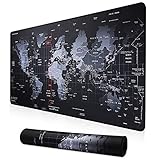
This is the same-size sibling of the black Cmhoo pad, with a map print and a listed thickness of 0.1 inch. The 35.4 by 15.7 inch footprint is the same as above. If you like a themed desk, the map is a fun pattern, but busy graphics may not suit everyone who wants clear contrast under a mouse sensor.
- Size: 35.4 x 15.7 inches (90 x 40 cm)
- Thickness: 0.1 inches per the listing
- Design: map print
- Surface and base: confirm on listing
- Sensor note: patterned pads can vary in tracking by mouse, so confirm with your own mouse
Pros
- Distinctive look at a standard XXL size
- Slim profile
Cons
- Printed pattern may affect certain sensors
- Few details on materials in the title
Pick it over the plain Cmhoo only if the design appeals to you; otherwise the black version is the safer pick.
Setup tip: try the mat with your mouse on a few areas of the print, such as the dense coastline lines, before you commit to long sessions. If your cursor jumps, a plain mat is the better choice.
Who should skip it: competitive players who prefer an even, low-contrast surface, and anyone who wants a subtle desk look. Busy patterns can also make the mouse harder to see under a bright lamp.
6. Rinaze Topographic XXL – Best for a contour-line design

The Rinaze listing calls this an extra large gaming mouse pad with a black topographic design, described as an XXL mouse mat and keyboard pad for gaming computers. The title does not state exact measurements, so confirm the size on the product page. Its main draw is the contour-line look, which is more subtle than a full-color print.
- Size: XXL, exact dimensions: confirm on listing
- Design: black topographic pattern
- Base: non-slip per the listing
- Use: mouse and keyboard desk mat
- Thickness and edge: confirm on listing
Pros
- Subtle, dark pattern fits most setups
- Large enough to host both keyboard and mouse
Cons
- Size is not stated in the title
- Limited detail on the surface material
Compared with the stitched pad, it trades a known edge treatment for a styled surface.
Setup tip: contour-line patterns are best judged under your usual desk lamp. Move the mouse across several areas to see whether the dark pattern keeps tracking smooth, and keep the mat flat to avoid edge lift.
Who should skip it: buyers who need exact dimensions or a specific thickness before purchase. If you want a mat with a published size and surface type, the SteelSeries is the more transparent option.
Specs Compared
| Product | Size | Thickness | Surface or design | Edge | Base |
|---|---|---|---|---|---|
| SteelSeries QcK XXL | 900 x 400 mm (35.4 x 15.75 in) | 4 mm | Micro-woven cloth, black | Confirm on listing | Non-slip rubber |
| LifeTrim 46×17 Inch | 46 x 17 in | 5 mm | Black desk mat | Confirm on listing | Confirm on listing |
| Large Gaming Mouse Pad with Stitched Edge | Confirm on listing | Confirm on listing | Black | Stitched | Non-slip |
| Cmhoo XXL Black | 35.4 x 15.7 in (90 x 40 cm) | 0.12 in | Black | Confirm on listing | Confirm on listing |
| Cmhoo XXL Map | 35.4 x 15.7 in (90 x 40 cm) | 0.1 in | Map print | Confirm on listing | Confirm on listing |
| Rinaze Topographic XXL | Confirm on listing | Confirm on listing | Black topographic print | Confirm on listing | Non-slip |
How We Chose These
This list comes from a fixed set of catalog listings, and the write-up relies on listing titles and the specification information that manufacturers and retailers publish. We compared each pad on stated size relative to common desk widths, thickness, edge finish, base type and whether the title explains the surface. SteelSeries publishes its dimensions, so those are used in full, while other entries say to confirm on the listing when the title does not give a value. Appearance-led pads are labeled as such, and no durability or tracking claims are made beyond what the listings state. Always compare the final dimensions against your own desk before choosing.
What to Look For
Size: measure the desk first
XXL pads usually fall between 31 and 47 inches long. The common 900 by 400 mm size is 35.4 by 15.75 inches, which fits a keyboard and mouse on most desks. Longer mats such as the 46-inch type need a desk that is at least 48 inches wide, plus room for monitor stand legs. Worked example: a 55-inch desk with a monitor stand in the center can take a 46-inch pad that runs behind the keyboard and under both hands, while a 42-inch desk should stay with a pad of 35 inches or less. Also compare the pad’s depth to your desk depth: a 17-inch-deep pad on a 24-inch desk leaves room for a keyboard but pushes the front of the mat close to your chest, so some users prefer 15 to 16 inches. If you use a laptop on the desk, add its footprint to the total before deciding, because the mat should remain flat beneath everything on it, and leave a gap of a couple of inches from walls and window sills so the edges do not ride up.
Depth: leave room at the desk edge
A 15.75-inch pad leaves you about 8 inches of desk behind it on a 24-inch-deep desk. That is enough for a monitor stand, but if your monitor sits close to the back, a 17-inch-deep pad could press against it. Keep the pad a little clear of the desk edge so it does not droop or catch your forearm.
Thickness and feel
Thin pads at 2 to 3 mm sit nearly level with the desk and feel firm. At 4 to 5 mm you get more cushioning for your forearm and a slightly raised surface. Thicker pads suit people who rest their arms on the mat, but they can lift a low-profile keyboard. Match the thickness to the keyboard you use, and think about whether you use a wrist rest.
Surface, edges and base
Cloth surfaces are the standard for gaming. Their weave gives control and feels consistent for most optical and laser sensors. Stitched edges resist fraying, and non-slip rubber bases keep the mat in place on smooth desks. Printed designs are fine for most mice, but very reflective or glossy prints can confuse some sensors, so a plain dark surface is the safest choice. New mats may arrive rolled, and a few days under a flat weight helps them settle. If you change mouse sensitivity or lift-off settings, give any new surface a short adjustment period, since speed and stopping feel differ between smooth and textured weaves. Rule of thumb: pick the surface first, then the size, and only then the design.
Plan for the keyboard and wrist rest
If you use a wrist rest, check that it sits on the mat or beside it without tilting. Thick mats raise a keyboard by 4 to 5 mm, which pairs well with a rest of similar height. A very large mat that extends beyond the desk can also bump against chair arms, so test your chair position before settling on the final placement. If you move your keyboard often, a mat with a smooth top lets it slide while a grippy one holds it still.
Cleaning and care
Dust and skin oils build up on cloth surfaces over time. Spot-clean with a damp cloth and mild soap, rinse lightly and air dry flat. Avoid washing machines unless the manufacturer says it is safe, because heat can warp the rubber base.
Questions
What counts as an XXL mouse pad?
There is no formal standard, but XXL pads are usually 31 inches or longer and are meant to cover a keyboard and mouse together. The most common size is 900 by 400 mm.
Will a 46-inch mouse pad fit my desk?
It needs a desk at least 48 inches wide, and ideally a bit more so the pad is not at the very edge. Measure the usable width after accounting for monitor stand legs and any shelving.
Is a thicker mouse pad better?
Not necessarily. Thicker pads feel more cushioned, but thin pads sit flatter and match low keyboards better. Choose based on how much arm support you want.
Do patterned mouse pads affect tracking?
They can on some sensors, particularly with very detailed or glossy prints. A plain dark surface is the safest choice if you play competitive shooters.
How do I stop the edges from curling?
Lay the pad flat under a weight for a day or two, or reverse-roll it overnight. Pads with stitched or thicker bodies tend to curl less.
Can I use an XXL pad with a laptop?
Yes, a desk mat can hold a laptop and a mouse together, so make sure the pad has a non-slip base to keep the laptop in place.
Update History
- October 20, 2026 – Initial publication; product set drawn from current catalog listings.
- Check the product page for current specifications and availability before buying.
Sources
- Manufacturer product and specification pages for SteelSeries
- Retailer listing titles and specification fields for each product named above