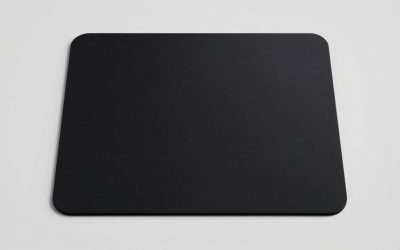
The SteelSeries QcK XXL is the best all-round mouse pad for FPS gaming in this group. Its large cloth surface gives you room for low-sensitivity arm swipes, and it doubles as a desk mat for your keyboard. If you prefer a hard, low-friction surface for fast flicks, the Logitech G440 and the glass pad are the picks to look at instead. An FPS mouse pad is simply the surface your sensor tracks on: its size decides how far you can sweep, and its texture decides how fast the mouse glides and how easily you can stop it. The six options below cover cloth, hard polymer and glass.
Our Top Picks


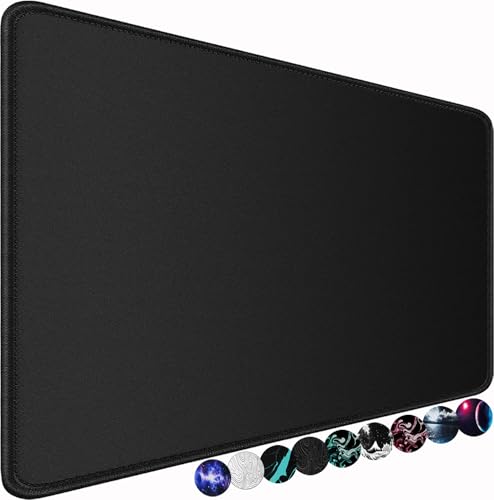

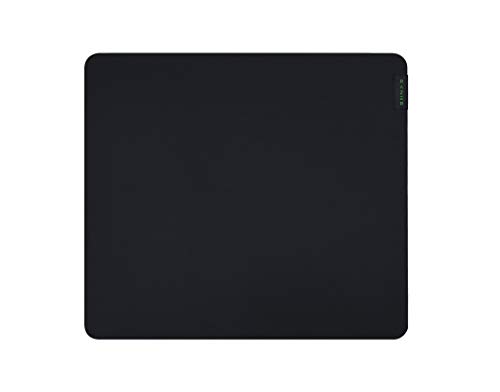
Top 3 picks at a glance
Quick List
- SteelSeries QcK XXL – best for full-desk coverage and low in-game sensitivity
- Razer Gigantus V2 Large – best for a thick, cushioned cloth feel on a mid-size desk
- Logitech G440 Hard – best for fast, low-friction flick shots on a compact footprint
- Glass Gaming Mouse Pad – best for maximum glide and a surface that wipes clean
- Large Water-Resistant Mouse Pad (31.5 x 15.7 in) – best for a simple, spill-tolerant desk mat
- XXL Stitched-Edge Mouse Pad – best for players who want edge durability and a long desk mat
Which One Is Right for You?
| If you… | Choose |
|---|---|
| Play at low sensitivity and make full-arm swipes | SteelSeries QcK XXL |
| Want a hard, fast surface for flick shots and have limited desk room | Logitech G440 Hard |
| Like a soft, thick pad under your wrist | Razer Gigantus V2 Large |
| Want the smoothest glide and an easy-to-clean surface | Glass Gaming Mouse Pad |
| Need one long mat for keyboard and mouse that tolerates spills | Large Water-Resistant Mouse Pad (31.5 x 15.7 in) |
| Want a stitched edge so the border does not fray | XXL Stitched-Edge Mouse Pad |
Start with your sensitivity and desk width, because those two numbers narrow the field faster than any brand name. Low-sensitivity players should lean toward the larger cloth mats. Players who aim with wrist flicks can use the smaller hard surfaces and enjoy the faster stop-and-go feel. Everything in the list is built for gaming sensors, but only the cloth options give a soft, forgiving stop.
All 6 Picks in Detail
1. Logitech G440 Hard – Best for fast flick shots
As an Amazon Associate we earn from qualifying purchases at no extra cost to you.

The G440 is a hard gaming surface, and the listing says it is optimized for gaming sensors with a moderate surface and a non-slip mat. Hard pads have low friction, so the mouse starts moving with very little effort and glides far with a small push. That suits wrist-based aimers and anyone who relies on rapid micro-adjustments in tactical shooters. The footprint is compact, so it fits a desk where the keyboard sits close to the mouse.
The surface is meant to be a consistent, low-resistance track for gaming sensors rather than a soft mat. That consistency is a real advantage in games where you re-center the mouse often, because the glide does not change when you reach the edges. Hard pads also keep dust and skin oils on top, where a quick wipe removes them, instead of letting them soak into fabric. The compromise is travel distance: at 340 x 280 mm, the G440 suits sensitivities where a full turn takes less than about 25 to 30 cm. If you are not sure where you land, compute your cm per 360 first, as explained in the buying section below.
- Hard polymer surface with a rubber base
- Listing title gives 340 x 280 x 5 mm; other sources list roughly 3 mm thickness, so confirm
- Black
- Tuned for Logitech G and other gaming sensors
- Small enough for tight desks
Pros:
- Very low friction for quick flicks
- Wipes clean and does not fray
Cons:
- Compact size limits large arm sweeps
- Less stopping power than cloth
Compared with the glass pad, it is slightly less slick but more forgiving on mouse feet and noise.
2. SteelSeries QcK XXL – Best for full-desk coverage

The QcK XXL is a long cloth mat that covers most of a desk, which makes it the easiest recommendation for anyone who plays at lower sensitivity. The listing describes an XXL cloth surface tuned for tracking and stability, with a never-slip base and full desk coverage. Because the mat is wide, your keyboard can sit on it too, so your mouse hand never drifts off the edge in a hectic round. Cloth also gives a controlled stop, which helps with crosshair placement and tracking a moving target rather than just snapping to a static one.
In practice, a mat this long changes how you set up the desk. You can park the keyboard on the left third, keep the mouse on the right, and still have room to retreat the mouse hand when a flick overshoots. The cloth texture is designed to work across low and high DPI settings, so you can change sensitivity later without changing the pad. The main trade-off is footprint: if your desk is shallow or has a monitor arm clamped near the front edge, check that 400 mm of depth fits before ordering. Players who stream or record may also like that the mat hides cable clutter and desk scratches.
- Cloth surface with rubber base, per the listing
- Commonly listed at 900 x 400 mm; confirm the size on the product page
- Thickness is reported as 2 mm by SteelSeries and 4 mm by some retailers, so confirm which version ships
- Black colorway, esports positioning
- Washable cloth according to the maker
Pros:
- Plenty of room for 360-degree turns at low sensitivity
- Keyboard and mouse share one surface
Cons:
- Needs a desk wide enough for a long mat
- Cloth is a little slower than hard surfaces for pure flicking
Compared with the Razer Gigantus V2 Large, this mat gives far more room but a thinner, less cushioned feel.
3. Large Water-Resistant Mouse Pad (31.5 x 15.7 in) – Best simple desk mat

This unbranded large mat measures 31.5 x 15.7 inches according to the listing, which is roughly 80 x 40 cm. It is water resistant with a non-slip rubber base, so a spilled drink wipes off instead of soaking in. It is a practical, no-frills option when you want a wide mat for keyboard and mouse together and do not need a named-brand surface. The size is enough for most medium-sensitivity setups.
For most FPS players on a standard desk, the 80 x 40 cm footprint is a sensible middle ground. It gives enough lateral room for medium-sensitivity swipes and still fits in front of a keyboard with space to spare. Water resistance is a practical bonus rather than a performance feature, so do not expect it to change tracking. Since this is a generic product without published sensor-tuning data, treat it as a straightforward desk mat and confirm the surface texture and edge finish on the listing before buying. Anyone who wants a tuned, well-documented surface should look at the SteelSeries or Razer options instead.
- 31.5 x 15.7 inch surface, per the listing
- Water-resistant top
- Non-slip rubber base
- Cloth-style gaming surface; confirm texture on the product page
- Thickness not stated, so confirm
Pros:
- Large enough for keyboard plus mouse
- Spill-tolerant
Cons:
- No brand-level sensor tuning data
- Surface feel can vary between production batches
Against the XXL stitched-edge pad, it is a bit shorter and has no stitched border.
4. Glass Gaming Mouse Pad – Best for maximum glide

This listing is for a tempered glass pad with a micro-etched surface, positioned for top speed and control. Glass is the slickest option here: it barely resists the mouse feet, so response feels immediate and the glide is consistent from corner to corner. It also cleans with a damp cloth, which helps if you eat at your desk. It is a niche choice, and it does ask for care, since glass is heavier and less forgiving of drops.
Glass has an almost frictionless feel under PTFE mouse feet, which is why esports-oriented players experiment with it. The micro-etched finish in the listing is meant to give the sensor enough texture to track while keeping that glide. Expect a more audible sound than cloth, and be careful with cleaning products: a soft microfiber cloth and a little water are usually enough. Because the listing name does not give dimensions, thickness or whether feet or a rubber base are included, confirm those on the product page, and check that the pad does not slide on your desk before relying on it in a match.
- Tempered glass with micro-etched surface
- Hard, uniform glide
- Size and thickness are not stated in the listing name; confirm on the product page
- Check that the base is non-slip
- Works with most modern gaming sensors; confirm with your mouse maker
Pros:
- Fastest, most consistent glide
- Easy to wipe down
Cons:
- Can be noisy and may wear mouse feet faster
- Heavier, harder to stop, and breakable
It is faster than the Logitech G440, but demands a steadier hand.
5. XXL Stitched-Edge Mouse Pad – Best for edge durability

This extra-large, long-format mat adds a stitched edge that stops the border from peeling or fraying, a common failure for cheap mats after a few months. The listing describes a non-slip base and black desk-mat styling for gaming. A long mat like this handles a mouse and keyboard together and gives wide swipes room to breathe. Because the exact dimensions are not in the listing title, measure your desk before relying on the XXL label.
The stitched border is the key design choice here. On inexpensive mats, edges are often the first part to lift, and a sewn seam keeps the layers together and the perimeter flat. If you rest your forearm on the front edge, stitching also helps the pad avoid rolling up after months of use. The mat is described as a long desk mat, so it is aimed at players who want the keyboard and mouse on one surface. Verify the exact length, width and thickness on the product page, then compare them to your own desk and your calculated 360-degree distance before treating it as a full-size XXL substitute.
- Stitched edge to resist fraying
- XXL long-format desk mat, per the listing
- Non-slip base
- Black
- Exact dimensions and thickness: confirm on the product page
Pros:
- Stitching helps the mat last longer
- Room for mouse and keyboard
Cons:
- Brand has no published sensor-tuning details
- Stitched border can be felt if your mouse hand runs to the edge
Compared with the SteelSeries QcK XXL, it offers similar coverage with less brand backing.
6. Razer Gigantus V2 Large – Best for a cushioned cloth feel
The Gigantus V2 in its Large size is a good fit for a mid-size desk where an XXL mat would be too much. It uses a textured micro-weave cloth top over thick, high-density rubber foam, which is why the listing calls it thick and soft. That foam smooths out an uneven desk and is kind to the wrist during long sessions. Players who like to anchor the mouse and rely on small, controlled corrections will appreciate the added grip of the weave.
Because the foam layer is thick for its class, the Gigantus V2 also helps when your desk is not perfectly smooth or when you rest your wrist on the edge of the pad. The weave offers a bit more grip than the sleekest cloth mats, which many players like for controlled tracking and small corrections after a flick. Keep in mind that Razer sells this design in several sizes, so make sure the Large option shown in the listing is the one you are buying, and measure your mouse travel before deciding it is enough. If you use more than about 40 cm per 360-degree turn, a bigger size in the same family or the QcK XXL will feel less cramped.
- Textured micro-weave cloth surface
- High-density rubber foam core with anti-slip base
- Large size is commonly listed at 450 x 400 x 3 mm; confirm on the product page
- Classic black finish
- Designed for optical and laser sensors per the maker
Pros:
- Cushioned, forgiving feel
- Square-ish footprint suits a smaller desk
Cons:
- Too small for very low-sensitivity play
- Cloth edges can wear over time with heavy use
Next to the QcK XXL, it trades desk coverage for a softer, thicker feel.
Specs Compared
| Pad | Surface | Size | Base | Notable feature |
|---|---|---|---|---|
| SteelSeries QcK XXL | Cloth | XXL; commonly 900 x 400 mm (confirm on listing) | Non-slip rubber | Full desk coverage |
| Razer Gigantus V2 Large | Micro-weave cloth | Large; commonly 450 x 400 mm (confirm on listing) | Anti-slip rubber foam | Thick cushioning |
| Logitech G440 Hard | Hard polymer | 340 x 280 mm | Non-slip rubber | Low-friction surface |
| Glass Gaming Mouse Pad | Tempered glass, micro-etched | Confirm on listing | Confirm on listing | Fastest glide |
| Large Water-Resistant Pad | Water-resistant top | 31.5 x 15.7 in | Non-slip rubber | Spill-tolerant |
| XXL Stitched-Edge Pad | Cloth-style; confirm on listing | XXL; confirm on listing | Non-slip | Stitched edge |
How We Chose These
We built this list from the products named in current catalog listings and checked each against manufacturer pages and retailer spec fields where those exist. We focused on the features that matter to FPS players: surface type, size relative to common sensitivity ranges, base grip, and edge construction. Where listing names and maker pages disagree, for example on thickness, we say so and ask you to confirm before buying. We did not run lab measurements or log play time on these pads, so the notes on glide and stopping power describe the surface class (cloth, hard, glass) rather than a measured result.
What to Look For
Match the Size to Your Sensitivity
The most useful number is your cm per 360-degree turn, the distance your mouse must travel to rotate your character a full circle. In Valorant the formula is 2.54 x 360 / (DPI x sensitivity x 0.07), and in Counter-Strike the yaw constant is 0.022 instead of 0.07. As a worked example, 800 DPI at 0.4 in Valorant works out to about 41 cm per 360. In Counter-Strike, 800 DPI at a sensitivity of 1.0 is about 52 cm. As a rule of thumb, your pad width should be at least that distance plus 10 to 15 cm of margin, so you can turn fully without lifting the mouse. Players below about 30 cm per 360 can use compact pads; players above 40 cm are better off with an XXL mat.
Cloth, Hard Polymer or Glass
Cloth surfaces give more friction, so the mouse is easier to stop and micro-adjust, and they are quiet. Hard polymer surfaces cut friction, making flicks effortless but stops less sharp. Glass pushes that further, with a very uniform glide, but it can be loud and harder on mouse feet. If you are unsure, start with cloth: it is the most forgiving surface and works well with almost every sensor.
Thickness, Base and Edges
Thickness mostly changes wrist comfort and how a pad hides desk imperfections. Mats around 2 to 3 mm feel close to the desk, while 4 mm and above feel cushioned. A rubber base matters more than thickness for FPS use, because a mat that creeps mid-fight ruins aim. Stitched or sealed edges reduce fraying and last longer, especially on mats you rest your forearm on.
Sensor Compatibility and Care
Modern optical sensors track reliably on most opaque matte surfaces. Very glossy or transparent surfaces can confuse some sensors, so check your mouse maker’s guidance before choosing glass. To keep a cloth pad performing, wash it by hand with mild soap, rinse well and let it air dry flat. Dust and skin oils slow a pad down over time, and a quick wipe each week keeps glide consistent. Replace mouse feet when they feel scratchy, since worn skates change glide more than the pad does.
Check the Surface Before You Chase Speed
Speed gets the headlines, but consistency wins rounds. A pad that glides evenly across its whole surface is better than a faster pad with dead spots or uneven wear. Look for a uniform weave or finish, a flat lay out of the box and a base that stays put on your desk material. If your desk is glass or very glossy, a pad with a textured rubber base grips noticeably better than one with a smooth backing. Finally, think about wrist position: if your wrist often drags the pad edge, a thicker pad or one with a smooth stitched edge will be more comfortable over several hours of play.
A Quick Decision Rule
Measure your desk, calculate your cm per 360, then add 10 to 15 cm of margin. If that number is under about 35 cm, almost any pad in this list works and the choice is about feel. If it is between 35 and 50 cm, choose a large or XXL mat. If it is over 50 cm, choose the longest option and make sure your desk depth is at least 40 cm so the mat does not hang over the front edge. Only after size is settled should you choose between cloth, hard and glass.
Questions
What size mouse pad is best for FPS gaming?
It depends on your sensitivity. Low-sensitivity players who make full arm swipes do best on XXL mats around 900 mm wide, while wrist aimers can use pads around 340 to 450 mm wide.
Is a hard or soft mouse pad better for FPS games?
Neither is better for everyone. Hard pads feel faster and suit flick-heavy play, and soft cloth pads give more control and quieter movement for tracking.
Are glass mouse pads good for gaming?
They offer a very smooth and consistent glide and are easy to clean. They can be louder, wear mouse feet faster and cost you some stopping control, so they suit experienced players.
Do I need a mouse pad if my desk is smooth?
Yes, a pad gives a consistent surface, protects mouse feet and keeps the mouse from slipping. Bare desks can also have glossy or uneven areas that confuse sensors.
How often should I replace a mouse pad?
Replace it when the surface looks worn, the edges peel or the glide feels uneven. Many cloth pads last a couple of years with regular cleaning.
Does mouse pad color affect sensor tracking?
Dark, matte and evenly textured surfaces work best for most optical sensors. Avoid highly reflective or transparent surfaces unless your mouse maker says they are supported.
Update History
- October 20, 2026 – Initial publication; product set drawn from current catalog listings.
- Check the product page for current specifications and availability before buying.
Sources
- Manufacturer product and specification pages for SteelSeries, Razer and Logitech G
- Retailer listing titles and specification fields
- Published yaw values for Valorant and Counter-Strike used in the sensitivity formulas