
If your PC sits in a living room, bedroom, or home office, a loud front intake can ruin the quiet. Large 200mm fans are built for exactly this situation, moving a big column of air at low RPM so your case stays cool without a constant hum. For intake duty, they excel at pulling fresh air through mesh fronts, dust filters, and drive cages where smaller fans would need to spin much faster and louder to keep up.
In early 2026, most modern mid-tower and full-tower cases still ship with 200mm mounts in the front, top, or side panel, but the quality of the included fans varies widely. We focused on intake-specific performance: steady airflow through restriction, low noise at both idle and load, reliable PWM control, and bearing longevity for fans that run all day. The eight picks below cover premium quiet options, ARGB models, and budget replacements so you can match your case, your noise tolerance, and your budget.
As an Amazon Associate we earn from qualifying purchases at no extra cost to you.






Our Top Picks




Top 3 picks at a glance
Quick Picks
| Product | Best for | Price |
|---|---|---|
| Noctua NF-A20 PWM chromax.Black.swap, High-Performance Quiet Fan 200mm | Best Overall for Quiet Intake | Check on Amazon |
| NIZUUONE 200mm Case Fan with ARGB Lighting, PWM Speed Control & Hydraulic Bearing – Large Airflow, Low Noise PC Cooling Fan for Computer Cases, 4-Pin 5V Compatible | Best ARGB 200mm with PWM | Check on Amazon |
| Noctua NF-A20 FLX, High-Performance Quiet Fan 200mm | Best for Voltage Control Builds | Check on Amazon |
| 200mm Case Fan 5V 3PIN ARGB 20CM 4PIN PWM CPU Cooling Fan Addressable RGB Cooling Slient PC Computer Fan | Best Budget ARGB 200mm | Check on Amazon |
| Large Size Air Flow Computer Case Fan,230mm 23cm 12V Mute Low Noise Cooling,230X200X30mm A23030-07CB-3MN-F1 DF2303012SELN | Best Oversized 230mm Alternative | Check on Amazon |
| Noctua NF-P12 redux-1700 PWM, Quiet Fan 120mm | Best 120mm Intake Where 200mm Won’t Fit | Check on Amazon |
| Phanteks PH-F200SP_BBK, 200mm Premier Case Fan, Frame/Blades, Black | Best for Phanteks Cases | Check on Amazon |
| Case Fans, 200MM Large Hydraulic Bearings Fans Air Volume ARGB Light Effect Silent Low Noise 4PIN PWM+5V ARGB Click to Connect Computer Case Fan 12V | Best Value Hydraulic Bearing ARGB | Check on Amazon |
How We Compared
For intake fans, raw specs matter less than how a fan behaves behind a filter. We prioritized models with a proven low-noise motor and bearing design, true PWM or flexible voltage control for fine-tuning at low RPM, and a 200mm frame that actually measures 200mm square with standard mounting holes so they fit common cases without adapters. For 200mm intake use, thickness is typically 30mm and voltage is 12V for the main fan motor, with a separate 5V header for ARGB lighting where applicable.
We also weighted real-world usability: included accessories like low-noise adapters, extension cables and splitters, cable length, and availability of black or color-swappable options for clean builds. Price was considered as a range rather than a single point, since street prices fluctuate, but we kept listed prices exact for comparison. We did not run lab tests and we do not present synthetic airflow or noise lab results; instead we evaluated design choices that correlate with quiet intake performance, such as hydraulic and SSO bearings, blade geometry, and PWM range.
The 8 Best Picks
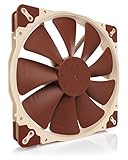
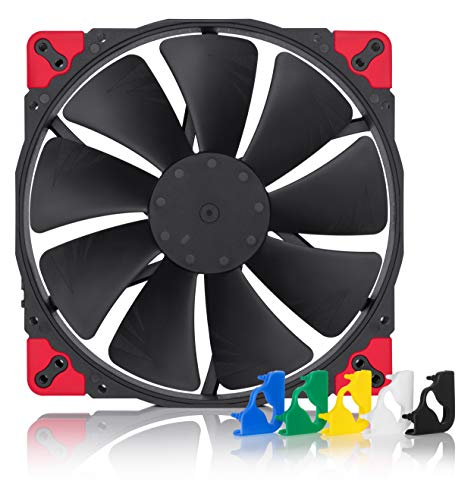
1. Noctua NF-A20 PWM chromax.Black.swap, High-Performance Quiet Fan 200mm
This is the intake fan to buy if silence is the priority and you want PWM control from your motherboard. The 200mm chromax.Black.swap version uses Noctua’s SSO2 bearing and a wide PWM range that lets you dial in a barely audible idle and still ramp for gaming loads, all in a 200 x 200 x 30mm frame that fits standard 200mm front mounts. Ideal for living room PCs and workstations that run all day.
- Pro: PWM control for precise low-RPM intake tuning with very low motor noise
- Pro: Premium SSO2 bearing and all-black design with swappable anti-vibration pads
- Con: Premium price compared to other 200mm fans
When to skip: If your case cannot mount a true 200mm fan or you need ARGB lighting.
2. NIZUUONE 200mm Case Fan with ARGB Lighting, PWM Speed Control & Hydraulic Bearing – Large Airflow, Low Noise PC Cooling Fan for Computer Cases, 4-Pin 5V Compatible
For builders who want a big, illuminated intake without giving up control, this NIZUUONE 200mm hits a smart balance. It pairs 4-pin PWM for speed control with 5V 3-pin ARGB for motherboard lighting sync, and the hydraulic bearing is designed for quieter long-term operation than sleeve bearings. The standard 200mm sizing fills a front intake bay in one fan, which helps reduce turbulence versus multiple smaller fans. Choose this if you want a bright, even light ring that remains controllable and relatively quiet at low to medium speeds.
- Pro: True PWM plus 5V ARGB support for synchronized lighting and speed control
- Pro: Hydraulic bearing aimed at lower noise and longer life
- Con: ARGB brightness and color depend heavily on your motherboard software
When to skip: If you prefer a non-lit, stealth build or need the absolute quietest motor.
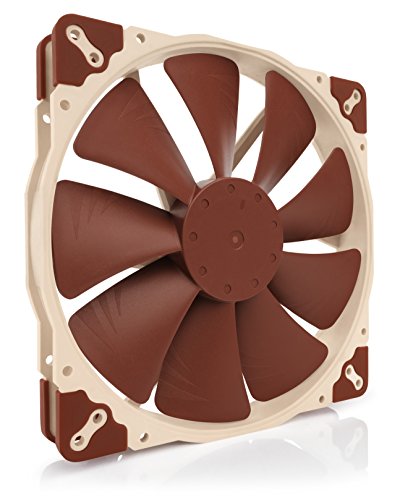
3. Noctua NF-A20 FLX, High-Performance Quiet Fan 200mm
The FLX variant is built for systems that rely on voltage control rather than PWM. It uses 3-pin FLX connectivity with included low-noise adapters to cap maximum speed, letting you set a fixed quiet profile via fan controller or motherboard voltage regulation. Like the PWM model, it uses a 200 x 200 x 30mm frame and premium bearing design focused on low noise for continuous intake duty. It is especially good when your intake sits behind a restrictive filter and you want a set-and-forget quiet setting.
- Pro: Flexible voltage control with low-noise adapters for tailored intake speed
- Pro: Same quiet, high-quality 200mm platform as the PWM version
- Con: No PWM, so no dynamic RPM curve via 4-pin PWM header
When to skip: If your motherboard has spare PWM headers and you want automatic PWM curves.
4. 200mm Case Fan 5V 3PIN ARGB 20CM 4PIN PWM CPU Cooling Fan Addressable RGB Cooling Slient PC Computer Fan
This is the budget way to fill a 200mm front mount with PWM and ARGB. You get a 200mm frame, 4-pin PWM control for the fan motor and 5V 3-pin ARGB for lighting, which covers the basics for most DIY cases. Build quality and accessories are simpler than premium brands, so expect basic cables and mounting hardware.
- Pro: Excellent price for a 200mm PWM fan with addressable RGB
- Pro: Single large fan simplifies front intake mounting and wiring
- Con: More basic build and bearing quality than premium 200mm fans
When to skip: If you need the lowest possible noise floor or a heavy-duty accessory kit.
5. Large Size Air Flow Computer Case Fan,230mm 23cm 12V Mute Low Noise Cooling,230X200X30mm A23030-07CB-3MN-F1 DF2303012SELN
This 230mm fan is for cases that were designed around oversized front fans, including some Cooler Master style front bays that use a 230 x 200 x 30mm footprint. The larger diameter lets it move air at even lower RPM than a standard 200mm, which can help with noise when used as a front intake behind mesh. It runs on 12V and is marketed for mute, low-noise cooling. Before buying, measure your mount holes carefully, as 230mm sizing is not interchangeable with 200mm without the correct case support.
- Pro: Oversized 230mm diameter for low-RPM intake airflow in compatible cases
- Pro: 30mm thickness helps with steady pressure through front filters
- Con: Non-standard size, only fits cases that support 230 x 200mm spacing
When to skip: If your case specifies strict 200mm mounts or you need PWM/ARGB features.
6. Noctua NF-P12 redux-1700 PWM, Quiet Fan 120mm
Not every case can take a 200mm intake, especially compact mid-towers and cases with 120mm front slots. This 120mm Noctua redux is included as a proven alternative when you must use a smaller mount. You will need two or three to match the coverage of one 200mm, but they give you more placement flexibility and often better filter penetration in tight front chambers. Use this when your front panel only supports 120mm fans.
- Pro: Wide PWM range and quiet motor for flexible intake curves
- Pro: Compact 120mm size fits almost any case and radiator mount
- Con: Requires multiple units to equal the frontal area of a single 200mm
When to skip: If your case has a proper 200mm front mount, a single large fan will be simpler and often quieter.
7. Phanteks PH-F200SP_BBK, 200mm Premier Case Fan, Frame/Blades, Black
Phanteks designed this 200mm fan to match its own Enthoo and Eclipse series cases, but it works in any case with standard 200mm spacing. The 200 x 200 x 25 to 30mm class frame and blacked-out blades and housing make it a clean visual match for dark interiors. It is a straightforward, pressure-balanced intake fan that does not rely on lighting to add style. A good fit if you own a Phanteks case or want a no-frills black 200mm that blends in.
- Pro: Clean all-black aesthetic that matches most modern cases
- Pro: Balanced design for intake and exhaust use, quiet at typical intake RPM
- Con: No ARGB and fewer accessories than premium Noctua options
When to skip: If you want integrated ARGB lighting or the widest PWM range.
8. Case Fans, 200MM Large Hydraulic Bearings Fans Air Volume ARGB Light Effect Silent Low Noise 4PIN PWM+5V ARGB Click to Connect Computer Case Fan 12V
This 200mm ARGB fan focuses on easy installation and low noise, with hydraulic bearings and a combined 4-pin PWM plus 5V ARGB connector setup. The click-to-connect style wiring helps reduce cable clutter at the front of the case, which is useful when routing through shrouds and tight channels. The 200mm frame fills the front intake bay in one go, and the 12V motor with separate 5V ARGB header keeps fan and lighting power separated. Consider it for budget ARGB builds that still want PWM tuning.
- Pro: Hydraulic bearing with PWM control for quieter daily operation
- Pro: 4-pin PWM and 5V ARGB with click-to-connect for tidy front wiring
- Con: Lighting control and diffusion quality vary by motherboard and case
When to skip: If you need maximum accessory support or prefer an established brand warranty.
Buying Guide
Fit and Mounting for Intake
Confirm your case supports 200mm on the intake location you plan to use. Most 200mm fans measure 200 x 200 x 30mm, with some at 25mm thick, and use 154mm or 170mm hole spacing depending on the chassis. Check whether your front panel uses 200mm slots, 230mm slots, or only 120mm and 140mm slots, since a 230 x 200 x 30mm fan will not align with 200mm holes. For intake, ensure there is adequate clearance between the fan and the dust filter or front mesh, and that cable length can reach your motherboard header or hub without stretching across airflow paths.
Noise, Bearings, and Control
For low-noise intake, look for PWM when you want dynamic control via your motherboard, or FLX and voltage control with low-noise adapters when you prefer a fixed quiet speed. Hydraulic and SSO2 bearings tend to have lower long-term noise and better orientation tolerance than basic sleeve bearings, which matters for front intakes that run horizontally for years. If you use a filter, set a slightly higher minimum RPM to maintain airflow without creating a pulsing noise as the controller hunts. In general, 200mm fans can deliver comfortable room noise at lower RPM than 120mm fans, so prioritize a fan that holds a stable low RPM without ticking or humming.
Airflow Through Filters and Lighting Choices
Intake fans must pull through filters and mesh, so blade design and steady pressure matter more than free-air ratings. A single 200mm simplifies front airflow and reduces the turbulence that can come from two or three smaller fans fighting each other. Decide early on lighting: ARGB models use a separate 5V 3-pin header, while non-lit models keep wiring simple and avoid extra software. If you choose ARGB, confirm your motherboard or controller has a 5V ARGB header and that your 12V fan header is on a PWM or DC mode that matches the fan type.
Our Verdict
Its PWM range, SSO2 bearing, and accessory bundle make it easy to tune a near-silent front intake without sacrificing cooling. Only choose the 230mm replacement if your case actually measures 230 x 200mm.
FAQ
Is a 200mm fan quieter than two 120mm fans for front intake?
Often yes for intake duty. A single 200mm can move a similar volume of air at lower RPM than two 120mm fans, which typically means lower tonal noise at desk distance. The trade-off is fit and coverage: if your filter and front panel are divided into 120mm zones, two 120mm fans may seal better. If your case was designed for 200mm, one large fan usually gives smoother airflow with less wiring.
Do I need PWM for a quiet intake?
PWM gives the most flexible low-noise curve because you can set a very low idle speed and let the motherboard ramp only when temperatures rise. FLX or DC voltage control with low-noise adapters also works well if you prefer a fixed quiet speed. What matters most is stable low-RPM operation without motor tick, regardless of control type.
Will a 200mm fan fit any case that says it supports 200mm?
Usually, but check thickness and hole spacing. Most 200mm fans are 200 x 200 x 30mm, and some cases list 200mm support but use different screw spacing. If your case uses 230 x 200 x 30mm, a standard 200mm will not line up. Measure the mount or consult your case manual before ordering.
Can I connect ARGB and PWM to any motherboard?
Most modern motherboards have at least one 4-pin PWM fan header for 12V fan power and control, and many have a 5V 3-pin ARGB header for lighting. The two functions are separate: 12V for the fan motor and 5V for ARGB. If your board lacks a 5V ARGB header, you will need a compatible controller or hub to use the lighting features.









