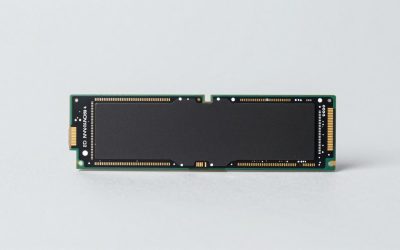
The Seagate 8TB BarraCuda (ST8000DM004) is the best overall pick if you want a single bare 8TB hard drive for a media server built from an old PC: it is a 3.5-inch SATA 6Gb/s desktop drive with a two-year warranty plus a two-year rescue service, and it holds several hundred 1080p movies at typical file sizes. A media server is simply a computer or network device that stores your video, music and photos and streams them to TVs, phones and tablets over your home network. If you would rather buy a ready-made network box, the Buffalo LinkStation and TeraStation listings below come with drives included.
Several listings here are not 8TB bare drives, so each section says exactly what you are buying.
Our Top Picks
 BUFFALO LinkStation 220 8TB 2-Bay NAS Network Attached8TB (2x4TB)5.04 x 10 x 8.82 inches0.5 poundsCheck on Amazon
 BUFFALO LinkStation 720 8TB 2-Bay Home Office Private8TB (2x4TB)8.1 x 3.6 x 5 inches4.4 poundsCheck on Amazon
 BUFFALO LinkStation 710 8TB 1-Bay NAS Network Attached8TB (1x8TB)8.1 x 3.6 x 5 inches2.9 poundsCheck on Amazon


Top 3 picks at a glance
Quick List
- Seagate 8TB BarraCuda – best for a do-it-yourself server using one bare 8TB drive
- WD Red Pro 16TB – best for a NAS-class drive with room to grow (16TB, above the 8TB in the title)
- Buffalo LinkStation 220 8TB – best for a simple two-bay home network drive with mirroring
- Buffalo LinkStation 720 8TB – best for a home office two-bay box with private-cloud features
- Buffalo LinkStation 710 8TB – best for a single-bay, no-redundancy starter media store
- Buffalo TeraStation Essentials 32TB – best for a four-bay system with room for a large library (32TB total)
Which One Is Right for You?
| If you… | Choose |
|---|---|
| Already have a PC or mini server and just need an 8TB internal drive | Seagate 8TB BarraCuda |
| Want a plug-in network drive that mirrors your files for safety | Buffalo LinkStation 220 8TB |
| Run a home office and want file sharing plus private cloud access | Buffalo LinkStation 720 8TB |
| Only want to dump movies on a shared drive and accept no redundancy | Buffalo LinkStation 710 8TB |
| Are building a NAS and want a drive rated for continuous NAS use | WD Red Pro 16TB |
| Have a huge library and want one box with four drives and redundancy options | Buffalo TeraStation Essentials 32TB |
The most important decision is not the model, it is whether you want redundancy. A single-drive device holds everything on one disk, so if it fails the library is gone. Mirrored or parity setups use some capacity to protect the rest. After that choice, match the bay count to the amount of video you want to keep.
All 6 Picks in Detail
1. Seagate 8TB BarraCuda – Best for a DIY server with one big drive
As an Amazon Associate we earn from qualifying purchases at no extra cost to you.

The listing describes a Seagate BarraCuda internal desktop hard drive with 8TB capacity, a SATA 6Gb/s interface and the model number ST8000DM004, backed by two years of warranty plus two years of rescue data recovery. It is a 3.5-inch drive meant for everyday PC storage, which makes it a fit for a home server that is on during the evening but not hammered all day. The listing does not state spin speed, cache or recording method, and drives in this family are commonly reported as shingled magnetic recording, so check Seagate’s data sheet if you plan to write a lot of data at once.
- Capacity and size: 8TB, 3.5-inch internal
- Interface: SATA 6Gb/s
- Model: ST8000DM004
- Warranty: two years plus two-year rescue service
- Spin speed, cache and recording method: confirm on listing
Pros
- Flexible: works in any PC, mini server or compatible NAS bay
- Rescue service adds some peace of mind
Cons
- Marketed as a desktop drive, not a NAS drive for 24/7 operation in a multi-bay array
- Long writes can slow down if it uses shingled recording
Compared with the WD Red Pro, it is a smaller and simpler drive but does not carry a NAS-specific design. A practical way to use it is as the single data disk in a small Plex or Jellyfin server, with the operating system on a separate small SSD, and with a second external drive that you copy new additions to every few weeks. That gives a cheap two-copy arrangement without needing a RAID controller.
2. Buffalo LinkStation 220 8TB – Best for a simple two-bay home NAS

The LinkStation 220 is a two-bay network storage box that works as a home cloud, with hard drives included in this 8TB listing. Buffalo’s specification page for the LS220 family lists RAID 0, RAID 1 and JBOD modes, one Gigabit Ethernet port, one USB 2.0 port, DLNA certification, an iTunes server and Time Machine support. Maximum power use is listed at 48W. That feature set covers a basic household media server that streams to a smart TV.
- Bays: two, with drives included (8TB total)
- RAID options: 0, 1 and JBOD per Buffalo’s spec page for the family
- Network: one Gigabit Ethernet port
- USB: one USB 2.0 port
- Media features: DLNA certified, iTunes server, Time Machine support
Pros
- Mirroring protects against one drive failing
- Simple setup for non-technical households
Cons
- If mirrored, usable space is half of the total, about 4TB if it ships with two 4TB drives
- Entry-level hardware is not built for heavy transcoding
Choose it over the LinkStation 710 when you want protection against a single-disk failure. Remember that the capacity advertised on the box is raw capacity, so if you pick the mirrored mode you will see only half of it. Many owners decide between RAID 0 for space and RAID 1 for safety during the first setup, and changing later usually means erasing the drives, so make the choice before you copy your library over.
3. Buffalo LinkStation 720 8TB – Best for a two-bay home office box

The LinkStation 720 listing is a two-bay NAS marketed as a home office private cloud, with 8TB of hard drives included. The listing text mentions media server and file server functions. Detailed specifications such as processor, memory, RAID modes and network ports are not in the listing title, so confirm them on the product page. It is aimed at users who also want remote access and file sharing, not only video.
- Bays: two, with drives included (8TB total)
- Positioning: home office private cloud and media server
- RAID modes: confirm on listing
- Processor and memory: confirm on listing
- Network ports: confirm on listing
Pros
- Two bays allow mirroring if the drives are equal in size
- Private cloud access suits remote viewing
Cons
- Key specifications are not stated in the title
- Remote access features require careful security setup
The LinkStation 220 is the more thoroughly documented of the two, but the 720 is the one pitched at office use. If you enable remote access, use a strong unique password, keep the firmware up to date and avoid exposing the device directly to the internet unless you understand the risk. Because this model is positioned for work files as well as video, it also suits households that back up several laptops to the same box.
4. Buffalo LinkStation 710 8TB – Best for a single-bay starter

The 710 is a one-bay network drive with 8TB included, so everything lives on a single hard drive. The listing positions it as a home cloud or network storage device. With only one bay, there is no mirroring, so it is best used for media you can replace, with important files copied elsewhere. It is the simplest option to plug in and share movies and music.
- Bays: one, with an 8TB drive included
- Redundancy: none, single-disk operation
- Positioning: home cloud and network storage
- RAID modes: not applicable to a single bay
- Processor, network and USB ports: confirm on listing
Pros
- Full 8TB of usable space with no mirroring overhead
- Lowest complexity of the NAS options
Cons
- A drive failure loses the library unless you keep a backup
- Cannot expand by adding a second drive
It makes sense over the LinkStation 220 only when the extra usable capacity matters more than protection. If you go this route, keep your original discs or a second copy of any rip that took hours to produce, and consider copying the library to an external drive each month so a single failure does not erase it. Treat it as a convenience shelf, not an archive.
5. WD Red Pro 16TB – Best for a NAS-grade drive (runner-up for capacity)

This listing is a 16TB drive, double the 8TB in this guide, so it is a runner-up for readers who want to grow. The title lists a WD Red Pro NAS internal hard drive with 7200 RPM, SATA 6Gb/s, CMR recording, a 512MB cache and a 3.5-inch size. CMR avoids the write slowdowns of shingled drives when RAID arrays rebuild, and Red Pro is Western Digital’s line for multi-bay NAS enclosures. It is overkill for a single movie shelf but is excellent for a growing library.
- Capacity: 16TB, 3.5-inch internal
- Speed class: 7,200 RPM
- Recording: CMR
- Cache: 512MB
- Interface: SATA 6Gb/s
Pros
- NAS-oriented design with CMR recording
- Large capacity per bay leaves room to grow
Cons
- Does not match the 8TB size in the title
- 7,200 RPM drives run warmer and louder than slower ones
Pick it over the BarraCuda if the drive will live in a NAS bay and you accept the larger capacity. Because one drive of this size holds as much as two 8TB drives, it can also simplify a build: a small two-bay enclosure with a pair of these gives a large mirrored library, and a single drive in a one-bay box leaves a free bay for a later upgrade.
6. Buffalo TeraStation Essentials 32TB – Best for a four-bay library (runner-up for capacity)

The TeraStation Essentials 2025 listing is a four-bay desktop NAS with four 8TB drives included, 32TB in total, so it does not match a single 8TB drive but is built from them. Four bays allow parity or mirrored configurations, though the exact RAID modes and usable capacity should be confirmed on the product page. If it supports a parity mode similar to RAID 5, usable space would be about three drives’ worth, or 24TB, with protection against one disk failing.
- Bays: four, with four 8TB drives included
- Total raw capacity: 32TB
- RAID modes: confirm on listing
- Processor, memory and network ports: confirm on listing
- Positioning: value desktop NAS
Pros
- Large capacity with the option to keep a redundant copy
- One device replaces several single drives
Cons
- Larger and more power hungry than a one-bay box
- Much more capacity than a small library needs
It is the natural step up from the two-bay LinkStation models if a single 8TB drive no longer holds your collection. Check the power draw, fan noise and shelf space before buying, because a four-bay unit running all day is not a silent appliance, and place it on a stable surface with clear ventilation around the sides and back.
Specs Compared
| Product | Type | Bays | Capacity | RAID / redundancy | Network and ports |
|---|---|---|---|---|---|
| Seagate 8TB BarraCuda | Internal 3.5-inch HDD | Not applicable | 8TB | None on its own | SATA 6Gb/s |
| Buffalo LinkStation 220 | NAS, drives included | 2 | 8TB total | RAID 0, 1, JBOD (family spec) | 1 x Gigabit Ethernet, 1 x USB 2.0 |
| Buffalo LinkStation 720 | NAS, drives included | 2 | 8TB total | confirm on listing | confirm on listing |
| Buffalo LinkStation 710 | NAS, drives included | 1 | 8TB | None, single bay | confirm on listing |
| WD Red Pro 16TB | Internal 3.5-inch NAS HDD | Not applicable | 16TB | Built for NAS arrays | SATA 6Gb/s, 7,200 RPM, CMR, 512MB cache |
| Buffalo TeraStation Essentials | NAS, drives included | 4 | 32TB total (4 x 8TB) | confirm on listing | confirm on listing |
How We Chose These
This guide is built from research on the six supplied listings. We read the listing titles and specification fields, then checked the Buffalo LinkStation 220 against Buffalo’s published specifications and the other products against their listed details. We prioritized capacity honesty, whether a product is a bare drive or a complete NAS, bay count and redundancy options, drive recording technology, and warranty. Where a listing did not state a value, we say to confirm on the product page. Products that do not match an 8TB drive are labeled as capacity runners-up so you know exactly what you are buying. We did not run transfer or noise measurements, so the figures are manufacturer or retailer values.
What to Look For
Bare drive or ready-made NAS
A bare drive needs a computer or NAS enclosure to be useful, and you manage the software, usually something like Plex, Jellyfin or a NAS operating system. A ready-made NAS includes drives and a web interface, which is simpler but less flexible and limited by its own processor. For a home with a few TVs, either works. For many simultaneous streams or conversion between formats, a PC with a decent processor is the stronger base.
How much capacity you need
A rough rule: a 1080p movie takes 8 to 20GB, a full 4K disc rip can reach 50 to 80GB and an hour of music is only a few hundred megabytes. An 8TB drive formats to about 7.2TB of usable space, which is about 360 films at 20GB, or about 90 4K rips at 80GB. Add 10 to 20 percent for growth and metadata. If you mirror two drives, usable space is that of one drive.
RAID, redundancy and backups
RAID 0 splits data across drives for capacity and speed but loses everything if one fails. RAID 1 mirrors two drives for safety at half the space. Parity modes such as RAID 5 on a four-bay unit spend one drive’s worth of space on protection. None of these replace a backup, because a deleted file or a fire affects every copy. Keep important home videos and documents on a separate device or in cloud storage.
CMR, SMR, spin speed and heat
Conventional recording (CMR) writes tracks independently, while shingled recording (SMR) overlaps them and can slow sharply during long writes or rebuilds. NAS and server use favors CMR. Faster 7,200 RPM drives are quicker but warmer and louder than 5,400 RPM-class drives, so a bedroom or living-room server may prefer slower spindles. Keep drives in the 30s to low 40s Celsius where you can, and give the enclosure airflow.
Noise, placement and power
A server that sits in the living room should be quiet. Drive noise comes from the spindle and the head movements, and it grows with spin speed, so a 5,400 RPM-class drive is the calmer choice. Rubber feet or a shelf with some padding cut vibration. Power use matters over a year: a small two-bay box that idles at a low wattage and spins down its drives when nobody is watching can cost far less to run than a PC left on all day. Look for a sleep or spin-down schedule in the settings.
Checking drive health over time
Drives report their own health through SMART data. Most NAS interfaces show this in a status page, and PC users can read it with free tools. Warning signs include reallocated or pending sectors, repeated read errors and rising temperature. Set an alert if the software supports it, and replace a drive that starts to show errors before it fails completely. A worked rule of thumb: plan on replacing any drive within five to seven years of continuous service and keep a spare plan in place.
Network speed and playback
Gigabit Ethernet carries about 110MB/s in practice, which is far more than a single 4K stream needs, since even a high-quality 4K disc rip runs at about 80 to 100 megabits per second. The bottleneck is usually Wi-Fi at the TV, so wire the TV or the server where you can. A device with a weak processor can play files directly but may struggle to convert them for older TVs.
Questions
Is a desktop hard drive fine for a media server?
For light home use, yes. Desktop drives are designed for a few hours of use per day, and a server that spins all day may wear them faster. NAS-class drives are built for continuous operation and multi-drive vibration.
Do I need RAID for a media server?
No, but it reduces the effort of rebuilding if a drive dies. Movies you can re-download may not justify the capacity loss. Irreplaceable family videos deserve a backup regardless of RAID.
Can I add a bigger drive to a LinkStation later?
That depends on the model and whether the drives are replaceable. Check Buffalo’s documentation for the specific unit before assuming you can swap drives or mix sizes.
How many bays do I need?
One bay is enough for a small library with a backup elsewhere. Two bays allow mirroring. Four bays allow parity RAID and a much larger library but cost more space and power.
What is the difference between USB 2.0 and Gigabit for a NAS?
USB 2.0 tops out near 480Mbps and is meant for backups or an attached drive. The Gigabit Ethernet port is the one that carries your streams to the rest of the home.
Should I worry about power outages?
Yes. Hard drives can be damaged or corrupted by sudden power loss, so a surge protector or a small uninterruptible power supply is a good addition. Shut the device down cleanly before moving it.
Update History
- October 14, 2026 – Initial publication; product set drawn from current catalog listings.
- Check the product page for current specifications and availability before buying.
Sources
- Manufacturer product and specification pages for Buffalo (LinkStation 220), Seagate and Western Digital
- Retailer listing titles and specification fields
- General RAID, CMR and SMR technology notes as described in storage vendor documentation